Buy anything from 5,000+ international stores. One checkout price. No surprise fees. Join 2M+ shoppers on Desertcart.
Desertcart purchases this item on your behalf and handles shipping, customs, and support to Austria.
🎬 Switch to brilliance — your 4K command center awaits!
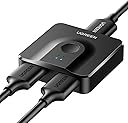
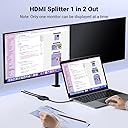
The UGREEN HDMI Switch 4K@60Hz is a compact, bi-directional HDMI splitter and switcher that supports ultra-high-definition video up to 4K@60Hz and 2K@120Hz. It enables seamless switching between two HDMI sources to one display or splitting one source to two displays (one active at a time) with a manual button. Featuring HDMI 2.0 compatibility, HDR10+, 3D support, and HDCP 2.2 compliance, it works flawlessly with gaming consoles, laptops, HDTVs, and projectors. Its plug-and-play design requires no external power or drivers, making it an easy, clutter-free upgrade for any professional or home entertainment setup.


| ASIN | B07H7JCCKM |
| Best Sellers Rank | 629 in Electronics & Photo ( See Top 100 in Electronics & Photo ) 2 in Switches |
| Box Contents | HDMI 2.0 Switch 4K@60Hz |
| Brand | UGREEN |
| Brand Name | UGREEN |
| Cable Type | HDMI |
| Cable type | HDMI |
| Color | Black |
| Colour | Black |
| Compatible Devices | Blu-Ray Player, DVD Player, Gaming Console, Laptop, Monitor, Projector, Television |
| Compatible devices | Blu-Ray Player, DVD Player, Gaming Console, Laptop, Monitor, Projector, Television |
| Connector Type Used on Cable | HDMI |
| Connector type | HDMI |
| Country of Origin | China |
| Customer Reviews | 4.4 out of 5 stars 8,263 Reviews |
| Manufacturer | Ugreen Group Limited |
| Manufacturer Part Number | 50966 |
| Model Number | 50966 |
| Number of Ports | 3 |
| Number of ports | 3 |
| Power Source | No external power |
| Unit Count | 1.0 count |
M**T
Excellent product
Excellent value for money, works really well and good quality outputs. Easy to install and operate.
N**S
Small but not the fastest switch in town
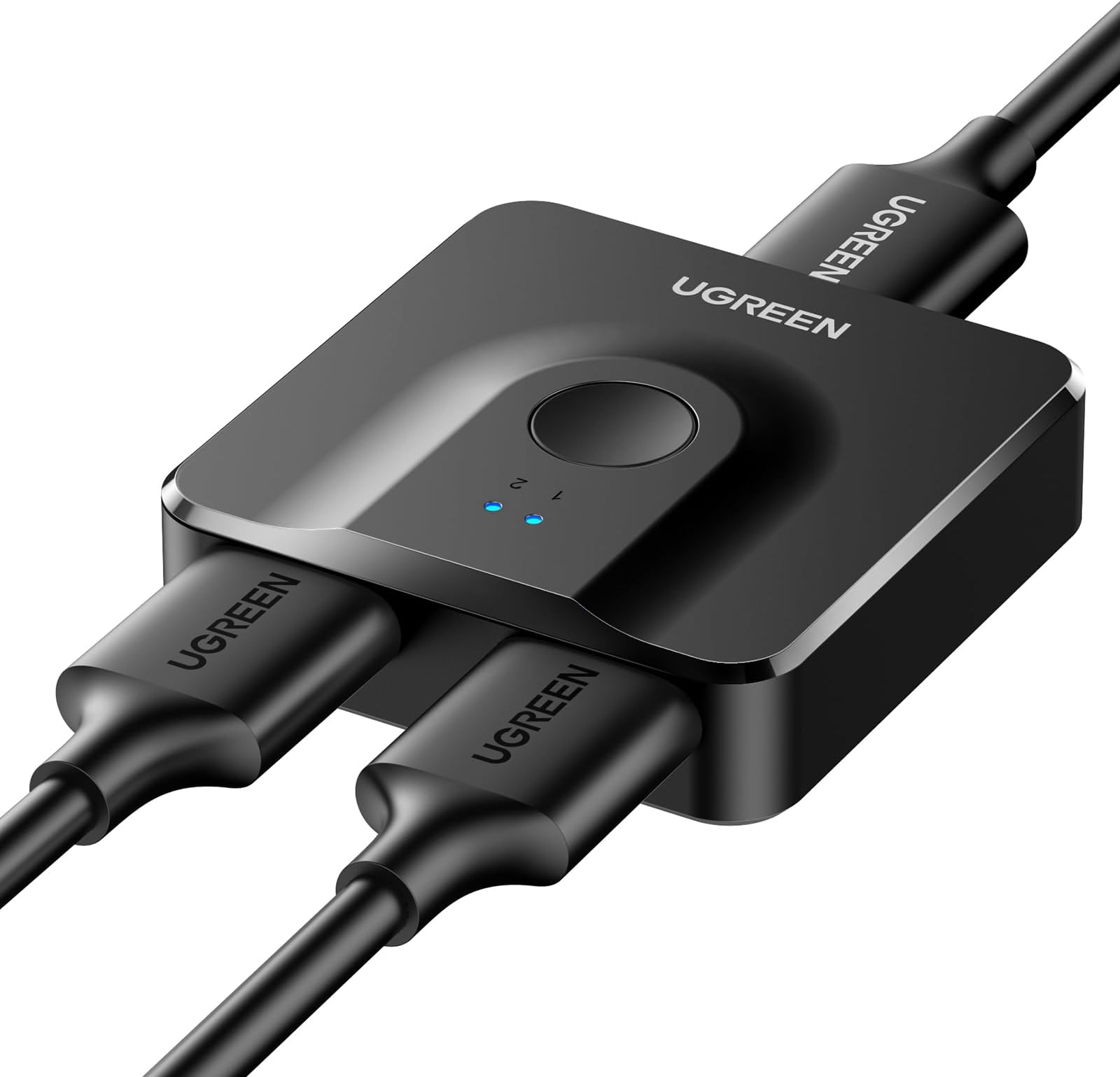
I bought this switch to use it in the following scenario: 1 monitor connected to 2 computers, one at a time. (no other configuration have been tested) First impression is that it is really really small! The connectors are really tight fit (in a good sense) and they do not wobble or feel loose or lose connectivity when you move the cables. The button feels "light" but registers the click all the times (no missed clicks). One disadvantage (by design) is that due to the small size the HDMI connectors are not on the same side but it has 2 connectors on the left and 1 connector on the right, which combined with the non-flexible HDMI cables takes up about 10-15cm before the cables can be wrapped around themselves so it adds about 40cm of cable mess. Probably not a big deal if this is stashed away, but probably this switch lives at hand reach so the cable mess is in your face. it is not heavy enough to keep the cables from pulling it away. Regardless the cable mess, here are some interesting facts i discovered: - there is no designated input 1 or input 2 so it seems that they are equal...but.. - if only 1 input has video signal, there is preference which input is auto-selected (that is, if video signal is present only on input A then this is shown on the monitor without clicking the button, but if video signal is present only on input B then this is NOT shown on the monitor automatically, you need to click the button). So in my setup, the desktop PC is in what I consider input A and the laptop in input B so I can disconnect the laptop at any time and auto-switch to the desktop. - if both inputs have video signal and input B is selected, disconnecting the cable of input B, it does not auto-select input A (in constrast to the behaviour above!) (same case with input A - there is no 'switch to next available video signal' in any case) - switching between signals is not instant, it takes about 10-12 seconds - depending on the connected computer and OS, turning on the computer without first selecting the appropriate input on the switch may or may not be an issue. (it it the equivalent of turning on without a monitor connected). - works fine with the resolutions of my computers (2560x1440) and laptop (3072x1920) without weird flashes on switching. No degradation in image quality or colour. No weord image artifacts. -
W**G
Easy to switch between two HDMI inputs for a single screen.
Got this so I can use the same monitor for work laptop and games console. Works fine. Only annoyance is that it seems to default to whichever input I am not using, but that just requires a button press. Changing between inputs is simple and reliable.
B**N
Works really well and makes life so easy
This works really well and makes life so easy if you have one monitor and you have two computers,for example one is your work computer and the other one is your private one. So reasonably priced as well.
A**R
Excellent Quality
Excellent Quality faultless connection
J**T
Great to extend an old monitor
I bought this as my old monitor is being used with a firestick and only has one hdmi socket. I now also have a PC attached and with this I can switch between the two. The switch itself is great but one thing to consider is the length of cables either side. I originally put a standard 1M cable to the monitor but on the PC side it did not pick up the signal. I swapped the monitor cable out for a 20cm cable which works fine. This sometimes can happen with some monitors or TVs where the cable length lowers the signal.
S**L
Great little box, but you have to use the right cables!
I bought this to connect 2 4k monitors to a Mac at 60Hz and a PC at 30Hz and hooked them up no problem with some HDMI cables I had round the house and it worked like a dream. Well, sort of. I noticed I'd sometimes get some intermittent flickering--something other reviewers have mentioned--but I investigated and it only affected the Mac but stopped if I dropped the refresh rate. The issue was not the switch but rather the cables, one or more of them just didn't handle a 4k 60Hz connection. I replaced the cables with ones rated to 8k (or 4k 120Hz) and the switch has been solid as a rock since then. Some might argue that it should come with cables, but I disagree, even though I fell foul of it. This is a cheap box and really, you want to choose the right cables for you, length etc so I think this is good. You just need to know that if it flickers, it's probably your cables rather than the Switch.
S**O
Does not work with Xbox Series X (Black screen flickering)
Not reccomended as you can't use xbox series x, it keeps flicking to black screen, looks like they ameneded the description and removed xbox series x AFTER WE ALL BROUGHT THE DEVICE.
I**.
Hij kan niet met twee bronnen tegelijk werken; je moet kiezen tussen de eerste en de tweede.
Een prima switch. Hij werkt zonder extra voeding, gewoon met de HDMI-kabel. Hij kan niet met twee bronnen tegelijk werken; je moet kiezen tussen de eerste en de tweede. De overdrachtssnelheid is zoals beloofd. Over het algemeen ben ik tevreden.
C**N
Buena calidad-precio
Funciona perfectamente, es pequeño y compacto
N**S
Zuverlässiger HDMI-Switch für flexible Geräteanbindung
Positiv: ✓ Funktioniert bidirektional (1→2 oder 2→1) flexibel einsetzbar ✓ Stabile 4K@60Hz Übertragung ohne Bildverlust ✓ Saubere Umschaltung zwischen den Quellen ✓ Kompatibel mit PS5, PC, TV und anderen HDMI-Geräten ✓ Kompakte Bauform, leicht zu integrieren ✓ Keine spürbaren Latenzen im Alltag Negativ: ✗ Keine automatische Umschaltung (manuell nötig) ✗ Kein echtes 4K@120Hz (HDMI 2.0 Limit) Der UGREEN HDMI 2.0 Switch macht genau das, was er soll, und das zuverlässig. Die Verarbeitung wirkt hochwertig, typisch für UGREEN, und das Gerät lässt sich problemlos in bestehende Setups integrieren. Im Betrieb funktioniert die Signalweitergabe stabil, auch bei 4K mit 60 Hz. Bild und Ton bleiben sauber, ohne Flackern oder Aussetzer. Besonders praktisch ist die bidirektionale Funktion, wodurch man flexibel zwischen zwei Quellen oder zwei Ausgabegeräten wechseln kann. Ich nutze den Switch unter anderem mit einer PS5 und einem weiteren HDMI-Gerät, und die Umschaltung funktioniert zuverlässig. Die Bedienung erfolgt manuell, was in der Praxis kein großes Problem ist, aber eben auch keine Komfort-Automatik bietet. Wichtig ist, dass man sich bewusst ist, dass es sich um HDMI 2.0 handelt. Für die meisten Anwendungen im 4K/60Hz Bereich ist das völlig ausreichend, für 120Hz Gaming oder zukünftige Standards jedoch nicht ausgelegt. Unterm Strich ein sehr solider HDMI-Switch, der stabil arbeitet und seine Aufgabe zuverlässig erfüllt. Deshalb klare 5 von 5 Sternen.
M**S
Bon HDMI Switch
Très bon produit, fait le job. 2 entrées pour une sortie, fonctionne très bien.
M**6
dobry przełącznik HDMI
zupełnie wystarczające urządzenie do przełączania między monitorem i TV, działa bez zarzutu
Trustpilot
3 weeks ago
2 months ago