Buy anything from 5,000+ international stores. One checkout price. No surprise fees. Join 2M+ shoppers on Desertcart.
Desertcart purchases this item on your behalf and handles shipping, customs, and support to Austria.
๐ฏ Dominate your game with precision and powerโwireless freedom, wired speed.
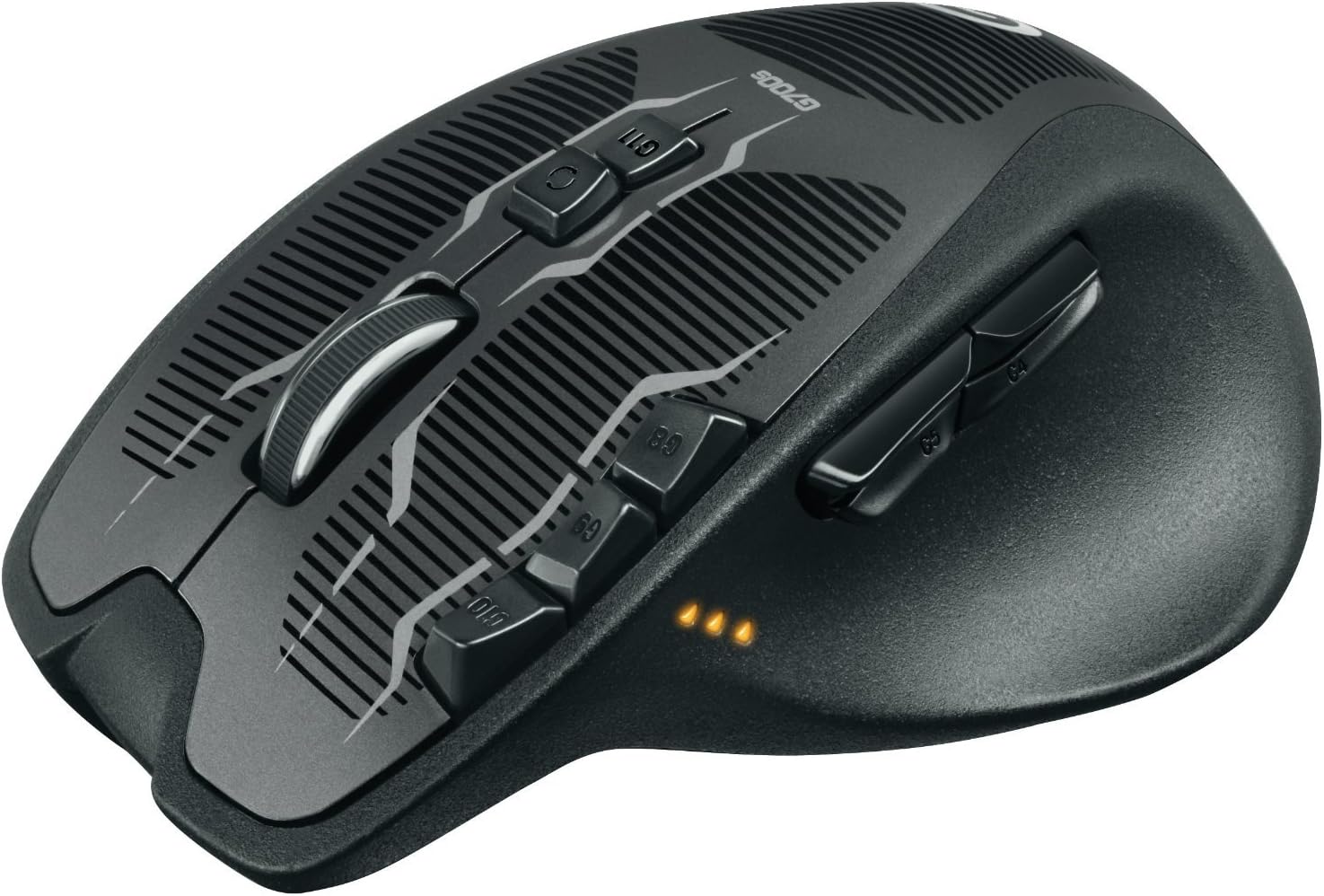
The Logitech G700s Rechargeable Gaming Mouse delivers professional-grade performance with ultra-fast USB response, 13 programmable buttons, and onboard memory for 5 profiles. Designed for marathon gaming, it offers ergonomic comfort, laser precision up to 8200 DPI, and a unique hybrid wireless/wired mode that lets you game uninterrupted while charging. Compatible with Windows PCs, itโs the ultimate tool for serious gamers seeking customizable control and seamless connectivity.
| ASIN | B00BFOEY3Y |
| Additional Features | Wireless |
| Antenna Location | Gaming |
| Are Batteries Included | No |
| Are Batteries Required | No |
| Best Sellers Rank | #77,549 in Video Games ( See Top 100 in Video Games ) #2,221 in PC Gaming Mice |
| Brand | Logitech G |
| Button Quantity | 4 |
| Color | clear |
| Compatible Devices | Laptop, Personal Computer |
| Connectivity Technology | USB, Wired, Wireless |
| Customer Reviews | 4.3 out of 5 stars 3,015 Reviews |
| Enclosure Material | Wood |
| Global Trade Identification Number | 00097855093776 |
| Hand Orientation | Left |
| Hardware Platform | PC |
| Item Dimensions L x W | 5.51"L x 3.66"W |
| Item Weight | 0.37 Pounds |
| Manufacturer | Logitech |
| Mfr Part Number | FBA_910-003584 |
| Minimum Required Operating System Version | Windows Vista |
| Model Name | FBA_910-003584 |
| Model Number | 910-003584 |
| Movement Detection | Laser, Optical |
| Movement Detection Technology | Laser , Optical |
| Number of Batteries | 1 AAA batteries required. |
| Number of Buttons | 4 |
| Operating System | Windows 10, Windows 7, Windows 8, Windows Vista, Windows XP |
| Power Source | Corded Electric |
| Range | feet |
| Special Feature | Wireless |
| Style Name | Modern |
| Theme | Gaming |
| UPC | 804066558631 097855093776 803982773227 806296570254 |
| Unit Count | 1.0 Count |
P**C
As a Business User...Life is Better With the G700 Mouse [ALSO SEE MY 3 TIPS ON IMPROVING BATTERY LIFE]
-------------------------------------------------------------------------------- AT A GLANCE (+) Not just for gamers...Great mouse for business professionals (+) 13 customizable buttons streamline your work (+) Feels great in your hand (+) Buttons easily reachable (+) Intuitive app for button customization (-) Battery life abysmal, but I found fixes that work for me (-) Switching profiles is very clunky -------------------------------------------------------------------------------- I was glad to read the reviews and find that I'm not only person who has purchased this mouse for purposes other than gaming. Overall, I am ecstatic about the degree to which this mouse has condense repetitive multi-step computer tasks to just one button press. Not only that, it's motivated me to come up with some strategies to maximize battery life that I will share in this review. -------------------------------------------------------------------------------- HERE'S HOW LIFE IS BETTER WITH THE G700 -------------------------------------------------------------------------------- (+) It feels comfortable. For me that's saying a lot because for the past 2 years, I've had to switch to a vertical mouse from Evoluent because of tendonitis in my right hand. (+) Buttons within reach. This mouse pushes the envelop on the number of buttons you can have without putting them out of reach or having to make the mouse bigger. Yes, there are some buttons that are a bit of stretch, but I'm just assign them to the less frequently use functions. (+) Free spinning mouse wheel. I have no idea why this feature is not on all mice because I don't really see any downside to it...only upside. It's amazing to get to from the bottom of the a long DIGG article you just read to the top with a couple flicks. (+) Multiple profiles. You can assign up to 5 profiles to optimize for different apps you use. So far I've got two set up. -------------------------------------------------------------------------------- A SAMPLING OF MY BUTTON CUSTOMIZATIONS: -------------------------------------------------------------------------------- Aside from the ordinary assignments, I use: (+) Next on Chrome. This enables me to rapidly go from one tab to another one. This saves time when you have dozens of tabs open (+) Switch apps. This saves a bit of time instead of using Win Key + Tab. (+) Close Tab and Reopen Tab. When I accidentally close a tab, I'm able to bring it back instantly. (+) Right / Left. I use this for an app that supports right to left scrolling. (+) Change subject line. This is a macro I created which condenses about dozen keyboard steps into one mouse click. When I'm forwarding an email in Gmail, it allows me to quickly change the subject line. As well it's way less laborious than performing the entire operation via your mouse. -------------------------------------------------------------------------------- TWO FRUSTRATIONS: -------------------------------------------------------------------------------- 1) Like practically everybody else who owns this mouse, I was frustrated by the very short battery life, with pretty much amounts to half a work day of normal usage. 2) While it is possible to assign a button to switch between profiles, in practice, it's just not practical. Ideally switching profiles should be fast. And there should be away using a heads up display or maybe some indicator on your screen that tells you what profile you happen to be using. But no, it's slow. And unless you have the actual clunky big interface open, you really don't know which profile you're in. Yes, you can get lucky, but the mouse is very slow in switching between profiles, and sometimes it seems to require more than one button press. -------------------------------------------------------------------------------- HOW I HAVE INCREASED BATTERY LIFE TO 2 DAYS -------------------------------------------------------------------------------- I use my computer for about 12 hours a day. Since implementing all of the steps below, my battery life has increased from 5 hours to about 2 days. Here are the steps which helped me. Keep in mind that my configuration is aimed at non-gamers who prioritize efficiency above performance. But at the same time, I have not noticed any decrease in performance in my normal business usage: Also some, most or all of this may be documented by other reviewers. So I don't claim that any of what's below is original: 1) Switch your profile to Power Saver. 2) Reduce DPI Sensitivity to 125 3) Replace the the included 1800 mAh AA battery with something like the EBL AA 2800mAh High Performance Ni-MH Rechargeable Batteries, 4 Pack which, after 20 minutes of research, I purchased. Today is Day 2 without a recharge and I'm still at two bars. I'm guessing that by the end of the day, I'll have to recharge. That's it for now. I will update this review if needed.
P**E
Easily the best mouse out there. Works on Linux as well.
I bought this on Black Friday when the price was only $50 which was an amazing deal for a mouse like this. I wasn't sure if I wanted this or the Logitech Performance MX Mouse which was the same price at the time. The G700s has about the same form factor as the MX mouse as well as having several extra bells and whistles so the decision was no contest to get the G700s. This mouse is amazing for general use as well as gaming. Hardware: The mouse itself is a little heavier than what I was used to for a mouse, but after using it for so long it's not so bad. The top of the mouse is nice and smooth while the sides has a rough sand paper feel to it. This took a while to get used to as well but I really like it now. It also feels really great in the hand and it is a pleasure to use for long periods of time. There are 13 buttons on here. There's the normal left, right, and middle click, with 4 buttons on the side, 3 next to the left mouse button, 1 below the scroll wheel, and the scroll wheel can tilt left and right. I tend to use the 4 buttons on the side the most as they are comfortable and easy to reach. The rest of the buttons still get used but not nearly as often. The mouse is wireless as long as an option to be wired to charge during use. I will admit that the cable that comes with the mouse is thick like everyone else says, but I don't find it much of a problem. It is the same type of cable used to charge phones so what I do is use a spare phone charger cable and it works better on my mouse than the one that it comes with. I have no problem getting it to fit into the mouse as well. Battery life is mostly what everyone else says about this mouse. It comes with an Eneloop 1900mah AA rechargeable battery and I get about 2 days of battery life on this mouse. The nice thing about this is that if it's not good enough for you, you could get a high capacity battery or get multiple batteries and switch them whenever one dies. The battery life is good enough for me as I plug my mouse in every night and the cable is on my desk ready to be plugged in if it's low. The scroll wheel is a dream and was one of the biggest reasons I wanted a mouse from Logitech. It is a free scrolling wheel that you just flick once and it just continues to move. I honestly think that every mouse needs this feature and anyone wanting a new mouse in general should get a mouse with hyper scrolling. Even if you want something cheap the Logitech M500 has this feature and should be a great mouse if all you want is the hyper scrolling. There is also a button to change the scroll wheel back to the default clicky scrolling if you ever need it to be precise. Another killer feature which is also very underrated is the on-board memory. All of the settings for this mouse is stored onto the mouse itself and is not controller by a program running in the background. My computer dual boots Windows and Linux and I am constantly switching between the two. With this mouse having on-board memory, I only have to set it up once and it works the exact same no matter what operating system I'm using. I have never had a feature of the mouse not work properly on Linux and works flawlessly. The mouse can store up to 5 profiles which each store different assignments to each button. Each profile can be changed by a push of a button on the mouse. The mouse has a wireless adapter that comes with it and is plugged into your computer/laptop. I have not had any issues with latency with this adapter. The box comes with an extender to get the adapter closer to the mouse but for me I do not need it. The bottom of the mouse has an off and on switch as well as 4 large pads and the laser itself. The mouse can go up to 8200dpi. I don't go anywhere near that high for dpi but it's good to know that it's in option if I ever need to in the future. There are 3 LEDs on the side of the mouse which shows several different things. Depending on what color they are shows what it is showing. Green shows battery life, orange shows profile settings, and red shows dpi settings. Software: Logitech has software that goes with the mouse that can be downloaded on their website. This software will only work on Windows but once the mouse is setup you don't have to touch the software. Attempting to run the program on Linux with WINE will work, but the program can not detect the mouse, therefore it is useless to run on Linux. With the program you can assign each button to do absolutely anything you want it to do. You can make them do anything like back/forward buttons, volume controls, dpi control, battery life check, as well as any button on the keyboard. You can also make the mouse to macros, which is a combination of buttons on the keyboard. This is useful for making the mouse do copy and paste as well as whatever combination you want. The dpi settings let you set the dpi into 5 different notches. These notches are set from lowest to highest and you can set the dpi for each notch. When you change the dpi on the mouse it will go up and down these notches or cycle through them depending on how your mouse is set up. You can set different dpi notches for different profiles which can be useful for people who game a lot with this mouse. Other: In this section I'm going to post some settings that I have on my mouse to give a general idea on what you can do with this mouse for different situations or games. Remember that these are not the default profiles and each button can be changed if it is not to your liking. The button below the scroll wheel is universally used to change the profiles of the mouse. The dpi notches are also all the same which ranges from 1000-5000. I only use 2 profiles on my mouse but more will possibly be used as I use this mouse more. For general use, I have the bottom two side buttons as a back and forward buttons for browsing the internet. The top front button cycles through the dpi while the top back button checks the battery status. When I tilt the scroll wheel left and right, it acts as volume up and down which works really well. The top 3 buttons get used for copy/paste as well as refreshing a page. I keep another profile for playing games such as MMOs and shooters. The top two thumb buttons are used for going up and down on the dpi notches. I have the left and right scroll wheel buttons disabled while the rest of the buttons are used for buttons on the keyboard to do things such as using items for melee attacks on shooters. In conclusion there are many great things about this mouse. Anyone looking for a great mouse for any reason at all should get this mouse. The Performance MX has nothing extra compared to this and this is easily the superior mouse compared to the two. I don't like that it is classified as a gaming mouse because it works great for general computer use as well as gaming. If you need a mouse for several operating systems or devices then there is no other equal. This mouse is amazing for it's unique features. I would have happily paid the higher price for this mouse and would easily recommend this to anyone wanting a gaming mouse.
J**J
Great Gaming Mouse but Poor Battery Performance
I have a new MacBook Pro that also has Windows 8.1 installed on it and I needed a new mouse for use for gaming (specifically first person shooter games). After reading many online reviews I ended up settling on the Logitech G700s - mainly because it offered great performance but was also wireless (I love a minimalistic look and no wires aids in this). While the packaging was great, I found the instructions very lacking. All that it comes with is a quick start guide - and I understand that manufacturers don't really produce manuals anymore - but there isn't even an online manual either. There is a link in the printed quick start guide to let you know where to download the software you need in order to take full advantage of the mouse - but I found it easily enough with a Google search. Installation of the software was a breeze after download and it instantaneously recognized the mouse. The software that Logitech uses - which I like because it uses the same software for all of their G series devices (whether mice, headsets, keyboards, etc.) - is intuitive enough, but still has a lot of advanced features that can be hard to figure out. It does have a help button that brings up different topics regarding the software but it is in no way a thorough manual of what to do to set everything up. I ended up having to use Google and reading different forums to figure out what some of the features were and how to setup different things and it eventually took me a couple of hours of playing with the mouse to get everything set up how I wanted. The mouse does support 5 different built-in profiles on the mouse - where you can save the keystrokes or macros you want each of the 13 mouse buttons to do - which is great if you ever want to take the mouse to a friend's house, to work, or even use it on your Mac. The downside to this is that there are more advanced features you can use - like multiple keystrokes, delays between keystrokes, more computer function shortcuts, etc. - but these are only available when using profiles that are stored on your computer - which means you will need to be running Logitech Software on Windows to take advantage of this. The major downside to this mouse is the battery performance. The software does allow you to use 3 separate power settings and there are different polling options which can help save the battery as well - but gamers are going to want the fastest performance (and that is why you buy this mouse) which means they will likely only get 7-8 hours of use out of the battery before having to charge it again. Pros: 1. 13 Customizable Buttons 2. 8200 DPI 3. Superior Gaming Laser 4. 1 ms Response Rate 5. Can use Wired or Wireless 6. Advanced Customization via Logitech Software Cons: 1. Poor Battery Performance 2. Software Needed for Advanced Customization features 3. Software Doesn't Work on Macs 4. Expensive 5. Lack of printed or online manual. Conclusion: All in all I think it is a great gaming mouse - especially for the Amazon price - and I would definitely buy it again. Just be prepared to spend some time getting it setup exactly how you want it and figuring out all the features.
D**T
Great mouse for gaming and anything else!
Loving this mouse. PROS: -Lots of buttons (13) and I really LOVE the 3 buttons beside my left mouse button! -Buttons are completely configurable using the downloadable logitech software. -Configure up to 6 DPI settings -Choose polling rate (reports per second) up to 1000 (I'm using 500 atm) -Ergonomic, even for my small hands. More info below. -The software to really use this mouse doesn't use much resources, and works great. More about the software below. CONS: -Battery life: I get maybe a day out of full charge. If you plan on couch gaming, having to charge often could become a pain in the butt. If you will be using this on your desktop where your cord is readily available should the battery get low, then this is no issue at all. I didn't take any stars off for this considering what this mouse can do, and it's age. -Weight: As I understood it, the 700s (emphasis on the 's', as in 700, S) was supposed to include weights you could use to add weight to the mouse. I may have been mistaken, but i also ordered this in USED -VERY GOOD condition. Although it looks brand new, the description never mentioned it included any weights so I don't feel cheated or upset, I knew it when I purchased it but I do feel the mouse is a bit light and would like to have tried it with a weight or 2 added. Or even if it had the ability to use an extra battery for longer battery life and added weight that may have been pretty cool. Overall, I don't count the weight for a loss and it's no lighter than the cheap wireless mouse I upgraded from so I didn't remove a star. DETAILS about the software -Download the drivers and software from logitech to really open up what this mouse can do. The software allows you to select 2 modes of operation for the mouse. The default mode, and the mode I use is selecting profiles via the mouse's onboard memory. ONBOARD MEMORY The mouse's memory can store up to 6 profiles. Each profile contains what each button is configured todo (including macros), your customized DPI settings (up to 6 per profile), and your polling rate. I prefer this mode of operation, and I only use 1 profile, the first one. I like my mouse to act the same across the board and any tweaks done per game if needed. You can change the profile via the software, but you can switch between the customized DPI settings you setup in a profile on the fly via the mouse. By default, it's the front and rear of the 3 keys beside the left mouse button, the front being move forward to the next DPI, and the rear being reverse. I wanted to use those buttons for other things and set one button to change my DPI settings and that too was an option. Instead of setting a button for DPI up or DPI down, you can set on for DPI cycling, that's awesome. PER GAME PROFILES You can also set the mouse up to run a different customized profile based on what game you run. I'm sure it's awesome, but seems like too much tweaking. I like to keep it simple so I didn't mess with this. ERGONOMICS A few reviews I read and watched mentioned the mouse being large and not ideal for small hands. I wouldn't say it's large, but maybe tall. I'm only 5'6". My hands may not be small, but they're not large. They are proportional to my height and I think this mouse feels great. My last mouse was short, so the height change took a little bit to settle into, but now, I love it. With all the features, you really can't beat this mouse. It's truly a gaming mouse. I got it for $35 used off here and it looks new so I'm real happy with it.
T**C
The Devil is in the detaila
All and all, this is a solid mouse, well built, wireless and wired features are both really nice. The problems arise when you use this mouse for what it was intended; gaming. I will break it down, and it might not seem like it deserves 3 stars, but it does. I've used the mouse for over 6 months now, it was a replacement for my g9x (which I loved) Wireless; I give it a 5/5. I play primarily first person shooters (bf4, cs:s, cs:go), and I primarily use sniper weapons, which means sudden quick movements and precisely times shots are the most aspect of getting a kill. It keeps up to my g500, and my sensi as far as I can notice. precision; 5/5. I'm not sure what the native DPI is, but I use 1200 dpi and it feels great! But honestly not any better than the sensi or g500 Comfort; 4/5. this mouse is solid and has a nice heft to it. maybe a little too much heft, and you can't really reduce it more than I would like it. You may not notice, but you lift your mouse off the keyboard quite often, and in an intense deathmatch game, you are doing it a lot, and after a while, the fatigue builds a little... it's only noticeable when i think about it though. Button placement/shape; 5/5. they really got it right, i love where the buttons are, it feels so natural, and even though i use a palm hold, it's not that bad for a claw hold either. Finally, THE DEAL BREAKER cord 1/5 and battery 3/5 really 2 separate things that I am putting together. Short battery life coupled with a crummy cord. When wireless, it's really quite nice, but I find I am constantly in the red and needing to cord up. This might not be so bad if the cord was braided, but it has A LOT of drag, coupled with being very stiff, so if I give it slack to get rid of drag, it's constantly pushing against me, and if i put it all back, then there's a lot of drag... you would think there would be a spot that would be just right, but there's not, because the "in between" lengths of cord end up being both drag and resistance. I believe if you bought a braided sheath, it might remove the drag issues, and make the resistance issue not that noticable. All in all, I would not get this mouse unless you think the ~3 hour charge time won't be an issue. If you still want this mouse, I would find a company that sells braided cord. As far as I go, I'm using my g500 for gaming.
A**N
Best mouse I have ever used
I got this mouse because I had a crappy chinese off brand gaming mouse that I hated and it wasn't easy to transport because it was wired. I got this mouse because there was a deal where I could get it for $56, almost 50% off the normal price of $100. Pros: -Very comfortable to hold if you find the right grip -Tilting scroll wheel (I don't knock my scroll wheel very often so this was a nice feature to have) -Every button except the infinityscroll can be reprogrammed so if you want to play a prank on a friend who has this mouse, You could program every button to the windows key so the start menu opens whenever they click a button on the mouse as a prank -Rechargeable with replaceable battery and you can charge it on the mouse's micro USB port so you rarely have to remove the battery except to replace it every few years but DO NOT PLUG IN A STANDARD ALKALINE BATTERY. It may work but instead of being able to charge it, you will eventually cause a fire plugging it in. Only use NIMH rechargeable AA batteries because that is what Logitech recommends -The infinityscroll is super useful when you need to get to the bottom of a forum thread to see if there are any responses or scrolling to get to the sitemap at the bottom of most websites. -The hydrophobic coating not only works, it works well. I wet my finger under the faucet (not with the way you think if you are perverted) and most of it slid right down the side but not all of it. I did get my finger really wet (again, not the way you think) so I am still impressed. The rest came right off with one wipe of a paper towel (on the mouse, not where you think if you are at it again) -Tracks pretty well on almost every surface. My crappy wanna-be gaming mouse couldn't even track at all on my mousepad, marble and real wood tables while this one tracks on my mousepad, marble and I haven't tested it on a wood table and I would expect it to have some difficulty with that because the laser can't sense very far. My crappy excuse for a mouse I had before actually would perform better at that because I could hold it 6 inches above my desk and it would work but I don't know a single person who uses their mouse slightly above the desk or any real mouse that is made for that. (Razer's project Mcfly was a joke but that would be a great gaming mouse because the resistance of sliding it across the surface would be eliminated for faster movement *hint hint) -Amazing unboxing experience. Definitely different than what you would usually find but they made it work. Somehow, the first thing you see is the mouse but it is the last thing you take out works. Plus, you get to see the accessories that you will never use like the USB extension, and the manual, and the USB extension, and the USB extension and especially the USB extension. Did I mention the USB extension? -Unlike literally every other wireless mouse on the market, there is almost no latency over wireless. There is actually even less latency than most wired mice. It performs the same when used wired which I should probably mention, -You have an option to use wired. The battery adds a lot of weight to the mouse making it significantly heavier than most gaming mice. Doesn't really slow me down but if that is going to slow you down, you can pull out the battery and use it wired with a micro USB cable. -SO MANY BUTTONS!!! Cons: -The tilting scroll wheel does not default to sidescrolling. Not that big of an issue considering you can program that easily so I am not going to lower the rating but still a bit disappointing. -Hard to find a grip comfortable for you but once you find it, you never have to worry about it again so not enough to take a star off. -The side material is not as grippy as I would like but still does the job very well and I would assume it is hard to make a hydrophobic coating or rubber so not much they could have been to change that so once again, score is not lowered. -Plastic. It is not cheap feeling at all but I would expect it to feel much more premium considering the usual price is $100 but anything more premium would have increased the weight so I am going to let this one slide with the others. -Significantly heavier than most mice. This is because of the battery but I am not a competitive player so it doesn't affect me. If it is going to slow you down, I did mention earlier that you can pull out the battery and use it wired. -G11 is hard to reach so I recommend keeping it as profile switch. The button is probably best there because you will need to change profiles if you have one for Chrome and another for photoshop for example. You won't have to open up the logitech gaming software to switch but you can set it to switch profiles when it detects a certain application but it still might be useful if you save profiles directly to the mouse and ever need to use it on another computer. This seems like a con but is actually a pro but I put it under the cons because some people will be affected by that but this one still slides once again keeping the rating the exact same. Verdict: If you need a gaming mouse that is wireless for mobility to go with your gaming laptop when you are play candy crush at starbucks (BTW, if you are buying this to play candy crush, you need a tablet for that instead. Experience is actually better) it is still the best mouse I have ever used and I would call this thing an MX Master killer but I can't make that call because I have never used an MX master before.
A**N
Great mouse for all games!!!
Let me start off by explaining why i decided on this "wireless" mouse. I wanted a mouse that could play both fps games at low 400 dpi settings and a few rpgs/mobas with a bit more dpi 800+ that had multiple gaming profiles(<-for multiple computer use->) along with on board memory, these 3 capabilities were a must. With well placed buttons that had to be in the 7+ range for me and ergonomic w.o any buttons on the right side since i tend to squeeze those on accident resulting in me disabling the buttons...(mice ive owned in order dell(ball track), Logitech mx310, Razer Death Adder 3g i traded to a friend since i could not grip its plastic slippery right side, for his diamond back which had its rubber side grips that i favored, G9x, and now this G700s) ive also used various microsoft intelli mice a few gigabytes and some coolermaster storms that were the mice provided via cybercafe, which were all poor quality to me and in poor condition the intelli mice performed better in most cases. I got this to replace my G9x, its done its job well my only gripe is getting used to the sensor placement since my G9x had its sensor around the thumb area where this G700s has its sensor located under the scroll wheel. I wanted to stay laser to laser so i wouldnt have any transition from going back to optical. Do yourselves a favor and pick up http://www.amazon.com/gp/product/B00JHKSMJU/ref=cm_cr_ryp_prd_ttl_sol_1 its a well made purchase imo, sure the cord is a nice touch but its not practical as far as gaming use. Esp when using a laptop those batteries are equal to the one provided by logitech, and the link is the 4-pack that comes with the charger. You could even use the batteries in an xbox controller which is an added bonus for myself. The mouse does its job the software was easy to use/configure once you get used to the interface customization seems to be similar to setpoint their previous software. I like this mouse for its onboard memory so i can use this mouse between my desktop and my laptop for gaming and i do not have the mouse software installed on my laptop. I play CS mostly at 400 dpi with two profiles one for buy hotkeys and another for dpi switching 200-400. The other profile is my stock one with lowest power use settings and it has the 3 g buttons near the left click for rewind, play/pause, FF. The top 2 side buttons for vol up/down. I keep the profile switching button the same as its stock setting, and i have 2 profiles for my mobas, and diablo. I dont even have to use the media controls on the mouse when i use my desktop bc my blackwidow ultimate has these hotkeys as function options in the f1-12 keys, so i can choose to change the button settings on the mouse to something else if i wish(but i keep it for when i use it with my laptop). I honestly do not like running razer synapse 2.0 it takes quite a bit of memory since both of my systems run 8gb and synapse uses between 40,000kb-60,000kb at a time this isnt something i want my computer monitoring or allocating towards at all if i am gaming and want lowest latency etc. I just use it to configure my keyboard then i exit it i also believe it is what initially caused issues with my software install of logitech gaming software. This was just another reason i couldnt go with the Deathadder since it lacked the necessary buttons to play rpgs/mobas and would require me to use synapse to configure my profiles etc. The Sensei raw by steelseries can only have 1 profile at a time which means its mobility and multigame buttonmapping would have to be configured via software every time you want to change it even though the software can support unlimited profiles...so i had to pass bc i dont want to constantly be swapping profiles via software game to game or mid game alt tabbed...i also had to pass on steelseries mice for this reason since the non raw sensei is flawed by its slippery when wet grip...i was too weary to try mionix naos and other brands because i had not owned those brands so i did not trust them with first hand experience though its a paradox if i never had one before how can i own a first one :) but making a purchase like this is a thing i only want to do once not return use return use etc... Battery life depends on your use(since powersettings range from extreme/heavy gaming, (moderate) gaming, and low or non gaming use). And how often you game. I highly vouch for http://www.amazon.com/gp/product/B00JHKSMJU/ref=cm_cr_ryp_prd_ttl_sol_1. These extra batteries that hold a long charge that also last 2100 charges, will go a long way to insure you never have to use the charging cable and you can avoid cord resistance which was one of the reasons i got this. Be sure to update the software asap, it is ran at 125hz stock and i had a bit of an issue installing the software on my win7 64-bit desktop i ended up getting the correct drivers from a foreign iteration of the logitech support site vs the US one for some reason there were "compatibility errors" with installing my 64bit win7 drivers on the us site. A note the way the mouse has its weight distribution could force some users to lift/use the mouse in a way that they are not used to or are not prepared to adapt to, for me its fine and i find it favorable given the sensors placement. The mouse holds true to its claim of having a sweat resistant coating, my hand doesnt get all sweaty like it does when gripping all plastic mice or the razer matte rubberish finish which causes me to over grip mice when i sweat. All in all 5/5 for me it does what i expected it to(various vid reviews and first hand reviews later) and it still has more in store for future endeavors with the macro capability that i have just barely began configuring, i rarely used my g9x for macro combinations but this mouse seems a bit more ergonomic for that type of use.
T**I
Good gaming mouse with a few caveats yet with a basic(should be) feature that seperates it from the rest of the pack.
Logitech G700s Rechargeable Gaming Mouse $75.58 with Prime shipping at time of purchase To put it plainly I am disappointed with gaming devices which is mostly due to gamers believing the perpetuated myths that havent been true for over a decade about wireless gaming peripherals and companies producing products according to those believed myths. One strong myth is the need for a wired connection when gaming. While when it was first said there was indeed an input lag(possibly noticeable) when using a wireless peripheral. Over time and due to further upgrading of the USB and wireless standards this is only an issue at EXTREMELY competitive levels of gaming or if you have faster/sharpened perceptions than the average human being. With that being said unless you fall into those two categories or are suffering from the placebo effect of these wide spread and ill defined myths wired peripherals both work excellently and have the benefit of being WIRELESS. This gaming mouse is excellent. To compensate for the higher production cost due to people largely buying wired gaming peripherals(due to belief in the myths) certain features that should be on this mouse are not present. If you want a detailed review of the features you should look at a full review on youtube before you purchase(the price and personalized nature of a mouse demands such due diligence) as I do not want to write them all out here. What should be stated is that the G Buttons are not mechanical and the ones used by your pointer finger do not have enough feedback(my preference). There is also not a G shift button that would greatly increase the amount of buttons you would have access to on the fly(See "Logitech G600" mouse for details). This is "claimed" to give you more comfort and control when playing FPS games(which this is optimized for and is comfortable for both the "claw" and "grip/palm" style of usage). While this makes sense as to why they would omit the extra "pinky" button on the G600 it DOES NOT explain why they would keep this feature out of the Logitech Gaming Software so that you can set it to another button if you so choose. Since there is no consumer based reason the only reason I can come up with is cost saving and artificially creating a feature difference between the G700 series and the G600 series to drive up sales. Keep in mind these features can still be used with 3rd party software but the logitech gaming software would have to be disabled. This really isnt all that bad since there are much better programs out there and Logitech seems to be limiting the features of their program on purpose. Now to talk about the good point of this mouse and the reason I purchased it instead of the competition. You actually have the option to use this as a wired OR wireless mouse. This is a required feature for me as I refuse to bow down to companies trying to tell me how I am supposed to use what I purchased. This gives me the option to go wireless or wired as the situation requires on the fly. Downsides are that Logitech in their infinite generosity decided to make the micro usb cable as proprietary as possible by altering the shape of the casing around the mouse end. The upsides is a more secure cable that will not accidentally come out during a hectic gaming moment where your mouse is all over the place in a matter of a split second, although I still do not like things to be proprietary unless absolutely necessary. The Cable itself is pretty good although I would have liked a lower gauge(less stiff) or braided wire. This can be mitigated by using a 3rd party micro usb cable that fits(modern samsung cable work nicely), but remain aware of potential damage due to torque a 3rd party cable may place on the port while moving the mouse rapidly. In wireless mode it uses a specialized 1000Hz polling usb adapter similar to the Logitech Universal wireless adapter. This special gaming adapter only works for the G700s as far as I know and will run you around $15 to replace if you lose or break it. In full gaming mode (1000hz polling and DPI of the laser turned all the way up) you are only going to get a couple hours of use. If you lower the polling and dpi and use "power saving" mode you can get a much longer time depending on your usage and if you remember to turn it off when you are not using it. This is with using a single AA Eneloop battery with ~2000mAh capacity In wired mode it works just like any other wired mouse although again the cable is more stiff than I would like and could cause the mouse to drift if left alone depending on your setup. Not really too much of a downside when you aren't gaming though. This mouse also can save up to 5 button profiles in onboard memory. This allows you to save up to 5 different button, power, and variable DPI(more than one dpi preset per profile you can shift between) settings and use them on any device you use the mouse on without any additional setup or installation. Cosmetically this has held up aside from the lettering on the bottom and the "G" on the palm section wearing off. Both of which I do not really care about but should be noted. The rest of the decal and the rough gripping along the sides are still going strong. I would not buy a gaming mouse at this pricepoint that was wired only so this was one of the few options for me to choose from, but I do not regret my purchase since I am not reliant on the Logitech Gaming Software. I will say that if Logitech would stop goldbricking and withholding features, and if people would open their eyes and stop using these wired only mice due to a lag that no longer really exists this would and could be a 5 star product easily. I did have an issue with the G10 button(it didnt work for a few days), it has corrected itself and now works(probably debris jam?) but I will keep an eye on it.
J**R
Excelente experiencia
Es un producto increรญble, los materiales son de alta calidad, los botones tienen buen feedback y gran sensaciรณn de tacto El ajuste de DPI sin necesidad de software adicional es perfecto para poder jugar perfectamente cualquier videojuego sin necesidad de entrar a configuraciones antes de saber como se van a comportar los DPI en el videojuego Tambiรฉn el bloqueo y desbloqueo de la rueda del mouse lo hace un gran producto para mรบltiples propรณsitos, ya sea scroll preciso o rรกpido La precisiรณn del sensor es excelente y con el ajuste de DPI aรบn mejor
M**L
Tastaturmakros kรถnnen in der Maus gespeichert werden.
Tastaturmakros kรถnnen in der Maus gespeichert werden und werden dann auf jedem angeschlossenen PC als Tastatur ausgefรผhrt. Enitime (Eneloop?) Akku hรคlt lange durch.
G**E
Best mouse available today
This is the second G700 mouse I've owned. I had to get a new one after the first started showing distinct signs of age (the infamous double-clicking problem). But here's the thing: Even after having the former G700 (non-"s") die out on me, I Still opted for the very same model for it's replacement - That alone would say a lot about what we're dealing with here. In my opinion, perhaps the best feature of this unit, not found anywhere else even in other Logitech mice. Besides the 13 all-programmable buttons and the ridiculously high precision and refresh speed of this piece, (I wonder in awe what sort of people would actually need a thousand polls a second at 8k+ DPI); Besides the flexible-yet-intuitive mapping software that integrates so well with the maker's other devices I can switch mouse profiles by the LCD display built into my G15 keyboard; Besides how it can operate wired or wireless at your most whimsical convenience... One feature takes the cake, The scroll wheel. This solid hunk of metal in the shape of a wheel is capable of a feat unknown to lesser mice: You can unlock the 'clicker'. Smooth as the wheel notches may be, there are situations (very common for me, as a game programmer) where a page is too long to simply keep rolling over and over one stop at a time. And that's'the 14th button, just "South" of the wheel itself. Push it to toggle the ratchet and let the wheel spin free! And this is where the mass of the metal wheel comes into play - The angular momentum of a wheel is generally proportional to it's mass, which is quite substantial (by mouse wheel standards) in the G700s. Once you give it a flick, it keeps on going until you put your finger down to stop it. Lock the ratchet back and carry on, precision and speed at the flick of a switch, literally. Some would argue that the design is not to their own comfort. Well, this is no argument to judge a mouse over, as we all got different hands with various shapes and sizes. I would say it is more on the "burly" side, anyways - so those with big and wide palms would find it to fit like the proverbial glove, whereas more slender-handed users might feel it as perhaps a little clunky to the grip. Another possible downside might be that by the end of it's service life, the G700 was known to develop the nasty habit of unreliable clicking. In which it would falter during drags or longer-held hits, producing a false double-click at increasingly often times. This was very irritating but nevertheless, It lasted just over 3 years before the first sign of problems began, and it did not have it all that easy a life under my clutches either... But this is the G700s, and the one I had before was the original all-black G700 (discontinued?) - I would hope that Logitech has taken note of the various occurrences of the double-click problem and fixed it with this new version. Either way, whenever my computer stuff breaks down, I always try to take the opportunity to not only replace, but upgrade the faulty part. This mouse was a case unlike any other I've had in previous experience: There is no "upgrade" after it. Bonus points for not looking like some alien artifact as does most of everything from it's competition. This looks very well made on Earth, by humans (I think), for humans (mostly),
G**Z
Geralvaz
Excelente producto Este mouse es increible mas con la maneraven que puedes personalizarlo con distintos perfiles psra programas o juegos es facil. La ergonomia tambien es buena y el hecho que es recargable aun mas. Gran producto lo recomiendo ampliamente.
J**R
Nearly Perfect- the Wired Link Takes the Cake
I've long been on a search for the perfect mouse. Considering how much the average computer user uses one, I think it's a peripheral that's been sadly ignored. This mouse is designed as a gaming mouse, and it shows. The default configuration uses the buttons near the left mouse button to adjust tracking speed (DPI) and display battery life and the button below the scroll wheel to switch profiles and lets you set the thumb buttons to MMO macros, but the truth of it is that this mouse works just as well for any power user. Set the thumb buttons to back and forward, and boom. Cursor precision is high and it works on every surface I've tested. The mouse is nicely balanced and weighted- not too heavy, but large enough to give your hand some feeling. I was worried that the index-finger buttons would be uncomfortable and I'd end up clicking them by accident, but you really don't notice them unless you're trying to hit them, and the same is true with the two sets (four) thumb buttons. All that being the case, let me highlight what I consider to be my favorite feature: the wired/wireless nature of this mouse. Yes, it's wireless. It doesn't use a Logitech unified receiver, though, so you're out of luck on that front (but I have plenty of spare USB ports so that wasn't an issue), but plug in the USB to micro USB cable, and you're good to go as a wired mouse. More than a few wireless mice have transitioned to using micro-USB for charging so that you can use the mouse as a wired mouse while it's charging the batteries, but on this mouse, when you plug in that cable, you're actually sending data over the wire. If you need to move the mouse to another computer, or you have a high-interference environment, it ignores the wireless entirely. That's a great feature for me, because it means I can sling the mouse and cable in my bag with my laptop and suddenly, I have that same great mouse without having to muck around and take the wireless receiver from my computer. All in all, this is an amazing mouse. Highly recommended.
Trustpilot
4 days ago
3 weeks ago