


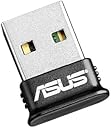
🔌 Upgrade your PC’s wireless game with ASUS USB-BT400 — small dongle, big connectivity!
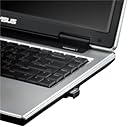
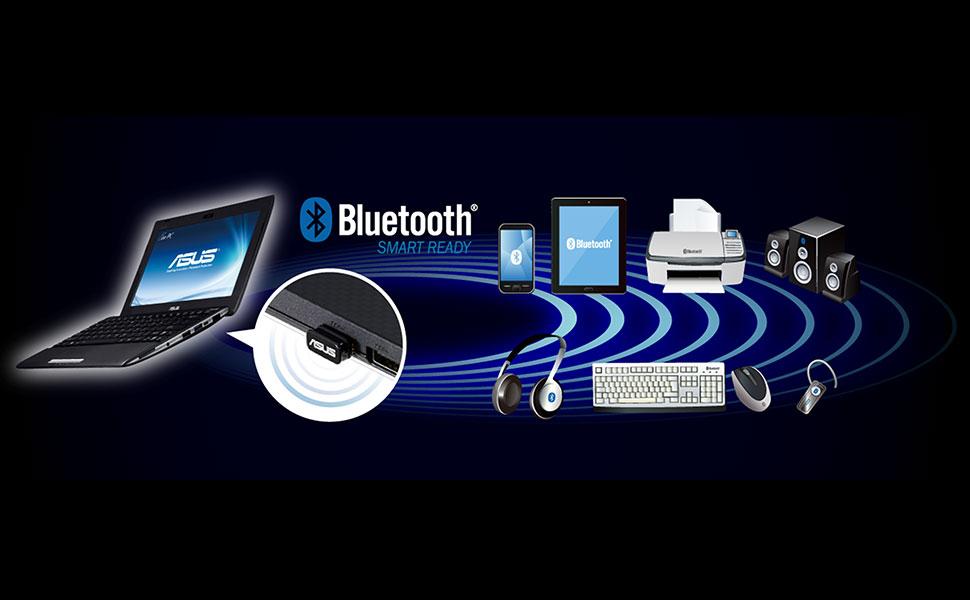
The ASUS USB-BT400 is a compact, Bluetooth 4.0 USB adapter offering backward compatibility with older Bluetooth versions. It supports a wide range of devices and Windows OS versions with plug-and-play ease. Featuring Bluetooth Low Energy technology, it ensures energy-efficient wireless connections. Renowned for its reliability and durability, this adapter remains a top choice for seamless, lag-free connectivity in professional and gaming setups.


| ASIN | B00DJ83070 |
| Best Sellers Rank | #12 in Bluetooth Network Adapters |
| Brand | ASUS |
| Built-In Media | USB-BT400 adapter, Warranty card |
| Color | Black |
| Compatible Devices | Desktop, Headphone, Laptop, Speaker |
| Compatible Operating System Family | Windows |
| Customer Reviews | 4.3 out of 5 stars 12,530 Reviews |
| Data Link Protocol | Bluetooth |
| Data Transfer Rate | 3 megabits_per_second |
| Global Trade Identification Number | 00886227502752, 04056572741120, 04716659342489 |
| Hardware Interface | Bluetooth, USB |
| Item Dimensions L x W x H | 16"L x 19.47"W x 8.1"H |
| Item Weight | 2.72 ounces |
| Manufacturer | ASUS Computer |
| Mfr Part Number | USB-BT400 |
| Minimum Required Operating System Version | Windows 10 |
| Model Number | USB-BT400 |
| Number of Items | 1 |
| Product Dimensions | 16"L x 19.47"W x 8.1"H |
| UPC | 809385680551 731215274794 132017948751 809186285764 803982848024 146286587702 112840341226 807030509936 809185829105 886227502752 163120884100 666823584907 807320173618 |
| Unit Count | 1 Count |
| Warranty Description | 3 Years |
P**P
Still Rock Solid After 8 Years—Reliable Bluetooth Adapter for Everyday Use
I picked up the ASUS USB-BT400 Bluetooth adapter way back in 2018, and honestly, it’s still running perfectly in 2026. I’ve built and upgraded a lot of PCs, and this little adapter just keeps working. Connectivity is solid—I haven’t had issues with my headphones, headsets, mice, or controllers dropping out. Everything just pairs up and works, even when I’m swapping devices around for gaming or work. The only exception is my Fire tablet, but that’s not really the adapter’s fault. Some devices have built-in security (like locked bootloaders or pairing restrictions), so they just won’t connect to anything that’s not an approved peripheral. That’s a tablet-side thing, not a problem with the ASUS adapter. Latency has never been an issue for me, even with my high-DPI Razer Basilisk gaming mouse. No noticeable lag, even when I’m gaming or moving between devices. If you’re chasing the absolute lowest latency for competitive gaming, maybe a Bluetooth 5.0 adapter would have an edge, but for my setup, this one is honestly great. I don’t see a strong reason to upgrade when everything just works. It is a great value, it's supported by windows out of the box, it's very small too. The adapter is still going strong after years of daily use, no defects, no weird disconnects, nothing. It’s just a solid, reliable piece of hardware. For anyone needing Bluetooth on a desktop or upgrading an older PC, I definitely recommend it. Still using mine in my current rig and it hasn’t let me down. PC builder, gamer, and tech junkie approved!
S**N
Seamless Connectivity for Your PC
The ASUS USB-BT400 Bluetooth Adapter is a versatile and reliable solution to upgrade your PC or laptop with Bluetooth connectivity. Whether you want to connect wireless peripherals, transfer files, or simply enjoy the convenience of Bluetooth, this tiny dongle has you covered. One of the standout features of this Bluetooth adapter is its ease of use. It's a 'plug and play' device, which means that it's incredibly simple to set up on Windows 10/8/7/XP. You just plug it into an available USB port, and your computer recognizes it automatically. This quick and hassle-free installation is a big plus for users who want to avoid complicated setups. The adapter supports a wide range of Bluetooth devices, including printers, phones, headsets, speakers, keyboards, and controllers. This versatility makes it a valuable addition to your PC, enabling you to connect various peripherals and accessories without the need for multiple adapters. Despite its compact size, the ASUS USB-BT400 delivers reliable and stable Bluetooth connections. Whether you're streaming audio to wireless speakers or enjoying lag-free gaming with a Bluetooth controller, this dongle ensures a seamless experience. ASUS is known for its quality and durability, and this adapter is no exception. It's built to last, and you can trust it to provide long-term Bluetooth connectivity without issues. The sleek black design of the dongle blends well with most computer setups, and its small size means it won't block adjacent USB ports or get in the way. In conclusion, the ASUS USB-BT400 Bluetooth Adapter is a cost-effective and efficient solution for adding Bluetooth connectivity to your PC or laptop. Its 'plug and play' setup, compatibility with various devices, and reliable performance make it an excellent choice for users who want to enjoy the benefits of Bluetooth without the fuss."
R**M
WORKS WORKS WORKS RANGE RANGE RANGE!!!!!
I have both a Win7 and Win10 PC's this worked flawlessly and without issue in both. Win10 automatically nd for Win7 I just got the driver pkg from Asus, it installed 1-2-3 and I connected immediately. The range is beyond belief. I was using my mouse and a BT speaker on my laptop in the kitchen. I took my win10 laptop to my bedroom on other side of house (same floor). I had it sitting less than 2 feet above the floor. Im moving out and had only a plain mattress on the floor to explain that . I started watching a movie and the sound from my laptop is so weird and low , Im like WTHeck. I keep fiddling with it figuring its the soft surface I have the laptop on. I then realize I left the BT speaker in the kitchen and it was still playing through there! So Im at least 45ft away, its going thru a bathroom wall plus the pipes in the wall and the cabinets/vanity thats in on the wall, thru the bathroom and the other wall in the kitchen and a double oven and a wall of cabinets, was on the 2nd wall, plus it had to make it thru a 5x5 kitchen island with associated piping and a steel range cooktop with an overhead SS exhaust vent above it to help block any RF trying to sneak from above., and my table was about 8 ft from the island. Beyond belief!!! This is far more powerful than the BT that was in my other broken lap top that couldn't transmit 5 feet to this speaker without even cutting out. Oh one more thing, my laptop using this had the BT dongle on the opposite side of the bathroom wall so it was pointing the opposite direction as in a way, as in RF propagating away from the intended BT speaker so add that on top of this puppies performance. Im just embarrassed to say I didn't realize the speaker was in the kitchen and I couldn't figure out why the sound was so bad, but I'll take it for the performance of this., little marvel.
R**R
Flaky installation but when it works it works
At first it worked fine but eventually it would fail to connect to devices that were previously connected. It required removal of the driver and allowing Windows to use their generic one (I'm not referring to Windows updates, which I leave disabled until I'm ready to update). To be clear, I'm using Windows 10 with this. And no, turning on the updates doesn't resolve that issue and has nothing to do with it. Since it worked fine out of the box initially... before I could even go get the drivers from the ASUS website, I decided not to install them. As time went on and I noticed the issues I decided to go try them out and the drivers only made things WORSE. I had even less chance of the adapter functioning properly when using those so I just uninstalled them. On various occasions I've had to go through the trouble of setting this whole thing up again because it seems to fail eventually but when it's working it works fine. The latency isn't too bad either even when it's plugged into the back of my monitor (about 1-2 feet from my hands). I get about 2-4 ms latency to a Sony DS4 according to DS4Windows (and no, the connection issues aren't related to DS4Windows and occur without it). The length of broadcast isn't anything amazing when compared to other Bluetooth transmissions in the same spot. Maybe one day I'll get a stronger one which connects via PCIe.
C**A
Finally a BT adapter that WORKS!
It's been miss or miss for me with Bluetooth adapter-dongles, where they pretty much fail to work at all - or at least for what I need them to do. For a long time I had no need for them, as all my machines and peripherals and doo-dads were Bluetooth capable on their own, which was a very convenient "fix" for the dongles not working so well. However, when my *new* work PC ended up having no onboard Bluetooth for my BT Bose headphones, I decided to test the waters again one last time. I searched and searched to find one from a familiar name brand, which with little peripherals like this, is kind of a pain in the patootie. Google or Amazon search for "bluetooth dongle" "adapter" or the like and you will get a million and one rando-brand options for $5-15. After some deliberate searching I came across this one. I know ASUS. Not like every ASUS product has worked like a dream, or the brand is free of lemons (I've exchanged a couple GPUs over the years and had a bad MOBO) but I *knew* the name, unlike all the other random "brands" at the top of the search pile. So, essentially, I was a bit wary (due to BT adapter unluckiness) but optimistic (due to brand familiarity). This guy arrived in the mail, I plugged it into the USB slot, dropped in the driver disc, and within a couple minutes (5 tops?) I was able to connect my Bose headphones to my computer. Yay! Why do I like this adapter compared to the others? 1. It was a good deal-- not only because it was cheap, but because it worked! 2. It was pretty much plug and play. 3. Unlike a lot of other generic, import brand dongle things-- the directions were clear. There was no head-scratching, boggling, or Googling trying to find the driver for the whackadoo no-name brand online since the one supplied with the item didn't work. 4. THANK YOU, ASUS! Bottom line: It worked for me where these buggers never have before. All the directions are clear. I imagine if there was a problem with it you might have an easier time troubleshooting and/or getting tech support because the product is an ASUS as opposed to some other random company. If you've been burned before, give this one a try.
S**K
Works well -- but only if you are a "control panel wiz" in Windows
I bought this item so I could broadcast from my (Windows) computer to external speakers; and so that I could send images from my phone to the computer for editing. I have not tried that first (broadcast) capability yet -- but the second capability -- sending digital pics -- only worked after "lifting the hood and working on the engine" a bit. I scrupulously followed the included instructions -- and all seemed to be going well. The installation app on the CD started and ran with no problems. (Note, however, that I have a VERY fast Internet connection (FiOS) but it took about seven or eight minutes for Windows do download and install all the necessary components from Microsoft servers!) At the end of all that, I restarted my computer (as the directions told me to) but my phone -- while able to "see" the Bluetooth capabilities of my computer -- was unable to send images to it. VERY frustrating! It then took me about 30 minutes, using my CONSIDERABLE Windows knowledge, to fix that problem. I guess "all's well that ends well," but you may find yourself on the phone (or chatting) with this company's Tech Support division if you are not as geeky as I am!
E**R
Great product, but bad software packaging...
I almost gave up on this product and returned it after so many attempts of installing and deinstalling. The bluetooth(s) that I had from Motorola gets configured with/ without sound, but always deconfigured itself on screen sleep or device on/off modes. I had to always remove the device and reinstall it , as it quits installing the second time when already defined once. Knowing my nature , I don’t give up that easy once I believe in a product such as ASUS, I decided to read the reviews as last bullet to see what other people said. Sure enough I discovered that the driver packaged with the product was old. I displayed the CD files, they’re really old. I trusted the software coming with a newly purchased product. But, It caused me a lot of pain and lots of wasted hours of troubleshooting and reading articles. I finally downloaded the newer driver of 2016, as suggested by one of the reviewers named Koehler, from their web site. You’re excellent man with your step by step instructions. I Installed it and followed his directions. It worked like a charm from the first time, as I originally expected. Glad I didn’t return it. Lesson learned: 1- I had previously opened a trouble report case with ASUS: I got ZERO help from their first level team. The representative said we will call you back, but never did ! Unlike ASUS support which is usually great! 2- As for Amazon’s Quality control team, when comes to software/hardware/firmware, they should be much tougher than that on their vendors to make sure their packaging is up to date, or at least include readme note to make the user is aware of the newer driver, rather than having the customer go thru this tedious process of fighting a product that doesn’t work.
B**N
This product is old and didn't work for me
I bought this as an upgrade for my old Bluetooth 2.0 dongle. I was buying new headphones and Amazon recommended this to go with it, so I bought it. That was a mistake. I should have read up before purchasing--this is very clearly a Bluetooth 4 product. That's on me, but I'm mad at Amazon for recommending it. Why would I "upgrade" to something so old that the instruction manual hasn't even heard of Windows 10? The next bad sign came when I opened the package and it has a piece of paper printed on both sides with a 3" red Stop sign and text saying "Please do not return this product before calling support." Sounds like lots of people have trouble making this work. I understand their problems may not be the fault of ASUS, but regardless of the cause it was a clear sign that I might not be in for a simple "plug and play" experience. Sure enough, after following the installation instructions carefully I ended up with the fairly common "bluetooth sound skipping" problem. I tried all the things I could think of: ensuring the headphone firmware was updated, letting Windows update the ASUS Bluetooth driver (to something released in 2013), resetting the headphones, moving the dongle to a different USB port... 45 minutes and several reboots later, I had made no progress and was rewarded with a blue screen of death and an error code indicating some driver state problem. I uninstalled the ASUS Bluetooth software, reinserted by old Bluetooth 2.0 dongle, and instantly the headphones worked just fine. It's true I don't know that my problems were caused by shortcomings in the ASUS dongle. Perhaps it has to do with some obscure interaction with my particular headphones, or with my USB ports. But it's also clear that this is a very old product with drivers not updated since 2013, and that many people have trouble making it work.
N**H
Working good
Works well on a desktop PC. Paired with AirPods Pro, had no issue with performance.
S**F
Bon produit
Fait le job, installation simple puisque reconnu sous windows 8.1. Répond parfaitement à mes attentes. Quoi dire d'autre de plus. Stef
J**N
Perfect
It does its job and is perfect. I am a little clueless when it comes to setting up computer technology but did the easy bits ( inserted disc, clicked run, finish etc ) and the fine tuning was done by ASUS support. Forget the negative feedback regarding this product (I use Windows 7 & no issues, laptop in one room speaker in another so range good ) Very happy thanks Asus.
H**K
Muy bueno Para jugar y oír música
Es muy fácil de instalar en Windows 10, es bastante con compatible con los dispositivos lo probé con mando de PS4 de segunda generación, una bocina echo con Alexa de Amazon y unos audífonos headsets inalambricos y funciona muy bien lo recomiendo mucho sobretodo si es para jugar con un mando y oír música
B**Y
Works exactly as described.
I'm using this on my desktop PC for my Bose QC 35 II and Xbox One controller. The Bose have about 100ms of latency or so which is because of the headphones themselves, not usable wirelessly for gaming because of this reason. Fine for anything else, just adjust your audio sync by -0.1s in your video player. The controller works very well. Hard to tell, but I think there's about 10ms input lag which is about to same when it's wired. Win win.
Trustpilot
3 days ago
3 weeks ago