โก Print smarter, faster, and greenerโbecause your office deserves the best.
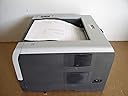
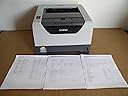
The Brother HL-5370DW is a monochrome laser printer designed for small offices and workgroups, offering fast 32 ppm print speeds, sharp 1200 x 1200 dpi resolution, and versatile connectivity with built-in wireless and Ethernet. Its automatic duplex feature and expandable paper capacity up to 800 sheets make it a reliable, cost-efficient choice for professional environments.
| ASIN | B001XM9BV8 |
| Additional Printer Functions | Print Only |
| B&W Pages per Minute | 32 pages_per_minute |
| Best Sellers Rank | #623,056 in Office Products ( See Top 100 in Office Products ) #841 in Laser Computer Printers |
| Brand | Brother |
| Built-In Media | Installation CD or Quick Start Guide |
| Color | Black |
| Color Depth | 1 bpp |
| Compatible Devices | Laptops, PCs, Tablets, Smartphones |
| Connectivity Technology | Wireless;Ethernet; USB |
| Control Method | App |
| Customer Reviews | 4.0 out of 5 stars 282 Reviews |
| Duplex | Yes |
| Global Trade Identification Number | 00012502622482 |
| Hardware Interface | Ethernet |
| Initial Page Print Time | 1.875 seconds |
| Ink Color | Black |
| Item Weight | 20.9 pounds |
| Manufacturer | Brother International |
| Maximum Copies Per Run | 32 |
| Maximum Copy Resolution Black and White | 1200 x 1200 dpi |
| Maximum Copy Speed Black and White | 32 pages_per_minute |
| Maximum Media Size | 8.5 x 16 inch |
| Maximum Print Resolution Black and White | 1200 dpi |
| Maximum Sheet Capacity | 800 |
| Model Name | 5370DW |
| Model Number | HL-5370DW |
| Model Series | 5370 |
| Number of Drivers | 3 |
| Number of Trays | 2 |
| Other Special Features of the Product | Network-Ready |
| Paper Size | 8.5 inches |
| Power Consumption | 675 watts |
| Print media | Paper (plain) |
| Printer Connectivity Type | Wireless;Ethernet; USB |
| Printer Output Type | Black and White |
| Printer Type | Laser |
| Printing Technology | Laser |
| Resolution | 1200 x 1200 |
| Series Number | 5370 |
| Special Feature | Network-Ready |
| Specific Uses For Product | small business |
| Total Usb Ports | 1 |
| UPC | 012502614449 012502622482 |
| Unit Count | 1 Count |
| Warranty Type | Full Warranty |
| Wattage | 675 watts |
L**E
Great speed, resolution, and price. Perfect "back-to-school" computer for the modern networked household
Ordered the printer with Amazon's free "Super Saver" shipping and it arrived at the house (in Texas) 2 days later (which made me glad that I didn't pay extra for expedited shipping). Excellent printing speed, excellent print quality, and an amazingly reasonable price for this very capable unit. Initial wired set-up was a snap, and the kids were printing study guides and assignments like crazy. For wireless networking you're generally going to need a spare ethernet cable to connect the printer to your wireless router (so you can configure the printer to communicate with your wireless network). A potential problem here is that the instructions that come with the printer might not use precisely the same language/words as your router/networking software so it might take you a bit of trial-and-error to discover if your "Authentication method" really runs as an "open system" (as opposed to a "shared key", etc.), or whether or not you're really running data encryption (both "authentication" and "encryption" can be distinct from running a standard "secure" network using, for example, a WEP code). If you're not sure and incorrectly enter your "Authentication method" as a "shared key" (because you use a network key to access your wireless network), you'll discover that the wireless link status "Failed to associate." No problemo, but while re-running the wireless networking program you might find that your network stops recognizing your printer as a potential "wireless device". If this happens, the recently entered (incorrect) printer settings might be the culprit so you will have to reset your printer to its "factory default" settings as described in the manual (page 43 on my version). After the printer is reset, you can then rerun the wireless networking protocol and give it another go (while changing the wireless settings). For my standard home network, the proper settings turned out to be "Authentication method" = "Open System" and "Encryption mode" = "none" (even though the later print-out showed the "Encryption Mode" as "WEP"). After entering the standard WEP code (as the "Network Key") the wireless link fired right up and the various wired and wireless computers in the house had no problem printing (after loading the drivers). The above process took about 45 minutes to trouble shoot with the longest period spent reading through the manual so I could learn how to reset the factory defaults on the printer. All-in-all, about average for a "Windows" install where you're stuck with somewhat ambiguous semantic compatibility issues muddled by imprecise directions. As always, it's all good after the problem is solved. Hopefully, these remarks might help you get to the good part a little sooner. Good luck!
S**D
Best printer.
This printer satisfies every gripe I have about printers. Usually there's some quality about one that makes you say, "It would have been perfect, but if only it didn't have this one problem." Each aspect of this printer is as good or better than pretty much all other printers out there at this time. And I'm a person who is relentless when it comes to researching products before buying them for myself. Resolution: It goes up to 1200x1200, which is the highest out there currently. 1200x1200 is best for text. But it also does 2400x600, which is typically better for graphics. Most other laser printers only do up to 2400x600. Toner: Cheap! You can pick up "compatible" cartridges for $30 now which will last 8000 pages. This is the cheapest of any printer I've seen. Other printers (such as HP) cost $70 for 2000-3000 pages even with a "compatible" cartridge. Print quality: Excellent. I used a magnifying glass to try to detect any imperfections in text or graphics but didn't find much. No white raster lines, "jaggies", smudging, bleeding, noise or random dots printed anywhere. Large black rectangles are solid and consistent. Gray scale patterns didn't appear to have any defects. Memory: 32MB. Most other laser printers only do up to 8MB currently. You need memory if you want to do full-page graphics. It lets you expand memory by adding an inexpensive ($30 new) 512MB memory card. Many printers don't even allow expansion, or they force you to buy their own special memory cards at a huge price. Paper: Doesn't jam. Easy to load. Has a manual feeder also. Allows 2 extra paper feeders if you want. Most printers don't allow that. Duplex mode: Fast, easy to use, saves paper. I'll never buy another printer without it. Paper curl: You wouldn't notice it unless you were specifically looking for it. Barely detectable even with duplex mode printing and cheap paper. Even envelopes print with hardly any curl. Rear output tray: Has it! Many printers don't. Its predecessor model didn't. This "straight out the back" mode allows you to print envelopes, cards, and special paper without ever bending it if you really want perfection. On/Off switch: Has one! I mention this because many printers don't. Without one, a printer is left on all the time, which uses 10 watts of power (not much, but still) and reduces product lifetime somewhat. Lifetime: The predecessor model (HL-5250DN) has great reviews. People said they're still using it 3 years later. The HL-5370DW has just about the same design, and I expect it will last a while. Not a cheap, throw-away printer like you often see. Networking: Haven't tried it. But it has it, and it will become very useful when I get a wireless laptop to add to my existing desktop PC (both will need to share it). Languages: It speaks both Postscript 3 and PCL. That guarantees it will be compatible with any OS out there, even older ones. And since it doesn't use "host based" language like cheaper printers do, it won't eat up your CPU and slow things down during printing. In conclusion, this is a well-designed, high quality printer with low long-term operating costs, and I'm completely satisfied. I'll add an update to this review if I ever encounter problems with it. - Steve
J**E
Great for cheap, FAST, graphic design laser proofs...
****UPDATE: I still like the HL-5370DW. However, after a couple of days I noticed a "mark" on my prints that I first thought was a toner issue. Turns out there was a mark on the drum causing a "white" spot on prints. Bottom line is Brother eventually sent me a replacement drum, but only after I argued with tech support rep who tried to tell me using 28 lb. paper might have caused the problem. I told the rep the manual states paper up to 42 lb. can be used. He became heated and accused me of twisting his words. Really? Anyway, because I had only printed 100 pages I got my new drum. I guess tech support is just generally poor across the board, no matter what company you're dealing with.***** I purchased the inexpensive monochrome Brother HL-5370DW laser printer for printing "first proofs" from InDesign on my Mac Pro. I have not tried the wireless connection, only the "hardwired ethernet" and it worked perfectly the first time. After spending quite a few hours configuring the Brother Print Settings with Adobe CS5 InDesign "print presets", I am VERY pleased with the output. And it is FAST. Real fast. I have an HP CP3525N for "final" color laser proofs so I bought the HL-5370DW strictly for an inexpensive way to "spit out" a first proof. Because I use a Mac Pro (running Snow Leopard 10.6.5) and InDesign CS5, it took me quite a while switching back and forth between the Brother Print dialogue box and the InDesign Print dialogue box. I wish there was an easier way to configure it but I couldn't find one. I probably printed 100 test pages until I had it tweaked to my satisfaction. I am a graphic designer printing catalogs and advertisments, etc, so my needs are very specific and I am quite picky about the way the type and the photos and graphics render, but at the end, I am quite happy with the quality and speed of this printer. The postscript emulation works fine, and I am printing Photoshop and Illustrator files out of InDesign, along with Open Type and Type 1 fonts. Note: I had to find a compromise between the graphics/photos and the type. When the photos look perfect the type is ever so slightly rastered, even at 1200 dpi. But you have to look closely. The overall look and effect is VERY close to the actual printed piece, much closer than my old HP 2100. And that is what a proof is intended to accomplish correct? Simulate the actual offset printed page. I was previously using a "circa 1999" HP 2100m which was getting a bit long in the tooth and was EXTREMELY slow compared to the Brother. I probably paid over $1000 for my old HP once I bought the extra RAM and LaserJet Network card 10 years ago. The $200 price tag for the HL-5370DW seems incredibly low for a printer that is very fast, comes with 32MB of RAM and Duplexing and Wireless built-iin. This was a great purchase and one that I am very happy with. Did I mention that it is SMOKIN' fast? Allow me to give Amazon a quick plug here. I have Amazon Prime ([...] per year, FREE two day shipping) and I placed the order for this printer on Dec. 23 around 2:00 PM. I got it 11:00 AM on Dec. 24 (less than 24 turnaround). I LOVE Amazon!
A**R
Printter works well but wireless setup is a pain with no detail help
For the most part the printer is good in quality but wireless setup is a pain and does not setup. I cannot use the wireless features of the printer. The documentation gives a number of ways to setup up the wireless connection and none of them work. The only message returned from the connection is that it failed. No where does it tell you why it failed and how to troubleshoot it. I do not have time to call Brother wait in a queue and get no where. I do not have time for it. Brother needs to provide tools to troubleshoot the connection failure. I have set the printer up using Ethernet cable and the hard-wire features.
M**Y
18 months later after purchase for home use....
Had used an HP printer for years which I used in my home business, but when I retired and the HP one died, I wanted to get something to just meet ordinary printing needs. Settled on the HL-5370DW which we purchased in January, 2012. When the printer arrived, I gritted my teeth because it seemed to be made of considerably more flimsy plastic compared to the HP. The height of the machine meant putting it in a different spot on the computer desk, but do-able with some imagination. 18 months later, it is still working quite well. Got around the paper curling problem by always using the back exit, which produces much less curling. The curling problem is magnified for duplex printing, however, but I so seldom use that feature that it isn't a problem for me. I'm giving this product a five-star rating because if you are like me using the printer 'at home' for just straight black and white printing (one side), don't need it for envelopes, don't run complex 'stuff', it's been, so far, easy to work with. I have run card stock for postcards using 8.5 x 11 size sheets and cutting them down for the few I have to send -- yes, they curl, but I just plop some heavy encyclopedias on top of them. Yes, it is a bit slow warming up and a bit noisy printing, but stuff like that just doesn't bother me. The print quality has been fine, and I, too, get a chuckle out of the fast pace it squirts out pages compared to my laser HP. I think the overall feeling at our house is for an average homeowner this product works just fine. I'm now waiting to see what happens when I run out of toner. Have been reading up on all the 'comments' regarding the automatic shut-off which has me a bit nervous. I'm still on the first toner, so can't yet address that issue. It does appear that there might be some ways to work around the problem, and I've printed the 'how to' information to a 'printer' file folder for future reference.
_**_
Works Linux, Mac, Windows, Easy, simple, fast
Update - I don't know what is happening, but I can't get it to associate. The big problem is that I now have a stack of several dozen pages over the last hour - one with the ethernet and one with the "failed to associate" wireless for each vain attempt. It doesn't say why, I can't monitor the connection progress, it gives no details... Meanwhile it doesn't remember the IP address to ask for the same one, so I have to change all my computers assuming I can ever get it connected. It is fine as long as everything is working. When it isn't, it is so completely broken that you can't restore connectivity. I literally have 3 laptops running one of each of the OSes and they are all connected to the printer. I used the Mac for the setup. WINDOWS OR MAC FOR SETUP will be easy, especially if you attach it via ethernet or USB to start. I was able to do the setup entirely via wireless, using my Mac though the included setup application was a bit touchy about finding and associating with the printer's default adhoc. When done though, the web page came up and I moved everything to my main AP (though you do have to do the reset printserver on the network setup page). It might be possible to do the setup under Linux or anything else with a browser using the web page. By default it creates a 169.254 IP address and a "SETUP" ad-hoc network on channel 11, so if you join you can use the web page. This info is visible from the setup page you get by holding the go button in for 10 seconds. Then accessing the 169.254... address admin/access for user/pass, you should be able to configure it completely. 30 surfaces per minute - so duplex is 15 sheets per min, but is fast! It just works. The web page configuration is well thought out and works well (but needs javascript). As I noted, I didn't have to attach ethernet or usb. 1200DPI will be at half speed. HQ1200 is 2400x600. 600 dpi is crisp and clear though so I will rarely use the higher rez. For linux, I chose the HL-5270DN driver which seems to work perfectly, but used "ipp://192.168.1.111/" style for the "Device URI" since the auto-detect found it by Bonjour or something but wouldn't connect when the configuration was finished (I'm using xubuntu). Downsides: Drum is expensive, I don't know the life. Trays are also expensive but at least are available - 2x and you will be printing large docs (like I need) without stopping. Non refill toner is also a bit expensive. Upsides: Duplex is proportionately fast, some printers go to 1/3 or 1/4 when duplexing instead of 1/2. Inexpensive, but has all the interfaces for a network printer. Easy to configure (though not quite painless, is any network printer painless?). Compact so fits anywhere, light enough to move. This is based on just installing and starting some massive print jobs, but having it work on 3 different OS computers with out major headaches, I'm giving it 4 stars. The 5th star is withheld since the configuration tool is touchy and probably not needed, and supplies are expensive v.s. the printer cost. Call it 4-1/2.
D**Y
Excellent upgrade from HL-5240
I've had the Brother HL-5240 printer for several years and have always been very happy with it. Recently, however, I've started having to print lots of double-sided forms; which got me looking into full-duplex printers. Since I'd been so happy with the HL-5240, I naturally decided to check out the new Brother models and was happy to discover the HL-5370DW for a great price here on Amazon. On paper, these printers are very similar - they are even the exact same size. The main differences are that the HL-5370DW has a duplex feature and also supports network printing (via an ethernet cable or wireless). Some smaller differences include 32MB of RAM in the HL-5370DW vs 16MB, and also a slightly faster processor. The specs don't cover many of the smaller improvements that I've seen: 1) The lights in my office don't dim when printing the first page - even though it comes out just as fast. 2) The quality of grapics and text is amazing. I know these printers are the same resolution, and I was never unhappy with the quality from the HL-5240, but the newer model is clearly better in terms of print quality. As far as the main feature differences go: 1) The duplex feature works great! This is a huge timesaver for me now that I'm having to print all these double-sided forms. 2) The network sharing is also excellent. The wireless took a few minutes to setup, and required having the printer plugged in with an Ethernet cable during the setup - but I love being able to access the printer directly rather than having it shared from a PC that always has to be on! The only downside for me is that this new printer doesn't use the same toner cartridges - but I'm not surprised and I'm not docking any stars since that is probably to be expected. Overall I'd highly recommend this printer to any SOHO user! These Brother printers are an excellent value for a great product - and the toner costs are also very reasonable.
A**Q
Favorite Printer
I love this printer. This is the second time I had bought it. I had the same model when I was living i abroad and liked it so much I bought it when I moved back to the US. The model has a ton of features, most importantly to me automatic duplex. This is one of the cheapest, good quality printers you can probably find that has automatic duplex. Plus this printer can print over a wireless network. That feature is a little tricky to set up, but once you have it set and you don't hard reset your wireless router, it works like a charm. You can also just plug it into one of the Ethernet ports on your router if you prefer for an easier, no-hassle set up, but then it needs to be fairly close to your router. The printing features are fairly comprehensive. You have great control over the quality, type of documents printed etc. I've had very few problems with jams - only when I've tried to reuse scrap paper for less important print jobs. Removing jams was pretty easy. The print cartridge seems to last for at least as many pages as it is rated for under standard printing conditions. Even though it is B/W, if you use the high quality setting you can get pretty detailed images printed out of it. It handles high volumes pretty well. During one two month period I printed about 5000 sheets and ran into no problems. Its construction is fairly compact, sturdy, and somewhat heavy. Overall I could recommend this printer to anyone looking for a good quality, automatic duplex printer that is fairly low in price and easy to use.
Trustpilot
2 months ago
1 day ago