Buy anything from 5,000+ international stores. One checkout price. No surprise fees. Join 2M+ shoppers on Desertcart.
Desertcart purchases this item on your behalf and handles shipping, customs, and support to Austria.
🚀 Slim, Smart & Ready to Impress — Your Everyday Powerhouse
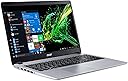
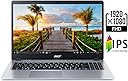
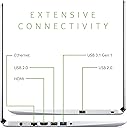
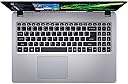
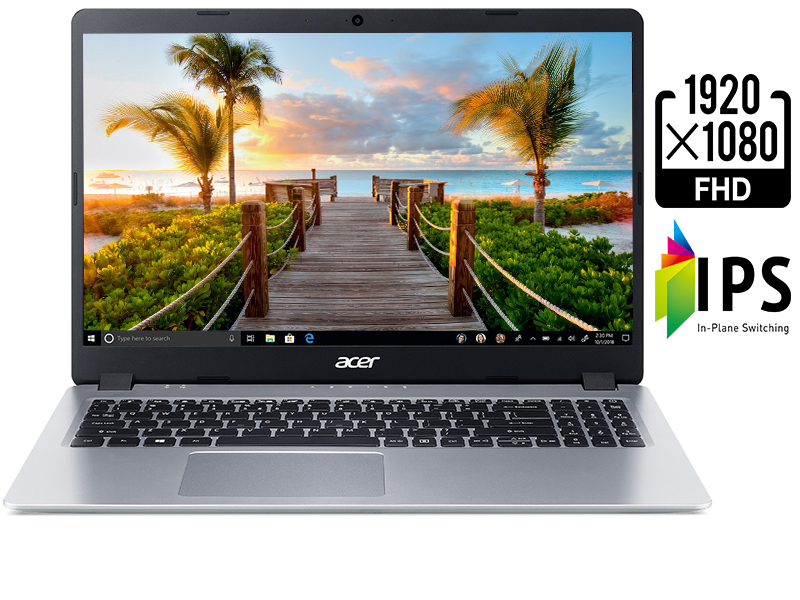
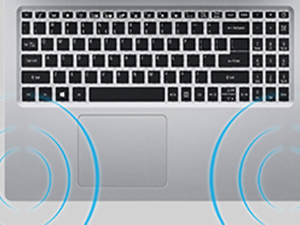
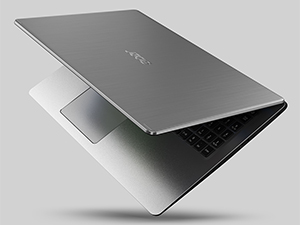
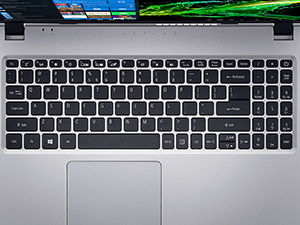
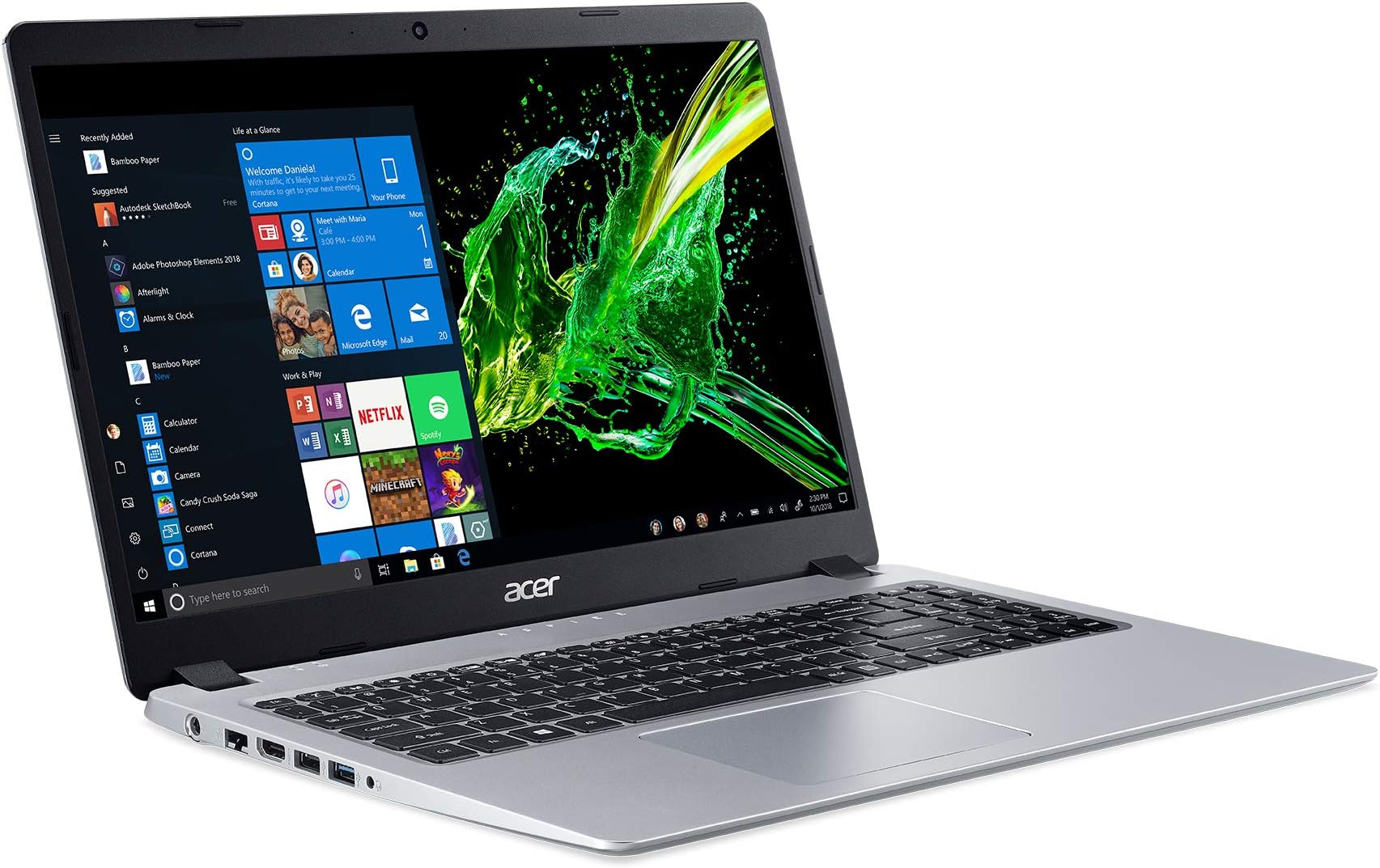
The Acer Aspire 5 Slim Laptop features a 15.6-inch Full HD IPS display, AMD Ryzen 3 3200U dual-core processor with Vega 3 graphics, 4GB DDR4 RAM, and a speedy 128GB PCIe NVMe SSD. Designed for professionals seeking a lightweight yet powerful device, it offers a backlit keyboard, up to 7.5 hours of battery life, and versatile connectivity options including USB 3.1, HDMI, Bluetooth, and dual-band Wi-Fi. Ideal for light workloads, multitasking, and seamless streaming, this laptop balances performance and portability in a sleek silver chassis.


| ASIN | B07RF1XD36 |
| Audio Output Type | Speakers |
| Audio Recording | No |
| Automatic Backup Software Included | Webcam |
| Battery Average Life Standby | 7.5 Hours |
| Battery Cell Type | Lithium Ion |
| Battery Life | 7.5 Hours |
| Best Sellers Rank | #31,852 in Computers & Accessories ( See Top 100 in Computers & Accessories ) #4,701 in Traditional Laptop Computers |
| Bluetooth support? | Yes |
| Brand | Acer |
| Built-In Media | Laptop, AC Adapter, Power Cord |
| CPU Codename | 3200U |
| CPU L3 Cache | 4 MB |
| CPU Model | Ryzen 3 3200U |
| CPU Model Generation | 3rd Gen |
| CPU Model Number | Ryzen 3 3200U |
| CPU Model Speed Maximum | 3500 MHz |
| Cache Memory Installed Size | 6 |
| Camera Description | Front |
| Chipset Type | AMD |
| Color | Silver |
| Compatible Devices | Mice, keyboards, external displays, storage devices, printers, and other accessories that use USB, HDMI, Bluetooth, or Wi-Fi connections. |
| Connectivity Technology | Bluetooth |
| Control Method | Voice |
| Customer Reviews | 4.5 out of 5 stars 35,869 Reviews |
| Display Resolution Maximum | 1920x1080 |
| Display Technology | LED |
| Display Type | LED |
| Form Factor | Laptop |
| Global Trade Identification Number | 00193199253897 |
| Graphics Card Ram | 4 GB |
| Graphics Coprocessor | AMD Radeon Vega 3 |
| Graphics Description | Integrated |
| Graphics Ram Type | Shared |
| Hard Disk Description | SSD |
| Hard Disk Interface | Solid State |
| Hard Disk Rotational Speed | 0.1 |
| Hard Disk Size | 128 GB |
| Hard-Drive Size | 128 GB |
| Hardware Interface | HDMI, USB |
| Has Color Screen | Yes |
| Human-Interface Input | Touch Pad |
| Item Dimensions L x W x Thickness | 14.31"L x 9.74"W x 0.71"Th |
| Item Weight | 4 Pounds |
| Keyboard Description | Backlit |
| Lithium-Battery Energy Content | 45 Watt Hours |
| Manufacturer | Acer |
| Memory Clock Speed | 3.5 GHz |
| Memory Slots Available | 2 |
| Memory Speed | 4800 MHz |
| Microphone Form Factor | Built-In |
| Model Name | A515-43-R19L |
| Model Number | A515-43-R19L |
| Model Year | 2019 |
| Native Resolution | 1920 x 1080 pixels |
| Number of Ports | 2 |
| Operating System | Windows 10 S |
| Other Special Features of the Product | Backlit Keyboard |
| Processor Brand | AMD |
| Processor Count | 2 |
| Processor Series | Ryzen 3 3200U |
| Processor Speed | 3.52 GHz |
| RAM Memory Installed | 4 GB |
| RAM Memory Technology | DDR4 |
| RAM Type | DDR4 SDRAM |
| Ram Memory Maximum Size | 16 GB |
| Resolution | 1080p |
| Screen Size | 15.6 Inches |
| Series Number | 43 |
| Specific Uses For Product | Business, Multimedia, Personal |
| Total Number of HDMI Ports | 1 |
| Total Usb Ports | 3 |
| UPC | 193199253897 |
| Unit Count | 1.0 Count |
| Video Output | HDMI |
| Video Processor | AMD |
| Virtual Reality Ready | No |
| Voltage | 240 Volts |
| Warranty Description | One-year International Travelers Limited Warranty (ITW) |
| Warranty Type | Limited |
| Webcam Capability | Yes |
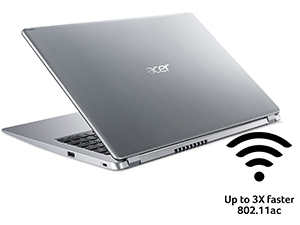
| Wireless Compability | 801.11ac |
| Wireless Technology | Wi-Fi |
S**N
Perfect computer for light workloads.
I bought this laptop as a replacement for my old Toshiba laptop from 2012. The Toshiba one was starting to show its age by failing to pass POST and thus failing to boot. I had used it almost every single day since 2012 after all, as it was my college laptop and even helped me launch my career as an engineer, so it has served me well. But the OS failures were getting troublesome. They were happening increasingly often, so I decided before all my data was lost (which wasn't really that much, since I keep all my actually important data on a home file server), I decided to shop around for a nice, reliable, not-too-cheap laptop I could use to replace it, and this is the one I chose to buy. For the non-Linux enthusiasts, feel free to skip this paragraph, but a kernel panic is basically the Windows blue screen of death equivalent on Linux. My old Toshiba was having kernel panics all the time starting with Kernel 5, so I thought maybe it was my old hardware which has having trouble with the brand new kernel. I tried an LTS version of Kernel 4.19, thinking it was going to solve my kernel panic issue, but nope. I still had kernel panics all the time, and it was starting to get worrying how often it was happening (multiple times a day near the time I got this new Acer laptop). So I feel like I got the new Acer laptop just in time before the Toshiba hardware became unbootable. Now, I'm an electrical engineer, but I'm a lazy engineer. I didn't feel like dissecting the Toshiba to try and pinpoint what the problem might have been. I use Arch btw (best meme 2k19) So back to regular English. I'm thoroughly impressed with the hardware that AMD has developed with their Ryzen lineup and their Vega graphics. Sadly, with all the cryptocurrency mining happening nowadays, it's actually hard to find any AMD graphics card for use with actual graphics workloads like gaming. But that's beside the point. This Acer laptop, with its Ryzen 3 processor and built-in Vega Picasso graphics is almost overkill for what I use it for. I haven't tested any games on it, but I imagine it would run Minecraft well enough. Maybe not 60fps, but still enough to play. I use this laptop mainly for just web browsing, and occasional coding when I'm feeling ambitious with some sort of personal software project I want to work on. In the time that I used Windows 10 S Mode... it was just plain dumb. Not being able to install software from non-Microsoft sources? Really, Microsoft? What are you doing? You can easily opt out of the S Mode crap, but it warns you that you'll never be able to go back to S Mode in the future if you ever change your mind. Like that'll scare me into keeping S Mode! I'll show you how much I care about S Mode. I only spent about a half hour tinkering with it before I just blasted the whole NVMe M.2 drive clean and installed good old Arch Linux on it with a fully encrypted filesystem, so ain't nobody getting into my data. And I can say, this NVMe M.2 drive is freaking lightning quick. Compared to the old HDD on my Toshiba, this new laptop boots in like 15 seconds, if even that. My main PC with Godly specs (Intel i9-9900K + RTX2080Super + 1TB Samsung NVMe M.2) boots in around 10 seconds, so this little laptop is definitely keeping up with the speed. Overall, this Acer laptop is a fantastic computer; probably the best laptop I've ever owned at this price point. It's perfect for basic usage, and I recommend it to be used for light workloads like checking email, browsing social media, editing office documents, coding, and other basic tasks of the sort. The Ryzen + Vega chip will definitely last several years, and I'm happy to finally support a quality AMD product. Ultimately, it's up to you as the customer to decide if this is the right computer for your needs. Evaluate why you need this computer and determine whether or not the price of this laptop would best suit your needs. I needed something I could rely on with streaming, decoding, and rendering video data from YouTube, Twitch, and/or Netflix which is actually a bigger task than people give it credit for. If you don't intend to watch many videos or do anything more resource-intensive than that, then this laptop might be a touch too powerful for your needs. With all that in mind, it's safe for me to say that this Acer laptop is perfect for the moderately light workloads I intend to use it for.
C**A
Perhaps you need a tin can
I needed a laptop for simple, low-processor requirement tasks (i.e. I didn't need a gaming laptop), but by the same token, I know how the PC buying experience goes: you want as much processing power and speed as you can get, otherwise you'll just find yourself upgrading everything down the road. Admittedly, 4GB of ram wasn't ideal, but upon comparing this laptop with HP, Lenovo, Dell and others across every possible vendor (including Ebay), I am convinced the processing speed and features are an incredible deal for the money ($365 USD = Acer Aspire 5 w/ 4GB RAM and 128GB SSD hard drive). Other people suggested buying some additional RAM, and being spoiled w/ 32GB of it on my desktop, I definitely agreed, so I ordered an additional 4GB more (A-Tech 4GB RAM for Acer Aspire 5 Slim Laptop A515-43 | DDR4 2666MHz SODIMM PC4-21300 260-Pin CL19 1.2V Non-ECC Unbuffered Memory Upgrade Module) for $40 USD. I also believe more storage is essential. The Acer Aspire 5 comes with a slot for an additional SSD drive to supplement the 128GB drive, but here's where you have to carefully consider your options. You must look at sequential read and write speeds, where faster is always better. You also have to consider that you will likely have your operating system on the main (C:) drive. If I were to use the supplemental SSD slot, I would have to go with a SATA III type storage (looks like a very small, thin book). If I want much better speed for the price, I'll want to replace the 128GB "C:" drive with the same type (PCIe Gen3 8 Gb/s, looks more like a RAM stick). I went with the 1TB Crucial P5 (1TB 3D NAND NVMe Internal SSD, up to 3400MB/s - CT1000P5SSD8) for $120 USD. It's a pain to switch it out, because you have to make an 'image' (i.e. copy) of your C drive on some other storage device, then put that image onto the new SSD drive, but in the long run, it's worth it because you're coming out of the gate with much more storage and very likely (couldn't find specs on the Aspire hard drive) a much faster hard drive. So, $525 ( = $365 + $40 + $120) and you get: CPU 3.52 GHz 8GB RAM 1TB hard drive with up to 3400MB/s read speed and up to 3000MB/s write speed 15 inch monitor under 4lb SLIM laptop AND Windows 10. I call that an incredible deal. Now, I've read the comments about Windows 10 S. The myth is that you get locked into a system where you can only buy and install Microsoft software unless you want to shell out... man, what was it? Oh yeah, a trillion dollars. Well, turns out that's: FALSE! In fact, all you have to do is sign into your free Microsoft account, push a button and 'boom', you're off of Windows 10S and on Windows 10. No charge, no hassle, no anything. In fact, the laptop asks if you want to do this on setup, but either way, the instructions are easy to find with a Google search. Whoever wrote these other reviews apparently aren't familiar with Google searches. I can only wish them luck on their new journey to 'the internet' and beyond. I have no idea how they were able to buy this laptop or write a review. Regardless... It's true that you don't get Windows 10 Pro and have to shell out a few bucks for it ($99 at the time I'm posting, 10 March 2021), but most people don't need it unless they want to use MS OneDrive cloud storage (monthly subscription) or remote desktop. I use Google cloud (free) for some things and never log onto my laptop from another computer (i.e. remote desktop): I just take the laptop with me when I need it. Either way, Windows 10 comes free with this machine, you just have to switch it at the MS store, and that takes less than a minute. All that said, this laptop is just awesome. I love the weight, size, backlit keys and speed. Could not be happier.
R**E
Pretty good!
I have owned uncountable computes since I bought my fist Apple "pizza box" desktop computer in 1993. In our household, we use computers for work, internet access, email, photo and word processing, and (particularly for me) musical notation and audio playback. No games, nothing requiring huge amounts of processing power. But still, this laptop is a quantum improvement over anything--desktop or laptop--I have ever used. I bought one of these for my wife when she retired and needed her own (rather than the office-provided) computer. I chose this Aspire mainly because it was cheap; but I have been impressed by its performance. So much so, in fact, that I bought another for myself. The first thing I noticed is how beautiful the display looks. I used to think my camera took crappy pictures. Now I know it takes great pictures--it just needs a good computer display to see them at their best. The second great thing is the speed with which this boots up. This laptop is ready to go in well under half a minute. And it loads and runs programs fast too. S-mode would never work for us: too many non-Microsoft proprietary programs that I need to mount--much of it open-source free-ware like Mozilla, Open Office, etc; but I also need many music creation and notation programs, like Finale and Band-In-A-Box However, it was quite easy to take the computer out of S-mode, and I don't know why some reviewers found that modification hard. I had to buy an external CD drive, as I still need that tech for several continuing projects. But that did not add much to the cost, and I think not having a CD drive on a laptop is pretty much the norm now, anyway. There is room for added RAM and a second internal hard drive--which I bought, but have not felt the need to install yet after 6 months of use. My wife's computer has worked flawlessly for the last 9 months. Bu mine has a couple of glitches, which made me reduce the rating from 5 to 4 stars. Periodically, I get an error message that my USB device (and what peripheral is not USB these days?) is not recognized. Since I have all my USB devices on a single outlet multiplier, I can simply switch to one of the other laptop ports (there are 3), and that solves the problem, for a while. When the message comes up again, I switch ports again. So far, so good... A second annoyance is that the audio output jack is iffy and needs wiggling from time to time to perform properly. I don't think any computer I have owned has lasted longer than 5 years or so--usually slowly degrading until finally needing professional restoration of my data. I suspect this Acer will last no longer and maybe not nearly as long. But at the price, we will be quite happy to get two or three years out of these machines.
H**N
Won't be wrong at this price
A few months after the purchase.... It is still running good and I bought 5 more for my colleagues, so I bought all together 8 machines. My of my colleagues need more memory while some need less. So what I do is, for those who need more, I took the 4GB RAM out from their machine and put it in the machine of the colleague who needs less. So 1 machine got 2x4G running in dual channel with identical RAM and install a new 2x8G for the original machine. To be honest, difference for 4 to 8 is high, but little difference from 8 to 16. So those in a tight budget can save your money. _____________________ This laptop is great. For this price, there is nothing to complain. I use this for basic computer needs at home. What I will do with is just Office, surfing, youtube, netflix. This computer handles it really well, all very smoothly. What I like most is the screen. It is IPS. At this price point (310 for me), most laptops are bundled with TN display, which be honestly is a deal breaker. The screen here is gorgeous. I do not see much difference to my gaming laptop which cost me thrice. Sound is good, keyboard design average. I don't like the small num pad. Some people complained on the backlight, but I don't need this function. But the num lock indicator, however, is important but wasn't there. On the spec, there is just 4G of RAM. You can, however, upgrade it easily. There are 10 screws at of back. Open it and you can add another slot of RAM and another HDD. My recommendation, upgrade to 8 or 16G and add another SDD drive immediately after the setup is done as 128G storage will not be enough. For gaming, I am yet to test it, but at 310, don't expect anything. Ar.. the Windows S issue, google Windows S Switch and you will know how to change it back to Windows 10 Home. It is just a few clicks and a few minutes. Everyone can do it. After all, a great computer. My family members ordered 2 when they see mine. Highly recommend.
C**G
Great budget buy
This laptop got me through everything I needed to get through at school for the 2 years I had it. It got stolen on a bus but I loved this computer. I’m reviewing it now to let you guys know the facts. This computer is a budget computer, you get what you pay for. It’s not for playing video games, the most you’re going to run on this thing is don’t starve and even then your fan is going to be blazing. I used this computer primarily to run word processing and programming ide’s for my degree. Worked perfectly for the small amount of processing I needed it for. The display quality is 1080p I believe but I can’t remember and it doesn’t let you look at the product reviewing it. 1080p looks great for word processing and programming so all boxes checked there. It was super durable or at least that was my experience, I dropped it twice and it suffered no damage besides minor scuffs and dents. The size worked for me as well, not too big, not too small. The only complaint: the dang mousepad. It’s stationed on the left side and I believe most of the human population is right handed so it confuses me why they decided to put it there. It comes with plenty of usb ports and they functioned well every time I used them, no disconnection issues. I wish it could’ve processed more but that’s what you get with the price I payed. Overall 5 stars, great product for the price and I would recommend to anybody who needs a computer for operating purposes
A**E
Bang for your Buck... but two minor issues
This is my first laptop, so keep in mind that I know nothing about laptops. However, I got this laptop for animation purposes. A creative whim to see if OpenToonz is as great as two hundred Youtubers swear it is. I was worried that it might not be able to handle such complex programs, since it is in fact a budget laptop, but I was pleasantly surprised. Not only does it effectively run OpenToonz, it also handles rendering in Blender and other programs that I thought might be too much for its processing capacity. I've played a few high resolution games on it without any issues, as well. I saw another review from a wonderful human being who knows a lot more about computers than me, and he left in depth instructions on how to turn off S Mode as well as how to upgrade your computer with a couple additional parts to expand its memory and processing. I did not utilize any of those recommendations (yet) and the laptop works amazing! It's got super fast internet, downloads everything quickly, amazing resolution, and like I said, it can handle some pretty tough programs. Some of my friends can't run blender on their own laptops, so that speaks for itself. Still, there are two issues I've found so far. Issue 1, the most obvious: The volume on this laptop is crap. It can be sitting right in front of your face and not be loud enough for you to hear the quieter sounds in a video. This is easy to fix with a speaker, so it's not a big deal, but I'd recommend getting a speaker at the same time you get the laptop just to avoid the disappointment when movie time comes around. Issue 2: It overheats very very VERY easily. Don't set this laptop on any blankets or pillows, or anything other than a hard surface. I noticed quickly that it gets warm basically as soon as you set it down on your lap, so I've been pretty careful about that. But just earlier today, I fell asleep with it on my lap (oops) and when I woke up about an hour later, it was off. It would not turn on. The charging light was blue, meaning that it was charging properly from the cord. When I pressed the power button, however, the power light flashed blue one time very briefly but the laptop didn't even try to turn on. No fans, no clicks, nothing. I waited an hour and tried again, but it still wouldn't turn on. Needless to say, I was horrified! If this happens to you, please don't panic, it's very easy to fix. Windows laptops have this handy dandy feature where they shut themselves off if they're at risk of overheating, to prevent any damage from happening. They also prevent themselves from being turned back on, apparently, but you can fix it in three easy steps. 1: Unplug your computer from the power cord. 2: Flip the computer over, and use a needle to press and hold the battery reset button located on the bottom for 5 seconds. 3: Wait ten full minutes, plug in your computer, and turn it on. Mine booted up instantly when I did that, and I was deeply grateful for the feature that saved my laptop from my own relentless stupidity. With that said, this is a fantastic laptop and it works great, but there are two purchases you should make right off the bat: buy a speaker/headphones, and buy a cooling pad. I also highly recommend buying a mouse; the track pad isn't bad or anything- mine works as well as any track pad I've ever used- but computers are always better with a mouse ;D If you're considering this laptop, I'd say go for it. Just make sure that if you're buying it for a kid or anyone who has a habit of laying in bed with the laptop in their lap, you get them a cooling pad. Windows will probably prevent it from being damaged from overheating, but you can spare them the panic of a laptop that won't turn on and the struggle of finding a needle that fits the reset hole. Happy browsing, everyone!
F**8
My first and best acer despite some flaws.
This thing has been great, heavy, but affordable with backlit keyboard - bought in 2020 and still using a little bit in 2025. I did need to buy a mouse because the touchpad was requiring overly deliberate presses. Right click was always a hassle as well. Speakers started mediocre and I think one got blown because now it's barely audible without headphones. I went on to higher priced acers (spin - very bad, and swift, nice but lousy charge port), now trying a gaming acer nitro. They are low priced, high value, but they do seem to break down over time. I started my computer journey with emachines (LOL) so I have always preferred low cost budget machines and get 2 years ago's cutting edge rather than always paying for the latest greatest or "getting more than I need to be future proof." After being disappointed with Acer's higher line, I have looked at a newer acer aspire, but my biggest issue with my swift seems to have migrated to aspire - a super skinny charging plug which bends, and has made the port on my newer computer barely workable for charging. I am writing this out of nostalgia because you probably won't buy this in 2025. Oh yeah, I put linux mint on it, took some getting used to and occasional googling foss help but no regrets.
N**A
A Great Investment!
This laptop was the greatest investment I have made! I absolutely love my laptop! I’ve gone through two great semesters of school with no issue. He keyboard is so sleep and smooth, which makes it easy to type. The processing speed is fast. I can stream and load data with no issues of spinning. The only thing I didn’t like was the built-in mouse. It’s like it’s for left handers. Also the sound is meh, but it’s perfect with earplugs. The charger went out on me but I had no issues getting a new one. But the batter life on the laptop is fantastic! I will be ordering an upgraded one with a c-type connector for sure!
A**S
Great entry level model, good for kids too.
I bought this entry level laptop for my son to be able to play some basic games. This is the amd version with vega graphic, stock 4 gb ram no upgrades. First off, this laptop is really well built, the design and the look gives it a big boost. Beautifully made, definitely not something you would expect for a 400 dollar laptop. Spec wise, this model suits any general user perfectly, performance, noise, storage are all pretty basic but good for office computing. Documents, youtube, all with breeze. Video gaming, my son play minecraft and roblox on it, both allowed in windows 10 S mode. Depending on the roblox server and games, it does lag from graphic here and there, for minecraft, no problem. Battery is built in non-removable, so you will have to play plugged in with battery. I can't say for long term effect of battery life, you could open it up to take it out, but not sure if that will void warranty, and for the same reason, I did not upgrade the ram (shared between cpu and gpu, possibly enhance game performance). Couple tips and tricks for video gaming, lower your graphic settings, by means of in game, or your desktop native resolution. I know it's default at 1080p, drop it down to 720p will reduce gpu stress and lower heat as well at the same time enhance performance. If it is being used for kids, they can't tell the difference. All in all, I give it a 90/100 for the price that it comes in at.
S**H
Just buy this laptop...
I was debating on which laptop to get after my 11 year old Acer Travelmate finally stopped working. I loved that laptop, so I decided to stay with Acer products. The Ryzen CPU was what caught my attention. This laptop is fast, responsive and will take anything you throw at it. The backlit keys are a nice feature. If you're on the fence about buying this laptop, just get it, you will not be disappointed.
K**I
Silencioso, buen tamaño y bonito diseño.
Lo compré ya que buscaba un ordenador para la carrera que fuera ligero y de potencia media, y que preferiblemente tuviera un buen diseño. He de decir que, en lo que llevo de prueba, esta cumpliendo muy bien. El tamaño está muy bien, ni demasiado grande ni tampoco pequeño, y es muy liviano y fino. Llegó en perfecto estado, con dos bolsitas con el cargador, una pequeña con tornillos extra y las guías y garantía. Es muy ligero y silencioso, la pantalla se ve bien (tiene efecto mate, lo que viene perfecto para mi), el teclado es QWERTY inglés y silencioso. Viene con Windows 10 Home S, pero es relativamente fácil cambiarlo a Windows 10 Home si así se quiere. Se carga bastante rápido y la batería tarda mucho en gastarse. En general, una buena compra, con buena calidad-precio.
I**S
Awesome budget gaming or work laptop
I would like to thank Amazon for expediting the delivery of the laptop. Amazon is wonderful and delivered this laptop to me during this pandemic. I am so grateful. The Acer Aspire 5 Slim Laptop 15.6 is the top ranking budget gaming laptop on Amazon now. It is ranked sixth on the chart. The reason for the high rank is the affordability. It is only USD $350 and comes with an eye pleasing IPS Display that is 15.6 inch. I get around 3 hours out of the battery as I make it power an external laptop cooling fan which is awesome. The laptop can be upgraded without voiding the warranty. I ported over a SSD drive and added ram. It is fairly light weight and easy to carry around. The boot up speed is fast. It is manufactured in the province of Taiwan by Acer. The only downside is the CPU. It is fast but is not upgradable. But this is a wishlist. Great buy. I love Amazon Prime for your great service. God bless Amazon 😊
A**I
Must buy
Nice slim design out standing for the budget
Trustpilot
1 month ago
2 weeks ago