Buy anything from 5,000+ international stores. One checkout price. No surprise fees. Join 2M+ shoppers on Desertcart.
Desertcart purchases this item on your behalf and handles shipping, customs, and support to Austria.
โ๏ธ Cool, Quiet & Commanding: The Ultimate Cube for Next-Level Builds
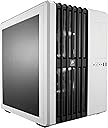
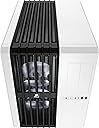
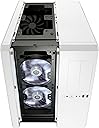
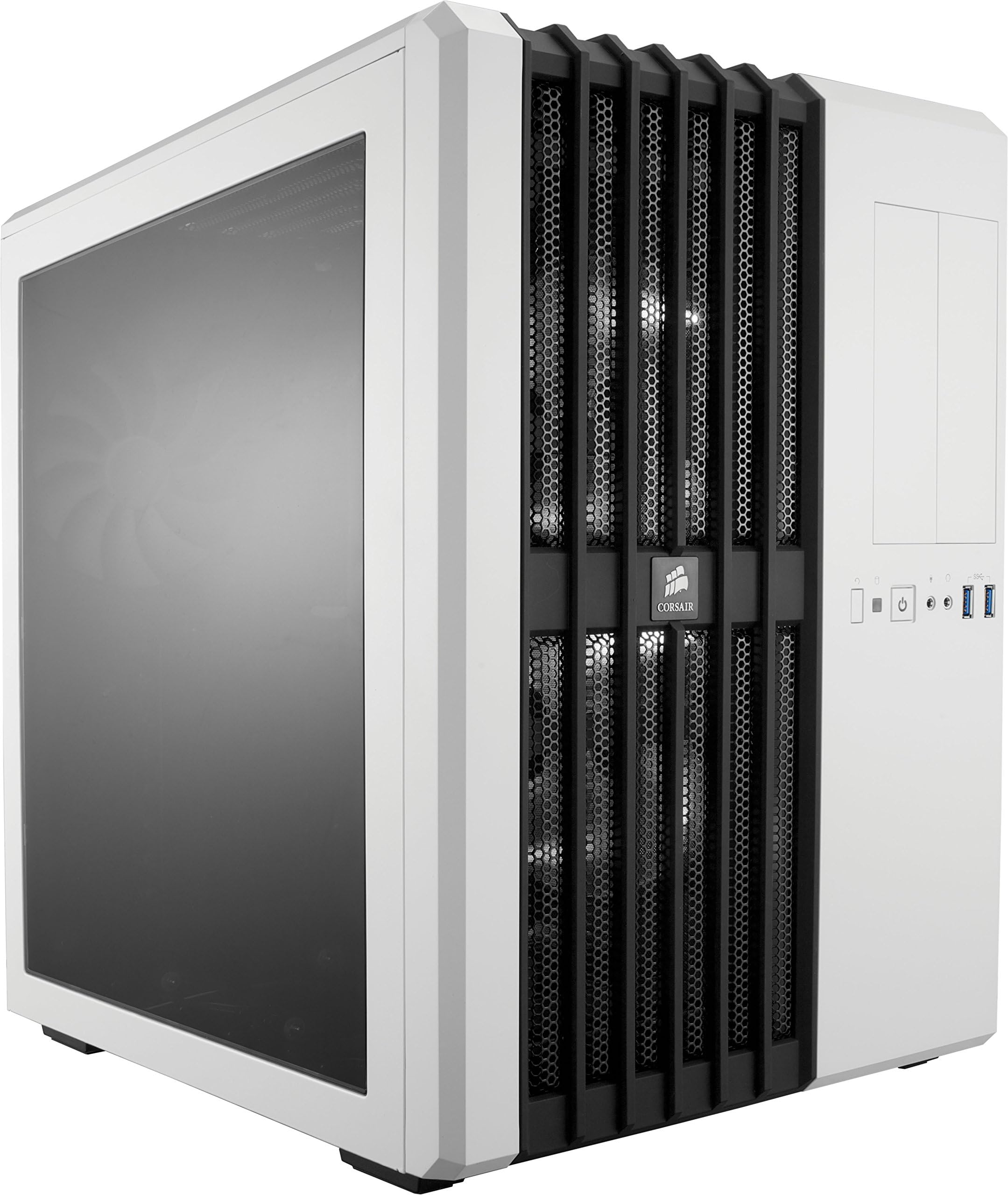
The Corsair Carbide Air 540 Arctic White is a mid-tower ATX cube case engineered for superior cooling with its innovative dual-chamber Direct Airflow Path design. It comes equipped with three quiet 140mm Air Series AF140L fans and supports extensive air and liquid cooling options, including up to six fans and 360mm radiators. Designed for professional builders, it features tool-free installation, hot-swap drive bays, and a spacious interior with a tinted side window to showcase your high-performance components in style.


| ASIN | B00H8JLM94 |
| Antenna Location | Gaming |
| Best Sellers Rank | #447,146 in Electronics ( See Top 100 in Electronics ) #757 in Computer Cases |
| Box Contents | 1x Carbide Series Air 540 High Airflow ATX Cube Case, 1x Accessory Kit, 1x Quick Start Guide |
| Brand | Corsair |
| Brand Name | Corsair |
| Case Type | Mid Tower |
| Colour | White |
| Compatible Devices | PC |
| Cooling Method | Air |
| Country of Origin | China |
| Customer Reviews | 4.7 out of 5 stars 2,816 Reviews |
| Enclosure Material | Alloy Steel |
| Fan Size | 140 Millimetres |
| Global Trade Identification Number | 00770760386040, 00803982742384, 00843591046503 |
| Hard Disk Form Factor | 2.5 Inches, 3.5 Inches |
| Importer Contact Information | Acro Engineering Company |
| Internal Bays Quantity | 5 |
| Item Type Name | Computer Case |
| Item Weight | 7.4 Kilograms |
| Light Color | white |
| Manufacturer | Corsair, Corsair |
| Manufacturer Contact Information | Corsair |
| Manufacturer Part Number | CC-9011048-WW |
| Material | Alloy Steel |
| Model Name | CC-9011048-WW |
| Model Number | CC-9011048-WW |
| Motherboard Compatibility | ATX |
| Number of Fans | 3 |
| Other Special Features of the Product | Built-in speaker(s)^Hot-swap^LED indicators^Side window |
| Packer Contact Information | Corsair |
| Power Supply Maximum Output | 700 Watts |
| Power Supply Mounting Type | Mid Tower |
| Recommended Uses For Product | Gaming |
| Supported Motherboard | ATX |
| Total Expansion Slots Quantity | 8 |
| Total USB 3.0 Ports | 4 |
| Total USB Ports | 2 |
| UPC | 843591046503 |
| Unit Count | 1 Count |
| Warranty Description | 2 Years |
A**R
One of best PC cabinet ever made by Corsair
Awesome cabinet
H**N
air blaster
excellent cabinet. highly recommend. will definately dec temps, u cannot get better air flow than this. just one con, that no side panel air filter near power supply is provided. they should have a external magnetic filter for there too.
A**Y
Great product
Very elegant and smart design, compact but yet spacious. Cables are managed very well.
F**3
GOAT ๐
Amazing case. Mine is 12 years old!!! Used as a TV pc for movies and light gaming. Even the white plastic hasn't yellowed. Showing some rust, but nothing some wd40 and a toothbrush can't fix.
A**N
Pretty decent case overall
Overall, it's a great case to sink money into. Heaps of space and cable management is second nature to this case. A few gripes that I would note are the less than ideal plastic quality (SSD cages, front grill mount), and the ever annoying empty space above the SSD cage which could be used for something like a pump/reservoir holder, but the latter, I'm making a small mod. Otherwise, it's a great case which anyone should go for.
P**R
It AWESOME..
The CORSAIR name is enough to buy the product. The reason is because of the quality structure. It AWESOME... I bought this product by its name but not by the review....
A**R
V good packing and v satisfied
Its a very perfoming cabinet from the house of corsair...
N**A
Damaged
Damaged item received and uts a headache to return even after one month gone
S**H
A surprisingly brilliant case. Looks lovely, great for building in and some little but meaningful features.
This case honestly surprised me. It's far bigger than you'd guess from images and it both looks and feels pretty unique. I used it for my first time building a PC (yesterday at the time of writing) and it made the whole process really easy. There's 2 compartments, the one on the side of the window that's around 2/3 of the total case size and the other with the remaining 1/3 that's hidden away. The former side is for all the nice looking things you'd want to see (motherboard, GPU, RAM, case fans, storage drives, etc) and the latter is for the power supply, front expansion slots, additional (removable) storage drive space and your cables. It looks lovely. One of the main reasons I settled on this was it was the only case that really looked elegant. There's a lot of ugly cases out there and a lot of them try too hard to look cool with their weird shapes and garish LEDs. A lot of others just aren't particularly pleasing to look at and if they include windows, they're usually tiny. This looks simple, has more subtle efforts put into the design and the result is great. It looks like something you'd get from the game Portal. Your own little testing facility. It's worth adding that it looks even better in person which can be a little unusual. If you care about the packaging, it comes in a big, material sack inside the box which is pretty good for keeping it protected until you need it and handy to have if you'll ever be taking it with you somewhere. Around the edges of the wall separating the compartment, there's big holes with black rubber covers for you to push your cables through. Very handy for cable management, the rubber makes sure your cables will be against soft edges and the rubber bits being black keeps the holes nice and discreet. On the side where the compartment is hidden out of view, there's a few bits for you to thread plastic cable ties (either the one time use or the wire kind you just wrap round) for you to help keep your cables tidy and in place. The case comes with 3 fans, 2 white led ones at the front to take air in and one at the back to push it out.I don't believe there are any other case fan mounts built into the case but you can easily remove the included fans and replace them with your own. It includes the necessary data and power cables for 2 storage drives (SSD or HDD and the removable drive bays support either) that the drives can just slot into with the connectors being on the compartment wall and the cables being on the other side. You may have enough cables of your own but it's a nice little quality of life touch that saves a bit of time. The expansion slots are tool free meaning things will just clip into place and the expansion covers clip on and off so nothing here has to be permanent or a pain. If you like though, you can still use screws to secure things in place. The SSD drive cage supports at least 4 additional drives and if you don't need it and it's using up space you could otherwise use, it can be clipped on or off easily. Overall, there's enough space to get everything done and it fits things in nicely. I put a Gigabyte GTX 980Ti G1 on my motherboard and though it's an insanely huge card, it fits in with room to spare. The compartments have enough depth that you shouldn't have any issues, and all of the touches to make organising and securing things in place much easier make the whole thing quite pleasant to put together. The sides of the case unscrew and come off easily too and that window is lovely. It's big and it looks great design wise. The ventilation is also very nice. Lots of it and it's pleasant on the eyes. These also have removable dust filters so it'll be pretty easy to keep things clean. It's a great case that's well worth the money. If you're looking for something that isn't a big ugly tower or even something that's a bit different with lots of room, easy cable and lots of little quality of life features then I can't recommend it enough. You'll be hard pushed to find something nicer. I'd also say the white version is the best looking one by far but that's really down to personal taste. Corsair CC-9011048-WW Carbide Series Air 540 Windowed ATX High Airflow Cube Performance Computer Case with White LED Fan - Arctic White Some details last details for those curious: โข The included case fans are 3 pins and they do work with 4 pin fan connectors. โข The included case fans are already secured in place so that saves you a bit of work if you're not planning on using your own. They are easy to remove if you wish to use your own. โข The drive bays at the bottom of the case on the window side support 3.5 inch HDDs that secure into place with 4 pins on the side. They also support 2.5 inch SSDs though obviously they're quite a bit smaller and so the pins won't secure them into place. Instead, there are 4 holes on the back right that you need to line up with the SSD and screw into place with the included screws. The back right pin will get in the way but you can just push it out. It'll take a bit of effort to push it out but it'll let you get the SSD in place. โข The SSD drive cage doesn't include any data or power cables so you'll need to obtain your own if you want to use this. My motherboard included more than enough additional data and power cables for additional storage and optical drives so if you're building a new PC, check if your one includes them and if not, the cables can be purchased separately quite cheap. โข The included front I/O buttons and ports are as follows: restart button, HDD LED, Power button and LED, 3.5mm mic jack, 3.5mm audio jack, 2 USB 3.0 ports. The included cables are more than long enough to reach the appropriate pins on the motherboard. โข There are 8 expansion slots at the back. These are easily removed or attached with screws so again, nothing there has to be permanent. โข The holes with rubber bits for cable management can be removed. I found this out the hard way when the power cable for my motherboard pulled it out of place. Though a bit tricky, these can be secured back into place with a bit of effort. Rest assured that these won't just fall out of place, it takes quite a bit to pull them off.
T**K
Great "Unconventional" Case By Corsair. Well Thought Out Design. Great Cable Management!
Corsair is known for their high end computer gaming hardware and attention to detail and this case does not disappoint. I put together a Gaming build for a friend using this Corsair Carbide Case and I was immediately in love with it's striking appearance it is internal layout of the component bays. If there is one downside, it would be the lack of bays for conventional 3.5" drives as it only has 2, but now that SSD's are bigger and the costs have come down a lot it's not a deal breaker. The Silver version of this case with Black Accents and 2 White front fans make this case look elegant, yet powerful, of course depending on what you put inside will depend on it's actual functionality. For this Gaming Build I went with an Intel LGA 2011-v3 i7-5820K 6 - Core CPU and 32GB of G.Skill Ripjaws DDR4 3000 RAM installed in an MSI X99 Raider Motherboard. I used a Corsair Hydro H100i GTX Liquid Cooler for the CPU, a 1TB Samsung 850 EVO SSD, a 3TB Western Digital RED 3.5" HD, an Asus Blu-Ray Burner and last a Sapphire Nitro Radeon R9 390 (OC Back Plate Edition) Graphics Card. First the PSU installation. We re-used an older, but still very high end Cooler Master 1200 Watt Modular PSU and the layout of this Corsair case places the PCU in the bottom of the case, but on the right side sectioned off from the components that show through the Windowed Side Panel on the Left Side. (See My Pics). Also on the right where you install the PSU is a 2.5" 4 bay removable Hard Drive Cage for plenty of SSD storage and RAID Configurations. In my build I removed this extra cage as it was not needed. Also on the right side is access to the 2 Optical Drive Bays. Plenty of room all on the right side for concealing and cleaning up your all wires so that on the left Windowed Side everything is clean and neat. Motherboard installation was easy as the the standoffs are pre-installed and the SSD and 3.5" HD went into the bottom 2 (hot swap-able if you want) bays with ease. The Corsair Hydro 100i GTX Radiator fit perfectly on the top of the case as well as the fans with plenty of room and clearance to still get your hands in there to work. In the end this case was perfect for what my friend was looking for. He didn't want a monster case and he wanted to be able to place it on his desk rather than the floor which this case allows for. Also it has the WOW factor in it's look and FULL side panel Windows (Which has a slight tint to it). If you do the wiring right it comes out looking amazing. I would recommend this case to anyone who wants a case that's easy to work with and that can be placed on a Desk (you still need a good amount of room for it) and also wants flexibility for upgrades in the future. Very spacious even after everything is installed.
E**F
BUEN GABINETE, ADEMAS MUY AMPLIO
este gabinete es muy amplio (razon por lo cual lo compre) por lo cual tienes la posibilidad de mover todo el cableado comodamente acepta todo tipo de placa madre, desde la atx , mini, itx y eatx . excelente para montar cooler liquidos con radiadores desde hasta 360mm en la parte frontal y de 240 en la parte de arriba. o puede montar 3 de 120 en la parte delantera (si tienes tarjetas de video con este tipo de enfriamiento). como su nombre lo dice el flujo de aire es muy notorio (en rendimiento pc) un producto muy recomendado...
S**R
An ideal case for beginners and experts alike
What an amazing case! I finally upgraded after a 5 year stint with my last PC and I was ready to treat myself with a real upgrade. I went with this case because full and mid tower cases always felt too messy to me. Cable management is an art that I am apparently not adept at; the idea of working my PSU cables just perfectly drove me up the wall on my first build. I had enough space on my desk to fit the width of the case so I made the plunge. The case comes with a ton of hardware for all your building needs. The motherboard tray is quite roomy and installing a full ATX board is easy. Access to the back of the CPU socket depends on your individual board, but there is a decent gap there that allows some boards the room to work on a cooler with the board installed. People have mentioned that the 3.5" trays gave them problems but I think it just takes some caution with the tabs when you are removing them. I have pulled out the HDD in that slot a number of times with zero problems. I like the idea of having the stationary SATA connections in the rear without having to worry about loose cables. The cable grommets provide a nice finished look to the tray without gaping holes and give way to cables easily. The other chamber with storage and the PSU is really nice. There isn't a window back there so barring some really heinous management you don't have to worry what it looks like back there. In the interest of convenience it is helpful to remove the 5.25 drive bays when you are running your cables to the sata and power ports on your motherboard. Speaking of, it was the presence of these physical media drives that solidified my decision to stick with the 540 rather than the 240. The SSD bays are pretty simple as well and there are enough of them to get a nice little RAID setup going. The PSU sits on the bottom, out of the way and has an adjustable brace. Airflow through this thing is a dream. Without harddrive cages and drive bays in the way it is easy to engineer a good setup for water or air cooling. I have a hot 280x and an overclocked 6600k under an EVO 212 and I have zero heat problems just using the stock fans. Being a recent corsair product there are ample locations to bolt up their AIO systems if you feel the need. Cube cases are really something. The smaller ones are good for tight spaces but if you can budget the surface area a case this size will make your life easier.
A**R
Great dual chamber case!
This is still a great case considering it came out in 2013. Airflow is really good. I was looking for a dual chamber case and I bought this one because it has two 5.25" drive bays which I still use for my build. I would have preferred a glass side panel instead of acrylic but it still looks great with my RGB lighting. Cable management is great. There is so much room in the second chamber. The price was a little high for me but this model is so rare (9 years old) that I had only found it on Amazon. I'm very satisfied.
Trustpilot
2 weeks ago
5 days ago