
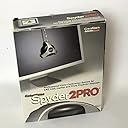
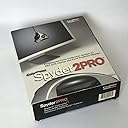
Spyder2 PRO
Product ID: 14039455
Buy anything from 5,000+ international stores. One checkout price. No surprise fees. Join 2M+ shoppers on Desertcart.
Desertcart purchases this item on your behalf and handles shipping, customs, and support to Austria.
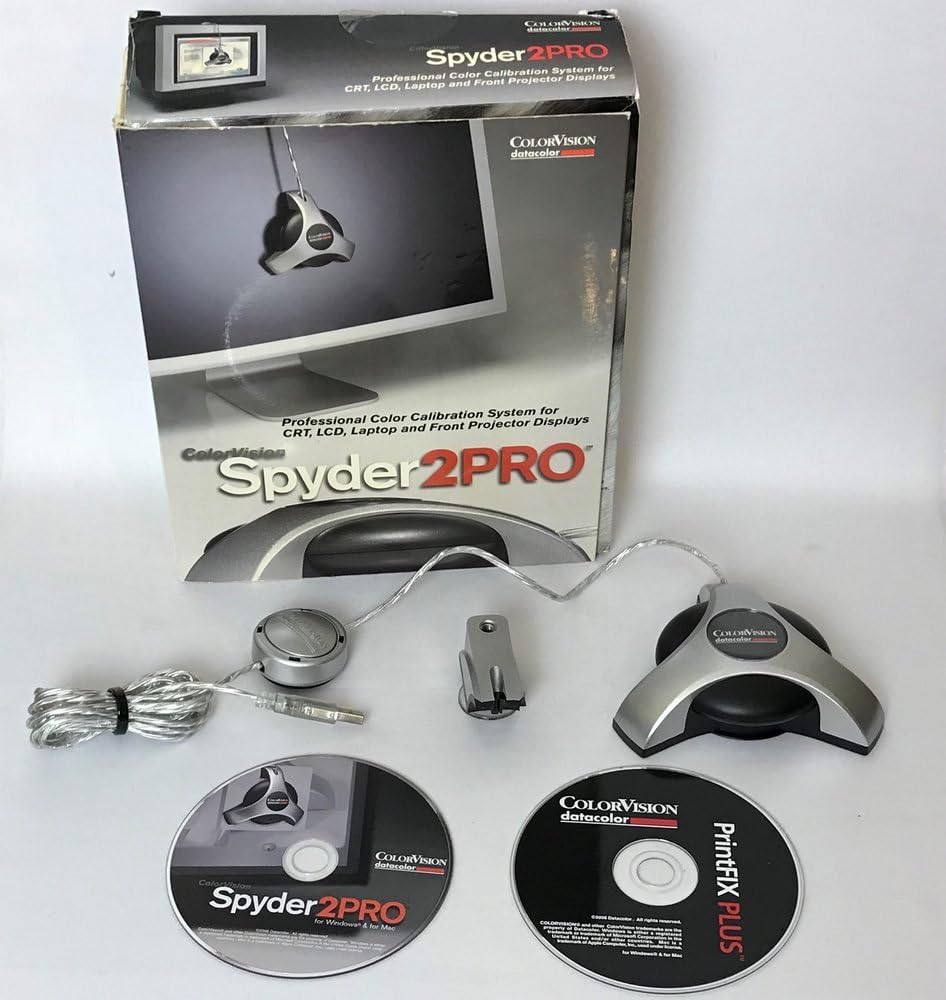
desertcart.com desertcart.com ColorVision spyder2pro is a comprehensive system for professionally calibrating all types of monitors—including front projector displays—and for creating custom printer profiles for any PrintFIX Plus-supported printer. The Spyder2PRO system includes both the hardware and the software to make sure you workflow begins with accurate, on-screen color. The award-winning Spyder2 colorimeter attaches to your LCD, CRT, or laptop screen. The Spyder2 colorimeter working together with the Spyder2 Professional Monitor Calibration Software. spyder2pro can even help you calibrate front projector displays. spyder2pro Professional Monitor Calibration System The hardware component of spyder2pro is the award-winning Spyder2 colorimeter. This colorimeter attaches to your LCD, CRT, or laptop screen (the hardware is designed to be very gentle on delicate LCD screens), and then connects to your computer via USB cable. New state-of-the-art optical science provides a five-fold increase in color sensitivity over previous technology with a patent-protected light baffle for accurate characterization of LCD displays. With the colorimeter affixed to the screen, the Spyder2 Professional Monitor Calibration Software guides you through the entire calibration process. With the colorimeter reading the color output from the software via the display screen, you will be instructed how to fine-tune the calibration buttons on your display. spyder2pro even allows you to calibrate multiple monitors, so you can have side-by-side displays of different brands and sizes that show the exact same colors. Once the calibration is complete, the unique "before and after" viewing feature lets you compare your display with and without calibration. spyder2pro also address the issue of ambient light. Since the eye's perception of a monitor's colors and brightness can vary greatly in different room light, the Ambient PreciseLight Function measures ambient light and balances studio lighting and monitor settings accordingly. High-test features for the professional include custom response targeting, colorimeter and information windows, custom targeting, and ICC 2.0 and 4.0 support. Exclusive automated black-and-white luminance adjustments for use in precision targeting provide more consistent calibration results. Sophisticated gray balance and tonal response algorithms provide demanding users with exceptionally smooth gradient steps and neutral grays. If you use a front projector for presentations, the new front projector calibration option ensures that your images are shown to their best advantage.PrintFIX PLUS Printer Profiling Software If you print your digital images, you probably know that getting good color performance in your prints can be at least as daunting as matching colors on computer monitors. The PrintFIX PLUS Printer Profiling Software addresses this issue with the first software-only profiling tool to give you fast, precise results. Rather than using a scanner, the elegant software assists you step-by-step through each custom paper profile for PrintFIX PLUS-compatible printers. The software wizard helps you check your print quality and optimize your printer's media setting. Using the wizard helps you create high-bit, tunable ICC printer profiles. You can preview your results at different rendering intents, and there are even options to optimize your prints for specific viewing conditions. The PrintFIX PLUS software includes a complete Help system and tutorials to assist you with the basic and advanced advice on how to get great prints.An essential product for serious photographers and design professionals Color correction has emerged as a cornerstone of the digital workflow for all digital imaging professionals. Professional photographers and creative professionals understand that a color-managed workflow begins with accurate, on-screen color. When precise color is critical, spyder2pro can be an important foundation in creating, marketing, and showing your work. ColorVision backs the spyder2pro with a 2 year hardware warranty and includes free technical support and free software updates. Product Description The Professionals Choice: Includes Spyder2 calibration, software based print profiling, new PreciseLight ambient light sensor, and calibration for projectors. Review: nice product - Very easy user interface. Detects dual monitor setups. Can calibrate your monitor even if you don't have any hardware controls on the unit like the iMac and the other Apple displays. Reminds you when you need to recalibrate. Results are pretty nice. Monitors look great. If you are serious about digital photography this is a must. Review: Two Stars - Just wont work.
| Best Sellers Rank | #888,477 in Electronics ( See Top 100 in Electronics ) |
| Customer Reviews | 3.7 out of 5 stars 57 Reviews |
B**.
nice product
Very easy user interface. Detects dual monitor setups. Can calibrate your monitor even if you don't have any hardware controls on the unit like the iMac and the other Apple displays. Reminds you when you need to recalibrate. Results are pretty nice. Monitors look great. If you are serious about digital photography this is a must.
R**Y
Two Stars
Just wont work.
W**N
Monitor Calibration
It was time to bit the bullet and really calibrate my monitors. All you read about is how important it is to "calibrate your monitor". If you are like me, it's hard to buy something you are only going to use a few times a year so you think you can get away with calibrating visually with some of the freebies out there. I was shocked at how off my monitors really were (the Spyder2Pro gives you a before and after selection when you are finished). If you are like me, I always read many reviews on products before I purchase which helps me decide what to do and wonder about the people giving the reviews. I happen to work on 4 dual monitor work stations and several other single monitor computers so this was really worth the money. As far as ease of use, I had no problems understanding the calibration proceedure Color Vision gave. All but 2 of my monitors are LCD so I could lean them back at a slight angle to have the spyder rest properly. The 2 CRT's are in my Green Screen Room and are used for direct video capture using Sony Vegas. I am not one for photos or other "screen saver" junk. My monitors are all set to neutral gray... strictly business. It's wonderful to see all the monitors exactly the same. I also print on an Epson 4800 so I need to know prints are going to look like my edits in Photoshop. Good Job ColorVision! Worth the purchase.
R**N
Great monitor calibrator
This is a great tool to insure that the edits you make on digital photographs produce the results you want in final prints. Intuitive to use, quick calibration, and useful reminders for periodic re-calibrations make this product a no-brainer for digital photographers.
M**X
Why not buy this instead of spending two hundo on a modern colorimeter?
I actually literally cannot believe this product still works, and to the standard that it does.
R**8
Not worth the effort
I had better results without using this thing. It changed my monitor color so much that I could not get a photograph printed as good as just using my defaults on my printer & Monitor. It may be good for some people but it did not work for me. I had to return it.
M**E
Does what it says on the box
I upgraded from the Spyder2Express, not really an upgrade because its cheaper to just purchase the pro version than it is to get the upgrade, which means I ended up with a spare device. On my mac the dual screen supports just works, I use a single card with two outputs and it does support two profiles at the same time. Worked first time, but Mac dual screen support is much better than Windows. I also calibrated my Windows systems and my laptop with no issues. Makes the complex task of calibrating your screens pretty simple. One point to highlight before you start though and this applies to ANY product of this type. You simply MUST try to learn what you are attempting to do BEFORE starting any calibration process. If you do not know what the device is trying to do, then you will have problems. Color management is a complex process, expecting this device to simplify it while ignoring all the other aspects of a color managed workflow is a recipe for failure. This applies to Gretag and the others as well.
M**L
Spyder2 Pro: Good Product but very Bad Instruction & Support
Though I have not printed after caliberation (I did 3 of my laptop monitors), but hardware is very good and easy to install. But reasons for my such poor rating of Spyder2 Pro is "pathetic" guidence and instructions. First, let me say a few words about support: (a) It is three days that I registered the product to receive my log in support, but still no response; (b)when I tried to contact them through phone, the number belongs to some other company. The number 800-544-8688 is listed every where, but it is NOT for ColorVision, NJ. This act alone deserves some severe action against the company....... Now about the product. Very easy to install the software (driver), just follow the screen instructions. But once software is installed, then what? No instruction: you are in a loop. Actually, then you have to go to desktop icon of Spyder2 Pro or program (that the software has created). Open the program and follow instructions for monitor calibration: here comes the role of the hard ware (the actual spyder). Very easy to do it. But once the monitor is calibrated, you will receive the Error that the calibration you have created has NO profile... Actually, then you have to open properties (by right clicking the desktop). In properties, go to setting/Advance/color management. Then click Add,...it will open a number of color profiles. You choose the one that you have created by Spyder2 Pro. Then choose it as DEFAULT. Then click apply / OK. Restart the computer. After restarting, to check whether you are using the created Spyder2 Pro profile, open the "color profile" on the desktop or program. You will find the name of your Spyder2 Pro created profile at the top (or this should be the only one)and at the bottom, radio circled ONLY ... blackened. If not, then the monitor is not using your newly created color profile.... I wrote down these steps, so that other should not waste time or curse ColorVision for the lousy product... Actually, the product is good, but instructions and support are "pathetic." I hope ColorVision is reading this review and doing some thing about it.
R**H
Monitorkalibrbiergerät
Die Farben des Monitors, der auch eine Softwarekalibration integriert hat, wurden durch das Einmessen mit Spyder ungefähr 100 Kelvin wärmer. Der RGB Abgleich brachte ebenfalls einige Prozentpunkte Veränderung. Ich kaufte mir dieses Gerät, weil Jeder sagte, daß ich unbedingt einen kalibrierten Monitor zur Bildbearbeitung brauche, und das die Softwarekalibration ja nichts taugen kann. Wie gesagt, der Unterschied zwischen der Phillips-on demand Kalibration und dem Spyder ist geringfügig. Im Nachhinein betrachtet,hätte ich es also nicht unbedingt gebraucht. Da ich es nun habe kalibriere ich damit auch meine anderen Monitore, und da sieht man deutliche Unterschiede. Anbei liegt auch eine CD-Software zur Druckerkalibrierung. Dummerweise habe ich einen DELL-Drucker und dafür findet man nirgends Kalibrierungshinweise. In der Software ist er natürlich auch nicht dabei. Deshalb nur 4 Sterne.
Trustpilot
1 week ago
2 weeks ago