Buy anything from 5,000+ international stores. One checkout price. No surprise fees. Join 2M+ shoppers on Desertcart.
Desertcart purchases this item on your behalf and handles shipping, customs, and support to Austria.
🚀 Upgrade your storage game with speed and simplicity!
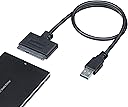
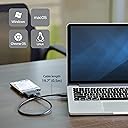
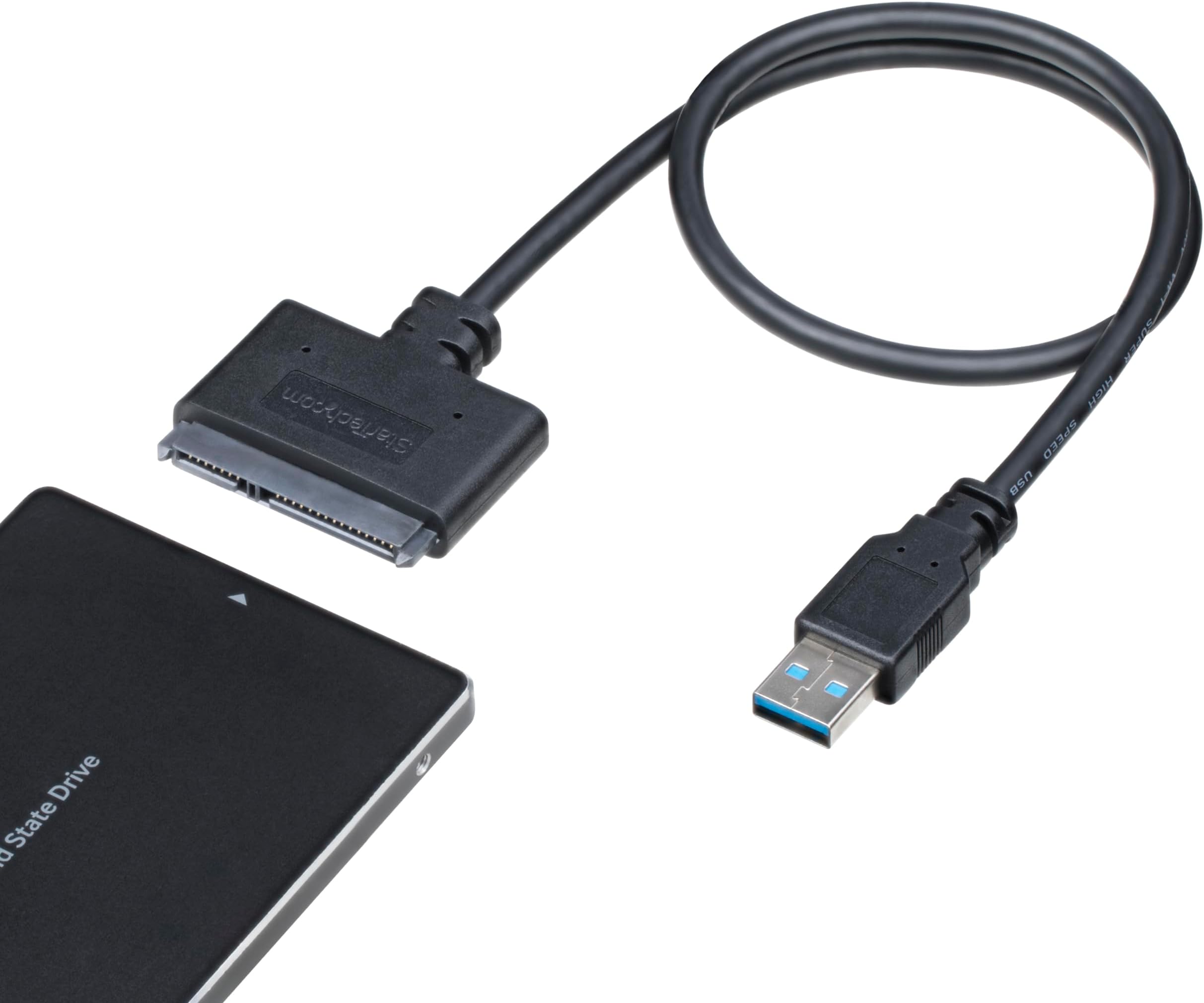
The StarTech SATA to USB Adapter is a sleek, bus-powered cable that connects 2.5" SATA SSDs or HDDs to USB-A ports, delivering up to 5Gbps transfer speeds. With UASP support, it accelerates data transfers by up to 70%, supports TRIM for SSD optimization, and offers universal OS compatibility without drivers. Its portable, plug-and-play design requires no external power, making it the perfect tool for professionals needing fast, reliable external storage access on the go.


| ASIN | B00HJZJI84 |
| Best Sellers Rank | #4 in SATA Cables |
| Brand | StarTech.com |
| Brand Name | StarTech.com |
| Cable Type | USB |
| Color | Black |
| Compatible Devices | Laptop, Personal Computer |
| Compatible Phone Models | No Compatible Phone Models |
| Connectivity Technology | USB, SATA |
| Connector Gender | Male-to-Female |
| Connector Type | Sata/Usb |
| Customer Package Type | Standard Packaging |
| Customer Reviews | 4.6 out of 5 stars 34,173 Reviews |
| Data Transfer Rate | 5 Gigabits Per Second |
| External Testing Certification | CE, FCC, REACH |
| Frequency | 60 GHz |
| Global Trade Identification Number | 00065030854696 |
| Included Components | 1 - USB 3.0 to SATA 2.5" HDD Adapter Cable, 1 - Instruction Manual |
| Indoor Outdoor Usage | Indoor, Outdoor |
| Item Shape | Flat |
| Item Type Name | Data Transfer/Power Cable |
| Item Weight | 1.44 ounces |
| Manufacturer | StarTech.com |
| Maximum Current | 1.5 Amps |
| Maximum Voltage | 5 Volts |
| Model | USB3S2SAT3CB |
| Model Name | USB3S2SAT3CB |
| Number of Items | 1 |
| Number of Pins | 7 |
| Other Special Features of the Product | Data Transfer, Driverless, Universal Compatibility: Windows, MacOS, Linux, ChromeOS, Hot-swap, Plug and Play, UASP Support |
| Outer Material | Plastic |
| Part Number | USB3S2SAT3CB |
| Recommended Uses For Product | Peripheral Connection |
| Special Feature | Data Transfer, Driverless, Universal Compatibility: Windows, MacOS, Linux, ChromeOS, Hot-swap, Plug and Play, UASP Support Special Feature Data Transfer, Driverless, Universal Compatibility: Windows, MacOS, Linux, ChromeOS, Hot-swap, Plug and Play, UASP Support See more |
| Specification Met | No |
| UPC | 006503085469 065030854696 |
| Unit Count | 1.0 Count |
| Warranty Description | 2 Year |
| Wattage | 7.5 watts |
F**S
Great cable! Trim is supported!
Works great--and unlike some competitor's cables, Windows recognizes an SSD when an SSD is attached to this cable, so you can do important functions like Trim. I've bought multiple of these just because this cable has that functionality.
A**N
Very reliable USB/SATA adapter for 2.5in hard drives
This USB/SATA adapter for 2.5in hard drives has great quality connector for reliable data transfer. It's far more reliable than those commonly found on eBay.
F**D
Good quality. Works well.
Worked great for me. No issues, no complaints. I got this to clone the old HDD drive in an almost 10-year-old laptop to a newer, much faster SSD. Super easy to use; my first time doing the whole drive cloning thing so I was a little nervous but the whole process went very well. I ended up using the old HDD as an external drive and storage device, running it straight off this cable for a few weeks until I got around to buying an enclosure that came with a cord of its own. Great item. Price is right. Works well. Recommended.
D**R
Great addition to a computer maintenance toolset. Recommended
My parents experienced a hardware failure with their old PC, so I decided to get them an Intel NUC (the one that only has M.2 storage). Usually I'd just hook up the old HD/SSD to a spare SATA port and transfer the data, but that wasn't going to be an option this time. I found an old 2.5/3.5" HDD dock, but it was only USB 2.0. A quick search yielded this item, supporting USB 3.0 AND available Prime 1-day! Packaging/Appearance There isn't much to the item, as it's only a cable... USB-A on one end, and SATA+SATA power on the other. It resembles a SAS connection, but it's not quite the same. The build quality seems adequate, and there didn't appear to be any fit or finish issues. Installation/Use There isn't a lot that can go wrong with a product like this... it either works, or it doesn't. As long as you stay under the current limits of a USB 3.x port (assuming you have it hooked up to a USB 3.x port), you should be fine. Please note that the device itself takes some power, so you'll want to factor that in. Generally speaking, you're fine for all SSDs, and all but a few edge case 2.5" magnetic HDDs. While this type of thing isn't meant to be used as a full-time storage interface, it performs ok. Ultimately you're limited by the USB interface - while the bus bandwidth is technically greater than 6Gbit/s SATA, you will find that the performance is significantly lower. I ran some ATTO benches to check SATA vs. USB->SATA, and it bore this out. Regardless, it's still fast... in my case, I was able to transfer about 240GB to the new PC in about 5 minutes. Large numbers of small files are a weak spot. I've used this without issue in Windows 10, Server 2016, and Linux. Depending on your BIOS you can even boot from it (though I'm not sure why you'd want to do that). Conclusion I regard a device like this as cheap insurance, since you never know when you'll need to recover some data. I would think that a normal use case might be transferring data from a laptop HDD to another laptop. I definitely think anyone who's considering this item should get one.
R**N
StarTech USB 3.0 to 2.5" SATA III Hard Drive...Sold By STARTECH.com
StarTech USB 3.0 to 2.5" SATA III Hard Drive... Sold by STARTECH.COM This Sata drive adaptor is packaged in a plastic bag and shipped in a bubble wrap bag. It is brand new and in good visual condition. Made of mostly molded rubber and plastic. I have not had good luck with these kinds of adapters and when I tried to use this on my drive, it did not work. Do consider the other reviews as this may be a problem on my side but there is really nothing that I can do or change, it is simply plug and play. I cannot tell you why it did not, or why it should have worked. I did not receive anything for my review of this device. 170128 0015 -- UPDATE May 31, 2017 -- I had placed this adapter in the bag and forgot about it until I was working on a computer and had a drive problem come up. All my enclosures were in use so I took the adapter out and plugged it in. It worked perfectly. My earlier review did not respond positively and I can't tell you why there might have been a problem, perhaps one of the drives I tried to run. But this spun up the hdd and accessed the information with no problems at all. I have changed the rating to a 4. This is most convenient for those fast fixes. AGAIN, I did not receive anything for this unbiased review. 170531 2303 Update 05/21/2019 Since my last positive review, this adaptor has been in use constantly, and is still operating as needed. Some have suggested they only last so long. My thought is maybe a pin bent or a wire broke in their adaptor kit. I use this on many drives in normal practice, and I treat it more gentle because I don't want to break or bend anything. It has always worked and is still working. Recently it has been connected to the computer and spins up the drive for access everytime I turn on the computer. Absolutely works as described. -- I use a LENOVO ThinkCentre M91P desk top, I have several and this adapter works on all of them. Works for me... 190521 2142
A**B
Worked great, exceptional tech support, check your SSD's software and system bios settings
As the headline suggests, the cable is fine, check elsewhere if you run into an issue. And please, folks, this connects to a single USB port. USB power is limited to 500mA (USB 2.0) and 900mA (USB 3.0). You can't power a 3.5" HDD or an older 2.5" HDD with this cable, it's not the cable it is your computer's USB port. I've purchased several Startech products over the past several years. I like the quality and no-nonsense presentation. This cable has the added benefit over an older USB-SATA cable setup I had, in that it has 2 little led's to indicate data access (like on your computer). I bought this cable at the same time I purchased a new Samsung 500Gb 860 EVO SSD. I've done the laptop HDD to SSD clone process 6+ times. In the past, I've used a different USB-SATA cable and Samsung SSD's without a hitch. I like the the Samsung's because they're good and the cloning software is rock solid and a no brainer. When I hooked things up and used the latest version of Samsung's software, I had an issue with the software not recognizing the new SSD. Hmm, bad cable? bad SSD? I tried a different older SSD I had pulled from an earlier laptop upgrade and I could see it no problem in Win 10 explorer. Still nothing with the new SSD. So in one of the reviews of this product I saw the Startech tech support phone line. Lo and behold it (the number) worked and I was talking to an actual human tech support person in less than 3 minutes. Folks this is an $11 cable, I am impressed with this level of tech support. The tech person suggested I try to format it with drive manager in windows, which I did, while he was on the phone no less, and yes, I could format it and I could then see it in file manager and read/write files to the new SSD, so it is really, really unlikely to be the cable or a dud SSD, that leaves the Samsung software. This one phone call was really helpful and saved me from sending back the cable and the SSD as it would have been difficult to tell which was the culprit (neither in this case). I then did the old Google search and found the Samsung Magician software has a reputation for not seeing some of the newer versions of their SSDs. Further reading suggested that their Data Migration tool (which you use for cloning) didn't have the problem. After downloading the Data Migration software, I was able to see the new Samsung SSD and do the cloning. I really can't stress how big a time saver the support I got from Startech was. It wasn't their knowledge of Samsung's issues, but at least how to get to that point where I could establish it wasn't the SSD or cable that was the issue. Kudos to Startech and their tech support! One issue that was mentioned in the various support posts on the Samsung site (but I suspect is relevant to other newer SSDs), is you may want to check your bios setting for the HDD controller (SATA), mine was set to RAID, but the preferred is AHCI. I can't say whether this was part of the issue or not, but something to keep in mind. Hardware/software Dell Precision M4500 (circa 2011) i7 chipset Win 7 PRO, 64 bit -> cloning to Samsung 500 Gb 860 EVO SSD using Samsung Data Migration software (not Samsung Magician)
S**R
Love Things That Work Great Out of Box!
I just love these cables, adapters. Great price. Using to get 'stuff' off of old SSDs
D**H
This USB/SATA cable helped me to retrieve important files from my crashed Hard Drive - Awesome!
Well, I purchased this when my Dell Inspiron 1440 crashed. Saw a Youtube video on how to retrieve files from a crashed hard drive and this cable was mentioned as instrumental. So ordered it from Amazon.... two days later I removed my old hard drive that had crashed and used this USB cable to retrieve important files from that hard drive. I even purchased a new hard drive via Amazon (larger one that was compatible for only $38) and installed it myself in process, and I'm by no means am I any form of IT tech! I had another laptop so used it when attaching this cable to the old hard drive (it actually has a place on side of the hard drive to plug it in and makes it technically an external drive..... I hooked up this cable to the crashed hard drive and then plugged it into my working laptop and it did enable me to extract all my important files and pictures from the crashed hard drive). I then saved these files to a flash drive that I also plugged in to my working laptop. This worked perfectly and this computer is now working great! Oh, once I plugged in the hard drive with this cable I then clicked on the Start; then Devices/Printers; and it was there that I saw my new device noted and upon clicking on that device, I was able to open/find all my files easily even though it had technically crashed. My working laptop hard drive was able to technically open/access from the other attached hard drive! This definitely saved me a lot of money too. Oh, I started working on this 'project' around 8pm and finished by 1am (that's taking care of everything including downloading all the factory disks to make the new hard drive run properly.... so you do have to stick to this in terms of setting up a brand new hard drive to dump all your programs and files back into it). BUT in all it was well worth the time and effort as it saved me a bundle. It's like I have a new computer now too! So much faster. Of course it's always a good idea to back up files ...unfortunately I hadn't in almost a year and so lots o f new pictures and important docs were technically lost.ugh... so this did save my day! Note: You should definitely check out YouTube videos on how to remove the hard drive from any computer/laptop for specifics.... For this laptop it was very easy - just took removing two screws and it slides right out. Definitely recommend this cable if it is something you need for this sort of thing. Hope this helps.
W**I
Ótimo
Funciona perfeitamente
B**E
Bra
Fungerar kanon till Raspberry Pi
舘**敦
問題なく使えています
同じ様なSATA USB 3.0のやっすい変換ケーブルを買って使った所一か月持たずSSDを認識しなくなったのでこちらを購入し三か月ほど使っていますが特に問題なく使えているので助かっています。 やはり安い物は安いなりの理由があるんですね・・・
A**N
Good quality and as described.
R**D
Simple, easy to use, and I haven't (yet) had one fail . .
I bought a number of these over a few years and I still use all of them on a daily basis. They have been (for ME on LINUX) Simple, Reliable and a convenient way to use some of my old drives that I've retained to retrieve my filesfrom computers I have phased out over the last few years.
Trustpilot
1 month ago
2 months ago