We remain fully operational. Our teams are working around the clock to ensure your deliveries continue safely.

DOWNLOAD THE APP


Customer Services
Copyright © 2025 Desertcart Holdings Limited
DOWNLOAD THE APP




Buy anything from 5,000+ international stores. One checkout price. No surprise fees. Join 2M+ shoppers on Desertcart.
Desertcart purchases this item on your behalf and handles shipping, customs, and support to Austria.
🔒 Secure Your Space, Anytime, Anywhere!
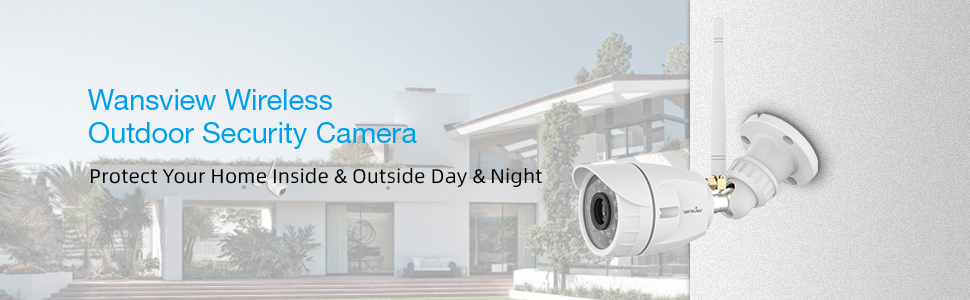
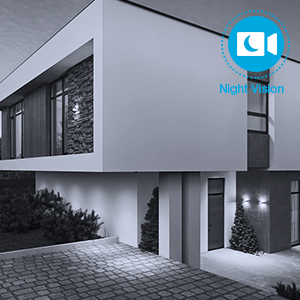
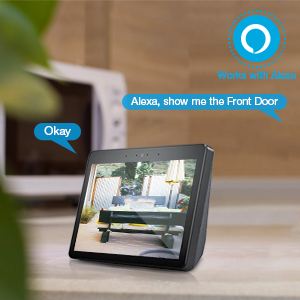
The Wansview Outdoor Security Camera offers 1080P HD video quality with a 2 Megapixel lens, ensuring clear surveillance both day and night. It features IP66 waterproofing, making it resilient against harsh weather conditions. With motion detection capabilities and real-time alerts sent to your phone, you can monitor your home from anywhere. Compatible with Alexa, this camera integrates seamlessly into your smart home setup while prioritizing your privacy with advanced encryption technology.



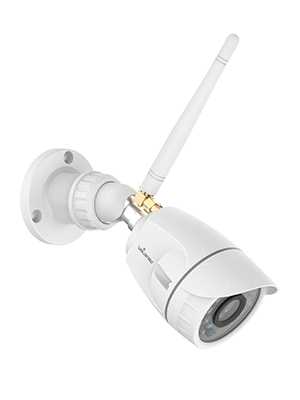


| ASIN | B07WNLB2RG |
| Alert Type | Motion Only |
| Antenna Location | Surveillance, Outdoor Security |
| Are Batteries Required | No |
| Best Sellers Rank | #4,839 in Bullet Surveillance Cameras |
| Brand | wansview |
| Built-In Media | 1 camera, 1 power supply |
| Color | White |
| Compatible Devices | Alexa |
| Connectivity Protocol | Wi-Fi |
| Connectivity Technology | Wireless |
| Control Method | Voice |
| Controller Type | Amazon Alexa |
| Customer Reviews | 4.0 4.0 out of 5 stars (7,120) |
| Enclosure Material | Aluminum |
| Form Factor | Bullet |
| Indoor Outdoor Usage | Outdoor |
| Item Dimensions | 6.23 x 2.33 x 2.33 inches |
| Item Type Name | W4-W |
| Light Source | LED |
| Manufacturer | Smarteye |
| Manufacturer Warranty Description | 1 |
| Model Name | Outdoor Security Camera Wansview 1080 P Wireless Wifi Home Surveillance Waterproof With Night |
| Model Number | W4 |
| Night Vision | Night Color |
| Number of Items | 1 |
| Other Special Features of the Product | Night Vision, Motion Sensor, Waterproof, HD Resolution |
| Power Source | Corded Electric |
| Room Type | Hallway, Living Room, Study Room possibility |
| Specific Uses For Product | Surveillance |
| UPC | 767311992713 |
| Unit Count | 1.0 Count |
| Video Capture Format | MJPEG |
| Video Capture Resolution | 1080p |
| Water Resistance Level | Waterproof |
| Waterproof Rating | IP66 |
| Wireless Technology | Wi-Fi |
| Zoom Type | Digital Zoom |
R**S
Works Great with Alexa & Good Value for the Money
We have now purchased 4 of these cameras. First let me disclose we were not looking for recording as we use a wired system with DVR. Our goal was to be able to see our driveway and entry doors while watching TV when not in view of the wired system's monitor. The Wansview cameras have mainly satisfied that objective. Each of these cameras were configured quickly and easily through the app with no issues whatsoever. Actually, the simplicity is impressive. They were up and running within five minutes with no issues at all. I've had other devices which have taken several trials to set up but these went smooth. I did not have to use the supplied power supply as I already had 12 volt wiring to each of the locations I was placing the cameras and just tapped into that source. The picture quality is good even on a 50" television. Night vision is fine and is typical of IR cameras. Our cameras are positioned anywhere between 25 and 60 feet away from the router. I did experience one camera losing connection but I ended up moving and tightening the antenna and so far no other disconnections. The Wansview app is simple and straightforward. I did not opt in to cloud storage so I cannot attest to it's features. I have read reviews of others trashing the app but its design serves our purpose. But, lag time is a major disappointment. When we launch the app, it takes about three to four seconds to connect to the cloud and then another 10 to 20 seconds to connect and show the live feed. This may be typical of wifi cameras but I'm not sure. It does work good with Alexa but again, up to 20 seconds to show the live feed. The only other suggestion to Wansview would be a way to turn off the camera in the app to reduce data usage. However, for people using the cloud for storage, this would prevent recording and be counterproductive. All in all, this is a good camera and the price is unbeatable. Picture quality is real good for a camera at this price point. Each camera was extremely easy to set up and configure. I do recommend this product and I may even expand later to increase our coverage and will definitely use another Wansview camera.
B**R
Motion alerts and free video clips are a bonus
I have had an IP wireless security camera (by another manufacturer) at a guest home about 2500' from my residence for a few years. I recently pressure washed the porch where it was located and thought I killed it. I replaced it with the Wansview W-4 camera as it was supposed to be water resistant. After a little trouble installing it (because it connects wirelessly to my wifi repeater rather than my residence wireless modem) with help from Stephanie at Wansview, I found the new security camera superior to my previous model. It has better resolution and also saves short video clips to a free cloud account I set up during installation. The (sound on or off) alert feature on the Wansview app on my phone is also handy. I can turn it off and on by changing my app settings, but even if I am not notified, I have short video clips (for free) that let me know what happened. Not sure if this feature will expire after 30 days but the cost to subscribe is reasonable. I can pay for more storage on the cloud for longer video clips, but so far, the free feature lets me get about 20 clips a day before they loop over and erase older ones. I like being able to adjust the field of motion detection as there is a porch swing in one part of the frame that moves with the wind - no need for this to trigger the video for recording or to notify me. Sensitivity is variable and even at the lowest setting I get notification when even a rabbit enters the field of view. Moths at night around the separate motion activated security light also trigger unwanted videos, but this is manageable. Overall, I am very pleased with the unit features and performance. Support was great as well. Installation was simple, even with the added complication of using a wireless repeater at a remote location. I just had to use the supplied ethernet cable while having the camera at the router, then attached to the wireless repeater rather than the wireless router when I moved the camera to the remote location. The youtube clips for installation also helped. So I have free wireless monitoring on my phone or a PC with no extra cable or hardware other than this $40 camera. Pretty neat!
R**T
Best I have seen for the Money and Yes they work on Blue Iris, I am doing it.
Of the 6 different camera types I have, these little guys are the best bang for the buck general-purpose cameras I have found. I have installed 7 of these on my system and so far they work well. The sensor is good for the price and they seem well made. Night vision is also good. They work on wifi and on ethernet. Frame rates are much better hardwired as with most cameras. I use Blue Iris 4 and Blue Iris 5 (BI) to view these cameras. I have read places that this can not be done. That may have been true at one time but it is not now. When you first get the camera setup go to the settings and do the firmware update it is asking for. It needs to be done before they can be used with BI. It is very simple and only takes a few minutes BI can be a bit of a pain to get to see the cameras but from what I have found it is not the camera's fault. You will need to install the app for the cameras (free on Apple and Android) on your phone and your phone needs to be connected to your 2.4ghz wifi. This will not work if your phone is connected to 5ghz wifi. Do the first time setup of the camera. It is simple. The info you need to configure BI and other viewing software can be found in the camera app under the settings for each camera (ie IP address, default Username, and Password. All different for each camera) The camera needs to be configured in BI and others software as rtsp//#.#.#.#/live/ch0 (Insert your IP in place of # sign). Use the camera's username and password. I am being so detailed here because it took me some time to work these setting out as I am an amateur and wish someone had posted this simple info. It took me a while to work it out but now I am very happy with them. Good Luck with your project and I hope this was helpful.
Trustpilot
3 weeks ago
2 weeks ago