๐ Read Smart, Live Smart!
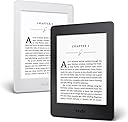
The Kindle Paperwhite E-reader (7th Generation) features a 6" high-resolution display with 300 ppi for crisp text, built-in adjustable light for day and night reading, and a battery life that lasts weeks. With Wi-Fi and free cellular connectivity, it offers access to over a million titles, making it a must-have for avid readers and busy professionals alike.
B**W
Honest Kindle Review
Let me guess: you love books, but you're not sure you want to get a kindle because you love the feel of books, right? I'm here to tell you that the kindle is the perfect balance of book and digital format. SHORT REVIEW Yes, you should buy a kindle. Get the paperwhite with no ads. You're welcome. LONG REVIEW I love physical books too, I'm with you. But I know myself, and I know that once I forget to take the book I'm reading with me, that's it. I'll start another book and rarely finish the first. I also know if I try and read on my phone or iPad that I'll get distracted and start wondering about what's happening on the internet (Instagram's not gonna scroll ITSELF). Either way I'm not finishing the book. WHY KINDLE The kindle takes the best of both worlds and mashes them together. The e ink display is honestly incredible. I wish iPhones had an e ink display. It really looks just like a printed page. So you get the experience of reading a physical paper book, but with the perks of being digital. Namely: - Share what book you're reading to Goodreads, Facebook, or twitter (so you can look SMORT) - Built in dictionary (so you can learn the proper spelling of the word SMORT) - Export your highlights as a PDF Plus, it'll also sync with the kindle app on your phone so you can squeeze in the final few pages of the chapter while you're in the bathroom (don't pretend you don't do that. You're either on your phone or you're reading the febreeze ingredients) READING IN BED The backlight looks great. It's a perfect size. And because it's one page at a time, you overcome another annoyance of physical books: you can read laying down in bed without the awkward "I just need to hold the book weird like this for a second while I finish the left page, then I'll be on the right page and can relax" situation. It's great. LIBRARY BOOKS You can check out library books digitally without leaving your house. And yes, you can make highlights and export those as a PDF (to answer your next question, yes, you could technically highlight the whole book, but that would take more time than it's worth). ADS OR NAH? Get the one without ads. Remember the problem with reading on your phone? Distractions. Why would you buy a device that ONLY does one thing exceptionally well (isolated reading) and then ruin the experience with ads about products you should buy? Now you're thinking about "oh right, I gotta get my oil changed" or "what am I gonna make for dinner?" instead of whether Elizabeth Bennet and Mr. Darcy are really ever going to get together. WHICH MODEL? And no, you don't need a more expensive kindle. This one works great and the other ones don't give you much more for the money. Get the wifi only model (please, you're REALLY going to use the 3G to download books on the go? Get real). And yes, this is the best e-reader out there. Come on, it's Amazon. ANY book you want is a few taps away. WHAT YOU WANT Kindle Paperwhite (wifi only, cuz really, you're gonna use 3G??) with no ads. You're furiggin welcome.
D**D
Fanstastic!
Absolutely a wonderful reader. I have owned a B&N Nook, a Kindle 'Fire' HD (now known only as a 'Fire'), and currently own a Fire HDX and a Samsung Galaxy Tab S, so I've been around the block a few times in terms of small tablets/e-readers. But I must say that although all of these aforementioned tablets can do the job of an e-reader, they weren't true e-readers, and I found myself being slightly jealous of some of the capabilities afforded by a Paperwhite. Fires/Tablets have their advantages, but the one they don't have is the ability to last weeks without charging the batteries, and their screens aren't optimized for reading. So, I finally acknowledged that fact and looked into getting a true e-reader. Then I learned that Amazon was releasing a new Paperwhite with sharper resolution (as sharp as the recently released Voyage, which was already receiving rave reviews from critics). I reviewed the rest of the pre-release specs and knew this was the only choice for me. Yes, there are other e-readers on the market, but none had this resolution AND access to the formidable library of Amazon books. The caveat I'd like to make clear is that this is a no-brainer if you're already an Amazon Prime member and/or already possess a lot of books purchased through Amazon, which I did prior to pre-ordering the Paperwhite. Two weeks later, my Paperwhite arrived (two days prior to the 'release' date) and I opened it with great anticipation. The front screen was covered with a black and white picture of some artistic work that I had to peel off. -But then I realized that the Paperwhite was 'on' and what I was seeing was the actual screen in its off mode! It looked so realistic that it fooled me. And that's a great hint regarding how sharp the display truly is. I immediately switched it on and went through the setup process, which is really a no-brainer if you've been through a few of them before. And even I you haven't, just follow the directions. You'll be OK. I downloaded much of the content I already owned and have already read a couple of books. As I said, the display is simply awesome. you really cant discern (or at least, I can't) any pixels whatsoever. The letters and numbers are extremely sharp and crystal clear. However, the true blessing of the all-new Paperwhite is the ability to read in direct sunlight. Unlike my Fire HDX, I never have to worry about sitting in a dark place to be able to read a book. Now I can actually sit on the sunny side while riding the metro and I don't have to shift around when the sun hits the screen. Sure, some things take some getting used to. For one thing, the Paperwhite cannot play games or surf the web like a Fire or other tablet, but then again, you don't need to charge it every day either. I now have the best of both worlds. When I'm reading books, the new Paperwhite is the place to go. But when I'm playing games or surfing the web, I'll reach for my Fire. They're both excellent machines and I have them in my bag every day when I leave for work. Is this new Paperwhite a worthy upgrade to the original Paperwhite? I dunno. I suppose that's up to you to answer. I know that the screen resolution was already fairly nice on that machine, so my hunch is that you'd have to carefully weigh the pros and cons to decide whether its worth it to upgrade. But for me, this is my first true e-reader (vice the Fire HDX, which is essentially a tablet with reader software onboard), so it was definitely worth the cost. If you're been thinking about getting an e-reader, the new Paperwhite is definitely a no-brainer. Just get it. This new Paperwhite is an absolute steal and I wouldn't hesitate to recommend it to anyone looking for a serious e-reader.
L**S
Love Paperwhite and Kindle
This is a really nice device, but right after my 30 day return ran out they came out with the Oasis. I want the newest device. I held onto my old original Kindle for over 4 years and finally decided to upgrade. I am so disappointed I missed out on the Oasis but cannot see a reason to have 2 devices. The Paperwhite by Kindle or any reader by Amazon is your choice if you want a reader. I have looked at other readers and here is the issue. Books for those devices cannot be read just anywhere or on just any device (phone, etc. even with apps), you have to be careful what you download. The trick with Amazon and Kindles is you can choose from so much and read them on any device, with the app, or carry your Kindle. There are options for free books without prime and if your a Prime member, get a free book every month from the top editor's picks. I have not seen these offers anywhere else and I always do my research. My Kindle goes everywhere even if I don't use it all the time. I may use it while standing in a grocery store line, or just for 5 minutes but it is so light it fits right in my purse. The battery on this one lasts forever. I just took it on a week long trip and didn't charge it once and read it exclusively on the airplane and through long layovers. This device has an airplane mode also which is nice. The light on this one auto adjusts perfectly so far, although you can set it where you want. Keep note this is a touch screen only so if you're used to buttons to turn the page, this is not the device for you. All-in-all I love my Kindle and I think Amazon support and products are the best in the world. To give me a free top book a month is awesome, thanks Amazon.
M**Y
Betternow
Nice & light, easy to handle. I would like to see more cases that free stand both vertical & horizontally. Definetly less eye strain which was a major goal for me. Very little if any glare. Print is crisp & can be enlarged to make reading very easy & comfortable. My only annoyance here is when using the (dictionary) & a very few other features, the print appears substantially smaller, & I have to put my "readers" on to keep from straining my eyes. (But), I can (instantly) get a clear definition of a word whenever I like. I would like to see 3G added at (no), or at least minimally less than the current $80 to upgrade to it. I'm away from home & any other source of wireless service a large part of my time. This would allow me to look up & purchase e-books ; which many Authors & Publishers may recommend along with whatever I may be currently reading. Plus occasionally I shop for other curiosities & items on Amazon; which is the bulk of the time I spent on the "net". The easy avenue to shop & have what I have purchased delivered to my home saves me time walking through stores (and) frees up more reading time. I'm not a "gamer" or "Facebooker" but I do enjoy reading. Anything less than 25 or so books per year is a "slow" year for me. This sets up the last thought I wanted to share. The charge the battery holds is substantially better than the Kindle Fire I have. I have heard the average reader spends 1/2 hr. per day reading, & this is what they base the nearly 2 week window between battery charges. I often spend 2 - 3 hours per day reading & have waited 5-7 days to charge the battery. This is great improvement over my Kindle Fire. All in all, I'm am very pleased with my paperwhite reader which I purchased about 3 months ago now. 4 1/2 Stars!
R**E
New Travel Buddy
Anyone out there who loves to read? I have found the Kindle Paperwhite Ereader , this little 6" bad boy is just a easy, light weight, just the right size, read day or night book. OK so I am excited, have tablets, phones the size of, well there big so you would think easy to read on, and in all truth they are easy to use as well, but the kindle is light years ahead and I will tell you why. First those phones and tables use lots of juice and recharging all the time, sure can't read for more than several hours before battery life sets in. This Kindle just got back from a week living outdoors camping, read two of those books and I shill have not had to charge from the time I took it out of the box. Second ever try and read outdoors in bright light on a phone or table, well it's not fun. The Kindle is perfect, even when the suns hits full force outside. Third my eyes don't seem to get tired while reading on this thing, all kinds of reasons for this but fact is "Easy on the Eyes". If you have a kindle account, and I did, the darn thing comes with your account pretty much set up and ready to download your books. I did buy the no adds version, I am worth it. Some neat features and I have set the back light and logged on to my wi fi, leave the light setting about half and have never turned off the wi fi. Does not seem to affect battery life. This guy is my new travel buddy, and yes I still need my phone, and maybe the tablet. But the reading experience is the best and no notifications, beeping and buzzing as you get into your latest book.
S**H
Highly recommended. Best eReader I've owned to date. But still want an Oasis.
I used to have shelves of books taking up space in my home. Now, I can get nearly every book in one tiny device. As a bit of background, I'm a "gadget geek" but I'm not on the bleeding edge of technology as much as I used to be. My last e-reader was the Sony Reader bought in 2006. I have to say that the Paperwhite blows it away. First, it's surprisingly light. Even with an aftermarket cover it weighs about the same as an average paperback and is nearly the same size (unless you're taking about the paperback version of War & Peace. Second, the print is great, perfectly white to my eyes and the built-in night reading is a great bonus. In the past I've bought at least a half-dozen clip-on book lights for night reading and they are always odd and unwieldy. Paperwhite solves that problem. Third, even though it has a limited amount of internal memory, it's more than enough for a year's worth of books for me. Plus, Amazon Kindle books stored on the cloud are available for download at any time, so if you happen to fill up your memory, just delete some off the device and download ones you want from the cloud. The only cons are my own. Since I owned the Sony Reader, everything I have is in epub format, which is not compatible with the Paperwhite. However, I Googled for a workaround and things are fine. Even someone without extensive technical skills could figure it out, if not, you can always ask a tech-savvy friend. Until the prices drop on the Oasis, I'll enjoy the Paperwhite for a while. Also, check your local public library to see if they have an eBook program. You can borrow ebooks straight to the Paperwhite from a lot of different sources. I also like that you can "loan" any of your Kindle books to a friend -- Amazon made a wise decision allowing that. With a paper book it was a great way to share good books with your friends, and not being able to do that with an ebook reader was a major disappointment (although I found ways around that when I had my Sony Reader). So, try it out and get rid of all the extra books on your shelves that just sit there collecting dust. I understand the appeal of having shelves and shelves of books in a home for the decor and style, but getting rid of stuff that you don't read will free up space and help unclutter your home and your psyche.
S**N
Works well and will satisfy even the pickiest reader
I love to read but held off buying a Kindle until now because I could not abide the resolution of early generations' screens. The fonts used to look penciled-in, jagged and coarse to my eye. Plus, I travel frequently and would need a backlight for reading on long flights, and the earliest Kindles lacked a backlight option. Times change, and when I finally succumbed to the Kindle's siren call just ahead of a sun-drenched holiday where there'd be zero hope of reading poolside on my iPad or iPhone, I was happy to see that the Paperwhite model now comes with a high-resolution display and a backlight at a reasonable price. Reading Experience The fonts do look pretty nice now. There are about six or eight font choices you can apply, and you can choose their size and weight easily from a menu. I'm still experimenting to find a favorite. I'm a bit of a font snob but have no serious criticisms of the kerning and justification options (I prefer ragged right formatting to fully-justified, and most books allow this). The backlight works well, is fully adjustable, and is nice and even save for a bit of faint scalloping at the far bottom edge. Glare has been no problem at all. Images look pretty terrible, but that's not what this device is for. It's a single-purpose tool for consuming textual books in any environment, and at that it excels. There are lots of reader tools, such as word lookup and things like that. I haven't explored most of those options. User Interface I have a passcode set, and entering the passcode is weirdly slow; you must pause significantly between characters. The touch interface works well, but there are some drawbacks to it. Mostly, it can be annoying to fumble the device and find you've lost your place in the process of grabbing it. That's less of a problem with the dedicated buttons on some other models. I do wish the Goodreads option were removable from the menu as I have no interest in it and have accidentally tapped it a few times. The single ads you see on waking the device don't bother me. They're static and inoffensive and go away with a swipe. I'm unmotivated to spend the $20 to eliminate them, but that option is there if they bug you. Slightly more concerning is that occasionally the text has lacked contrast. But I've found that going into and out of a menu, which forces a screen refresh, can help that. (I have Page Refresh turned off to minimize the blinking effect that otherwise accompanies most page turns, limiting the blinks to chapter transitions. This may be the cause of the occasional contrast loss. Now that I've found what seems to be a work-around, I'll leave Page Refresh off.) Connectivity Both the WiFi and mostly-free 3G connectivity work well. So far I've tested the 3G in five countries with no problem. WiFi has worked well and I've had no problem connecting to hotel WiFi that requires browser input-- the Kindle's "experimental browser" has worked sufficiently well for that. My understanding is that Amazon-purchased book downloads, syncing and updates are free over 3G even if you are roaming internationally. But, if you're roaming internationally, you will be charged a small amount for downloading documents other than Amazon-sold books. By the way, that downloading capability is a really cool feature (you can email .pdfs and non-Amazon ebooks in certain formats to your Kindle via a special Kindle email address Amazon automatically sets up for you) but one that I'd wager 99% of Kindle users don't use or even know about, much less use internationally. Battery & Charging Note that the vaunted Kindle battery life of umpty-ump weeks is based on benchmarking with an estimated usage of only 30 minutes per day, and I believe it includes Airplane Mode being enabled. But after my 12-hour flight that I mostly spent reading with the backlight on and Airplane Mode enabled, the device still has about 65% battery charge. Not bad! I did not purchase a charger. I pack an Anker 10-port USB charger (which works off of any national voltage and frequency and is highly recommended!) to keep all my gizmos charged when I travel, and the Paperwhite has had no objection to that. Bottom line I'm liking my Kindle Paperwhite a lot. There has been no problem reading in the bright poolside sun or on darkened transoceanic flights, and the touch user interface works well enough for me. The unit seem solidly built and is a great bargain for serious readers. UPDATE: I totally neglected to note how delightful it was to order this from Amazon and have it arrive fully configured and personalized for my account. This made the unboxing experience the rival of Apple's! Special kudos to Amazon for that. UPDATE: I did the Kindle a disservice by calling its built-in illumination a "backlight". It's actually a "front light"-- the white LEDs shine along the front faceplate and their light is directed down towards the screen by a nano-machined pattern embossed into the back side of the faceplate. So, the light is reflected off the e-ink screen (just as ambient light is), rather than shining through the display as is the case with smartphones and tablets.
F**R
Great for reading books, works in the sun, long battery life, does the job ... but some rough-edges to file-handling cosmetics.
UPDATE (May 14, 2016) I have removed two stars. One of the stars, I removed because there are some rough edges, such as mentioned below. The biggest pain at the moment is that, after having highlighted scores of passages in a book and written many notes anticipating my review of a it, I find that to review those notes conveniently, I have to use a computer to access my Amazon account, and then jump through hoops to FIND and then to view those notes, and the only way to aggregate them is to copy the screen! Worse, I found NO documentation at this level. (The Kindle e-manual, included with the hardware, doesn't get to that level of detail.) Handling of PDFs is also poor. That's not exactly Kindle's fault, but it would be a more stellar product if it could convert a text PDF to Kindle format or something. The other star, I removed because since buying my Kindle Paperwhite at $140 for the ad-free version (i.e., no "special offers"), apparently Amazon has taken the ad-free version off the market. Or hidden it. However, they've done it so slyly that their behavior is disingenuous. One, it seems my question regarding this absence never got posted. Two, although a couple of recent answers to other people's questions indicate that the ad(s?) appear only when waking up the Kindle, there is no assurance of that. And three, Amazon doesn't itself explain (anywhere?) what they mean by "special offers," let alone show an example and describe how and when they appear. If you buy a magazine off the rack, you can see there are ads in it, okay. But you can't similarly evaluate a Kindle. And if you buy a physical paperback book, the publisher might have a page at the back that promotes other books. But what book has ads before the Table of Contents? I'm pleased and relieved to report that the Kindle I paid extra for does not show ads, even now (except for sample excerpts of books I might like, but that's a different process, something I chose to pursue). But for the reasons above, for now, Amazon, no extra stars for you! Update to the above Update (sorry) ... Apparently if you search Amazon just for "Kindle Paperwhite" or click the various links to see the full line, Amazon is not showing the $140 ads-free version (which is the version I bought a few months ago). However, via my review history, I was able to find that version, and as of today (May 14, 2016) it appears to be immediately available. I don't know how intrusive the "special offers" (ads) are; I'm relieved (and would not have expected otherwise) that my Kindle remains ad-free. To find the ad-free version, try searching for the full product description: Kindle Paperwhite E-reader, 6" High-Resolution Display (300 ppi) with Built-in Light, Wi-Fi ------------------ ORIGINAL REVIEW What can you say, it's a book. It's pretty easy to get started, and there's a manual included -- in Kindle format, of course. But it's a pretty basic device, and the basics are quickly evident, so I'll leave those to other reviews. Suffice it to say I finally sprang for a Paperwhite because I got tired of trying to read a tablet or computer in the sun, which is almost impossible. This has a backlight which improves contrast even in "readable light,", and the battery lasts a good long time even when the light is on full. The Kindle turns off automatically after a short bit. Press its button and you're right back where you left off. (You can set up a password if you want.) There may be various ways to import books and other documents, but I find it simplest to just email the file to my Kindle's special address as an attachment. To foil spam, the Kindle will accept emails only from authorized addresses. Unfortunately, in some ways it's not as practical as a book. You can highlight passages, and unlike a physical book, you can revise the highlights. It's only black and white (grayscale, actually, so images look pretty good), but when did I last have colors in my ordinary paperbacks? But it's NOT a tablet. If you want to take notes as you read, you can make them as you go (same process as highlighting a passage). In essence, the Kindle lets you easily "write in the margins." But if you want to notate longer thoughts than that, get yourself a few index cards, or a notepad and pencil, and maybe a Kindle cover that will also store them. A Kindle is NOT for making EXTENSIVE notes. Apparently there's no way to export your notes to any other device or media. You can share your notes with Facebook friends or the entire universe of Kindle users (or not), but you can't send them just to yourself. (And sorry, I don't feel a need to share my reading habits with even my closest friends any more than they need or want to see what I had for dinner.) You can't even copy them to another document in the Kindle. "Editing" a note means you can place the cursor in it and delete or type at that point, that's it. No copy/replace, etc. within the note. And if your note is very long, scrolling through it is a spotty process -- although the Kindle is very responsive with regard to page turns, going back, searching etc., it's balky at trying to scroll through a long-ish note. You can't even expand a note's window to use the full Kindle page. That's a disappointment, because I realized these limitations after I'd hit on the idea of inserting a note on a document's cover. It will be represented by a small number, probably in the upper right corner. I even uploaded a one-page custom PDF file for thoughts that occur to me while reading but not related to a particular document. That works, in theory, but has all the same limitations. Once I've accumulated a bunch of notes, I guess I'll have to manually type them into my computer while viewing them on the Kindle. So in that respect, an actual book is handier; you can slip a piece of paper into it. (One possibility I have yet to explore ... since Kindle documents are synchronized across all your linked Kindle platforms, MAYBE my notated documents will show up in the Kindle software on my PC etc., in which case they might be manageable. If that turns out to be the case, I'll edit this.) There are also rough edges in uploading documents. If you bought the book at Amazon, no problem. Depending on your preference settings, your Amazon account will keep your Kindle updated. In fact, it was maddening until I realized this. When I deleted some unwanted documents from the Kindle, they came right back. Turns out I needed to delete them from my Amazon account's collection, too. Unfortunately, if you didn't buy the book at Amazon (or maybe only if you didn't buy it in Amazon's MOBI or AZW3 format), the imported file will be shown among the Kindle's "Docs" collection, rather than its "Books" collection. And if you go through the process of teaching it what sort of book samples you might be interested in, you'll wind up with a few dozen books in your books list (the first chapter or two of each, I guess), cluttering up the list of books you actually want to see. The solution, for now, is to choose "view all" and/or "view recent," but when I've accumulated a lot of stuff, .... well, we'll have to see. (There are also categories for Periodicals and Collections.) You can upload other formats, too, including PDF. But the Kindle's display of even a text-based PDF is not so great. It totally depends on how the PDF was formatted. For example, I was relieved to find that my camera's manual would import cleanly. But, for some lame-brain reason, Canon formatted the manual as 9x5 (if you were to print it out on 8.5x11 paper). Imported to Kindle, it fits the device's landscape format, but the type is about the equivalent of 4-point type ... virtually unreadable. Because it is a PDF, not an e-book format, so although you can "zoom in" on a page (response is a bit balky), you can't adjust the type size. The document, on a PC, has clickable links. These don't work on the Kindle. (Touching the screen just goes forward or back a page, as you expect on the Kindle.)The document is text-based, so it is searchable, but Kindle does it no favors in this process, either. If the found word is at the top 1/3 of the page, it's covered by the search menu -- you won't see it till you close the menu. If you zoom the page, you lose the search menu, requiring you to start the search process from scratch to find the next occurrence. In other words, reading a PDF this way may be okay for an emergency, but it would have been much smarter for the PDF-creator (here, the camera manufacturer) to have created the document in a more compatible format, or created an e-book version in the first place. And/or would have been nice if Amazon had given more attention to this need. If you convert the PDF document to a book file format using an independent converter such as Calibre, be prepared to lose your PDF formatting (for better or worse, depends on the document) Also, if you have a cover image or text, in book format, it will become the book's cover. But if it's a PDF file, the "cover" will be the filename (or maybe the document's meta data?) in simple text created by the Kindle. I tried everything I could think of (using text, using an image, removing the cover and specifying it in the converter, etc.) ... if there's a way to keep the PDF's text formatting and also have its real cover, let me know. More importantly, I have encountered many PDF documents that just become layout-gibberish when converted, if they can be converted at all. Should you buy your non-Amazon ebooks in an Amazon format, or in some more broadly supported format such as ePub? I don't know. Still sorting that out, and will revise this when I have an answer. Meanwhile, someone other review here probably does. The reason I mention it is that if formatting and document organization is important to you, rather than just the words, it may make a difference. As for the Browser, it's an "experimental" product, and shows it. Okay when it works, but slow on the Wi-Fi connection, and unlike the Kindle, is clunky to use. You can zoom in on a page, but the browser is slow to redraw (again, this is a contrast -- the Kindle is very quick in book mode). Works in a pinch, but it won't replace your tablet.
Trustpilot
2 months ago
2 days ago