Desertcart purchases this item on your behalf and handles shipping, customs, and support to Austria.
🔗 Unlock wireless freedom with the tiniest powerhouse in Bluetooth tech!
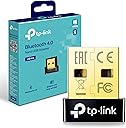
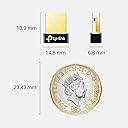
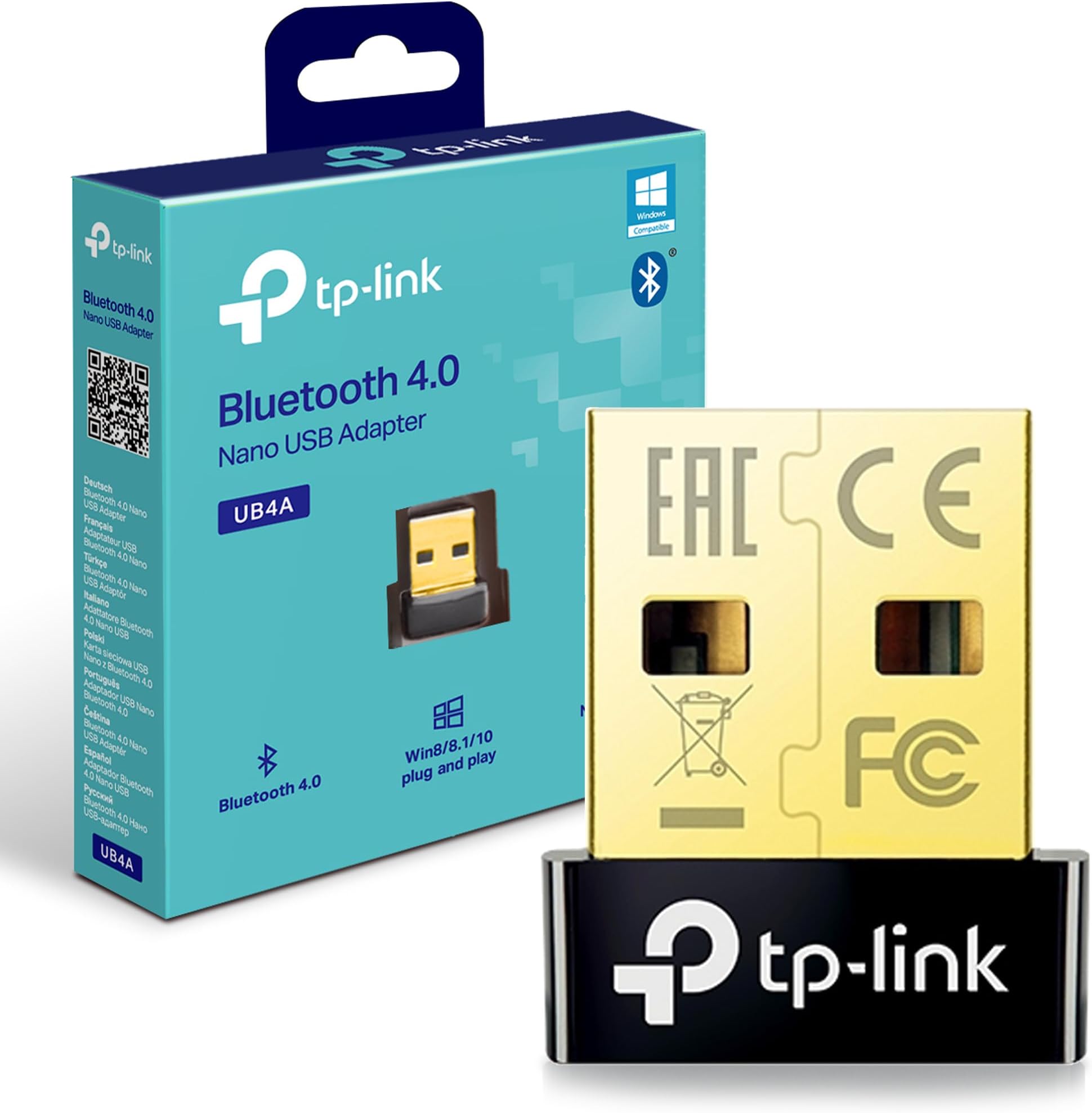
The TP-Link UB4A Bluetooth USB Adapter transforms any Windows PC or laptop into a Bluetooth-enabled device with Bluetooth 4.0 low energy technology. Its nano-sized design offers ultra-portability while supporting up to 7 devices simultaneously and delivering a reliable 20-meter transmission range. Plug-and-play compatibility with Windows 7 through 10 ensures effortless setup, making it an essential accessory for professionals seeking seamless wireless connectivity.


| ASIN | B07YLDVM6B |
| Best Sellers Rank | 176 in Computers & Accessories ( See Top 100 in Computers & Accessories ) 1 in Bluetooth Network Adapters |
| Box Contents | UB4A |
| Brand | TP-Link |
| Brand Name | TP-Link |
| Color | Black/White |
| Colour | Black/White |
| Compatible Devices | Desktop |
| Compatible Operating System Family | Windows |
| Compatible devices | Desktop |
| Country of Origin | China |
| Customer Reviews | 4.4 out of 5 stars 102,007 Reviews |
| Data Link Protocol | Bluetooth, USB |
| Data Transfer Rate | 3 Megabits Per Second |
| Data link protocol | Bluetooth, USB |
| Global Trade Identification Number | 06935364053307 |
| Hardware Interface | USB |
| Hardware interface | USB |
| Item Dimensions L x W x H | 15L x 7W x 19H millimetres |
| Manufacturer | TP-Link |
| Manufacturer Part Number | UB4A |
| Minimum Required Operating System Version | Windows XP |
| Model Number | UB4A |
| Product Warranty | 1 year manufacturer |
| Product dimensions | 15L x 7W x 19H millimetres |
| Unit Count | 1.00 count |
T**S
Great value and works flawlessly
The TP-Link UB600 Bluetooth adapter has worked brilliantly for me. It arrived well packaged in a sturdy box, and everything was easy to unpack and identify. Setup was straightforward. I plugged it into my PC, and it was recognised immediately. Depending on your computer, you may need to install the driver, but the process is quick and easy, with plenty of online guides available if needed. Once installed, it has worked flawlessly with no connection issues or dropouts. It’s also very compact and discreet, so it doesn’t stick out from the USB port. Overall, this is excellent value for money. It’s reliable, easy to use, and does exactly what it’s designed to do. I’d happily recommend it.
T**M
Good for gaming
Great piece of kit. Does exactly what it says on the tin. Use this with my headset and my controller. No issues at all, quick to set up and reliable connection. Make sure you install the drivers from the tp link website.
R**E
This works well, but beware as I found that my Win 10 (Ver 1909) has gap in Bluetooth support
There is nothing wrong with the product itself, and it ought to work well in plug and play with native drivers IF windows 10 Bluetooth support didn't let it down. That's apparently no fault of this product, though, so I haven't marked it down, and there is a workaround. 1) WHAT HAPPENED TO ME USING WIN10 PLUG AND PLAY: Product installs immediately. All drivers present and correct. Paired an audio speaker successfully. But wouldn't play, and in sound control panel it persistently said the device was 'disconnected'. The internet is absolutely full of people reporting exactly the same problem, and loads of suggested "solutions" that simply don't work - I tried most if not all of them! After further research - likely cause is that it seems until Win 8 Microsoft left it to hardware device suppliers to provide their own Bluetooth stack software, but from 8 onward Microsoft implemented a plug and play driver solution within windows itself. But this is inadequate/incomplete in some respects and they are currently working on completing it - no immediate solution therefore unless manufacturers provide 3rd party drivers. HOW I SOLVED IT EVENTUALLY: TP-Link claim to provide pre-Win8 drivers for the UB4a but the link on their website doesn't lead to drivers! However they often talk about UB400 at the same time, and UB400 does offer a driver in the support page for Win 7 and below. I decided to risk trying it with this product on Win 10. Result: it installed perfectly first time and the product now works with devices exactly as expected. You just have to right click the Bluetooth icon in the notification area to gain access to the Bluetooth functions, as obviously this software predates win10 and is not integrated into the win10 native bluetooth interface. The driver software is badged as "CSR Harmony Wireless Software Stack" and although it is a bit long in the tooth, it is a perfectly acceptable substitute until Microsoft get round to finally fixing their inbuilt bluetooth software stack driver. UPDATE: I need to revise the above having just taken delivery of super Bluetooth Headphones which I've reviewed elsewhere. These DID connect to this product when using Win10 plug and play mode without any additional driver. My previous attempts had been with an older Bluetooth cube speaker. So, as other reviewers have said - you might be lucky with plug and play. Seems this may depend on newness of Bluetooth item to be connected. Or, probably for older Bluetooth items, you may need to resort to the older driver as described above. I guess it is down to Windows not recognising/supporting older products - another example of software-driven product obsolescence keeping landfill busy and manufacturers happy. Well I don't give in that easily! My Bluetooth cube speaker lives to fight another day.
C**E
Does exactly what I needed
Title says it all, my PC didn't support Bluetooth as I never installed the receiver, and recently the wired connection for my controller was causing issues during my games, so I got this which was easy to set up and works great
W**L
High quality, very fast Bluetooth connection
Really good Bluetooth connection, allows me to connect my controller to my pc, no noticeable delay same with AirPods very good stable connection, very high quality. Just need a spare usb port so very easy to connect, cheap compared to quality, highly recommend. If you want high quality and speeds get this.
S**A
Works
Works ok if you're close to the router and not bad if you don't need amazing speeds. I previously used the TP-link AC1300 in my downstairs PC and originally bought this for my upstairs PC but quickly found out that the wifi signal wasn't going to be strong enough for games (the wifi was getting 10mbps with the ac1300 vs 2mbps with this combined one) I do like how it has combined wifi and bluetooth as thats 1 less thing to carry around. But overall, I'd recommend getting a more powerful adapter which can handle the dead spots better. Overall, I love the size of this one as I can have it plugged into a better port. It does have a green flash which I'd like to disable if possible.
W**N
Updated: Actually it doesn't work sustainably with MacMini
I first plugged this device in with trepidation as it's labelled for Windows PC's. Initially nothing. Damn, another product that doesn't work on a Mac. But then I decided to google it to make sure I wasn't being too hasty. I can't take credit for this find, but I can share the knowledge. Before you even fit the dongle to the Mac follow this process: 1) Hold down the 'cmd' key on your Mac keyboard and then simultaneously click the mouse over the bluetooth icon on the top right hand side of the screen. After a second or so an expanded bluetooth menu appears that lists the Version & address of the Bluetooth adaptor in your Mac. Take a photo or make a note of these values. 2) Get a wired mouse & keyboard (or a suitable non bluetooth dongle alternative like a Logitech alternative) and plug it in, then go into the bluetooth menu and turn off the bluetooth on your Mac by unchecking the on / off button option 3) Turn off the Mac 4) Plug in the new TP link Bluetooth dongle 5) Reboot your Mac 6) When back into iOS, if you know what the equivalent of the command key is on the wired / wireless (non bluetooth keyboard) you are now using (I think it's ALT on a Win keyboard), go to the bluetooth icon at the top of the screen and click 'Cmd' (for Mac) or 'Alt' (for Win), then simultaneously click on the bluetooth icon with your mouse. When the expanded Bluetooth menu appears you should now see different Version / Address details in your menu bar (e.g. the bluetooth module in the Mac has been replaced by the TP link adaptor). If it doesn't, repeat steps 1-5 above 7) Now go to the Systems Preferences (grey cog) icon , then go to mouse, and add a mouse - whilst it will add it, it won't work straight away - I don't know why, but you then need to go to the Bluetooth settings menu and 'Connect' it. It takes a good few seconds but eventually it kicks in and works 8) Do the same for keyboard / magic trackpads in the respective menus, then connect in the Bluetooth menu 9) add any other peripherals directly in the bluetooth menu 10) That should be it, you should be good and done. I haven't tried it yet but I assume you just remove the dongle and re-enable Bluetooth with it disconnected to re-enable the internal bluetooth. No coding required, it seems to work. A dead giveaway was when I saw a Bluetooth speak from another floor in the house appear in the 'add a device menu'. Sometimes I was struggling to connect devices 3 feet away as the Mac mini 2018 Bluetooth connectivity issues are widely documented. Best of luck getting it sorted, but I can now happily report no mouse / keyboard lag !!!! What was an unforgivable oversight by the Apple engineering team has now been resolved with a £10 dongle. Unforgiveable!! Thank you TP Link / Amazon! UPDATE 01-Dec-20 : Ended up returning as periodically the Bluetooth would switch back to the internal unit despite attempting the config string inputs into Terminal. In the end I ended up moving the MacMini onto tall rubber feet to elevate it from the table, and placed it directly in front of me. It's still not perfect, but it's just workable . What's worse still, the 2020 Mac Mini still has the same issues so it's not been resolved.
O**N
Great Bluetooth adapter
Works perfectly thankyou
M**A
Tak çalıştır
Tak çalıştır ♥️
S**H
Perfect
Dual Band connectivity with plug-in compatibility with Windows 11
A**N
Works great !!!
The device was delivered fast and works well! As soon as I plugged it into my computer, Bluetooth started to work and I even screen recorded my pc window to show this. The product is a bit expensive but you only need to purchase it once so it is a good investment. If you bought this and Bluetooth isn't working, look up solutions online as there are many things that can fix it before returning :)
J**N
Fantastic to use when your pc doesn’t have Bluetooth
Works well for what I need it for
M**H
El pequeño + grande
Muy contento con la compra. Es pequeño, fácil de instalar, tiene muy buen precio y sobre todo..., funciona sin cortes.
Trustpilot
2 weeks ago
2 weeks ago