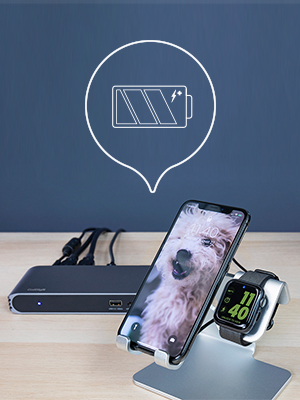
⚡ Power, Ports & Performance — Dock Like a Pro!
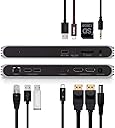
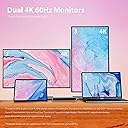
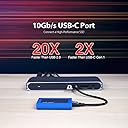
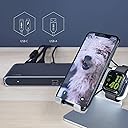
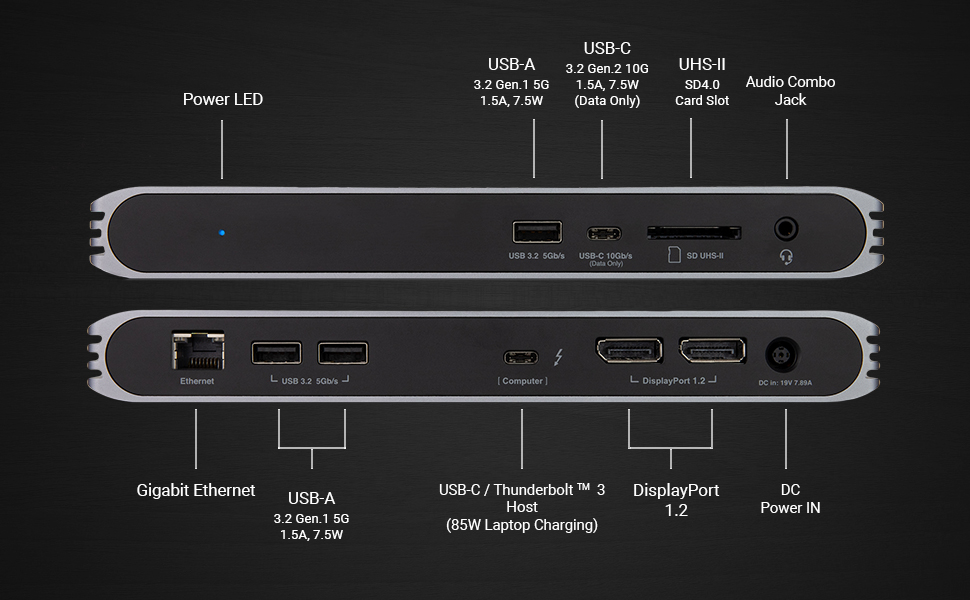
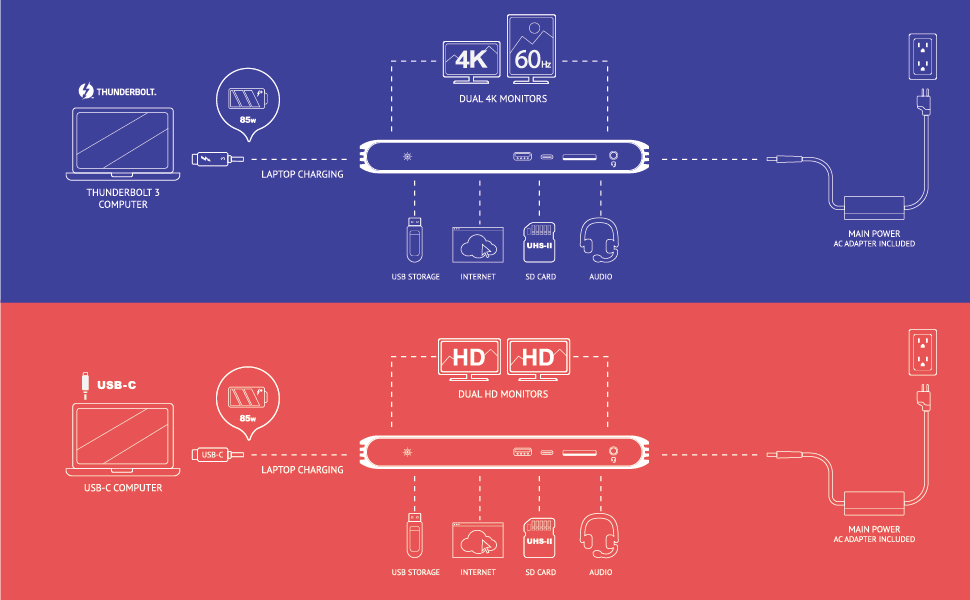
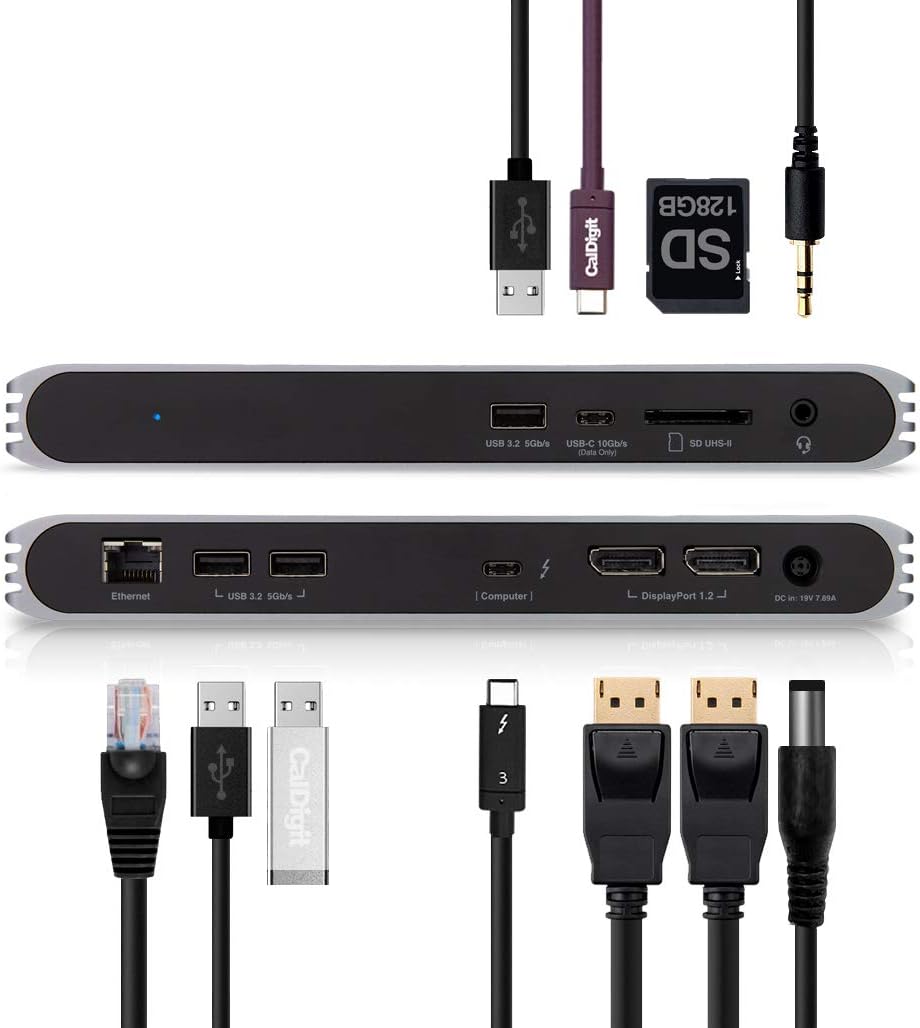
The CalDigit USB-C Pro Dock is a powerhouse docking station designed for professionals who demand seamless connectivity and high performance. Featuring dual 4K DisplayPort outputs, 85W laptop charging, and a comprehensive suite of 10 ports—including Thunderbolt 3, USB 3.2 Gen 2, UHS-II SD card slot, and Gigabit Ethernet—this dock effortlessly bridges Mac and Windows devices. Its plug-and-play design eliminates clutter and maximizes productivity, making it the ultimate hub for modern hybrid workspaces.


| ASIN | B07VL675DT |
| Best Sellers Rank | #148,113 in Computers & Accessories ( See Top 100 in Computers & Accessories ) #3,453 in Laptop Docking Stations |
| Brand | CalDigit |
| Color | gray |
| Compatible Devices | MacBook Pro, iPad Pro |
| Customer Reviews | 3.9 out of 5 stars 672 Reviews |
| Hardware Interface | USB 1.0, USB 1.1, USB 2.0, USB 3.0 |
| Item Dimensions L x W x H | 8.43"L x 3.15"W x 0.98"H |
| Item Weight | 2.3 Pounds |
| Manufacturer | CalDigit |
| Mfr Part Number | USBCProDock-US07-SG |
| Model Number | USBCProDock-US07-SG |
| Number of Ports | 2 |
| Product Dimensions | 8.43"L x 3.15"W x 0.98"H |
| Total Number of HDMI Ports | 1 |
| Total USB Ports | 3 |
| Total Usb Ports | 3 |
| Wattage | 85 watts |
J**M
Works great with a variety of computers
I bought this to use under a conference table to connect HDMI, Ethernet, and a USB webcam to a slightly older MacBook Pro with Thunderbolt-2. This might be the only dock that can do that (via Apple's Thunderbolt-2-to-3 adapter) while also supporting USB-3-over-USB-C laptops such as the 12" MacBook; and newer Thunderbolt-3-over-USB-C laptops (like the latest MacBook Pros) with full speed and Thunderbolt-3's better video capabilities. Since this laptop won't last forever, and I also want to support guest laptops. With Thunderbolt-3 or USB-3-over-USB-C, the hub also powers the laptop from the one single cable (Thunderbolt-2 doesn't support this). Everything works flawlessly. No issues with wake from sleep, no issues with HDMI (via an active DisplayPort adapter which is required). Audio is properly sent over HDMI. It would be nice if the hub had its own HDMI, but the adapter is inexpensive, small, and lossless, and maybe DisplayPort is better for some people. I also like that the hub has no power button since it's under the table. It just does the right thing. The documentation, and the labels on the port themselves, are quite clear, straightforward, and specific on most points. Some tips: For a single cable to support both older USB-3-over-USB-C laptops as well as newer Thunderbolt-3-over-USB-C laptops at full speed, you need a passive Thunderbolt-3-over-USB-C cable, which by definition can't be longer than 0.5 meters. Such a cable is included with the dock, and this is described in the docs. A longer passive USB-3-over-USB-C cable will work with all laptops but won't support Thunderbolt-3 bandwidth (and the improved video capabilities), and a longer active Thunderbolt-3 cable will work with Thunderbolt-3 laptops but won't support USB-3-only laptops at all. For Thunderbolt-2, you plug an Apple Thunderbolt-2-to-3 adapter into the dock, and then I think any proper Thunderbolt-2 cable will work. Unfortunately, only adapters with female Thunderbolt-2 exist, meaning the adapter must be plugged into the dock not the laptop, and the cable you use is Thunderbolt-2 not Thunderbolt-3 (these have different connectors). This makes it less convenient to swap in a Thunderbolt-3/USB-C laptop if the hub is under the table like mine. The manual mentions the hub actually supports even older USB-A laptops to provide Ethernet and audio, but not video, via a USB-C-to-A cable from the "computer" port on the hub. So I was curious if it would provide Ethernet to my iPad via a USB-C-to-Lightning cable from the "computer" port. It didn't. It did fast charge the iPad though (or something close to that). I'm not sure why Ethernet didn't work since combining a Lightning-to-USB dongle with a USB-to-Ethernet dongle is generally a way to get Ethernet to an iPad. In any case the docs don't claim this will work, but it would be a neat little improvement to a hub that already has a bunch of neat little abilities. The docs do say Ethernet and video will work with a USB-C flavor iPad Pro. The hub also has one USB-C (USB-3.2-Gen.2) "data" port for things like hard drives. Unfortunately (consistent with the documentation), this port doesn't provide power to charge a phone or tablet. This would be a useful improvement to fast-charge a device via USB-C while a computer is plugged into the "computer" port – or to support bus-powered USB-C peripherals. I also don't think this port supports Thunderbolt-3 hard drives or peripherals at all. It also has three USB-A (USB-3.2-Gen.1) "data" ports. The one of these on the front is able to charge an iPhone relatively quickly (I believe the others have less or no power for charging).
T**.
Much better than the Dell docking station it replaced
I have been looking for a long time for a docking station that has the following: 1) Thunderbolt connection 2) USB 3 Gen 2 support for 10Gbps to allow my backups to go at full speed to external 10 Gbps supported NVME drive 3) Support two displays 4) Many USB ports - all USB 3 5) Ability to charge my Dell laptop that requires > 65 watts to charge Before this, I had a Dell Docking TB16 station with a 240 Watt adapter as the 180 could barely charge the laptop. Furthermore, went through two of them as one did damage to my equipment and the replacement started to come close to the behavior of the first so was worried over equipment damage. Sure signs if impending doom are disconnecting of peripherals and a flicking monitor. What did I get? ALL of that and more! It is driving a 2K 34" LG monitor and a 4K LG monitor off displayport with NO flickering. Has extra NIC port that I can set up for teaming Has support for Microsd and SD slot (still have to test) None of the other 65 watt docking stations could charge the laptop and this one does it with ease! CONS: You can be nit picky but the device DOES get warm. Wish it had a way to turn on and off the laptop like the Dell did. If you have similar needs - the Dell is a latitude 7490 and it works flawless with this docking station.
D**K
UN-reliable dual external monitors on Macbook Pro & Lenovo Linux laptops
------------------- UPDATED: 2024 ------------------ I got tired of undependable monitor connections, AND using monitors through the doc wasn't working reliably with Ubuntu linux for the last couple of years. I gave up trying to use it with monitors and just plug the monitors in directly to whatever laptop i'm using. (Lenovo Linux for work, Macbook Pro for personal). So for the last 2-3 years this doc has been a glorified power supply for my laptop, and USB hub for my keyboard, mouse, and occasional thumb drive. Now the blue LED is blinking blue whenever i connect it to my laptop, and i have no idea what that means, but it's no longer powering my laptop anymore, and the external keyboard and mouse are also not connecting? So...... i guess blinking blue LED means it's... dead? I can't find any information in the manual about this led state so..........????? Now what? Downgraded from 4 star to 1 star. ---------------------- ORIGINAL REVIEW: ---------------------- I use this dock 8 hours a day for my job, supports two external monitors in addition to my macbook pro display, all with independent resolutions and desktops (not just mirroring). Haven't had any issues with flickering or monitors deactivating as long as you don't move anything (like any digital cable in my experience). Power to the macbook pro is fine, other than the lack of powering the dock via USB C (requires the use of the included power brick which plugs into a dedicated circular power port on the dock). The ports available are adequate when you have the right cables, but I wish this dock used USB C or HDMI ports for the displays instead of Display port, not many people have display port cables so i'd have to take my cables along with my dock to use it somewhere else, and combined with needing it's own power brick, it's certainly not a portable-friendly setup. The included CalDigit branded USB-C / Thunderbolt 3 dock cable is fairly short, so i ordered an actual apple brand thunderbolt 3 cable to connect the dock to my macbook pro which ended up being just a bit longer and just what i needed for my desk setup. The only real issue i've had is sometimes one of my external monitors (always the same one) doesn't get detected when i reconnect the dock to my macbook pro. The solution is fairly simple, either a) unplug the dock from my macbook pro and try again b) unplug both monitor cables from the dock, and then plug them back in, all while the macbook pro stays connected to the dock A stand to hold the dock vertical would have been nice to see for this price point. Having two monitor cables, the dock cable, speakers, and one or two peripherals / wireless adapters connected makes it almost impossible to balance on one side without a stand. I couldn't really justify paying almost $100 more for the CalDigit's TS3 Plus which seemed more like it was designed to sit vertically on your desk.
K**O
Nice compact dock that does the job while looking good
Looks great and easy to use. My setup is a little on the odd side, so, I won't beat on this dock for my own quirks. Overall, it's an awesome dock. Supports multiple 4k monitors, has a real Thunderbolt cable, is constructed really well, and it works on PC & Mac. I have both - so, killer solution for me. It cleaned up my desk really nice!! The one shortcoming- is the manufacturer's tech support is kinda sparse. They can do better, especially when they have such a nice product. Sleek dock for your desk that looks great and works great. Good purchase, totally worth it. Also, a caveat for KVM users, this dock likes to go janky when you have a mechanical keyboard. NKRO+KVM is a well known problem & has nothing to do with this dock. Just a heads up. (And why I visited caldigit support.)
C**R
Great Thunderbolt 3 / USB C Dock for Spectre x360 13 10th Gen Intel
I bought this dock for my new HP Spectre x360 13 10th Gen Intel Laptop specs: Core i7 (10th gen), 4K Oled,16 GB Ram, 1tb SSD with 32gb Octane. Laptop comes with 65 watt charger. I mainly bought this for charging the laptop and using external monitor with one thunderbolt 3 cable. I was initially hesitant to buy the product from CalDigit as I have read some reviews and reddit people complaining about Caldigit product not working correctly with HP Spectre line of laptops. Even on CalDigit Support site, it mentions about this issue without much details. People mostly complained about not able charge or external monitor not working properly. It may have to do with power delivery requirement for certain older and current gen HP Spectre laptops with more than 100 watt power delivery power requirement. I would like to report that the Cal Digit Dock is working perfectly working for the latest Spectre(late 2019) laptop. I am currently using it with one external monitor, and for charging with one cable. My cable is tb3 40gbps rated cable from plugin. I can close the lid to use the external monitor only with external keyboard and mouse. I can also wake the computer up with the mouse or keyboard with the lid closed with the external monitor connected. I also haven't got the system message to use HP's charging adapter. I am glad I did not spend additional 80 dollars for CalDigit TS3 Plus because I do not need more ports then what is provided by the pro unit. As for their tech support, not very helpful. I called their tech support to see if this unit will work with Spectre laptop before purchasing it on amazon. Their answer was simply it may work but they are not sure and asked me to call HP. Overall this is a 5 star product. Update 1 When you notebook is off or sleeping. back USB ports are not active and will not be able charge your devices. However, front USB port continue to work charging devices. Update 2 I got another monitor and tried connecting two external monitors. One of the monitor would not connect as mentioned in some of the reviews on amazon and Reddit particularly certain brand of laptops specifically HP (I have HP Spectre x360 late 2019 model). After long hours of trouble shooting swapping video cables. I tried my old MacBook Pro 2016 model which is suppose to work with this dock. To my surprise, it showed same exact issue. As it turns out the the tb3 cable between the dock and the laptop can not be too long. I was using a longer cable for flexibility. I swapped out the cable for the original shorter caldigit tb3 cable. Problem was instantly fixed. 4K 60hz internal oled monitor, external 4k 60hz monitor and 3440x1440 60hz monitor. For those who maybe having problems. Check your tb3 cable. Another note: HDR does not work through this dock.
C**E
Great quality item that does everything I need it to
My computer is a Dell XPS 15 9570. I bought the Caldigit USB-C Pro Dock Thunderbolt 3 because I wanted to connect my 2 external Dell P2419H monitors to the USB-C Thunderbolt 3 port using DisplayPort connectors, charge the computer using the dock, free up the other ports on my computer and reduce the wiring clutter on my desktop. The product arrived in perfect condition in a well-insulated package. Setting up the dock was simplicity itself. The packaging contained very clear, simple set up instructions and Windows 10 instantly recognised the new hardware and set it up correctly. The only minor problem I had after set up was that the dock became the default microphone and speaker which required some subsequent tweaking to get my communications software (Skype and Zoom) to work correctly. After setting up the dock and removing my Dell power adapter, the computer gave a power adapter warning on every boot up saying that the charging device was below the 130W that the battery required to operate correctly. The warning stated that the dock was only charging at 65W, even though the dock is rated at 87W. (Some web research showed that Dell restricts non-Dell power adapters to 65W capacity even if they operate at a higher output). To remove the warning message I had to make a small adjustment to the computer’s BIOS but the dock nevertheless kept my computer fully charged. My Dell external monitors each contain a USB hub, comprising 4 USB ports, that require an upstream cable to be attached before the hub will function. The Dell instructions state that the upstream cable must be connected to a USB port on the computer itself. However, when attaching the upstream cable to a USB port on the dock, and not on the computer, the monitor’s USB hub worked perfectly, allowing the computer’s USB port to be kept available for alternative use. The dock fully met my expectations and I am very happy with my purchase.
H**G
Great WHEN it works (but it does rarely!)
TL;DR: This is a classical case of over-promise & under-delivery. All features are there, it looks great, but (as many other reviewers pointed out too) the dock is horribly unstable. Pros: - Outstanding build quality (of the dock) - Powerful charging - Support for 2 monitors! - Works with Thunderbolt 3 and USB-C (for e.g. iPad/cheap Windows laptops) Cons: - Completely unstable (see #1, #2) & crashing macOS (see #3) - Front USB-C is mostly unusable (see #4 & #5) - Cheap & unreliable TB3 cable (see #6) --------------- I spent almost a year testing this hardware and I love it... and I hate it. When it works it is probably the best dock on the market. However, there are major issues with this dock making it extremely frustrating to use. **1. Randomly disconnecting** The dock randomly drops the connection with the computer. It's annoying at best when in the middle of a work day your screens turn off, your mouse stops working, and your keyboard doesn't respond. This issue is partially due to a poor TB3 cable (see #6) but not only. This dock has some hardware design issue and replacing it with a new unit will not solve the problem. What's worse if you rely on it to connect your external drives you can lose data due to random disconnects. **2. Issue with two displays** This is probably the biggest issue with the dock. It simply does not work properly with multiple displays. When used with a single 1080p display it works flawlessly, but attempting to use it with two is a lottery of "which one will turn on after waking up the computer from sleep". The manufacturer *is aware* of the problem and blames Apple for it. The catch however is that the issue is also present under Linux and Windows on non-Mac hardware. The workaround for this is to disconnect the DP cable and reconnect the display... after every system wake from sleep. It gets annoying... especially that you have to do it 9 out of 10 times you wake up your computer. **3. Random crashes of macOS** I'm not 101% sure if the dock is to blame, but this happens ONLY when the dock is connected (and not any other TB3 devices). Basically your macOS may just crash randomly, either while going to sleep or waking up. Sometimes it will also crash as soon as the dock is plugged or unplugged from the computer. I tested this with multiple Macbooks and while it's not that common (maybe once every 2 weeks) it IS A SERIOUS issue. **4. Instability with external drives** While the dock comes with a beefy power supply it has some internal power management issues. As many other people in their reviews pointed out (especially) external SSDs/HDDs will randomly disconnect from the dock. This happens to both self-powered drives as well as ones with external power supplies (i.e. the problem is not just the lack of power). It's hard to say WHY this problem happens, but it does. Some suggest the dock may be overheating - I wouldn't say so it's cooling is probably the best I've seen on the market. Yes, it gets hot but with the amount of bandwidth it manages it's not surprising. **5. Floppy usb ports** Somewhat related to #4 but more general. USB ports sometimes just stop working or switch from USB3 to USB2 mode randomly. At times it happens when a large data transfer is ongoing, but other times it just... happens out of blue with just a keyboard connected. This issue is the rarest of all, but causes confusion every time. At times a port just freezes and doesn't detect any devices (while replugging the same device to another one makes the device work again) until the dock is unplugged and replugged. **6. Poor quality cable** The TB3 cable packed in the box is... not the worst I've ever seen but certainly subpar. While I understand all the warnings from CalDigit to only use the cable delivered with the dock (as most "TB3" cables you can buy are not anywhere close to be certified and reliable) the provided one is very cheaply made and very fragile. Just TOUCHING the plug (especially on the dock end) can cause the dock to completely disconnect from the computer. Initially I assumed it's a problem with the dock connector, but replacing the cable with a good one (e.g. genuine Apple Thunderbolt 3 one) fixed the issue.
A**9
Pay attention to the "Active" DP cable requirement
I have a work PC and personal macbook pro running Catalina. Wanted to have one dock to be able to connect either one to my two external monitors. Both units have thunderbolt ports. This dock works great. Love being able to switch between the two. After trying a couple of other brands that claimed they would do what I needed, I called CalDigit before ordering to be sure this one would work. Great customer service and this is the only dock that I found that could do what I needed - use computer screen and 2 external monitors all as unique screens for both PC and Mac. BUT - I missed the requirement for the DP to HDMI cable to be "Active". Monitors won't fire up with passive connection to HDMI, so be sure you have the right type. Not doing so cost me a couple of days waiting for the right connections to be dellivered. Another thing to note is that this dock doesn't get hot (at least so far!). I had tried a couple of other brands and they were very warm to the touch within a few minutes. I use my computer for 8-10 hours per day working remotely. Don't want something that is going to be hot and create a potential hazard after 10 minutes. This is a great product at a great price point for the features. Looks and feels high quality and performs great.
L**N
Kaliteli.
M1 MBA ile 3440x1440P UW monitoru 144hz de sorunsuz calistiriyor. Guc adaptorunun duvar soketi amerikan tipi ve adaptor ile geliyor. Fakat bu adaptorler her zaman vasat oluyorlar. Elinizde E/F tipip C14 kablo yoksa "PSU kablosu" diye aratip almanizi oneririm.
A**R
Best docking station solution for USB-C/Thunderbolt.
Since getting a MBP in 2016 I've been searching for a good hub. They've all had their issues, until I got the Caldigit one. It does everything they claim it does and works flawlessly on my MBP, my Surface Pro 7 and my iPad Pro. External display, USB-A ports, USB-C port, SD Card slot, audio output and power delivery - all excellent. The *only* issue I've had is that when plugged into this hub, the iPad Pro redirects its audio to the hub, thereby disabling the iPad speakers. And if you aren't wearing headphones.... well, there's no audio. However - this is an iPadOS problem and not a Hub problem. There is no ability on iPad OS to choose "iPad Speakers" when an external audio device is plugged in. Apple had no solution for me.
P**C
CalDigit USB-C Pro Dock - 85W Charging, Thunderbolt 3
Works well with Linux (Ubuntu 20.04.1) on Dell XPS-15 and my new XPS-17, as well as with MacBook Pro 15. Have not tried WINDOWS, but it should work too, I am sure. It does actually charge even XPS-17 but not when it's under a heavy load, like video rendering. Other than that it works as expected powering my 2 x 4k LG monitors at 60Hz. Thank you!
T**O
Mükemmel
M2 Pro Macbook Pro ile kullanıyorum, aynı anda bilgisayarı şarj edip ekstradan 2 ekran, Mouse, Klavye, Ethernet, SD Card, SSD vb. eklentileri tek bir thunderbolt kabloyla takabilmek çok büyük bir lüks. Masadaki kablo düzenini sağlamak için mükemmel bir cihaz. Bilgisayar şarj olurken biraz ısınıyor o da gayet normal bir ısı, cihaza zarar verecek kadar değil. Cihazın dışı alüminyum olduğu için daha uzun ömürlü ve soğutma açısından artı. 10 aydır kullanıyorum herhangi bir gecikme takılma vs yaşamadım. Kesinlikle öneriyorum
V**A
calDigit
Bende yeni aldım Monster Laptop için ama 2 monitöre ekran görüntüsü almadım
Trustpilot
1 month ago
2 weeks ago