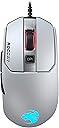
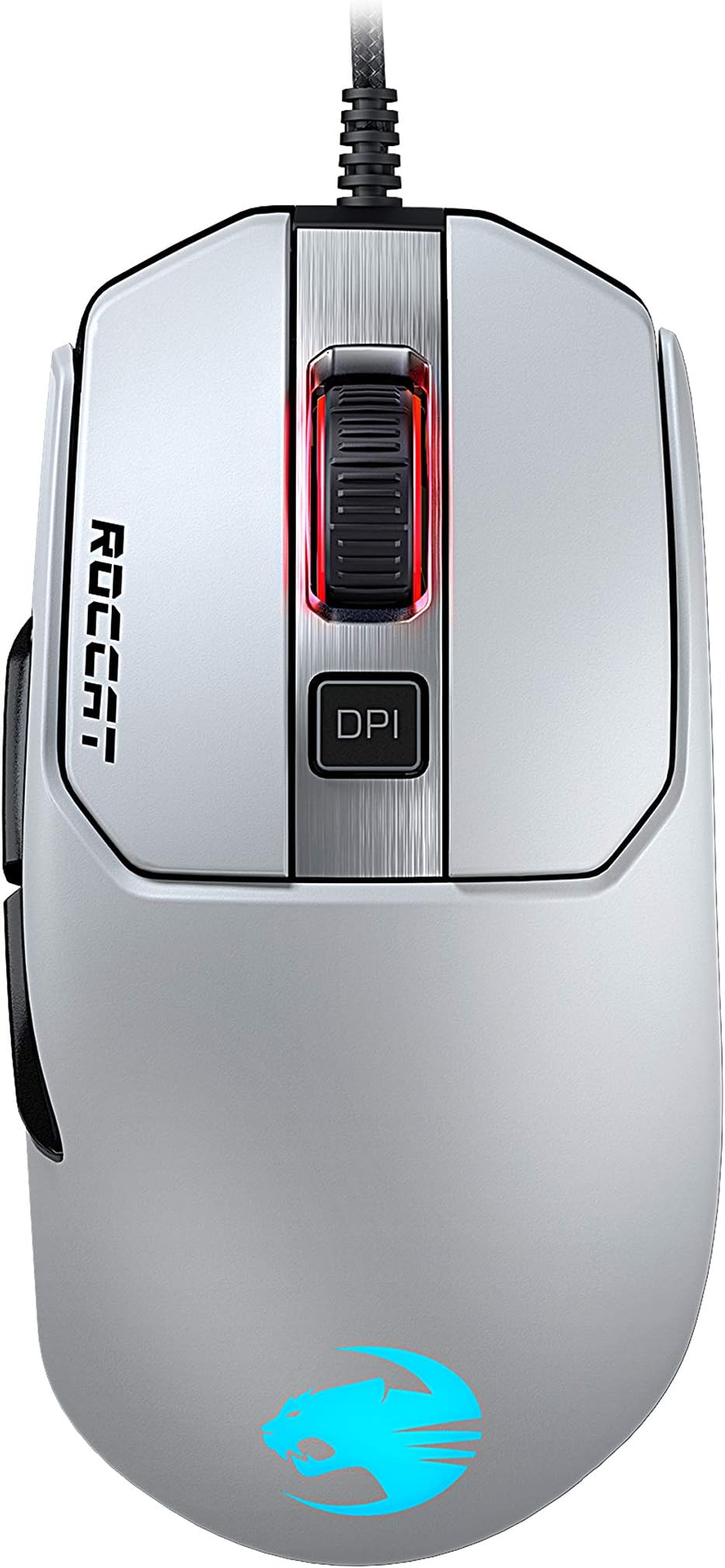
🎮 Elevate your game with precision and style — don’t just play, dominate!
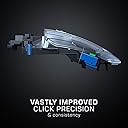
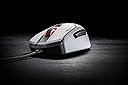
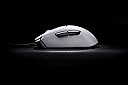
The ROCCAT Kain 122 AIMO RGB is a high-performance white gaming mouse engineered for millisecond precision and ergonomic comfort. Featuring Titan Click technology, an ultra-responsive Titan Wheel 2.0, and intelligent firmware for 8ms faster click registration, it’s built to give you the competitive edge. Customize your setup with 16.8 million RGB colors via the AIMO ecosystem, while durable Omron switches guarantee up to 50 million clicks. Perfect for serious gamers and professionals seeking both style and substance.


| ASIN | B07SVNQ54V |
| Additional Features | Ergonomic Design |
| Antenna Location | Gaming |
| Are Batteries Included | No |
| Are Batteries Required | No |
| Best Sellers Rank | #47,281 in Video Games ( See Top 100 in Video Games ) #1,459 in PC Gaming Mice |
| Brand | ROCCAT |
| Built-In Media | 1 product |
| Button Quantity | 5 |
| Color | white |
| Compatible Devices | Personal Computer |
| Connectivity Technology | USB |
| Customer Reviews | 4.5 out of 5 stars 5,239 Reviews |
| Enclosure Material | Plastic |
| Global Trade Identification Number | 04250288199040 |
| Hand Orientation | Ambidextrous, Right |
| Hardware Platform | PC |
| Manufacturer | ROCCAT |
| Mfr Part Number | ROC-11-612-WE |
| Model Number | ROC-11-612-WE |
| Movement Detection | Optical |
| Movement Detection Technology | Optical |
| Number of Buttons | 5 |
| Operating System | Windows 10, Windows 11, Windows 7, Windows 8 |
| Power Source | Corded Electric |
| Range | 8.0 meters |
| Special Feature | Ergonomic Design |
| Style Name | Kain 122 |
| Unit Count | 1.0 Count |
| Warranty Description | 2 year manufacturer |
L**S
Nit-Noid Review: Roccat Kain 100
TL:DR Good, safe mouse with excellent built quality, above average clicks, scroll and materials. Sensor LOD is middling, RGB is limited and the shape feels generic. The Basics: $40, 89g, medium ergo mouse with 6 buttons, PMW 3331 sensor, single zone RGB (on the scroll), software, on board profile, rubber side grips, 50M omron switches. Comes in both black and white (Kain 102, 122) flavors. For reference, the other mice in the Kain lineup are the Kain 120 with the top notch 3381 sensor and the wireless Kain 200 with a 3335 sensor. The differences between this mouse and the others are color, wireless capability and weight variation. Mouse dimensions are L124xW65xH43mm. Unfortunately for me, the later mice in the lineup lack the rubber side grips that this "budget" variant has. The Good: - Shape and Size: (B+) Shape is the biggest basic pro this mouse and may be one of the sweetest spots for the most hand sizes and grip types that I’ve seen. While it feels generic, everything seems to work comfortably with this mouse for medium hands. Large palm may find the scroll wheel too far back for comfort. Better overall feel in hand than G403 and Fenek Standard which have a generally similar shape, but at the cost of feeling a little generic and boxy, so not on par with the melty curves of the Zowie EC series. Very subtle thumb curve and a very, very subtle groove for the index finger. As time went on using this mouse it became more and more evident that the left side is actually slightly convex under the thumb buttons and the grip width is on the wider side – significantly wider than the G403. While grip was not an issue due to the materials involved, it wasn’t quite enough to feel seamless at all times. Also, the convex area at the thumb reminded me ever so slightly of the same design choice on the G203. It’s nowhere near as distracting as on that mouse, but worth a mention. - Clicks: (A) Awesome. Primary clicks are light to moderate, direct and snappy. M1/M2 have a slightly hollow sound with moderate noise level but don’t sound cheap. Everything that can be clicked on this mouse feels good. No pre-/post travel anywhere to be seen. - Thumb Buttons (A+) Vertical placement is somewhat high but this is a good thing overall as there is no ledge preventing access and your thumb has lots of room to roam. Longitudinal placement is also perfect and should be convenient for all hand sizes. Buttons have no pre-/post travel, light actuation, easy to reach. Of note, these buttons do not have any “pinging” upon release as I’ve encountered on multiple other mice, which is wonderful. - Scroll Wheel: (B+) Light to moderate force for middle click. This mouse features a new stabilization method for the M3 where the click is in line and behind the scroll wheel instead of to the side. I can’t say I noticed the difference in practice, but it’s satisfying to know there’s a better mechanical design under the hood. Tread on the scroll serves its purpose and seems durable. Scroll resistance is light which makes it good for browsing, but steps still manage to be fairly well defined making it acceptable for shooters too. One of the better scrolls I’ve encountered and in keeping with Roccat’s reputation for having the best feeling excellent scroll wheels. - Weight and Balance: (B+) 89 grams with weight perfectly centered. While this will not cater to the hardcore, ultra-lightweight crowd, it still hits a pretty sweet spot in terms of weight for most. - Materials and Build Quality: (A+) Outstanding. Tight tolerances on everything, absolutely nothing to complain about here. Most of the mouse has a very lightly textured plastic which feels fine, nothing particularly special but nothing objectionable either. The rubber side flanks give average grip with dry hands but get very grippy when moisture in present. The feel is of quality and durability with a slightly rougher texture than the more velvety G403 finish which is still probably my favorite. The Kain 100 has better grip with very dry hands however. - Mousefeet: (B) Two nice big pads with rounded edges. Glide is on the quick side of moderate with moderate noise that hopefully diminishes with use. Overall not elite, but good and no complaints. - Cable (B+) Flexible rubber, one of the better rubber cables out there. While not quite as good as what comes on a Steelseries 310 for flexibility, this cord seems to have less drag on cloth mouse mats. The Middling: - Aesthetics: (C-) No RGB for logo, just a small RGB strip for the scroll to let you know where the mouse is at night. A subdued Roccat logo is etched on the rear of the mouse and is well done for what it is. Given that I personally don’t care for the logo I actually like this approach. (Note: Other variants of the Kain have an illuminated logo.) - Sensor and Implementation: (B) Sensor placement is central to the body. This uses the PMW 3331 “Pro-Optic R8” rated at 8500 DPI, 35G/300IPS. Software provides surface calibration that is quick and painless. All good stuff but there is the minor gripe of having a non-adjustable 2 DVD LOD distance by default. I had zero issues in CSGO even before lowering the LOD with a small piece of tape over the rear half of the sensor lens aperture. In precision testing the mouse scored an 86.4% mean, which is above a 3325 (83%) but below the 92% of the 3366 and 3360 (90%) nearly on par with the 3310 (88%). A lot goes into precision though, including mouse feet, mouse shape and even click force required. The directness of flicks with this mouse is on par with the best sensors and you can flick to your heart’s content with a 35G/300IPS (max vice the 20G on a 3325). While the 3331 is not considered in the same class as the 3389, most won't be able to tell and this is clearly a cut above the budget sensor tier. I doubt the 3331 would hold a Pro Gamer back from achieving gamer ascension. Overall, the sensor is adequate to play at a high level, but there’s likely better out there even without including the LOD. - Software: (C) The associated Swarm software weighs in at over 150MB. GUI is intuitive but doesn’t seem very efficient in layout. It proved functional and I’ve encountered no bugs in my minimal tinkering with it. I miss the click and scroll stat tracking feature that came with older Roccat mice, absent here. The Bad: - This mouse is a first in that it lacks anything I would label as a “flaw,” and that’s saying a lot, because after checking out over three dozen mice, I’d like to think my standards have gone UP over time. If I had my own mouse factory, rest assured I would build something VERY close to this mouse. All that said, the status of being a “flawless mouse” is not the same thing as being a “perfect mouse” – that’s subjective. There’s nothing wrong with the Kain 100 – everything that is done here is done at least to a level of good and most aspects of this mouse are excellent. In that sense, this is a flawless mouse. (Was this supposed to be the "bad" section?) The only real hesitation to recommending this mouse does not come from the mouse itself, but from some stiff competition. For $40, you can buy any number of mice with the mental assurance of a top tier sensor. The Rival 310, G403, G502, Deathadder, the list goes on. But, when initial release is over with and this mouse ends up at an equivalent price of say $30, then it will go from a middling value to a pretty good value, and things get interesting. Consumers will be left with a nigh imperceptible difference in sensors, but a better track record for build quality and a safe shape. The Conclusion: German refinement of the generic gaming mouse. Performance in game was nothing special. It didn’t turn me into a top-fragging beast, but I didn’t feel uncomfortable either, and the transition was seamless. Everything about this mouse says “solid and competent without flash.” The Kain 100 is one of the best mice I’ve encountered on the count of broadly accessible shape. The notable comparisons I can make to this mouse are the EC-2B and the G403, but the Kain feels more generic than either, and due to the fact it feels like a safe office mouse in the hand it is understandable that there has been no hype associated with this very competent design. That’s a shame because the Kain 100 is elite-tier in terms of build quality, with the only other equivalent mouse being the original Roccat Kone Pure. The Kain 100 is refinement, not revolution. This isn’t a knock on Roccat, industries sometimes need different actors/players for both innovation and refinement. This mouse feels like is function over form, and I like it a lot. I still prefer the feel of the 3366, HERO and 3391 sensors over the 3331, but performance is indistinguishable in the heat of battle, the materials feel premium and even the shape is excellent – that makes this mouse a safer recommend than the G403 and a virtual tossup for me personally. Regardless of tradeoffs, the safe ergo, quality construction and competent sensor make this an easy recommendation for those who don’t care about the minimalist RGB. This is a top recommend for casuals who occasionally play serious and want a single mouse to serve as both their gaming mouse and a comfy daily driver. Bang for $40 Bucks: B+ Nit-Noid Score: 9.0 EDIT November 2020 The scroll appears to be malfunctioning. When scrolling in either direction the net effect is a jerky scolling both up and down with no significant headway in either direction. According to what I've read online, it is usually due to dirt/dust getting into the reader housing. I will get around to opening up the mouse and cleaning out the encoder area. If unsuccessful I still have over a month left on the warranty. I'm not docking a star until I know it can't be fixed. In the meantime, something to be aware of.
J**E
Amazing Service
The Roccat Kain 120 AIMO is an amazing gaming mouse for the price. Though I got the mouse when it was half off, I would buy it even if it was original price. I've tried using it in a couple of games such as WarThunder, Cod Warzone, and Squad, and overall the experience with the mouse has been great. The clicks are really responsive, the scroll wheel feels great, and the LED lights are really bright. Also the Roccat Swarm application does pretty well in configuring the mouse settings. One problem I had that a lot of the other reviewers have mentioned is that the scroll wheel is a bit crap and when I scroll up, my screen would go scroll down. I have contacted Roccat and they were willing to replace my mouse for free, so I'm not complaining at all. Update: They replied and shipped me a new mouse in 4 days. The better thing was that they shipped me the Kone Aimo instead which is even better than this model. Best service ever!
Z**Y
The new best budget mouse
This is an awesome mouse. It’s larger mouse feet allow for it to glide smoothly. This is also a light mouse but not ultra light. The mouse is about a medium size mouse and it’s grip is only for right hand users. It’s great for both claw and palm grips and is easy to control for tracking and flicks. As far as I can tell it does not spin out as of yet. Double clicking is not an issue and is precise. It’s excels in games with tracking and flicks such as arena based games. The cord on the mouse is also more flexible which makes it easier on movement though I highly recommend a mouse bungee for it so the cord stays in place . Overall this mouse with its titan switches makes it the best budget mouse currently for gaming and ergonomics.
A**K
Great for all those who don't like the trend of having holes in their mouse.
Cool mouse, especially when combined with their keyboard the "vulcan", for that RGB light show if that is your thing, if not you could skip it and buy the mouse. The scroll wheal is the best so far, it has that tactil resistance when scrolling up&down and has that premium rubber feeling. My only complaint here is that Roccat missed an opportunity to include the scroll wheal with a click on the right and left side the same as their previous model "Kone", i even thought this was included when i pressed the scroll wheal on the right side, but sadly no and i believe if you excessively press it on the right side it could lead to you breaking it, so barre that in mind. The clicks are Omron switches, and are easy to click (doesn't require force to press) also it has that Damp sound when clicking, i didn't notice it in the YouTube reviews i'm not saying it's not clicky only that i have seen and tried better, it is not a bad thing if you like your mouse with a more subtle sound. If you want a switch that is "Extra clicky" i would suggest going with "steelseries rival 600 or 650" for wireless. The switches are noticeably faster, only that you have to turn ON a feature on their software, they call it the "Zero Debounce". My only complaint is that when you turn on the "Zero Debounce", it can lead to double clicks. It might be a software issue that would be fixed after a few updates which Roccat are routinely updating their software. Also while we are in the subject of Roccat's software aka "Swarm software". it is not the best but certainly not the worse. in terms of RGB Effects are a bit basic and lacking, you can't even download custom effect like Logitech, Razer and Corsair, the only saving grace are the aimo intelligence system which gives an impressive light show with all the aimo compatible devices. But i hope in the future, that all other major keyboard companies would allow and encourage this feature ( i'm looking at you steelseries). also their is a lot of customization in in the software for features like "Polling Rate", "Angle Snapping" and "Distance Control Unit" also there is a "Sound Feedback" which is a feature that allows the swarm software to artificially produce a custom sound whenever you press a button. so in conclusion, would i recommend this ? The simple answer is NO, only buy it if you already own one of their product, if not i'd suggest Razer's Viper mouse or Logitech's.
L**E
Roccat Rolled The Dice
Bought a used version of the Kain 120. Only a few days into use but I think I'm adjusting to it pretty quickly. -Material is great. No slipping on my hands even in the most intense gunfights in APEX/VALORANT. -LMB/RMB is sturdy as hell and the clicks feel awesome. Best MMB I've ever touched. Side buttons are a bit squishy but whatever, just don't beat on them and all should be fine. -Swarm software is way better than it used to be. Pretty intuitive. Lots of customization available. -I have pretty big hands with long fingers. I also use a palm grip. I can say it's a VERY comfortable mouse if you are similar to me. Fits like a glove. Bought a used version of this mouse because I wasn't sure if I would like it. LOVE IT, might try to find a new one to buy to have as a backup.
D**L
Good gaming mouse, bad daily usage mouse.
The Roccat Kain 120 is a good average mouse for gaming. It preforms well on many games. One many ask about is Minecraft. On Minecraft, the Kain 120 gets up to 40 CPS long left drag click. And up to 50 CPS on right king drag click. Note the mouse will not drag click this amount out of the box. The one thing about this mouse is the double-triple clicks. This is good in games and all, but not for daily using. It really messes stuff up. You can disable it by a little bit to stop it from happening as often but none the less it still will double click. Noting that this mouse is actually made for gaming rather than normal usage it’s good. Pros: - Highly changeable DPI - Great RGB settings - Fully customizable buttons - Drag clicks up to 50 Clicks Per Second Cons: - Flimsy scroll wheel - Double clicking Overall, good mouse. 8/10.
J**N
CLICK CLICK CLICK
Having a hard time waking up to go to work in the morning? Procrastinating that school work you should have done ages ago? Wanting to spice up your night life at your gaming away for hours? Maybe I've been sheltered from the beautifulness that is a gaming mouse, but this one has stolen my innocent heart. I have been using an UHURU mouse for the past few years (which I also love for separate reasons) and this was a new step for me given I like small mice. I specifically have avoided gaming mice for their size and plethora of buttons paraded about. The first day I used this I struggled with the larger size. Every day since then I have looked forward to using this mouse at every opportunity. The size is perfect. The tactile clicks are mouth watering, and the glowing lights speak to your soul deeper than any mountainous camping fire could. I never thought I'd be the person to brag about a mouse, but I'll tell you right now, my favorite and most proud purchases are those that I use everyday. This is 100% one of those purchases that if you school, work at your computer, or game, will highly appreciate every moment you chose to use one of the final clicks on your sad, old mouse and pave the way for eons of crisp and sincere clicks. Now I look forward to working, now I am ready to click away on school work, and now I am actually considering a gaming computer since the mouse is begging for friend.
A**N
Defective - Right Mouse Button Broken After 30 Minutes of Use
At first, I was very happy with this product; it had a nice, ergonomic feeling to it [because it was, which i hadn't known]. I bought it mostly as a replacement for my Redragon Griffin (m607 model), as well as a mouse that could drag click. So, I took it out of the box, set it up with the software, and started using it. I could easily drag click 25+ cps [clicks per second] on the left mouse button, but not even 10 consistently on the right mouse button, which is what got me. So, I played some Bedwars with it for a while, then after a mere 30 minutes of use, the right mouse button started to stick. 5 minutes directly after that, the RMB stopped working entirely. I do know that Roccat is a generally good mouse brand, and I'm 98% sure I just got a defective one, which is rare to my knowledge, so I will be returning this one and buying another one. Other than that, it was a GREAT mouse. Super comfortable, and compared to my other mouse it was sooo easy to click.
R**Y
This mouse has me sold on Roccat.
I'm coming to this mouse after my several year old SteeSeries scroll wheel started giving me problems. I was looking to try something new and didn't like the idea of having to create an account to use Razer's Synapse. I was about pick up a Logitech when I saw the sweet black and white Stormtrooper look to the Roccat, and figured I'd give the overlooked brand a try. Long story short, after a few months of use; I love it. PROS: Like most premium mice out there, the censor is excellent. You won't notice a difference coming over from a top end Logitech, Razer, or SteelSeries. The odd-looking shape has turned out to be a really safe one. In my 18.5cm long - 11cm wide hands, it is extremely comfortable in my prefered palm grip, although it works just fine in a claw or fingertip grip as well. Build quality is excellent. No loose shakes or rattles, zero flex in a vice-like grip, and the plastic itself has a sort of matte finish that looks and feels very premium, and has been super easy to keep clean. Best plastic quality of any mouse I've used. Mouse clicks are very satisfying, just the right level of resistance and noise. Scroll wheel click is excellent as well. Speaking of the scroll wheel, this one is the absolute best I have ever come across. I haven't over or underscrolled once playing shooters since I've switched to this mouse. I've read all the praise that Roccat recieves for its scroll wheels, and if they all feel as good as this one, it's deserved. The RGB is exceptionally bright. Like, blindingly bright. I actually turn the brightness down to around 15-20%. CONS: I love how grippy and easy to keep clean the matte plastic is, but I could see the lack of rubber side grips being an annoyance for people with sweaty hands. While no heavyweight, the Kain is definitely on the larger side. Those with smaller hands might find it difficult to use in a fingertip or claw grip. And lastly, the cable is a little bit stiff. It bothered me enough to make a makeshift bungee (3M stick on hook on the back of my monitor). It did make me wish that I dropped a little more cash for the wireless model, although the bungee hack has made it a non-issue. Lastly, the Swarm software isn't the greatest. Reading up on it, it's MUCH better than it used to be, but it's still pretty clunky and can take a while to launch. It's still more than serviceable though, this is mostly nitpicking. BOTTOM LINE: This is a great all-rounder mouse. For those with larger hands looking for a comfortable palm grip, fantastic build quality, and the best scroll wheel in the industry, look no further. If heavier cables are something that drive you crazy, it may serve you better to spend extra on the wireless model or pick up a mouse bungee.
A**R
Great shape. Amazing clicks. High side buttons means tons of space to rest thumb.
This mouse is fantastic. My biggest concern on a mouse were the side buttons, I hate how modern mice have the side buttons so low that they interfere with your thumb placement when not in use -- this one has high side buttons yet they are still large and tactile, a perfect combo. Roccat software is fine. Does everything you expect + windows config all in one. The dual-frame style of this mouse is also excellent. Example is how the mouse left and right buttons + wheel are in a different 'section' to the rest of the mouse. You have the main shell than the front end with the buttons. This is incredible design. It makes the DeathAdder V2 which has the traditional mono-hull shape with m1/m2 buttons blended feel like cheap plastic. As the whole mouse flexes when pressing buttons etc. 10/10. I am buying the wireless 202 version too.
T**L
Ein sehr guter Ersatz für meine defekte Logimaus
Liegt perfekt in der Hand. Ist nicht mit sinnlosen Tasten überladen, die man eh nicht erreicht, ohne die Maus zu verreißen. (vorhanden sind links, rechts, 2x Daumen, DPI-Taste und Scrollrad) Die Oberfläche fühlt sich angenehm an und die Maus ist auch so designt, daß man sie leicht reinigen kann. Ich bin damit erstmal sehr zufrieden. Zur Langlebigkeit kann natürlich noch nichts sagen. Das wird die Zeit zeigen.
G**B
Très grosse qualité
Très bonne souris !
C**K
Dont use ur moms credit card
Its good
Trustpilot
1 week ago
1 week ago