Desertcart purchases this item on your behalf and handles shipping, customs, and support to Austria.
🎮 Unlock every controller’s true potential — game without limits!
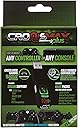
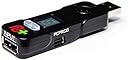
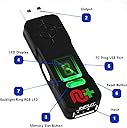
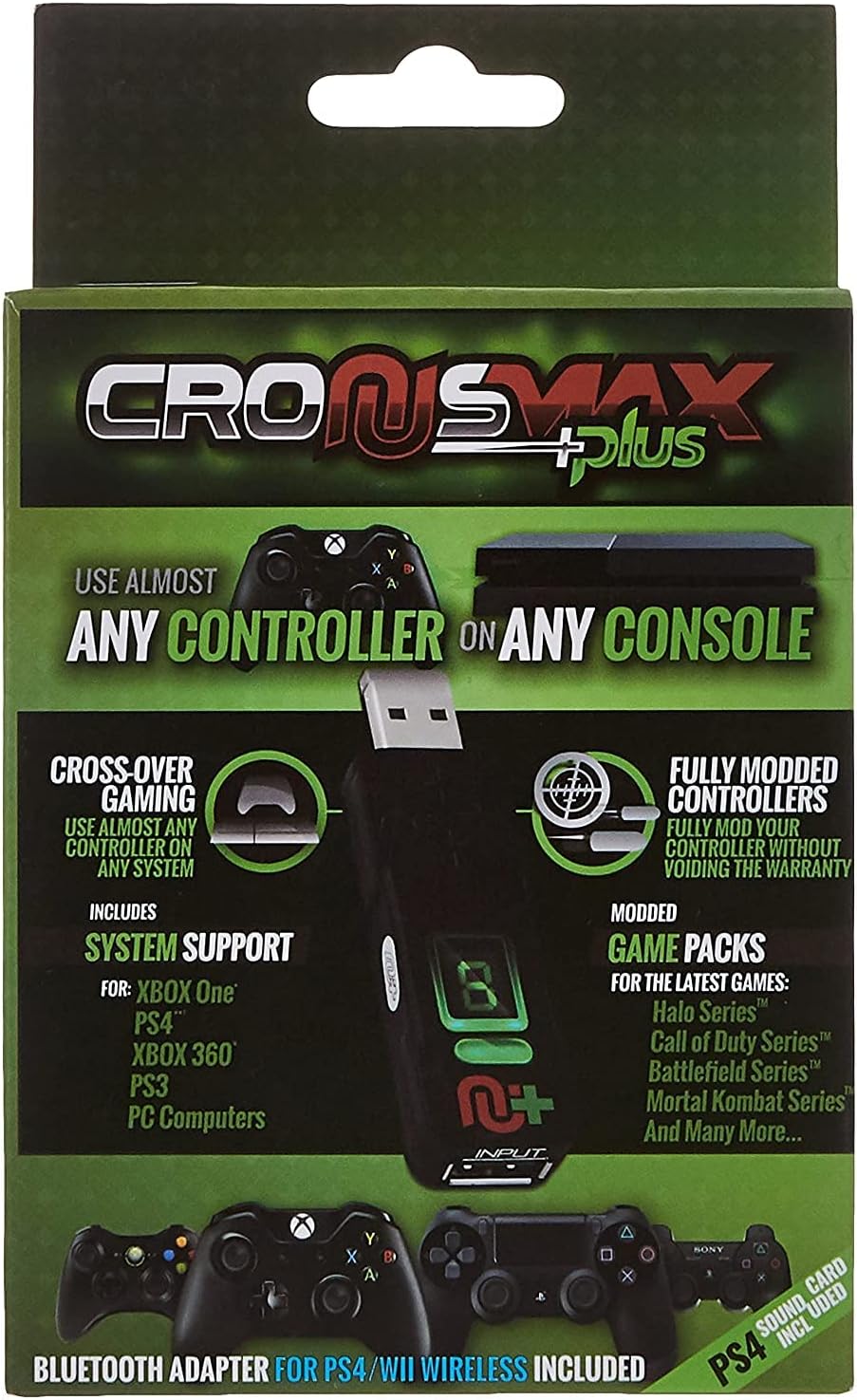
The CronusMax Plus 2017 with Add On Pack is a high-speed gaming adapter that enables seamless cross-platform controller compatibility and advanced button remapping. It supports instant input response with zero lag, offers 10 programmable profile slots for custom macros and autofire, and receives continuous firmware updates to maximize compatibility across Xbox, PlayStation, PC, and legacy systems. Perfect for gamers seeking ultimate control customization and multi-console flexibility.
| ASIN | B013E2KD5M |
| Best Sellers Rank | #70,126 in Video Games ( See Top 100 in Video Games ) #9 in MP3 Player Cables #2,711 in PC-compatible Games #10,200 in PC Accessories |
| Brand | CronusMax |
| Brand Name | CronusMax |
| Cable Type | USB |
| Color | Black |
| Compatible Devices | PC |
| Compatible Phone Models | CronusMax Plus |
| Connector Gender | Male-to-Female |
| Connector Type | Usb (Male-to-female) |
| Customer Package Type | Standard Packaging |
| Customer Reviews | 3.7 out of 5 stars 2,779 Reviews |
| Global Trade Identification Number | 00183654000883 |
| Indoor Outdoor Usage | Indoor |
| Item Shape | Round |
| Item Weight | 0.11 Kilograms |
| Manufacturer | cronusmax |
| Model | CronusMax Plus 2017 |
| Model Name | Cronusmax Plus con PS4 Add On Pack Version 2017 |
| Number of Items | 1 |
| Number of Pins | 4 |
| Other Special Features of the Product | High Speed, Crossover capability |
| Part Number | ps4-010064 |
| Recommended Uses For Product | gaming |
| Special Feature | High Speed, Crossover capability |
| UPC | 183654000883 |
| Unit Count | 1 Count |
K**E
Like your Xbox Elite or DS4 controller and want it do do anything and work on any system?
This wonderful little device has allowed me to use my very favorite Xbox One Elite controller on my new PS4 with nothing more than a $6 hub. I've also been able to dabble in programming the device and used it to great effect to make custom auto-fire routines that allowed me to zip through a dastardly section of the nifty game Hyper Light Drifter. Custom loads are available on the website that has a plethora of hardcore and not-so-much users writing custom button layouts for a multitude of current and older games on all new platforms. The system firmware is being constantly upgraded and refined to work on as many systems as possible with a minimum of fuss. Recently, the paddle options for the Xbox Elite controller have been added to the programming schemes and now they can all be set to pretty much whatever your heart desires. The UI on the Xbox One only allows remapping of face buttons to the paddles but with the CronusMax you can make them do any combination of button presses or macros. Extremely powerful device. The device also works in reverse, of course. You can just as easily plug a PS4 DS4 controller in to an Xbox One or like I'm also doing right now, use the Xbox Elite controller on a PS3. Ten banks of programs can be stored in individual slots that can be switched on the fly using a button the front of the device where an LED number shows up so you know what "patch" you're currently using. Patch "0" is the default setting that allows nearly any modern controller to work in any other game system with a handful of caveats. I use Patch "1" to remap the PS4 touchpad to the Menu button of the Elite since it automatically remaps the Share button there instead and I don't really care for that. Patch "2" is some autofire/aimbot programming for Star Wars Battlefront, "3" is a CoD III autofire/aimbot and "4" is a custom Hyper Light Drifter autodash that I self programmed. I can switch to any setting I want by just clicking the button. This. Thing. Is. Amazing.
B**.
Brook Super Converter > CronusMax
To be honest. I should have done more homework on this before I bought it. If you are looking for something to help you cheat in COD or plan on using a variety of different controller types. Then this is for you. I bought this as a way to use my PS4 Madcatz TE2+ fight stick on my Xbox one. Come to find out that I would have to plug in and xbox one controller for authentication every time that I wanted to use my fight stick. I figured that I would just program something into it so I would not have to go through this process every time. The only solution I found was to use a USB hub. But that is just another thing to buy if you dont have one and it is a mess of wires. But I did come across something way better. Its called a Brook Super Converter. Its the simplified version of the Cronusmax. Its a USB stick that you plug into a console and plug in the controller that you want to use. But you can't program any kind of cheats like rapid fire or what have you. And each one is focused on something specific. For example the one I chose was PS3/PS4 to Xbox one/PC. Meaning that I can only use any PS3/PS4 controller on only Xbox one and PC. They have a great number of different combos of converters that should fit what you need. So I would give them a look over the cronusmax. Not to mention that the Brook Super Converter is a lot cheaper.
N**R
A little tricky, but truly a brilliant device.
At first it was a little tricky but if you did your research you know that you should look at the website and stuff, it helps you out. Just remember to set it up on your pc for what you want it to do. Plug it in. Plug a normal controller into it. till it goes to the 0 or O whatever. Unplug that controller. Plug in the controller you want to use into it. Magic. Using my Hori Real Arcade Pro stick from my 360 on my Xbone with no issues that I noticed.. I tried it with MKX, Soul Calibur II HD (Xbox 360 backward xompat), Killer Instinct, Blaze Blue and Capcom arcade cabinet (Xbox 360 backward compat). with no issues, so I assume it will work for anything that is arcade stick compatible.. I also used it with the new Pac-man Championship edition 2 and it didn't work right.. but I don't think that game was intended for use with a stick.. it read the stick movements really awkwardly and did not work properly. The newer Xbone sticks all lack several features.. most notably none of them have any sort of turbo option, I found that to be an immediate turn off.. I am not sure what the reason for this was.. as there are several gamepads available with turbo now as well.. But the Cronus Max let me use my favorite stick and that made me happy. :) Oh and you can do crazy Macro cheating crap too... really the only downside to the max is that people are given some serious cheating capabilities.
L**Y
Getting it to work was hell, but it works and it works quite well with some lag.
An immense amount of time (days) were needed for me to get it working and it won't work on PS4 games flawlessly. My gosh, it was hell but I Finally did get it working. You will need to download the PC software and update it to 1.20 firmware to get it to work with a USB hub without it disconnecting on the PS4 every 10 minutes for about 1.5 seconds. I managed to make it work without any disconnects ever by very specifically connecting the controllers in the 1 and 4 slots of a 2.0 USB hub as their directions state. It works perfectly in a game like Call of Duty Black Ops 3 but there is a different feeling. I would say it is a minor amount of input lag so the smoothness of the controls aren't quite as on par as the stock PS4 controller. I was most excited to have it and use my elite controller with it. UPDATE 2/14/16: After tinkering with the device settings in the cronus pro app and selecting speed settings: Inframe in, inframe out and 1ms response time, the input lag is so low I don't think I can tell it's there anymore if at all and the experience with all games is basically as good as PS4 and dependent on what controller you use. The elite definitely has a slightly different feel but now that the latency issue is resolved, using it instead of my PS4 controller is quite a pleasure because the ergonomics are better and the paddles definitely give you an edge once you get used to implementing them. I'd say go for it if you want to use a different controller. Even the xbox elite on your ps4 and or PC. It's worth it and surely future versions of their product will be faster and more efficient. iterations of the product, these problems will be resolved. It does work once you figure it all out and it's a real pain to do that. I can't emphasize that enough. This is not intuitive at all but all answers can be found on youtube and through google. I managed to do it. I like it, I wish it was simpler to use and slightly more optimized with stock scripts/codes for each console it is on to feel just like that consoles stock controller but the deviation is barely noticeable. The other bonus is you can load "scripts" onto the stick which can improve your performance in the game. Some are definitely cheating but others are just cool, like I have the joystick set to keep me always sprinting in COD without actually having to click it down at all times. It's much more comfortable just to have that. Others will improve accuracy and do other things. Good luck. You're gonna need it kid but you will be happy with it once it's working. I am. I'm sure later versions will be very fine tuned.
K**M
How great is it to have your own, personal script that is 100% build for your game play and play style?
The only issues I run into from time to time are hardware related. Plugging in and plugging out makes the usb stick become `fatigue` overtime. The first signs of that already start occurring after a couple of months and after a while the connection between the controller, the CM and the XBOX just doesn`t work anymore. So I buy a CM every 6, 8 months. I even have a spare one, because it is very frustrating to have a CM that stops working in the middle of a game (the controller just stops working). That said, I have bought already a hand full, maybe even two hands full of new CM devices (I started using CM on Xbox360). I never had issues but only one at the very start: patience. You have to get into all the details of the CM by reading through tons of documentations and manuals before you can really enjoy the full benefits of it. In the meantime I tried the Titan One (related product from the competitor) as well, but that device already broke after three months (so they are obviously using cheaper materials). And in addition to that, I was unhappy to see that CM had so much more cool mods (CM was the first with jitter mods for BO3 for example) than Titan that I decided to trow my Titan-one in the garbage (where it belongs) and buy two new CM devices (one spare). In my opinion, CM does exactly what it tells you it does; I never had problems with it and I frequently recommend it to other friends who are competitive COD players. It is simply the best mod-tool money can buy. Oh, and before I forget, I think CM-users should also be thankful for the talented programmers active in this CM community; thanks to them the CM is almost unlimited in terms of customised mods & scripts. I mean, how great is it to have your own, personal script that is 100% build for your game play and play style? THAT makes it all worthwhile to me.
G**C
The ChronusMaxPlus does a great job for what it should do at a decent ...
The ChronusMaxPlus does a great job for what it should do at a decent price.But not what i expected on the mouse part it is not as accurate as the Xim4 or Xim Edge devices.I'm saying the scripting part is good but the mouse has some dead zones and it's not the mouse believe me i'm a tech expert it's the software that is not able to handle the mouse appropiately.Otherwise good product.
Z**Y
Couldn't be happier.
I bought this device because I have an Xbox One fightstick, but I don't have an Xbox One. I assumed that the XBO version of the Razer Atrox woudl work on PC without problems, but it looks like it only works with Microsoft Store games on the Xbox App, not steam games (even though Xbox 360 and PS4 fightsticks work with steam just fine). That was a disappointment, but I figured I'd get the CronusMax Plus as a work around since I need a fightstick for my PS4 anyway. This thing is easy to set up and works like a charm. There's a work around for the PS4 so that the console doesn't negate the stick's functionality every 10 minutes. You'll need a USB hub for this, and luckily I had one from when I first purchased my PS4 since I hate the fact that it only has 2 USB ports. Once you get this thing set up, it's plug-and-play. I couldn't be happier that I only spent $50 for this converter instead of 3x as much for another fightstick. This also works on regular controllers as well, even PS4 and Wii U wirelessly with bluetooth.
D**A
Ps4 users do NOT buy!!!!!!!!
I bought this for my PS four and I was hoping it would be able to plug In and play right out of the box. But unfortunately that wasn't the case, instead you have to go onto their website download their program, and then adjust the settings of the converter on their program. Then in the bottom part of the manual it explains that if you don't have a DS4(dual shock 4) controller then it will disconnect every 8-10 mins. So it recommends using a ps4 USB hub, which I have, and it still disconnects! I was hoping to use his for my arcade stick to play street fighter five and it sadly fails in all aspects. Aside from disconnecting every eight minutes, it also lags very bad, it's not the same as getting a new arcade stick and using it. But for me the biggest thing I hate in products is when they don't work out of the package, and this doesn't, it takes a lot of time and patience to get it to work. And even then it failed me. It's falsely claimed it seamlessly connects any controller to any system, wrong. They forgot to mention how laggy and intermittent it is. Long story short don't get his, your better off with another adapter or a new controller.
薬**吉
公式サイトからファームウェアがDLできない
怪しいサイトであり現在ファーム等がDLできない。 改善されない限りこの商品を買うことはおすすめできない。
F**I
ottima...una garanzia
conoscevo questa "chiavetta" e per esigenza l'ho comprata dovendo utilizzare controller xbox su ps4 ....funziona perfettamente ..installazione e' semplicissima ma bisogna possedere un pc per programmarla ...se si vuole sulla pagina ufficiale si possono installare degli script che trasformano il tuo semplice pad in un evoluto Razer con la possibilta' di avere autocorsa del pg , attenuazione del recoil(rinculo delle armi) aumentare il rateo di fuoco delle armi semi automatiche come pistole ,fucili,shotgun... ma automira o aimbot sono solo leggende ...quasi tutti i giochi hanno provveduto a evitare ,per fortuna, la possibilita di effettuare il pophot, cioe' l aggancio automatico del nemico con le armi semi automatiche (shotgun ad esempio) proprio per evitare che con l uso degli script inseriti in queste periferiche si avessero degli enormi vantaggi ... io consiglio la cronus a chi ha necessita' di usare pad diversi su consolle diverse o per chi vuole avere dei piccoli aiuti come autocorsa o minore recoil !!
H**I
It’s ok but…..
This product is no linger support driving wheel such as g27, you have to buy another product…wast of money
S**F
Für ältere Lenkräder an der PS4 perfekt
Vorweg - das Einsatzgebiet des Cronusmax ist riesig, ich persönlich verwende ihn für einen ganz bestimmten Problemfall. Sony hat bei der Entwicklung der PS4 anscheinend die Daumenschrauben angezogen und verlangt bei unterstützter Hardware einen bestimmten Chip zur Authentifizierung. Dieser ist in älteren Controllern wie etwa den Lenkrädern G25 und G27 von Logitech nicht enthalten, somit werden diese von der PS4 schlicht und einfach nicht mehr erkannt, bzw. abgelehnt. Wenn man für solch ein Teil vor Jahren aber über 200,-€ auf den Tisch gelegt hat, möchte man ungern direkt wieder ein neues, teures Gerät anschaffen. Mein altes G25 funktioniert überdies noch tadellos und sieht fast neuwertig aus - also stellte sich mir die Frage, ob man die PS4 nicht doch dazu bringen kann, das Logitech G25 (gilt auch für das G27) irgendwie zu akzeptieren. Die Lösung ist der Cronusmax. Der Cronusmax ist eigentlich ein Allround-Adapter, der auch dazu dient, Playstation-Controller an einer XBox zu betreiben, Wii-Controller am PC usw. usw. Man kann sich das vorstellen wie einen Universalübersetzer, der die Kommunikationsprotokolle eines bestimmten Controllers in die vom Zielgerät erwarteten Protokolle übersetzen kann. Für das bei mir vorliegende Problem "altes Logitech-Lenkrad an PS4 betreiben" gibt es durchaus auch etwas günstigere Bastellösungen im Internet, die auch jeweils irgend eine Übersetzersoftware zwischen Lenkrad und PS4 schalten. Bei diesen Bastelllösungen läuft diese Software jedoch auf irgendeiner Art von Rechner. Im besten Fall ist das ein kleiner Raspberry Pi, im schlimmsten Fall ein Desktop-PC oder ein Notebook. Da ich eine möglichst kompakte Lösung suchte, kam mir der Cronusmax mit seinen Abmessungen wie ein etwas größerer USB-Stick gerade recht. Aber Vorsicht: EINFACH AUSPACKEN UND LOSLEGEN FUNKTIONIERT NICHT! Viele Leute sind leider sofort überfordert, wenn ein Gerät nicht von sich aus bereitwillig tut, was sie wollen (und das schlägt sich hier in den negativen Bewertungen nieder). Die Möglichkeiten des Cronusmax sind aber dermaßen umfangreich, dass man dem Gerät erst einmal sagen muss, wofür man es verwenden möchte. D.h. eine Basiskonfiguration ist auf jeden Fall nötig. Diese erfolgt über eine kostenlose Software am PC. Hilfen zu den verschiedenen Konfigurationsmöglichkeiten bietet der Hersteller auf seiner Webseite reichlich. Auch gibt es dort ein gutes Forum und man findet auf Youtube etliche Videos, die verschiedene Basiskonfigurationen des Cronusmax beschreiben. So habe ich beispielsweise die Firmware meines Cronusmax um ein minor-release gedowngraded, bevor ich den Lenkradmodus aktivieren konnte - war ein offizieller Tipp, falls der Lenkradmodus in der neusten Firmware nicht problemlos aktivierbar sei. In meinem Fall gibt es einen speziellen Betriebsmodus für Lenkräder in den der Cronusmax gebracht werden muss. Die Konfiguration war netto in vielleicht zwei Minuten abgeschlossen (brutto waren es wegen Recherche vielleicht 15 Minuten). Der Rest ist einfach, birgt aber noch einmal ein paar Stolperfallen. Man benötigt letztendlich neben dem Lenkrad und dem Cronusmax noch einen 4-fach USB-HUB und einen DualShock4 Controller der nicht aktiviert ist (also gerade nicht an de PS4 angemeldet). Man steckt das Lenkrad auf USB-Port 1 des Hubs, den DualShock4-Controller steckt man über ein Micro-USB-Kabel auf USB-Port 4. Den Hub selbst schließt man am Cronusmax an und diesen steckt man in die PS4. Die Authentifizierung holt sich die PS4 dann über den an Port 4 steckenden Controller und gleichzeitig gaukelt der Cronusmax der PS4 vor, das angeschlossene G25/G27 sei in Wirklichkeit ein G29. Das Lenkrad kalibriert sich und es kann losgehen. Beim Fahren mit Assetto Corsa ist mir keinerlei Zeitverzögerung aufgefallen. Es funktioniert einfach und der Spaß kann beginnen. Zu den Stolperfallen: Die Portbelegung bei USB-Hubs ist nicht einheitlich. Port 1 ist nicht immer der erste Port nach dem Anschlusskabel (just bei meinem Hub ist Port 1 ganz hinten und Port 4 ganz vorne). Der Hersteller von Cronusmax verlinkt ein kleines Tool mit dem man bequem die Ports des Hubs testen kann. Dies ist Fehlerquelle Nummer 1. Das Lenkrad MUSS auf Port 1, der DS4-Controller MUSS auf Port 4. Fehlerquelle Nummer 2: das Mikro-USB-Kabel zum Controller. Dies MUSS ein voll belegtes Kabel sein. Es gibt günstige Mikro-USB-Kabel, die sich lediglich zum Laden mobiler Endgeräte, nicht aber zur Datenübertragung eignen. Wenn man alles richtig an den Hub gesteckt hat, den Cronusmax an die PS4 anschließt und KEINE Authentifizierung erfolgt, liegt der Fehler mit an Sicherheit grenzender Wahrscheinlichkeit im verwendeten Mikro-USB-Kabel. FAZIT: Der Cronusmax ist für solch einen eng gefassten Verwendungszweck relativ teuer, dafür spart man sich aufwändige Bastellösungen mit mehr oder weniger sperriger Hardware und muss - wie in meinem Fall - eben nicht noch mal 200-300,- € für die Anschaffung eines neuen Lenkrads in die Hand nehmen. Auch sollte man sich bewusst sein, dass das Gerät konfiguriert und den Vorgaben entsprechend korrekt eingesetzt werden muss. Wenn man sich aber nicht davor scheut, einen Blick ins Manual und evtl auch mal in die FAQs oder das Hilfe-Forum zu werfen, funktioniert der Cronusmax tadellos.
A**N
Fantastico
Cumple lo que promete, no hay lag y funciona como un mando normal, mejora la experiencia de usar el mando de la ps4 en la ps3 porque permite usar el boton ps, los motores funcionan, se ve el nivel de bateria, e incluso SE PUEDE APAGAR LA LUZ, he hecho un video en youtube bastante malo: [....] Es importante destacar que si quieres usar los mandos sin cable necesitas un adaptador bluetooth aparte. Ademas puedes cambiar el mapa de los botones como los L2-R2 por L1-R1 Incluso puedes poner Rapidfire en los botones que elijas he incluso una secuencia de botones en un solo boton. Puedes cambiar el color de la luz mando ps4 o que se encienda cada vez que pulses algun boton. Lo de usar el raton y teclado no me convence, funciona pero los juegos de consola no estan diseñados para eso y aunque se pueden tocar todos los paramentros no funciona igual que en un ordenador, sin contar que tienes que tener el ordenador encendido para jugar. para usar el mando de la ps3-ps4 en la xbox360 necesitas un mando xbox360 CON CABLE para autorizar el cronusmax cada vez que enciendes la consola.
Trustpilot
3 weeks ago
3 weeks ago