

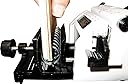

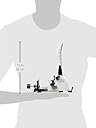
Bind-It-All Machine V2, Pink
Product ID: 1715411
Details
- BrandZutter
- MaterialAcrylic Wood
- ColorPink
- Active Surface Area144 square
- Operation ModeManual
🌈Vibrant pink color
📏Measuring guide for precision
⚙️Manual operation mode
Buy anything from 5,000+ international stores. One checkout price. No surprise fees. Join 2M+ shoppers on Desertcart.
Desertcart purchases this item on your behalf and handles shipping, customs, and support to Austria.
Bind with style! 🎀 Unleash your creativity effortlessly.
The ZutterInnovative Products Bind-It-All Machine V2 in Pink is a lightweight, dual-action binding system designed for crafting enthusiasts. Weighing only 16 ounces, it features a measuring guide for uniform accuracy, making it easy to create professional-quality bound projects. The machine is compatible with various materials, including fabric, wood, and acrylic, and comes with user-friendly templates and an instructional manual. Plus, it pairs perfectly with the stylish Bag-A-Bind Storage Tote.


| Active Surface Area | 144 square inches |
| Asin | B001TBING2 |
| Best Sellers Rank | #481,889 in Office Products (See Top 100 in Office Products) #253 in Binding Machines |
| Brand Name | Zutter |
| Color | Pink |
| Customer Reviews | 4.5 4.5 out of 5 stars (289) 4.5 out of 5 stars |
| Global Trade Identification Number | 00718122281107 |
| Item Weight | 16 ounces |
| Manufacturer | Zutter |
| Material Type | Acrylic, Wood |
| Model | 422560 |
| Operation Mode | Manual |
| Part Number | 422560 |
| Print Media | Fabric |
| Unit Count | 1.0 Count |
| Upc | 798804904692 718122281107 |
User
Best thing ever, amazing little tool.
I have many sketchbooks, of different brands that I enjoy. But there are times where I want to make my own with less pages for a specific theme, and I want 100% cotton watercolor paper. Or any other combination of papers that come by the sheet, like pastel canson mi teintes. I love it, it is so tiny but cuts heavy paper, watercolor paper is 140lb heavy. Also cardboard. I buy many sketchbooks that are wire bound that don't necessarily want to keep that way, I tear the pages out, so I re use the wires and covers. For art use putting an elastic band is a must, otherwise the pages rub too much against each other.There is a learning curve to this tool. The manual could be easier, just look for videos that use the centerline method to give you an idea. The size of the pages and covers that work together are in 1/16 of inches sometimes... sorry, that is not me. I cut whatever size I want for my inside pages, then I practice with a cheap cardstock the cover and keep a template with all the right holes, because you want it centered and the same amount of holes from the center out in both directions. They call it the Centerline method because you mark your papers and covers and then align it with the centerline on the machine. This solved all the headache for me. Covers always bigger than inside pages.I bind 9x12, 8x11, no problem. It is not 100% perfect like the sketchbooks you buy at the store. Mine has a slight , by a hair, difference, but I have never had even 2milimeters off. If you engage the paper with the little prong on the space bar and hold the paper down well you should get it right. Just using the space bar to keep punching is not enough to keep the paper straight.If you cut too much paper you can't feel if you are pressing the paper right and keep all the pages aligned, and the more force you need to punch through the more wiggling and shifting of paper you do. Do it standing up, and use the bottom feet completely open. I had to practice with cheap cardstock quite a bit. I take measurements of my pages and do my best to cut them well, because if they are not cut precise to begin with you are going to notice pages off. Many cutters that crafters use are not precise, have used them that's why I know. The plate that helps you close the wires is fine, sometimes I do it right, sometimes I squeeze in the wrong angle and have to do it again. If you are a perfectionist and expect store bought books this may not work for you.I save A LOT of money in binding with this small tool, it is truly wonderful. I can use whatever papers I need, the size I want. Good luck!
User
Reasonably Priced, Convenient Size, and Professional Results
I have a regular sized manual punch and comb binding machine in my classroom to use for my students projects. I had been wanting a binder of my own to keep in my art studio, but could not afford the ones I'd seen. Not to mention where I would keep one, due to their large size. When I found out about the Zutter, I was excited because of its reasonable price and convenient size. It punches 6 rectangular shaped holes at a time which covers 3 inches. However, it can handle a large variety of paper sizes by sliding the paper and using a slot which allows for proper alignment every time. (I made a cardstock guide to help me justify the placement of the holes I punch.) Best of all, it is fast and easy to use, as well as allowing me to make very professional looking projects. The 2:1, twin loop, O-wires are easy to cut to size, as well as to close them with the Zutter too. There are various videos online that will help you master its use in no time. Thus far, I've created a mini art journal with my handprinted paper scraps. However, I'm already thinking of making sticky albums, pad holders, perpetual calendars, and many other projects for personal use, as well as gifts. I highly recommend the Zutter Bind-It All!
User
Love it, But....
I bought this item on June 13th. It was to originally be a gift for someone else as I already own the Cinch. However, after watching a lot of videos on the Bind-it-All & listening to a lot of comparisons, I decided to keep this one for myself. (This is why I am just now reviewing the product.)I was disappointed to find that my package was missing an important part; the extension paper guide bar plate. I called customer service and was again disappointed. The gentleman on the phone was not friendly, nor professional. After he answered the phone with a "hello" I had to ask him if I had called the correct number. I then explained the problem to him and he repeatedly asked me if my purchase came in a new unopened box. After saying to him several times that I purchased it new and that I could provide a receipt if needed he then tells me I need to send an email to the company to get the problem resolved. I am now waiting to see what Zutter will do to fix the problem.However, I decided to "play" with the Bind-it-All without the guide to see what it would do and I am not disappointed in its performance. I did have to make a template to use as a guide, but the actual punching and binding went smoothly. I was able to quickly bind two small recipe books as a gift for my sister who has been begging me for them. I didn't want to use my Cinch on that project because I felt the holes would be to big. The Bind-it-All was perfect for this. I am sure I will use it for all my smaller projects as the holes look much nicer than the Cinch.So, love the product but not the customer service. If you are buying this for someone else I would open it up and make sure everything is included first.
User
Overall Good with Some Drawbacks
This little machine has it's limitations for sure. Having said that, overall, it's still a good quality machine.The biggest drawback in my opinion is the fact that you can only punch 6 holes at a time - without moving the paper down and lining it up again to continue punching more holes. Another drawback, to me, is the collection chamber for the little pieces of paper that have been punched out. It's small and difficult to empty - I wish it had a drawer or some easier way to empty.On the positive - the blades are strong - I regularly punch through 10mil laminated paper and it hasn't dulled at all. The price, compared to most other binding machines is obviously good. And the small size makes it easy to store. It also fits any brand of owire - you do not have to buy Zutter brand owire.
User
Works quite well
This can punch through pretty thick material. The binding rings cinch up nicely. It is a small machine, so there’s quite a bit of punching and cinching if you’re making a large book, which gives greater opportunity to mess up. There are YouTube videos out there that show different techniques, so watch a handful and practice on copy paper and cereal boxes (if it works out, you’ll have a little sketch pad or notebook. If not, very little lost). I’m happy with my purchase and would buy again. Oh, also, buy the o wires. I don’t think any come with the machine.
User
Smooth cutting motion
I like the sharp cutting action. The lever is very satisfying to operate. I find it puzzling that the Zutter not supposed to cut more than 5 sheets of paper at a time but somehow it can cut through chip board, which is quite thick & very hard- Strange. I laminated the front and back pages of my book and they cut easily as well. Starting on a 160 pg book and cutting a few sheets at a time was time consuming. Cutting that many separate 'bunches' and meant more variance in the hole positions (off by mm). The double O binder portion works smoothly and easily as well using the same lever as the cutting action. My o rings (purchased separately) didnt come out perfectly round but the workbook works perfectly and the pages don't get caught or ruined. I cut the excess length of the double o ring easily with regular wire cutters and saved it for another project.I like that the workbook now lays flat open for studying. This was not a planned purchase so I did not have lots of time to research my options but over all I'm pleased with my selection. The Zutter is sturdy feeling and is well balanced when operating. I like it and would buy again. Looking for other uses.
User
Great binding system
I've only used my Zutter Bind-It-All once but I love it. I used it to rebind a book that was falling apart and it looked great afterwards. I've, of course, had to order all kinds of different binding wires in different colors and sizes. My sister-in-law has one and has used it extensively. When I asked about getting one, she highly recommended it.I was a bit surprised at how small the machine is. It doesn't take up a lot of space and is easy to move around (it's not heavy at all). I saw it on another site on sale and but was able to get it on Amazon for quiet a bit cheaper. The wires are generally cheaper on Amazon, too.
User
Paper guide bar locks don't lock.
Just got it and using it on my first project after reading the user manual. The two locking tabs for the paper guide bar don't lock anything down and the bar slides the same regardless of their position. This makes it difficult to keep the settings set when doing multiple pages or you bump the bar. Kind of a shame when they went to trouble to put 2 locks on it. (The guide bar shown in the manual is red and mine is black with notches scored in it.) Punches cleanly and binds well which is why I bought it, but the paper guide not locking is beyond annoying. The little plastic clean out door is very stiff and we'll see how long it lasts. Machine has decent weight and is steady for punching with the extension bar in the back. Wish it was anything but pink!
Trustpilot
5 days ago
2 weeks ago