
☀️ Power your productivity with light—keyboard that never quits!
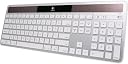
The Logitech Wireless Solar Keyboard K750 for Mac is a full-size, ultra-thin keyboard designed for Mac users who demand convenience and style. Powered by any light source, it eliminates battery replacements by storing enough charge to last at least three months in darkness. Featuring a familiar Mac layout with a dedicated Launchpad key and Logitech’s unique concave keycaps, it ensures comfortable, precise typing. Connectivity is handled via a compact Logitech Unifying receiver, freeing up Bluetooth and USB ports. Ideal for professionals seeking a sleek, eco-friendly, and reliable wireless keyboard that blends effortlessly into a modern workspace.
| ASIN | B005L38VPC |
| Additional Features | Wireless |
| Best Sellers Rank | #11,105 in Computer Keyboards |
| Brand | Logitech |
| Built-In Media | Computer Keyboards |
| Button Quantity | 78 |
| Color | Black |
| Compatible Devices | Laptop |
| Compatible Operating System Family | MacOS |
| Connectivity Technology | Wireless |
| Customer Reviews | 4.0 out of 5 stars 584 Reviews |
| Enclosure Material | Plastic |
| Hand Orientation | Ambidextrous |
| Item Weight | 1.6 pounds |
| Keyboard Description | Wireless |
| Keyboard Layout | QWERTY |
| Manufacturer | Logitech |
| Mfr Part Number | 920-003471 |
| Model Number | 920-003471 |
| Number of Items | 1 |
| Number of Keys | 78 |
| Power Source | Solar Powered |
| Special Feature | Wireless |
| Style Name | Keyboard Only |
| Switch Type | Scissor-Switch |
| UPC | 031111882094 097855080233 012301979909 887605859192 031112502076 151903003398 631058213670 163120266159 778889494417 |
| Unit Count | 1 Count |
| Warranty Description | 3 year limited |
L**E
Love it
I'm starting to use my macbook pro with a monitor in the office now, and so have been using a wired Apple keyboard and a MS Arc mouse, but have been tired of the USB ports being taken up by both devices. I started doing some digging here on Amazon, and found the Logitech items with the unifying receivers, and thought I'd try them out. Once I got the software installed, the single receiver works great for my new keyboard and mouse. Keyboard itself works very well, looks nice, and has a good feel to it. There was no problem at all with it being recognized, and it works flawlessly for me. I don't use the function keys for things, so the issue that another reviewer had covered about the Function keys not having the option to be used as normal function keys without pressing the FN key doesn't matter to me, but if you use them a lot, you can either wait to see if Logitech addresses the issue (their support forums say they're looking at the issue, but not that they're fixing it) or you can search for an app called keyremap4macbook that gives you the ability to remap and change key assignments and see if that solves your issue. There is no software for this, none of the normal logitech control center options. Only software is the light software, which lets you know if you're getting enough light to maintain a charge, and the state of the batteries. Kind of neat seeing the lumen counter change as you angle the top of the keyboard at various light sources, but only for a bit. Then it's something that just comes up when you hit the button on the keyboard to check the light status of the room. Small feet on the back pivot down to tilt it towards you, but one single piece on each side, so no adjustability like some, where there's a couple pieces to let you adjust the angle slightly. It's very thin, another bonus, since that was why I got the apple keyboard in the first place. Keys are slightly concave to give a small depression for each finger to hit. Also, it's very quiet. Doesn't need a lot of light either, if the light sensor software is accurate. Which is good since I keep my blinds closed in my office to reduce glare. All in all, a winner for me, since I don't need the function keys for things. But beware if you ARE in need of a lot of FN key usage. Edit on 11/16/11 - Logitech updated their software to allow the function key settings to be reversed. [...] click the download link on the right and can get the software, in the "what's new" on the bottom it specifically states this keyboard will now work with the software to allow flipping function key operation. Someone in another forum verified it worked in snow leopard as well.
M**Y
Good mac keyboard without USB 3.0 interference
I chose this keyboard because I didn't like the mac wireless bluetooth keyboard. Black is better than silver for my taste. Plus this one has the numeric keypad. The solar charging is nice. I have this paired with the comfortable M705 Logitech mouse. http://www.amazon.com/Logitech-Wireless-Marathon-3-Year-Battery/dp/B0034XRDUA Very nice combination on my 2012 Mac Mini. The only glitch I've had, is that the Logitech Unifying receiver seems to need to be very close to work flawlessly. I moved the receiver from the Mac Mini USB 3.0 to my monitor 2.0 USB out. Only about 16 inches closer to keyboard and mouse but, no more response issues. A couple of negatives about the keyboard is no illuminated keys and, not a deal breaker, but there should be a caps lock light. No problems with this combo other than short wireless range (for me). Very nice overall. ****UPDATE Edit 1-24-13 My wireless response issues returned today. Neither mouse or keyboard would work at all and I had The Logitech Unifying Software window open on my screen. It said I had plugged in another Unifying Receiver into my computer and to remove one or use both. I did not plug in another receiver. Since I couldn't respond, I shut down the Mac Mini. That didn't reset it either. I tried everything and nothing worked. So, I got the iPad out for help. Logitech says the receiver needs to be plugged into the computer (which I had tried), not a hub. I moved the receiver back to the computer USB from the monitor USB. Back to my initial issues, lack of response, but at least the mouse and keyboard were actually working now. But, I needed to have the mouse and keyboard about 6 inches away from the receiver to work! Back to the iPad and Google. Apparently, USB 3.0 DEVICES and 2.4GHz wireless don't play nice together. Known Intel issue. The only USB 3.0 device I was using on the Mac Mini was my backup WD Passport HD, I unplugged it. Worked like a charm! I can now use my mouse and keyboard from across the room. Maybe I'll have to get a FireWire HD for backup to fill that unused port until this issue is resolved. I still like both of these Logitech products, but there are limitations. ****Update 6-8-2013 I bought this cable in February http://www.amazon.com/gp/product/B0041UJVMS/ref=cm_cr_mts_prod_img Swapped the old cable for this one and moved the USB 3.0 HD into a drawer away from the Mac Mini. No problems now.
C**Y
wheres the batteries?
After searching for a few different wireless keyboards for my mac, I have finally found the perfect one! 1. SMOOTH. I really like typing on this keyboard for some reason. The key strokes are very smooth and the design of the keyboard is awesome. The keyboard and keys are both perfect size. 2. DURABILITY. This keyboard is really durable. Sometimes whenever I do homework I find myself pounding away at the keys with my sausage fingers and the keyboard takes it like a champ. It is rather thin, but its durability is clearly there. 3. LAYOUT. The keyboard layout is exactly like the one that comes with a mac. You will not be missing anything. However, I much rather have the logitech keyboard over a mac because of the size of the keys. They are sized much better. 4. SOLAR TECHNOLOGY. You do not even have to put batteries in this keyboard. I was kind of amazed at first, and was anyone else i showed it to. It gets it charge from a light supply that you use while on the computer. It has an app download available when installing the keyboard. The app is just a small window that shows the amount of charge your keyboard is getting from the light supply. It tells you if it needs more light and about the power of the laptop. Pretty sweet. CONS- NOT ONE! I would highly recommend this keyboard to anyone looking for a replacement keyboard for their mac, even for users would do not even need a new one. I was I would have found this keyboard years ago, as it is much better than the one that comes with a mac. It installs very quickly and comes with a sweet universal usb drive to connect to your computer. The usb device that you plug into your computer that allows for wireless connects is great if you use other logitech products. Instead of using multiple usb ports for different wireless devices, such as a mouse and keyboard, you can plug your logitech wireless mouse usb into the back of the one that comes with this keyboard and then in the back of your computer so you only use up one usb port!!
D**8
Excellent keyboard
I bought the Logitech wireless solar keyboard K750 for Mac and received it yesterday. At first my typing on it was sluggish and had more typos than normal, but now, after using it for a day, I am back to my usual speed and accuracy (neither of which is remarkable). I find the keyboard very comfortable. It claims to have the identical layout as the Apple keyboard, and this is not quite true, compared to the keyboard that came with my six-year-old iMac, but this is not a problem. The function keys are different, and the dedicated volume keys above the number pad on my Apple keyboard have been assigned instead to the F10 through F12 keys on the K750, and I have not yet found a way to reassign those, but I don't really need to. I wanted a wireless keyboard that included the DEL key and the number pad, which the Apple Bluetooth keyboard does not have. So I am happy with this one, and the feel of the keys is nicer than the feel on my wired Apple keyboard. (As other reviewers have noted, the K750 does NOT have Bluetooth. It uses a wireless dongle that plugs into a USB slot.) Edit: I bought this keyboard at the end of September, 2013. Now, early July, 2015, 1 3/4 years later, it quit working. I placed it in very strong sunlight for several hours, in case the battery had run down due to having the blinds closed for several days of a heat wave. It worked for a few minutes, and then quit again. In this age of disposable everything, maybe $2.86 per month is an acceptable price for the convenience. I did find it easier to type on than the OEM keyboard. But things really should last longer. Another edit: I pulled the dongle out and put it back into another slot, and now the keyboard is working again. Was that the whole problem??? I'll see if it keeps working now... Yet another edit. Since removing and reinserting the dongle, it seems to be working fine again. I agree with other reviewers that the dongle is a bad idea. It ought to just work through bluetooth. Then it wouldn't take up a USB slot and there would be one less thing to go wrong. Still, much easier for me to type on than the keyboard that came with my iMac. One thing that Logitech got VERY VERY WRONG, however, is the "Solar app," available on the Mac Store. (Their web site is confusing because if you click on "download the Solar app" you get nothing. You have to go to the Mac Store, and their web site does not tell you this.) BUT DON'T DO IT!!! There are numerous reviews of the app on the Mac Store, and user after user has reported that the app is a resource hog, running even when you quit the app, using from single- to double-digit percentages of your computer resources, and writing to the system.log ten to fifteen times per second. LOGITECH: PLEASE FIX THE APP! A well-behaved app should use zero system resources when not running, and the user should be able to turn it off. Ideally, a user should be able to launch the app, see the state of charge and the illumination level, and then quit the app, and it should quit and do nothing until launched again, and if it must write to the system.log at all, it should do so ONCE when invoked, and not more than a few times a day. NOT ten times every second! Fortunately, the app is not needed to use the keyboard, and a little button on the keyboard lights a green or red light, to tell you whether or not it's getting sufficient light. The CFL in my office room does not provide enough light, but the window does in the daytime, and the keyboard stores enough charge to keep working at night. Set-up was easy: I plugged in the dongle to a USB slot and turned the power switch on. The computer then asked me to hit the unidentified key immediately to the right of the left shift button (z on the keyboard) and then asked me to hit the unidentified key immediately to the left of the right shift key (forward slash on the keyboard) and then it was set up and just worked. No other set-up was needed. Five stars for the keyboard and a FAIL to the Solar app.
C**E
the keyboard and mouse are useless; also
I'm using the K750 w Logitech's M705 mouse and a Mac Pro (2013 "cylinder"), and it causes start up problems. I'm using dual monitors, and when booting, most of the time one "scrambles" and I get the spinning cursor. Disconnect the necessary unifying receiver, and you get control back. I've been going back and forth w their tech support for two weeks, and it's clear the techs aren't reading my problems (even gave them a screen shot). The last one told me to remove the receiver, uninstall the software, and then reboot. Uh, w/o the receiver, the keyboard and mouse are useless; also, there is no Uninstall option in the most current Logitech software. I've asked their tech support about this, but will probably have to wait another week for any answer. The keyboard also periodically stops working... letters skip or key presses are not recognized. I can reboot--and then run into the scrambled startup screen! FYI, I have unplugged all other peripherals--it is indeed the Logitech receiver/software causing the problem. FYI, it isn't just me--my business partner has similar hardware and the same keyboard, mouse, Mac Pro and latest version of Mavericks, and it happens to him, too! Clearly there's a problem w the Logitech drivers, but that point seems beyond Logitech's support staff. One other thing on Logitech "support"--they provide vague and inaccurate responses days after I contact them, but their response says "we'll assume your issue has been resolved if we don't hear from you in 48 hours!" So they get a week or more provide an unhelpful response, but if I don't respond in 48 hours, they close the ticket and force me to start over! While I've liked past Logitech products, I'll likely steer clear of them in the future if this is representative of their current support. Probably time to go back to wired keyboard and mice, or perhaps Apple brands.
P**Y
EASY to type on... Pain in hands GONE
I was researching keyboards for the past couple weeks that I could use for both my job and my consulting practice. I work on a computer day and night and was recently beginning to experience pain in my hands. I purchased typing gloves for the first time ever; they helped, but typing on my laptop keyboard or my external wired standard keyboard was still uncomfortable. I started learning about the different technologies that are involved in the makeup of a keyboard. There's such a thing as "travel distance" meaning the distance the key must travel before the character is displayed on your computer screen. The less distance your fingers have to press down, the better for your hands. I researched scissors keys (i.e. laptop-type keys; the most stable out of all the cheaper keyboards), mechanical keyboard keys (i.e. Cherry brown switches are apparently the best for typists), traditional keyboards with the rubber pads underneath (the cheapest keyboards), and of course your ergonomic keyboards (i.e. Microsoft, Kinetic, TECK/Truly Ergonomic, GoldStar, IBM split keyboards, etc.). I personally found the mechanical keyboards to be the most desirable for my marathon typing ways, however I cannot afford the price quite yet. So I'm compromising with this solar keyboard which is as good as compromising gets. My fingers feel like they are glazing over the keyboard as I type... I'm not even pressing as much as I do on my MacBook Pro--which really isn't much pressing to begin with. They keys feel like or resemble little chicklets and they do make a noticeable clicking noise every time you type on the keys--louder than my laptop keys for sure. I've had the keyboard for just 2 days and have already been adapting to it. NOTE: I purchased the Microsoft version of this keyboard from Best Buy and that one had a very noticeable "clicking" sound, however the Mac version of the keyboard that I purchased from Amazon.com has a more muted sound. Aside from the keys, the solar aspect is phenomenal. I also researched this out. Other keyboards that are "wireless" require the use of batteries. I read reviews about how there are noticeable lag times with these wireless keyboards--I definitely would not be able to tolerate that. The solar panels take in natural and artificial light and stores it for later use. I work as early as 5am and don't like turning on lights that early. The keyboard still functions perfectly. The only thing I wish it had was backlit keys. Logitech's wireless version of the keyboard has this option but not this solar mac keyboard (at the time of writing this review). A minor feature I like would have to be the 6 rubber grips underneath. I use my laptop lap holder for just my keyboard sometimes, and often times I may be laying in bed while using it and it does a good job staying in place, only sliding down if my lap desk is at a steep angle. I really like that my fingers and hands are doing a lot less work and therefore less strained. I haven't had a need yet to use my typing gloves. I also have medium length nails (1/2 cm) and am able to type with no problem which I'm really happy about. I'm enjoying the effortless typing with this keyboard. I would highly recommend it to anyone in need of a comfortable keyboard. UPDATE (2/25/2016): I STILL use this keyboard everyday! I actually used it at work for almost a year to avoid using the keyboard that came with the computer which was hard on my wrists. I sometimes tilt the keyboard edge closest to me up on top of my wrist cushion for an even more comfortable typing experience. Con: The "Delete" key is wobbly due to the small plastic anchors underneath being broken. I tried Krazy gluing the underside to the metal anchors underneath, but that quickly dried in a few days and the key became loose again. I will look into a possible key replacement if this company offers that.
R**R
Well... at least it is a full sized wireless keyboard that is Mac Compatible.
I was very anxious to get this keyboard for my Mac as it was the only fully sized keyboard that I could find that was also wireless... I just received it today, so I will update this review if anything changes. My first thoughts are... gosh, I REALLY miss my aluminum full sized keyboard from Apple. That keyboard was more silent and the keys pressed with less pressure. This thing feels as if each key is sitting atop a spring board set in a sponge. It has a very cheap feel to it. The back of the keyboard is raised by two plastic pegs that are drawn out from the bottom. I wonder how long it will take me to break those off? Why they didn't just decide on some other method, such as a bar or something that would give more support to the middle of the keyboard is beyond me. Additionally, there is no light to let me know when the caps lock key is pressed. This is just poor oversight in my opinion. They do have a little button that can be pressed to tell you if the keyboard is getting enough light. Red means it isn't, and green means that it is... I purchased the black version as I figured it would match both my monitors and my mouse better... which it does. I do like the intentions in the keys for my fingers... but I would have preferred a more sturdy feel of the keyboard and the keys themselves over that feature. On a more positive note, set up was quite easy... I download the Logitech Control Center from their website (which I already had for their wireless mouse). And the keyboard was easily recognized. However, there is a grayed out selection area that I'm not sure why it is there suggesting an option that is unavailable... and thus confusing. I am using it in both OS 10.68 and in OS 10.9 on the same computer and the grayed out option is there regardless of operating system. Downloading the software was a little confusing as well given that I am running two systems and have a logitech mouse that is wireless too... you seem to get different versions of the Logitech Control Center or Unifying Software (you will want to download both) Software and it took me a little while to figure out if I had the most up to date versions. Additionally, when the "Unifying Software" is installed it seems to immediately pair the keyboard (or mouse), which is confusing as it stays open telling you go through several tasks to pair it and if you go to close the software window you get a warning that your device will not be paired... confusing. But only a minor annoyance. The keyboard worked right out of the box and didn't seem to need a charge. I would like some kind of indicator that would let me know how much charge it actually has to be on the keyboard itself. You can download an app from the App Store for free that will immediately open when you press the indicator button on the keyboard. It tells you what your energy reserve is and whether your keyboard is getting enough sunlight at the moment to keep itself happy. The keyboard does not seem to need much sunlight to operate, and even typing in low lighting my keyboard indicates it has 100% in reserve energy, which Logitech says is enough to work for three months without any light at all... so that is quite cool indeed. I like the keyboard just enough to be irritated with Apple that it has not released a wireless full sized keyboard such that we have to rely on other vendors for such. I tremendously enjoy having it be wireless and full sized as I can move it anywhere on my desktop without it pulling all sorts of things out of place, etc. However, the keyboard does not feel sturdy enough to have on my lap for use, and the cheap looking plastic pegs on the back of the keyboard have me concerned that I am going to break them off or something sliding the keyboard over my desk, not to mention there is no real support for the keyboard at the back portion as there is no middle peg. One final note, the plastic overlay of the keyboard where the solar panels are is a little crimped... that is the best I can describe it. There is an area where it looks as if the film overlay appears to be pushed upward or something. While this is not harming the use of the board, it does affect its aesthetics and just adds to the overall cheap feel of the thing. I would have preferred an aluminum one rather than an all plastic one. However, until Apple comes along with a better option (they don't even offer a keyboard with their Mac Pro trash can coming out in December it appears!) or another company comes along with a full sized keyboard for us Mac users, then hats off to Logitech for doing so. A solar keyboard is pretty cool in its own right. So, double kudos to them for doing their little bit to help the environment as well!
D**N
Excellent keyboard for the price, with one slight disappointment.
I like this keyboard very much, particularly because it is not white and won't show patina from use much like the standard Apple keyboard will. It's also nice that it pairs well aesthetically with all my other black accessories. The unifying receiver also helps in cutting down the use of ports that are becoming fewer in number on newer computers. The solar-powered bit was also a nice touch, and seems to totally eliminate the charging issue from what I can tell with my use (4-5 hours a day, 7 days a week). It is full-size with all the useful keys, very lightweight, well put together, and quite comfortable to type on. The only negative points I can caution you on are that it is not backlit (probably in the name of conserving power) and, though this sounds minor, there is also no indication (either on screen or on the keyboard) that the caps lock is on. That can sometimes lead you TO INADVERTENTLY TYPE LIKE THIS and then have to go back and change it accordingly. It may sound like a minor qualm, but depending on what and how much you type, it could be a bigger deal to some users than others. That said, for $45 dollars it is a great alternative to the standard Apple keyboard, particularly if you don't like white. As for any alternatives, as of now there really only are two worth noting, but they come with concessions as well. Logitech seems to have giveth and taketh away with the newer K760 for Mac keyboard, in that it is slightly more money, not full size, but does have the caps lock indicator on the keyboard. Also, the K811 has the caps indicator and is also backlit, but comes at double the price of the K750. Alternatively, both of these other keyboards use bluetooth connectivity instead of the unifying receiver to link to the computer. Though your mileage may vary, after taking everything into account I chose to remain with the K750 because (for me) the functionality of a full size keyboard and use of all the shortcut keys outweighs the lack of backlighting and caps indication. Whichever one you choose, I am sure you will find it a pleasing alternative to the standard Apple keyboard.
A**R
great keyboard!
fantastic keyboard, using on my hackintosh. Exactly as advertised.
J**N
Muy buen teclado
Después de probar el teclado por una semana esto es lo que puedo decir: El teclado es muy solido y las celdas solares trabajan muy rápido. Si tu oficina o cuarto tiene buena iluminación natural, no será necesario prender ningún luz artificial. Las teclas son solidas y el teclado numérico es muy útil. Yo lo uso para edición de video, pero si estas pensando usarlo para escribir y redactar, ten en cuenta que es un teclado americano, es decir faltan la Ñ y varias teclas tienen otro acomodo, aun puedes usar estas teclas y la Ñ, solo que no coinciden con las teclas impresas. He leído que se pueden mapear las teclas, pero aun no he llegado a eso. En conclusión, me gustó mucho el teclado, yo quería la versión en blanco pero por alguna razón extraña esa costaba 1,700 y esta solo 400 aunque son exactamente iguales, solo el color cambia. En fin. Lo recomiendo para edición de video.
C**N
Excelente producto
Desde que lo recibí no he tenido problemas de falta de energía. 100% recomendable Tiene un diseño excelente y la calidad de los materiales son muy buenas Al presionar las teclas de verdad es cómodo.
J**Z
Muy buena calidad.
El teclado demuestra la calidad de Logitech, su único punto débil es la carga, ya que realmente requiere una muy buena fuente de luz para permanecer cargado. El tacto no le pide nada a un teclado de Apple, me agrada mas este, al ser en color negro se ensucia menos. Un punto importante a considerar es que se trata de una distribución en inglés, y desafortunadamente es una especificación que pocas veces se observa en los teclados vendidos por Amazon. Este debería ser un dato obligatorio en este tipo de producto.
G**A
Excelente Producto
La verdad no me esperaba un producto que se vea tan bien como este, porque es muy solido el teclado y parecido al de una Mac. Lo recomiendo ampliamente, además eso de que sea solar es buenisimo.
Trustpilot
2 days ago
5 days ago