Buy anything from 5,000+ international stores. One checkout price. No surprise fees. Join 2M+ shoppers on Desertcart.
Desertcart purchases this item on your behalf and handles shipping, customs, and support to Austria.
🌐 Stay connected everywhere, anytime — your pocket-sized global Wi-Fi hub!
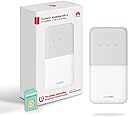
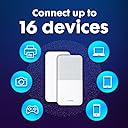
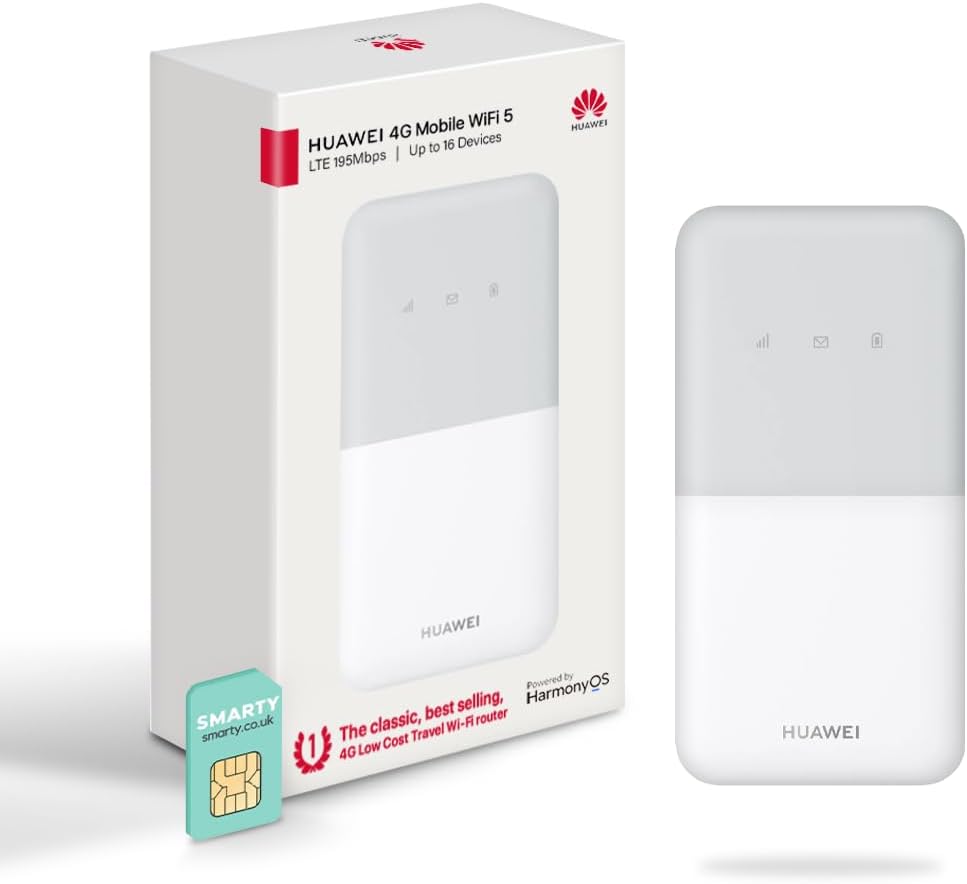
The Huawei E5586 is a compact, portable 4G hotspot designed for global travelers and remote professionals. It delivers up to 150 Mbps download speeds, supports up to 16 simultaneous device connections, and features a rechargeable 1500mAh battery lasting up to 6 hours. Equipped with parental controls and a guest network, it ensures secure, easy management of connected devices. Included is a FREE SMARTY SIM for immediate, low-cost internet access worldwide, backed by a genuine UK warranty.


| ASIN | B081S5KRZ7 |
| Antenna Location | Gaming |
| Antenna Type | Internal |
| Best Sellers Rank | 25,877 in Computers & Accessories ( See Top 100 in Computers & Accessories ) 67 in Mobile Broadband Devices |
| Box Contents | 1 x FREE SMARTY DATA SIM, 1 x Huawei E5586-326 (White), 1 x USB Charging Cable, 1 x User Manual, 1x Removable Battery |
| Brand | HUAWEI |
| Brand Name | HUAWEI |
| Colour | White |
| Compatible Devices | Laptop, Personal Computer, Smartphone, Tablet |
| Compatible devices | Laptop, Personal Computer, Smartphone, Tablet |
| Connectivity Protocol | Wi-Fi |
| Connectivity Technology | USB |
| Control Method | Touch |
| Controller Type | Touch |
| Country of Origin | China |
| Coverage | Worldwide |
| Customer Reviews | 4.1 out of 5 stars 3,994 Reviews |
| Data Transfer Rate | 150 Megabits Per Second |
| Frequency | 2.4 GHz |
| Frequency Band Class | Single-Band |
| Frequency band class | Single-Band |
| Global Trade Identification Number | 05060508600442 |
| Has Internet Connectivity | Yes |
| Has Security Updates | Yes |
| Is Modem Compatible | No |
| Item Dimensions L x W x H | 10L x 5.8W x 0.7H centimetres |
| Item Type Name | 4G Low Cost Travel Wifi Hotspot |
| Item Weight | 90 Grams |
| LAN Port Bandwidth | 150 |
| Manufacturer | Livewire Telecom Limited |
| Manufacturer Part Number | E5576 |
| Maximum Upstream Data Transfer Rate | 50 Megabits Per Second |
| Model Name | E5586-326 |
| Model Number | E5586-326 |
| Model name | E5586-326 |
| Number of Ports | 5 |
| Operating System | Versatile Routing Platform |
| Other Special Features of the Product | Portable; Connect 16 Devices; 6 Hour Battery; 4G; |
| Product Warranty | 2 Year Manufacturer |
| Router Firewall Security Level | basic |
| Router Network Type | 4G |
| Security Protocol | WPA2-PSK, WPA3 |
| Special feature | Portable; Connect 16 Devices; 6 Hour Battery; 4G; |
| Voltage | 240 Volts |
| Wi-Fi Generation | 4. generation (802.11n) |
| Wireless Compability | 802.11b, 802.11g, 802.11n |
| Wireless communication standard | 802.11b, 802.11g, 802.11n |
M**N
A Brilliant piece of kit
I really like this huawei router It’s a great little device and if combined with the smarty mobile Who I also recommend it’s happy days. ive had no problems using there unlimited data sim on a £20 plan with a £2 discount for the first 12 months & also I received a £20 Amazon gift card with the offer at time of purchasing which was a incentive for me to use there sim. . It’s kinda like a mobile internet router and using a similar password like a home router so everyone can connect up to 16 devices Although I’ve had more?. Some people have said what’s the point why not just hotspot. This is why it’s just simpler & better . Once you have the huawei & install the sim & with some great deals on data plans now you can have this all set up for under £20 per month even cheaper . Then it’s a home router we’re all who enters & given the password connect to the huawei hub . Then it also can be portable with a great many hrs of battery life . All the family travelling together on say trains etc can watch there ipads /tablets & can all connect to this device/& able to browse internet watch movies as it obviously remembers the password once your device as connected in the past. It saves on families with different data plans at great cost . Why have loads of different plans when you can have just the one. Great for holiday Lets so you can provide your guests with WiFi or when camping. Also for others who I am out with I give them my small router password for them to use if I feel kind . It’s easy to set up & connect & if you wish to use as a main home router in its own right would perform well . it’s a great alternative to paying line rental . The battery when out lasts 12 hrs plus & if you have a car charger it will charge via usb or left plugged in on Mains home power. If your a family are always together then use this to save on your mobile data as paying individually at different plans & usage then just buy this and all connect to this one unit. When the cost of living is going up so much it makes sense to cut back on individual mobile plans and the like without you feeling it. The Smarty sim plan if you decide to use this company are true to there word and there data isn’t capped with a fair use policy which means unlimited data is exactly that unlimited and as many as you like 16 users can connect or home devices like cameras or smart plugs & Alexa devices . You won’t get any surprises but as we have left the eu it’s capped at 12GB when overseas but even then you cannot exceed this as they won’t add data unknowingly and get a bumper bill when back home spoiling your holiday. It’s a great small palm of your hand device & pair it with the smarty sim HAPPY DAYs. I’ve had this now over 12 mth & it’s still not crashed or caused me problems. My sister whom as a terrible home broadband router who’s now being forced onto a more expensive fibre plan as now ditched it completely & on my recommendation as now purchased this huawei router & she’s super satisfied & doing everything she previously did browsing internet streaming . Her grandson gaming as she did with her line rental provider but now much cheaper & wished she’d known about these sooner. As you can guess I recommend this product & also combined with smarty mobile.
A**S
Good value MiFi
This was bought to 1) substitute as home WiFi between house moves. 2) Use as WifI in a Motorhome. It succeeded in doing both things. The unit is surprisingly small. It boots up out the box, but needed a full charge. Remove the back gently as the clips are not sturdy looking. Take a photo of the data box printed under the battery pack as you will need this info. I didn't use the supplied Smarty sim as the network coverage is v poor in my area. The MiFi will probably require the APN code for the sim of your choice. All this is, is some instructions to tell the Mifi which network the sim card works on. This is not as difficult as it sounds. Download HUAWEI HLINK app onto a smart phone. Select the Huawei Wifi on that smartphone. Open the App after you are logged onto the WiFi. Follow the instructions from a youtube video (i used an eFones video). The password to use to get the app to link to your mifi is admin, not the Wifi password. Pop in the APN setting for your Network (google will find them easily) save and away u go. It would have been nicer if the Huawei had the apn settings pre populated for the main networks in the UK as this step must put a few people off, but it is pretty straightforward. Re-boot the device and it found service straight away. I live in an area of medium coverage and achieved download speeds of about 8mbps. In a full coverage area this improved to 14mbps. With a single device in use, both speeds were ok to stream video from YT and BBC Iplayer on my phone. I have not used this device yet as the main WiFi hub for the whole home with multiple devices, but will report back when I do. Battery life with a single device streaming seems to be about 4 hours. Overall, great value.
D**Y
Good performance for the price
Purchased so that in-laws could watch SkySports golf coverage of the Open in their St Andrews holiday home (via Now TV). Out of the box, I was surprised how tiny it was and had initial concerns it would provide coverage across a usable area in a Victorian property. Set up was pretty easy and it was connecting to 4G signal in minutes. Tested it briefly in my home with various Apple devices and it provided decent internet connectivity and video streaming with YouTube/Amazon Prime/Now TV (on Apple TV box). NB: The Power button is almost invisible and you need to remember to press this to start connecting to a mobile network (lots of lights will flash, but nothing will actually happen till you do so). Once installed in St Andrews and used daily, I had a chance to properly evaluate its performance. The router was placed in the hall (connected to mains power) and accessed by devices in the adjoining ground floor rooms and bedrooms upstairs. Signal strength in these rooms was a solid 2/3 bars, so fine through one Victorian wall/ceiling and up to about 4-5 metres. Beyond that it was usable through 2 walls or out to 6-7 metres for internet browsing/Spotify, but not great for video streaming. For its primary purpose of running SkySports on Now TV it worked pretty well, but the picture quality was very dependent on the mobile network signal. I purchased the router with the ‘free’ Smarty PAYG SIM, so was using the 3 network. This normally provides a decent signal in St Andrews, but it was noticeable that the video quality degraded when the network was stressed by tens of thousands of people trying to use their phones at the same time in a few square miles. The issue wasn’t buffering or loss of picture, more just very grainy/pixellated images for long periods of time. Amazon Prime and YouTube were noticeably less affected, so think it was just the nature of the NowTV transmission that made it susceptible to interference. The video quality was great in the days after the Open ended, so I would think that it will be fine for most users under ‘normal’ operating conditions. It was also problem free for normal internet browsing with up to 4 devices at once. Useful tip 1: You need to download the Huawei app to finish setting up the router with IDs/passwords. When I viewed the operating stats I noticed it was often operating on 3G rather than 4G. In the advanced section there is an option to select network type. This was set to ‘automatic’ for me and so was sometimes selecting 3G instead of 4G as the default network. I changed this setting to 4G only and the Internet signal quality improved. Useful tip 2: Get the Smarty SIM to access a mobile network. The 4G access was decent and the data only PAYG packages are very competitive (£20 unlimited over 1 month and we used over 100 GB in 2 weeks). Even if you only intend to use it a few times a year, you can let the PAYG lapse for up to 6 months between uses and buy a minimum data package (£6) to renew service. The app is also pretty good. If you need something that provides a more permanent mobile Wi-Fi solution or stronger signal for a fixed location then I’d probably investigate one of the more ‘heavy duty’ Huawei routers. But if you need a portable router for occasional use in multiple locations then I can recommend this one.
S**N
This is a great product for streaming tv in my caravan.
I bought the Huawei portable wifi because I wanted to stream tv in my caravan. Other caravanners will know that tv reception on remote sites can be temperamental so I needed another solution. I decided upon an Avtex tv/dvd and Amazon Fire Stick streaming device together with the Huawei which came with a Smarty SIM card. I wanted to avoid the complications of having an aerial on the roof with cables coming through so hoped that the Huawei would work. I set up the Smarty with unlimited data for a month’s trial period (which was easy) and set up the Huawei with no problems. I tried the whole tv, Fire Stick, Huawei and Smarty setup in the house where I typically have only 1 bar of BT 4G reception. All worked perfectly so I then moved onto the drive and into the caravan. Again, everything worked perfectly. That was about 3 weeks ago and I’ve now used the entire setup on two small caravan sites (CLs - Caravan Club members will know what I mean) where I had 1 or 2 bars of BT 4G reception on my fairly ancient iPhone. All worked perfectly without any problems. Streamed two or three episodes of Grey’s Anatomy every night for 10 days (don’t ask) and used 116GB of Smarty data - so the unlimited data option was right for me. Can I recommend the Huawei - yes, it certainly worked for me, but these are early days. I’ll post an update later in the summer when I have more experience to relate. One observation that might help caravanners or motorhomers is that my caravan is basically a big plastic box and isn’t skinned with aluminium. I’m not able to say if my setup would work as well in a big aluminium box. An aerial and more complex setup might be required. I hope you have found my fairly extensive review helpful.
G**N
WiFi device good, Smarty SIM service LOUSY -- AVOID!
This comes with a Smarty SIM and for the first few months that worked fine with me just topping up by 10 GBP per month. This device served as a back-up device for whenever our home WiFi service (from Virgin Media) would go down. We didn't need it often, but when we did it was a life-saver. But then came the day when I couldn't log into the Smarty Dashboard to make the monthly top-up of 10 GBP. The Smarty login page said they'd sent me a verification code -- fair enough, 2FA is a good idea -- but it never arrived, either by email or text. Many, MANY, emails back and forth with Smarty later and they'd failed to solve the problem so I just had to give up on this device. (It doesn't work with a GiffGaff SIM either, by the way -- I tried that.) Then I asked Smarty to close my account and delete my details, and things got unpleasant. Smarty technical support claimed that the only way to close the account was to fill out a GDPR 'Subject Access Request' (SAR) form, which is untrue. That form is not needed to close an account, and it is not appropriate to a request to close andaccount, and indeed filling it in requires giving even more information to Smarty. I pointed these things out to Smarty, but their technical support person insisted that nothing could be done without filling in this form. I ended up reporting Smarty to the United Kingdom Information Commissioner's Office. Unintentionally telling customers an untruth about what is needed to close an acocunt is a civil offence in the UK. Deliberately lying about it for commercial purposes is a criminal offence.
S**R
Read the review
Good points easy to set up and cheap. Not so good, battery is useless from day 1 if you unplug it lasts about 30 mins to an hour, very poor and no it’s not down to how many I have connected it’s just useless and has not improved, so my box makes a slight buzzing noise now I gather due to being plugged in All the time as it does stop when You unplug. It looks and works the same as old phone batteries which from memory lasted for days to the ones now. So maybe faulty not complained tbh as it works plugged in, but it does limit where I can put it, but again reception is poor anyway. Smarty sims are cheap and app is ok for the sim, but the one for the box is very buggy. The best I get in a excellent reception area as checked their website is 7mb, that’s bad as advertise up to 150 mb, I have used the optimise option to see if I can get 100 percent reception but at best I can get 75 reception. I’ve tried my whole house and rarely get above 75 maybe once a month for not long. Support is ok but not live so stranded when there’s an outage, just have to wait. I work from home and can do video calls but they are pretty bad and most freeze, downloading things not great, Xbox one hogwarts legacy for example, I bought for my daughter for Xmas and all day it only got to 2 percent so had to revert to another method. 1st impressions we’re good I thought I could work from home but the more I use it each day the less confidence I have in it. Streaming is jerky at times but all down to reception. I’m pretty tech savvy as it’s my job as tech expert haha. but in an excellent area I would not expect this. For games ok but again can lose when playing.
A**I
Device is great, Smarty not so much
I’m moving and needed to be online while broadband was getting set up at my new place. This device has been absolutely fantastic, but my experience with Smarty has been absolutely dreadful. I ended up getting a pre-loaded O2 SIM and was up and running in 10 minutes. The set up instructions with Smarty appear clear, but are really quite rubbish. If you’ve already received your SIM card, then the process doesn’t work as you’ll end up having to provide an alternative email address. It’s set up for ordering a SIM directly from Smarty, which you have to wait 2 to 5 days for, and then you have to follow their process to activate it, which could take another 48 hours. The customer service is just awful, and I’ve now got a fight on my hands to get my money back. If you’ve got time on your hands then Smarty maybe the answer for you, but if you’re in a situation like me when you need to be online in a hurry, then I wouldn’t recommend Smarty.
M**E
Perfect
I had to buy this last minute as my current Internet situation is being sorted. I looked at so many other dongles and they all seemed to be a nightmare to set up or expensive. I wanted something cheap and quick that was user friendly. And this is all that. For the price it is absolutely worth it. The set up took 1 minute. Open the case , take the battery out, popped the sim card in and DONE. Although don't do what I did and accidently buy a new sim card by clicking the wrong link on the smarty website. Make sure you find the tab for ALREADY PURCHASED SIMCARD. As i ended up with both 🤣. I'm running my Samsung phone, Samsung tablet and my sky glass TV off this little device and there has been no problems with streaming AT ALL. I love that it's portable as well so I can take it anywhere. Will be handy for long drives in the car when wifi is needed for streaming. Its quite small so will fit in my handbag if I need to be somewhere and don't want to use my mobile data I cam just take this with me and WiFi is available!
P**L
Toujours sous la main
Un petit boîtier qui rentre facilement dans la poche qui permet de partager une connexion 4G en wifi. L'autonomie est suffisante en revanche il manquerait un petit bip sonore pour annoncer les 15-20% de batterie restante.
A**R
Sehr gutes Gerät
Das war ein der beste Sache die ich kaufte. Ich habe seit Monaten Internet das nicht funktionert. Ich arbeite viel zu Hause und es ist wichtig fute Verbindung zu haben. Dieses kleines gerät war eine sehr gute Lösung. Es einfach funktioniert, die Verbindung kommt schnell, die Verbindung Qualität ist sehr gut und stabil. Sehr gutes Preis Leistungsverhältnis
B**O
Buena velocidad 4G
Este enrutador tiene una buena duración de la batería y logra buenas velocidades de navegación en videoconferencia, descarga y transmisión
P**.
Super
J'ai eu du mal à le mettre en route (parce que je n'ai pas trop cherché) alors que finalement c'est très simple. Très pratique aussi chez soit lors d'une panne internet quand on a quelques Giga octet.
E**E
Baja velocidad.
Poca velocidad de conexión. No mantiene la conexión.
Trustpilot
2 weeks ago
1 month ago