Desertcart purchases this item on your behalf and handles shipping, customs, and support to Austria.
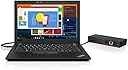
⚡ Power your productivity with the Lenovo ThinkPad USB-C Dock Gen2!
The Lenovo ThinkPad USB-C Dock Gen2 is a compact, high-performance docking station designed for ThinkPad users. Featuring 5 USB ports, DisplayPort and HDMI outputs, and 90W power delivery, it enables seamless multi-device connectivity and charging. Its sleek design and plug-and-play setup make it an essential accessory for professionals seeking to elevate their workspace efficiency.
| ASIN | B07R68XHZ9 |
| Brand | Lenovo |
| Brand Name | Lenovo |
| Colour | Black/White |
| Compatible Devices | thinkpad |
| Compatible devices | thinkpad |
| Customer Reviews | 4.3 out of 5 stars 1,423 Reviews |
| Global Trade Identification Number | 00193124916439 |
| Hardware Interface | DisplayPort, Ethernet, HDMI, USB, USB 2.0, USB Docking Station |
| Hardware interface | DisplayPort, Ethernet, HDMI, USB, USB 2.0, USB Docking Station |
| Item Dimensions L x W x H | 21.1L x 7.5W x 15.8H centimetres |
| Item Weight | 1 Pounds |
| Manufacturer | Lenovo |
| Manufacturer Part Number | 40AS0090US |
| Model Number | 40AS0090US |
| Number of Items | 1 |
| Number of Ports | 2 |
| Product dimensions | 21.1L x 7.5W x 15.8H centimetres |
| Total HDMI Port | 1 |
| Total USB Ports | 5 |
| Total USB ports | 5 |
| UPC | 656942444817 193124916439 |
| Unit Count | 1.0 count |
| Wattage | 90 watts |
A**R
Expensive for not working
Not working properly. The display port malfunctioned without any use
G**Z
Un producto simple y elegante
Me gusto lo simple de su uso y su rendimiento.
P**T
Top Dockingstation
Sieht aus wie neu und funktioniert einwandfrei.
L**Y
Reliable Docking Station
I bought the stocking station as a hub for my daughter’s Lenovo laptop set up, which includes a monitor and many peripherals. It has been very reliable and has shown to be very simple to set up and use. I highly recommend this unit for those setting up computer workstation at home for study or work.
D**1
Right Out Of The Box
I’m no tech wizard or computer wiz. I have a simple ThinkPad T16 that I use for my “home” computer and laptop when I travel. I’ve used ThinkPads for years, many years, and I’ve lived those years with cords and connectors scattered and strewn all over, behind, and under my desk. I’ve used a hub from time to time for a couple of simple things like extending to another monitor. I’ve stayed away from a dock because I was nervous about them, didn’t really understand. Stumbled onto a couple of YouTube videos and decided I’ve had enough of the cord chaos. I figured I’ve had ThinkPads forever so I’d take the plunge with this Lenovo ThinkPad Dock. Got it, opened it up, put it on the desk and started plugging in: Keyboard, Mouse, Webcam, Conference Speaker, 2 Monitors and wired my internet in by Ethernet. Plugged in the power, plugged ONE USB-C Cable into my laptop, turned on the power… and it worked. Seamlessly. Effortlessly. No catch, no problem, it just worked. How often does THAT happen??? One adjustment, the only adjustment was identifying my monitors and extending them in the order I want. That’s it. If you’ve been intimidated by technology or stalling and living with cable chaos - stop it (unless, of course, you just like it). This is the simplest solution I’ve ever seen. Flawless out of the box, even for a non-tech guy. It just works.
Trustpilot
1 month ago
5 days ago