๐ฅ Elevate your living room with LG CX: where cinematic magic meets pro-level gaming ๐ฌ๐ฎ
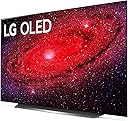
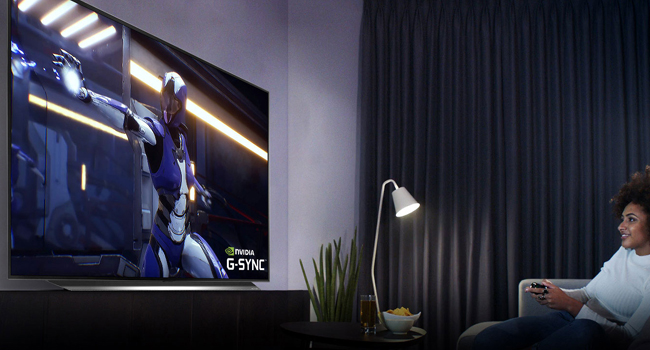
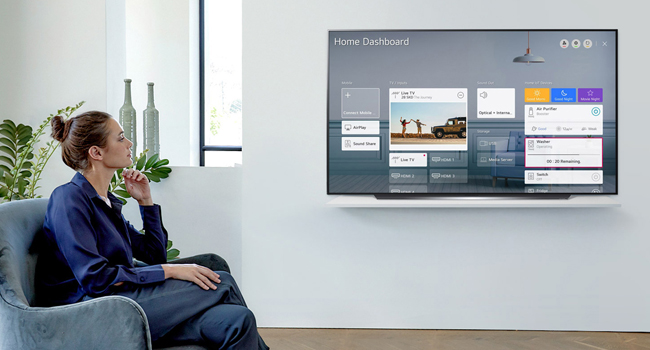
The LG OLED CX Series 65โ Smart TV combines a stunning 4K OLED display with perfect blacks and over a billion colors, powered by the ฮฑ9 Gen 3 AI Processor for superior picture and sound. Featuring a 120Hz refresh rate and advanced gaming technologies like NVIDIA G-SYNC and FreeSync, it delivers ultra-smooth visuals and low latency. With built-in Alexa, Magic Remote voice/motion control, and WiSA-ready wireless audio support, this TV is designed for immersive entertainment and seamless smart home integration.


| ASIN | B0817H41YN |
| Antenna Location | Home Viewing |
| Aspect Ratio | 16:9 |
| Audio Input | HDMI, Optical |
| Audio Output Mode | Digital |
| Best Sellers Rank | #514,277 in Electronics ( See Top 100 in Electronics ) #222 in OLED TVs |
| Brand | LG |
| Built-In Media | Power Cable, Remote Control, Stand |
| Color | 65\ |
| Compatible Devices | Laptops, Smart Speaker, Smart Watch, Tablets, Television, Car Audio Systems, Gaming Consoles, Cellphones |
| Connectivity Technology | Bluetooth, Ethernet, HDMI, USB, Wireless |
| Connector Type | HDMI, USB |
| Control Method | Voice |
| Controller Type | amazon_alexa, vera |
| Customer Reviews | 4.7 out of 5 stars 4,932 Reviews |
| Display Backlight Technology | Self-Luminous |
| Display Refresh Rate in Hertz | 120 |
| Display Size Class | 65 Inches |
| Display Technology | OLED |
| HDR Format Supported | HDR10, Dolby Vision, HLG |
| Hardware Interface | Bluetooth 5, Composite Video, HDMI, Radio Frequency, USB 2.0 |
| Included Components | Power Cable, Remote Control, Stand |
| Integrated Surround Sound Format | QAM |
| Internet Applications | Google TV, Hulu, Netflix, Prime Video, Vudu |
| Item Dimensions D x W x H | 9.9"D x 57"W x 33.9"H |
| Item Type Name | Television |
| Item Weight | 71.9 Pounds |
| Line Voltage | 110 VAC 60 Hz |
| Manufacturer | LG |
| Mfr Part Number | OLED65CXPUA |
| Model Name | CXPUA |
| Model Number | OLED65CXPUA |
| Model Series | C-series |
| Model Year | 2020 |
| Motion Enhancement Technology | OLED Motion Pro |
| Mounting Type | Wall Mount |
| Number of Audio Channels | 2.2 |
| Number of Batteries | 2 AAA batteries required. |
| Number of Component Outputs | 4 |
| Operating System | LG ThinQ AI, WebOS |
| Parental Control Technology | Built-in device controls |
| Picture Quality Enhancement Technology | AI Picture Pro, Dolby Vision IQ, HDR Dynamic Tone Mapping Pro, Cinema HDR, AI 4K Upscaler |
| Power Consumption | 0.49 Watts |
| Refresh Rate | 120 Hz |
| Remote Required Battery Quantity | 2 |
| Remote Required Battery Size | AAA |
| Resolution | 4K |
| Response Time | 1 Milliseconds |
| Screen Finish | flat |
| Screen Mirroring Technology | Apple AirPlay |
| Screen Size | 65 Inches |
| Signal Format | ATSC, Clear QAM, HDMI, USB |
| Size | 65 Inch |
| Speaker Description | 2.2 Channel speaker system with 40W (20W Woofer) output power and AC 120V, 50/60Hz power supply. |
| Speaker Maximum Output Power | 20 Watts |
| Specific Uses For Product | [TENTATIVE] Home viewing, gaming, sports, art appreciation |
| Total Audio Out Ports | 2 |
| Total Number of HDMI Ports | 4 |
| Total USB 2.0 Ports | 3 |
| Total Usb Ports | 3 |
| Tuner Type | ATSC |
| UPC | 719192637092 |
| VESA Mount Standard | 300 x 200 mm |
| Video Encoding | H.264, H.265 (HEVC), VP9, AV1 |
| Warranty Description | 1 Year Parts & Labor |
| Warranty Type | full warranty |
| Wattage | 20 watts |
| Wireless Technology | Bluetooth, Wi-Fi |
V**L
Amazing Image Quality and Easy Setup after watching the Amazon Video on Unboxing
This is my first 65" TV and I have been enjoying it for almost a week now. I am delighted by the outstanding, or should I say amazing image quality of the OLED display. The black levels are truly great, contrast is perfect and the brightness is very, very good. Overall the image is extremely balanced offering an enchanting experience. To my surprise I did not have to play with any of its multiple video modes or tune any image in any way. In fact I am using the standard video setup, the one it came with out of the box, with the AI enabled and that's it, end of story!! I watch tennis, movies, news programs, name it... and they all look amazing!! Why mess around with perfection? I use this TV mostly as a display with wireless headphones, hooked up to an Xfinity X1 cable box. The cable box is connected to WiFi and brings in all the apps and various video services, like Netflix, Amazon Prime and such. I did not even connect the TV to the internet and I skipped the respective setup. As such, after selecting the right video input from the input button on the "Magic Remote" provided by LG with the TV, and after pairing my TV with the X1 box remote control, I was in business. I did not have to change anything!! That's real Magic!! The unboxing was made much easier by the "Unboxing Video" for this TV on the respective Amazon web page for the LG CX TV. Great video indeed, much better than anything I got from LG to tell you the truth!! I understand that my setup is minimal for this kind of TV, but this is what I need right now and I am glad that I could cut through the clutter of many features and setups and options and get exactly what I needed. I would note that the User Help on the TV itself is quite helpful and the mouse like feel of the "magic remote" is great. The cursor goes away by itself or if you use any arrow button. Not a problem at all!! (I am saying this related to some comments I saw on Amazon CX TV page, related to this. ) Having a standard Audio Out output was a big plus for me and this is what made me buy this model over previous models, as I was targeting buying an OLED TV for years!! Strange isn't it?? I know!! Overall, a very happy customer, though I would suggest LG to put the unboxing video on their CX TV support website!! This one is a keeper! Enjoy it every day!! Well, before the Tokyo Olympic Games I bought also a 77" CX and I like it even more.
J**R
Top tier picture and performance
This is the best quality TV you can buy right now for most applications, and while it's more expensive than most of its LED-lit competition, it's a steal compared to the 2021 models that basically have the same guts. If you're unfamiliar with the different technologies and wondering why OLED costs more, it's worth trying to see some OLED and LED/QLED TVs side by side. The difference is apparent in any scene with dim details or high contrast. OLED is individually lit pixels, which means you can have pure blacks right next to bright colors with no "bloom". This TV ticks every functionality box for 4k 120hz gaming on the latest consoles except for Dolby Vision @ 120hz, which *may* come in an update as of this review. It's fast, bright, and beautiful. The smart features work well, although I don't recommend using them due to data collection. There are some options to opt out of most of it, and this is not unique to LG TVs by any means - i'm not aware of one that does NOT track usage to serve ads and sell data to content partners - but it's enough to make me not use the apps on smart TVs. If you need them, though, this one has them all and they do seem to work well. Overall, if you're considering the CX over the current C1, I do not see any reason to pay the premium for the new set. This appears to be the same screen and chipset and is still the best TV for the money.
A**Y
Eye Candy
I had some beautiful TVs in my day Sony's, Panasonic TH-50PZ700 and now LG OLED65CXPUA. This is my first transition from PLASMA TV to OLED. The first thing I notice before opening the box was the weight. It took two of us with max effort to move my old plasma out the way. The OLED, well it was a walk through the park, two people for safety only because of the large rectangular shape of the TV. That brings me to the stunning incredibly thin appearance, it evokes conversation among my guest or amazement. Hold on, I'm going to get to the video and features performance of the TV shortly. The base stand for the TV is heavy, but does not stabilized the TV upper half. There is some room for it to sway from front to back or back to front. At first I was concern about it then I realized the TV wasn't going to fall over from occasional bumps. Now regarding the video performance, I'm still stunned. Out the box with just some simple setting changes and there was absolute picture clarity that I never witness before at home. The contrast was very edged and vivid coloration. I found my video Nirvana and hoped the audio could live up to it. There was distinct difference between the Sound modes, AI Sound Pro, Cinema and Clear Voice being my preferences. AI Sound Pro and Cinema gave you the widest sound stage, projecting images well beyond the sides of the TV. Vertical imaging not so much and bass was respectable for a TV of it's stature. Now there are things I'm not happy with and they involve the remote and Smart features. The remote is not very responsive to touch and there is no back lighting. The placement of the Scrolling wheel could have been placed further up on the remote so that it would be more symmetrical to the tip of the thumb. The menu and submenu options are simple to go through and there is a USER GUIDE options, so you don't have to go to the web searching for an instruction manual. I have a LG Sound Bar connected and the Auto Power Sync should control this device powering off and on in sync with the TV, but at time it didn't. I had to power cycle the TV on/off, then it synced on the second attempt. If you can get by being stunned over the clarity in imagery and allow yourself to immerse into the movie content, you'll find a very enjoyable experience. My final thoughts about this TV is the viewing experience is almost addictive.
C**.
Awesome TV!
I have been holding for 6 years or so to buy a new TV and now that the PS5 is out (and I was lucky enough to get one) I could not wait any longer. I did my research well and decided to buy this TV due mainly for its good reviews for picture quality, gaming features and future proofing. Man, I'm glad I did! This TV is awesome. Right out of the box the colors are amazing! Everything I throw at it, from regular cable channels to YouTube videos, video games, movies, you name it, everything looks great. I use this TV mostly at night in a dimly light room which is perfect for OLEDs and its very deep blacks and great contrast but even when I'm watching during the day with the lights coming through the windows this TV gets plenty bright. Watching content in 4K with HDR really makes those bright scenes pop, it's just amazing to watch. One thing that I was afraid of is screen burn-in but after several weeks using this TV I have come to appreciate all the features it has to prevent that, like screen savers that just pop up pretty quick after it detects a static image and the option to turn off the screen without actually turning off the TV (I find this specially handy when I just want to listen to some music on YouTube with static images), among other things. I'm glad I made this purchase and would greatly recommend this TV to anyone.
J**N
Started with banding line glitch, self corrected after one night.
When I first powered it up I noticed a greyish line down the entire right side of the screen. It appeared to be a defect and a massive disappointment, as it was all I could see, the flaw. Pixel refresh did not help, and I was ready to return the TV and give up on LG and my first OLED. Amazingly, the next day it was perfect, fixed itself. I did not expect that. Anyway, the picture quality is perfect and in either standard or cinema I didn't have to really change anything else for a perfect picture and color, and while the glitch was a bad start, it did fix itself on the first day - So if you have the same problem maybe give it a day or so before returning and giving up on it, as other people seem to have this issue now and then. The UI is also a little odd, but can be customized a great deal and works fine, and I am getting used to it. Beyond that, there was an annoying "no signal" message, but I only wanted to use the internet connection. I have not used a cable box since 2013, or an antenna since the 1980s, I just use apps and the internet. However, there is a nested option to shut off the no-signal message under additional options in general. So at this point, I plan to keep the TV for good and am totally satisfied. If something changes I will update this review. Just leaving this here as the banding issue really freaked me out over nothing as it self-corrected, and the "no signal" message was a pain to figure out how to remove, but the option is in there. Oh yes, there is an AI sound option (during set up), and that helps a lot with the built in sound, but I ordered a new 7.2 system (Klipsch at Costco) as I already have a setup like that for our projection system and I know it is solid. Now the TV sound is good enough for temporary sound, but likely not good enough for anyone picky enough to be buying this high-quality TV.
T**N
Amazing TV with amazing picture quality.
My pictures arenโt that great, so donโt let them decieve you. They definitely donโt come close to capturing this TVs awesome picture quality. My last tv was about 6 years old, and finally gave out(it was good run). And so I decided to gear more towards a top of the line tv. I was hesitant to get this tv at first, but it had a lot good reviews and Iโve never had an HD tv before. And I wanted something capable of running 4K games with the new consoles(which I donโt currently have atm). This tv is stunning to say the least. The picture is amazing, especially when playing something in 4K HDR. Has a lot of features, many of which I have yet to tinker with. Very user friendly and auto detects things like video games, HDR content, etc. the immediately tells you in the top right thatโs itโs adjusted the picture mode to whatever youโre watching. As others say, it is very thin. Thinner than my phone Iโd say. Which is incredible. Though it was very nerve racking to set up alone because of how thin it is. Iโd definitely recommend you set it up with another person, though I was able to do it alone, and it does seem sturdier than it looks. I also recommend going to YouTube, typing 4K videos, turn of the lights, and be blown away by its incredible picture. Iโm sure a sound bar would compliment it, but honestly I think the built in speakers sound great. A really good video to check out the picture is this video. https://youtu.be/1MieluM0c6c
A**D
Beautiful image but too dark (for me) using baseline picture modes with HDR content
Overall, this is a great TV, and Amazon delivery did a great job and delivered it in perfect condition (I've gotten two broken TVs from Amazon, but those were different delivery services). I'm still amazed that a 77" TV only weighs 60 pounds without the stand, and that made it a lot easier to lift to wall mount it. Speaking of wall mounting, the manual says to use M6 screws, but it doesn't mention the length. A 25mm (~1") length was just slightly too long, but it worked with washers. I won't repeat all of the characteristics of OLED TVs, as I'm guessing that you've read all about the inky blacks, great contrast, and wonderful off-axis viewing that they provide. Okay, I guess I kind of repeated them just now. :) This TV truly does have all of those. It is also true that OLED TVs aren't as bright as a good LCD TV, so they aren't necessarily the ideal choice for a bright room despite all of the other great attributes. I find the CX to be bright enough for most daytime viewing in my great room that has a large glass patio door, two large windows, and three openings to other rooms with windows. I'm still playing around with the picture settings, but the one thing that I wasn't expecting (didn't do enough research, I guess), is that HDR content can push black levels way too low especially using the default picture settings. Even at night when my room is dark, blacks can be too low. For example, in Captain Marvel (a movie that I've watched several times), some scenes are so dark that I can barely make out what is happening. I can barely see Samuel L. Jackson in a dark-ish room or hallway, for example, and I'm pretty sure (HDR or not) that we're supposed to be able to tell what actor is on the screen. One setting that I did find was "Black Level," and changing that did indeed help things out. This particular aspect is why I'm rating it at four rather than five stars. After using a plasma TV for years, I went to LCD because I wanted something larger, and they were much quieter than the plasma. I missed the black levels and off-axis uniformity, though, and this TV is far better than my plasma was. It's silent (as far as I've noticed), and it seems to get brighter than the plasma did. I did recently try out a Samsung Q90T, and I have to say that it has a beautiful picture with pretty great blacks. One thing that I didn't like is that the backlights would slowly dim sometimes, like when there was white text on a black background, and there would be a noticeable light region where the text was for about a second after the text disappeared. If you're concerned with burn in on OLED, I'd say check out the Q90T. I've had horrible experiences with Samsung customer service and don't usually recommend anything from them, but that's one nice TV. In terms of performing in a bright room, the Q90T is going to be better than the CX. However, the CX is better in terms of black levels, off-axis viewing, and (IMO) looks and build quality.
B**F
Worth the money
I purchased this TV about a week ago and have been very pleased. This is my second OLED TV and this one is by far better than the Vizio. The picture quality is by far the best I've ever seen and when the screen goes black there is no bleed through due to the back-lighting like my Samsung led had. If you're on the fence about this TV I would say go for it. I've often been a fan of Samsung and it seems like the LG is definitely much nicer. (For comparison, I bought that Samsung a little over 5 years ago for slightly more than I paid for this TV). I think my only gripe is how the TV mounts to the wall. Since the main bulk of the hardware is on the bottom portion of the TV, the wall mount bolts much lower than my Samsung did so my TV had to be mounted a bit higher than I would like. I would doubt most people won't have an issue with this, but my living room only has one wall that I can mount a TV to. And on top of that I couldn't lower my wall mount to account for this because of water pipes and plumbing that were in the way. Like I said, for most people this may not be an issue but my wonky living room made it difficult but just keep in mind the mounting lugs are really low on the TV. I can't say much about the smart features for this TV since I just use a Firestick to stream all of my stuff. It seems like the built in Apps are ok, but I often find that using an external device is easier and works better. The TV easily connected to my Firestick and I can use that remote to run everything I need. I also connected my Sonos playbar through the TV and have had no issues with that as well.
J**.
CX 77"
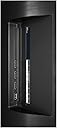
I have had CX 77 inch for about 2 weeks now. My main use for this TV is connecting with PC for occasional movies and gaming. I have not hooked up to AV receiver so I use the internal TV speakers for sound. For physical appearance and build quality, this TV gets top score. Minimalistic design with a solid rigid metal plate covering the rear side of the panel speak volumes in a quality department. Picture quality is top notch. Very good colour right out of box. You will get some unevenness with screen uniformity (google it if you don't know what it is) but mine is relatively clean to my eyes and certainly not a problem watching a normal content. WebOS is joy to use and swiching tv apps to hdmi inputs and vice versa is easy and seamless. Apps load and function pretty snappy. Sound from this tv is pretty good. In my opinion, it should meet average listeners need but if you are demanding audiophile or have a concert hall, you might want to use dedicated HT system Some cons. Stand. Although it does the job, but the tv wobbles when you touch it. But it is there for viewing not touching. This can be pro for some, but it has very complicated picture control. If you want to calibrate this tv to fine tune a picture accuracy then you need to hire a professional calibrator to do the job. Or buy tools and DIY. Reflection is real but it will be only problem if cannot stand it or your space has many light sources. In my living space where it has large windows, doesn't bother me too much. Burn in. I guess burn in can happen, but the tv comes with some excellent tools to combat this risks. I have not noticed any IR or burnins with my set so far, but I don't worry about it. I tend to baby things at beginning but TV is meant to be used and after few years I won't care about it anyways
S**L
GOOD QUALITY WORTH THE MONEY
This tv takes my breath away. This is my first OLED TV and I am in love. Its everything I wanted when it comes to watching tv shows or movies. To get that life like image and for it to be more realistic set it on smooth for truemotion you would be mind blown. I literally watch The Shallows and it is just in HD and this tv shows the video super crystal clear even when the scene is under water just wow. I highly recommend to go on YouTube and look up settings for Dolby Version and HDR but remember to actually watch a Dolby Version content to set up Dolby Version settings etc. I notice a huge difference in game mode and it's awesome. Super bright than my old RCA 4K tv which isn't close to the movies or shows being realistic. I would highly recommend this tv to a friend or anyone. And oh btw the volume for this tv is insane when you turn on Dolby Atmos at volume 12 is loud. I'm very impressed with this tv I already have a LG phone so to have a LG Tv is a bonus. You won't be disappointed. And I rarely write reviews that's to tell you how much I had to give my input on how much I love this tv. Queen LG CX. An Update: My tv is still doing great. No Burn in whatsoever. What I love about this tv also is the pixel refreshes when your not using the tv and its turned off. Another update: My tv is still in excellent working condition as of August 4th 2023. Brought tv in 2021.
T**N
The best TV I've ever had in my life
I've always been hesitant to purchase an OLED TV due to burn in issues, but this TV is too good to pass up for that. Picture quality is soooo good with blacks being pure black on OLED, and HDR contents finally look the way they are supposed to be. Dolby Vision makes it just unbelievably gorgeous to look at the scenes from the shows that support it. Sound quality is also pretty good, but I live in a studio about 7~8 feet away from the TV so take that into consideration. I don't have complaints about its bass or treble with its speakers as I'm not an audiophile with gold cables connected to speakers. Using the apps with WebOS is also straight forward and no manual is needed to install or uninstall them. Overall, this TV will leave anyone satisfied with it as long as you don't let it burn in by watching content with static images on the screen for too long. (news channels with logos or bars, sports games with scoreboards, youtube 10 hours of music with static image)
A**O
High picture quality, but also high price
Maybe my expectations were too high, but this TV did not wow me. For something that costs nearly twice as much as a standard LED, it's definitely not twice as good. Still, it's a very good TV and I'm satisfied with it.
S**R
Absolutely Brilliant TV
Using it as a monitor for my PC. I was a bit apprehensive about getting something this big as a monitor but after a few weeks - it becomes normal (having a height adjustable desk does help) and an unbeatable experience. Cannot go back. Picture quality - cannot be beaten - true black and vivid colors. Makes my SONY LED 75" 900H TV look like its a piece of crap. As far as burn in goes - LG has some built in features like logo shift etc. that sort of minimize the risk of getting burn in. Honestly - for most people it won't be an issue (see YouTube videos for more information)
Trustpilot
2 months ago
3 weeks ago