

Desertcart purchases this item on your behalf and handles shipping, customs, and support to Austria.
✨ Stick with the best — labels that shine and perform! 🖨️
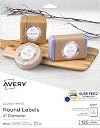
Avery® Printable Round Labels (2" diameter, 120 count) feature a glossy white finish that enhances color vibrancy, patented Sure Feed technology for jam-free printing, and an Easy Peel design for quick application. Compatible with laser and inkjet printers, these permanent adhesive labels provide reliable, professional-quality results for branding, mailing, and organizational needs.

| ASIN | B005IMAKYG |
| Best Sellers Rank | #756 in Office Products ( See Top 100 in Office Products ) #13 in Laser & Inkjet Printer Labels |
| Brand | Avery |
| Brand Name | Avery |
| Color | White |
| Customer Reviews | 4.8 out of 5 stars 10,090 Reviews |
| Finish Type | Glossy |
| Global Trade Identification Number | 00072782228071 |
| Included Components | Glossy White Print-to-the-Edge, 120/PK |
| Ink Color | White |
| Item Shape | Round |
| Item Type Name | Label |
| Item Weight | 16 ounces |
| Line Size | 1 inch |
| Manufacturer | Avery |
| Manufacturer Part Number | 22807 |
| Material | Paper |
| Material Type | Paper |
| Model Number | 22807 |
| Number of Items | 120 |
| Number of Labels | 120 |
| Number of Packs | 1 |
| Pattern | Solid |
| Shape | Round |
| Size | 2" |
| Style | 120 |
| UPC | 072782228071 |
| Unit Count | 120 Count |
| Warranty Description | No |
M**S
Templates Are Reasonably Easy To Use. Labels Look Professional.
I bought Avery Print-to-the-Edge Round Labels (22830) to use on widemouth canning jars. These 2.5" labels fit Kerr and Ball widemouth lids. They are a glossy white label. When printed, colors are vibrant, and the ink dries fast. I've been very pleased with them. You can find pre-designed templates for Microsoft Word on Avery's web site. There are about 75 designs available for the 2.5" round labels. None seem to be designed with canning in mind, however, so I created my own. There are some generic designs that could be used for canning. If you type the label number (22830) into Avery's search, you will get incomplete results. You will get better results if you click the Templates tab at the top of the web page and navigate to Templates > Labels > Round Labels > 2 ½" diameter. There are still designs missing from that list, some of which I found using Google. To design and print the labels, you can use Avery Design & Print Online with an Avery account, or you can download templates to use on your computer. The pre-designed downloadable templates are all for Microsoft Word. Avery offers plain templates that you can use with your own designs for Microsoft Word, Apple Pages, Adobe Illustrator, Adobe InDesign, and Adobe Photoshop. I used the plain template for Apple Pages, as it is easy to work with images in Pages, and I designed my labels in Photoshop. The instructions that Avery offers for templates are to download and make any edits you want on that document, save the document, do a test print, then print your labels. But you can save the downloaded document as a template before you add or change anything, so you will have it for future use in the editing application of your choice. Once your labels look the way you want them, do a test print on paper. You can check the colors, centering, etc. and get an idea of whether the print will align correctly with the sheet of labels. I had one small problem with alignment, but it wasn't the fault of the template. The bottom row of labels was slightly off-center on one sheet, because the sheet did not feed into the printer precisely straight. I'm not sure if I can avoid this consistently, but try to make sure your sheet is completely straight in the printer tray. I could not print these with more than one sheet in the printer tray. My printer would always grab a stack. I ended up putting the sheets in one at a time, which worked fine. I wish I could figure out how to use some of the MS Word templates in Photoshop and Pages, but the frustrations with using my own designs with the Pages template were very few.
C**A
Highly Recommended
These are great for all types of projects. I love how easy Avery makes it to design and then print at home. So many choices on size, shape, and finish. Plus, you can't beat the price on Amazon vs our local stores. These were perfect for my Teacher Appreciation Week project, canning, and so much more!!
J**A
This is not a BOX of labels
Buyer beware........The quantity is the amount of all sheets combined, not the number of sheets. The quality is great, but I expected to receive a box of labels, not six sheets.
G**N
Price is fair!
Great product fast service cheaper than Walmart!
A**S
Perfect product
Works great, just as expected. Another reliable Avery product. I used an HP OfficeJet 8015e to print on these sticker labels at home with the Avery template from online. Easy.
J**O
Perfect!
These were perfect for our party favors. It was easy to use with our printer. I didn't use anything complicated on them, so it was easy to print.
R**E
Professional Look - Easy to Use
I bought these labels to use in a DIY spice rack project, therefore the name on each label would need to be different. From reading other reviews I was a bit concerned that Avery's online templates might be difficult to figure out. However it appears they may have corrected the old issues, as I found them fairly easy to use. You will find the URL for Avery's online template on the label package. Once you chose the product and the template you want, you then proceed to the customization tab. From there choose "Edit One". This will allow you to work one the text for one label at a time. (See photo). If you are looking for the label to be precisely centered, you might need to work a little to get the design perfect. My design was more forgiving, so I didn't take the extra time to adjust. However the design was was very slightly off-center. For me this wasn't a problem, but I have included a picture to show the degree of adjustment that would be required. As for the labels themselves, they are easy to use, high quality and have a good weight to them. Generally they are perforated well and are easy to remove from the backing. However a couple were a little more difficult and I ending up tearing a corner. To remedy this, I found that if I worked the edges up from the back of the label, by moving my fingers across the backing, the label would begin to lift free from the backing. Then I would be able to see if there were any areas that required special care. I am very happy with my finished project as I added the labels to metal tins, which I am using as spice containers. I then put these on magnetic sheets that I applied to the inner door of my pantry. Great space saving spice rack!
J**A
Love them!
I absolutely love these Avery labels! They print perfectly straight from the Avery online design website — no hassle, no wasted sheets. The templates are super easy to use, and the print quality comes out crisp and professional every single time. I use these for candles and car diffuser labels. Highly recommend if you want reliable, easy-to-use labels that work exactly like they should!
P**I
ot matching with Avery
Not matching with the Avwry layout after printing, tried many times, totally waste my papers time and money. Quality and all are good.
J**E
Excelente
Si tienes algún emprendimiento el cual necesite de etiquetas redondas es una excelente opción , el precio es un poco elevado, pero cumplen su función
A**N
Great purchase
Great labels Love you can use these at home on the avery website and design and print your own
M**H
Great, dope
So i like how this company does this sticker and stuff. It is well made but the issue is that maybe you could add up till a 1000 labels overall instead of 600? And maybe tell Microsoft word to actually put your model number correctly with the shapes given correctly. But other than that, it is more then what you asked for which is awesome.
M**S
Absolutely the most beautiful texture for labels!
We ordered these scalloped labels for thank you wording for boxed cupcakes as thank you gifts for my daughter’s bridal shower. My friend designed the name tags and box labels using the Avery website. We had to log into .com vs .ca to use this template. The texture is a slight shimmer satin feel. The printed out gorgeously! Highly recommend!
Trustpilot
1 month ago
1 day ago