Buy anything from 5,000+ international stores. One checkout price. No surprise fees. Join 2M+ shoppers on Desertcart.
Desertcart purchases this item on your behalf and handles shipping, customs, and support to Austria.
๐ Carry Speed, Security & Durability Wherever You Go
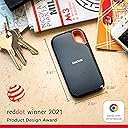
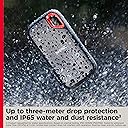
The SanDisk 1TB Extreme Portable SSD delivers professional-grade NVMe performance with up to 1050MB/s read and 1000MB/s write speeds in a compact, rugged design. Engineered for active professionals, it features IP65 water and dust resistance, 3-meter drop protection, and 256-bit AES hardware encryption to safeguard your data. With a handy carabiner loop and smart file management app, itโs the ultimate fast, secure, and durable storage solution for creatives and managers on the move.


| Additional Features | Water-resistant,dust-resistant,Portable |
| Asin | B08GTYFC37 |
| Best Sellers Rank | #1 in External Solid State Drives |
| Brand | Sandisk |
| Built In Media | 1 x SanDisk Extreme Portable SSD |
| Cache Memory Installed Size | 1 |
| Color | Black |
| Compatible Devices | Desktop, Laptop, Tablet |
| Connectivity Technology | USB |
| Customer Package Type | Standard Packaging |
| Customer Reviews | 4.6 4.6 out of 5 stars (90,163) 4.6 out of 5 stars |
| Data Transfer Rate | 1050 Megabytes Per Second |
| Digital Storage Capacity | 1 TB |
| Enclosure Material | Information Not Available |
| Form Factor | Portable |
| Global Trade Identification Number | 00619659182557 |
| Hard Disk Description | Solid State Drive |
| Hard Disk Form Factor | 4 Inches |
| Hard Disk Interface | USB 3.0 |
| Hard Drive Size | 1 TB |
| Hardware Connectivity | USB Type C |
| Hardware Platform | Mac |
| Item Dimensions L X W X Thickness | 5"L x 2"W x 5"Th |
| Item Type Name | External SSD |
| Item Weight | 0.11 Pounds |
| Manufacturer | Sandisk Technologies, Inc. |
| Media Speed | 1000 megabits_per_second |
| Mfr Part Number | SDSSDE61-1T00-G25 |
| Model Name | SanDisk Extreme Portable SSD |
| Model Number | SDSSDE61-1T00-G25 |
| Number Of Items | 1 |
| Read Speed | 1050 Megabytes Per Second |
| Specific Uses For Product | business, personal |
| Unit Count | 1.0 Count |
| Upc | 619659182557 619659212148 |
| Warranty Description | 5-year limited manufacturer warranty |
User
Fast, reliable, and perfect for backing up photos and video
Iโve been using the SanDisk Extreme Portable SSD (1TB) to back up photos and video, and itโs been one of the most useful pieces of gear in my kit. Transfer speeds are genuinely fast, so moving large batches of RAW files or video clips takes minutes instead of forever. Drives in this line are rated around 1000โ1050 MB/s read and ~1000 MB/s write, which makes a noticeable difference when working on tight timelines. ๏ฟผThe size and build are a big plus. Itโs small enough to keep in a pocket or camera bag, and the rubberized shell feels rugged. These drives are designed with water and dust resistance and drop protection, which gives some peace of mind when traveling or shooting outdoors. ๏ฟผSetup is simple with USB-C, and the included cable and adapter make it easy to use with both newer laptops and older USB-A ports. Iโve used it for everything from field backups to editing directly off the drive, and itโs been consistently reliable.If thereโs one small downside, itโs that like most compact SSDs, it can get slightly warm during long transfers, but nothing concerning.Overall, itโs a great portable SSD, especially for photographers, videographers, or anyone who moves large files regularly. Fast, durable, and easy to carry, which is exactly what you want in a travel drive.
User
This is working VERY WELL for me after a year
After a year or so of continual use, this portable SSD drive is working wonderfully still. I love how portable it is. I purchased a padded travel case for mine, and it's been safe in travel. I have read that newer models of this product sometimes have mixed reviews; but I have nothing but GOOD THINGS to say about this older model!! Wonderful and it is fast so that I never notice slowness. Mine worked with my Windows computer right out of the box, it didn't require any special setup. The storage capacity was indeed 2 TB (Terabytes). It's a GREAT BACKUP DRIVE!! It was also easily compatible with my Windows laptop. Very nice product, would buy again!
User
Small, Compact, Fast
This is a great Portable SSD! It was even smaller than expected in person which makes it easy to keep stored. The transfer speeds are great and this is a must have for backing up important files!
User
A Solid Option
This seems to work pretty well. I don't have much to compare it to, since my last external drive was a disk drive, but it transfers data relatively fast and I like the password protection feature that comes with it. I haven't tested the limits of the storage, but I have used it right after it was in the cold (about 15ยฐF) and it worked well. It's also a nice compact size, but not so small that it can get lost easy. Overall, I think this is a solid option for external storage. I bought a case for it separately, and it gives me some additional peace of mind that it won't be damaged, so I would recommend buyers do that, too. Is it worth the price? So far, so good. I'll definitively say yes if it's still working well in eight years or so (that's how long my old external disk drive is and it still functions well).
User
Great small hard drive easy to travel with
This hard drive is super small and compact making it very easy to travel with. It is easy to use and can store a lot of high resolution video.
User
Would have been 5 stars if it could keep high sustained write speeds when it's partly filled
This SSD uses TLC NAND memory, which is a good feature. However, it seems it lacks an internal DRAM cache, which is not very good. I'm not 100% sure tbh about the absence of the DRAM cache, it's difficult to find detailed specs for this drive, but from what I googled, it seems it doesn't have a DRAM cache.The main issue for meโand the reason I deducted one starโis that once the drive is partially filled, the write speed for large files drops to approximately 438 MB/s.When the disk is empty, CrystalDiskMark reports sequential read and write speeds of around 1 GB/s. However, CrystalDiskMark is not a good test for real-world performance, at all (Iโll explain this in more detail below). In actual use, writing large files to an empty disk achieves speeds of about 736 MB/s. As mentioned earlier, the write speed decreases noticeably as the drive fills up. While this behavior is somewhat normal for SSDs, the speed drop can be much less pronounced in more expensive or higher-quality SSDs.That said, reading large files remains consistently fast with this drive, maintaining speeds of around 1 GB/s regardless of how full the disk is.Recently, I realized I didnโt know as much about SSDs as I thought and had been relying too heavily on CrystalDiskMark for testing. Since then, Iโve educated myself on SSDs, learned how to test them properly, and even acquired several different SSDs for testing and experimentation.If youโre interested in learning more about SSDs and proper testing methods, feel free to read on.A lot of people use CrystalDiskMark for testing storage speed. You should know that using CrystalDiskMark is not a good way to test speed. It's a pretty limited test. It can't emulate the real-life use case of copying large files. Even if you choose 64 Gbyte test file size, CrystalDiskMark will simply create a 64Gb test file, but then it will only write or read a small part of that file.So if you want to copy large files with high speed, you need to test it by... no surprise here... by copying large files. Although I think it can be a surprize for a lot of people who rely on CrystalDiskMark. Make sure you will copy from another very fast SSDs, so that the read performance of that other SSD will not be the real bottle neck. I used my fastest internally isntalled NVME SSD to copy large files from (TLC NAND memory, SLC cache, DRAM cache, up to 7 Gbyte/s read & write speeds).Storage drives have different kinds of caches. SSD drives can have an SLC cache (SLC = Single-Level Cell, the fastest and most expensive type of NAND memory) and/or a DRAM cache (for example, an SSD can have 1Gb DDR4 internal cache).Consumer SSDs usually use QLC (Quad-level cell, stores 4 bits per cell, one of the slowest and less reliable types on NAND memory. Used in cheaper SSDs) or TLC (Triple-level cell, stores 3 bits per cell, faster and more reliable than QLC. Used in more expensive SSDs). You can see how an SLC & DRAM caches come into play, for example, here: https://www.techpowerup.com/review/silicon-power-xs70-1-tb/6.htmlMore expensive SSDs also have an internal DRAM cache, which is used before the SLC cache (if present) is used. In 2024-2025 DRAM cache usually uses DDR4 memory. DDR4 cache is a few times faster than TLC for sequential reads & writes and has about a 1000x lower latency than TLC (nanoseconds vs microseconds).So when choosing an SSD, if you want high sustained write-speeds, you need to make sure the drive has the following characteristics (which often can be found in the SSD database on this website: https://www.techpowerup.com/ssd-specs/silicon-power-xs70-1-tb.d707 ):1) TLC type of NAND memory (faster than QLC)2) SLC Cache and the larger, the better (good drives nowadays have 100+ Gbytes of an SLC cache). You can see how an SLC & DRAM caches come into play, for example, here: https://www.techpowerup.com/review/silicon-power-xs70-1-tb/6.html3) DRAM Cache and the larger, the better (1Gb+ DRAM cache is a good size)I'm sorry for this long text, I just hope I can help some people to understand SSDs and how to test them better and make better choices when buying SSDs and SSD adapters.
User
Reliable, Easy to install and use, Quiet, Good Value for your money
An admitted computer geek, I have 14 external Solid State Drives ranging in capacity from 1 TB to 8 TB, with speeds of 1k and 2k. Most capacities are 4 TB. Iโve found this specific Sandisk model (in any size and speed specification) to be the fastest and most reliable for my Dell XPS laptop with Thunderbolt 3 compared to competing products with similar specifications, (with the one exception being the Samsung T9, which is a fine unit with roughly the same performance as a Sandisk. I have two Samsung T9s. Do NOT confuse it with the T7, which provides significantly inferior performance.) The Sandisk units are quiet, easy to install, and may get warm with heavy use, but never hot if sufficiently ventilated.I confess I like the faster speeds of the 2k units over the 1k, but the maximum usable speed difference with my equipment is an increase of about 40% when transferring data between two drives with 2k speeds plugged into their own Thunderbolt 3 ports. I donโt achieve twice the speed. Unless Iโm backing up several TBs of data, the speed difference is not significant in my productivity. If purchasing a 4TB SSD Iโd still purchase the 2k speed due to the minimal price difference. When the 8TB drives become reasonably priced at 2k Iโll likely buy one or two. For now, however, Iโm surprisingly satisfied with the speed of my two 1K 8TB drives. Over the last few months, the price has dropped by 40%-50%, so I took the plunge and was delighted with the performance.Plugging fewer units into my computer (or docking station) helps avoid a variety of issues and allows the computer to run a little faster overall. The 8TB 1k drives are, in my actual use, about 25% faster than the 2TB or 4TB 1K drives. I have only guesses, but no confirmed explanations that clarify the reason for the increased usable speed of the 8TB drives over the 2TB or 4TB 1k drives.I reformat my drives to NTFS, which I think is superior to EXFAT if used exclusively on a Windows computer. I have tried both formats and have not noticed a difference in read or write speeds. My preference for the NTFS is the extra information and other things that can be done with files in that format.The price of Solid State Drives tends to move frequently, and often for only a day or two at a time โ and sometimes for only a few hours. I keep the drives and other items that interest me in my โSave for Laterโ section with Amazon. If youโre unfamiliar with that, you can easily get there by going to your CART (even if itโs empty) and selecting โSaved for laterโ just below the cart. I check the items Iโm interested in purchasing daily and nearly always find a time (or an event) where the price is notably discounted. However, I offer one piece of advice if you embrace this form of price monitoring: when the item reaches a price point youโve pre-determined is acceptable, BUY IT without delay. Waiting a day (or sometimes even hours) can result in the price returning to its pre-sale level.
User
Rugged, Compact, and Incredibly Fast External SSD
I picked up the SanDisk 2TB Extreme Portable SSD as an upgrade from my older external hard drives, and itโs easily one of the best storage devices Iโve used. The speed difference alone makes it worth itโtransfers that used to take minutes on my traditional hard drives now finish in seconds. Large files, videos, photos, and backups move incredibly fast with no lag or stuttering.The size is another huge win. Itโs unbelievably compactโsmaller than most phones and light enough to clip onto a backpack or keep in a pocket without even noticing itโs there. Despite the small size, it feels durable and solid, with a rugged rubberized exterior that helps protect it from drops and everyday wear.Compared to traditional hard drives, thereโs no spinning disk, no noise, and no worrying about bumps causing damage. It stays cool during most normal use and has been extremely reliable so far. I use it for work files, media storage, and backups, and it has handled everything without a single issue.A few small caveats worth mentioning:โข It can get a little warm during long or heavy file transfers (not dangerously hot, just warm to the touch).โข To get the full advertised speed, you need a USB-C port that supports USB 3.1/3.2 Gen 2. On older ports, it will still work fine but will be slower.โข Like most SSDs, itโs pricier than traditional external hard drives, but the speed and portability make the difference worth it.โข The included cable is on the shorter side, so you might want a longer one depending on your setup.Overall, this SanDisk Extreme SSD is a huge step up from regular external drivesโfaster, smaller, tougher, and much more convenient. If you need a dependable portable drive with great performance, this one is absolutely worth it.
User
่ปฝ้ใงๅคงๅฎน้ใฎไฟๅญใๅฏ่ฝใงใ
่ปฝ้ใงไฟๅญๅฎน้ใๅคงใใใ้ๅฎใใฆใใพใใiPadใจๆฅ็ถใใฆไฝฟ็จใใฆใใพใใใๅๅฟใๆฉใใใใๆฐใซๅ ฅใใงใใ
User
Zeker een aanrader
Heel goed
User
Scan Disk SSD 1TB
Very cool delivery, on time, very happy with the SSD drive, it is a little more expensive than the usual one, but since my previous hard drive failed and I lost all my data irrevocably, it is better to get a reliable drive, although the price is higher for the sake of reliability and quality.
User
Great
Great otem
User
SSD Portatile 8 Gb
Va che รจ una scheggia questo SSD portatile 8 tera
Trustpilot
1 week ago
2 months ago