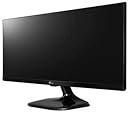
🚀 Elevate your screen game with LG’s UltraWide powerhouse!
The LG 25UM58 is a 25-inch UltraWide 21:9 IPS monitor featuring a sharp 2560x1080 resolution, over 99% sRGB color accuracy, and a fast 5ms response time. Designed for professionals and gamers alike, it offers advanced multitasking with Screen Split 2.0 and Game Mode, all in a sleek, space-saving form factor that supports wall mounting.


| ASIN | B01BV1XB2K |
| Adaptive Sync | FreeSync |
| Additional Features | Ultrawide Screen, Wall Mountable |
| Aspect Ratio | 21:9 |
| Best Sellers Rank | #101,732 in Electronics ( See Top 100 in Electronics ) #2,340 in Computer Monitors |
| Brand | LG |
| Brightness | 250 cd/m² |
| Built-In Media | base, cd, esg, hdmi cable, manual, monitor, power cord |
| Cable Length | 100.79 Inches |
| Color | Black |
| Color Gamut | 99 |
| Compatible Devices | HDMI-compatible devices |
| Connectivity Technology | HDMI |
| Contrast Ratio | Mega |
| Customer Reviews | 4.5 out of 5 stars 5,246 Reviews |
| Display Resolution Maximum | 2560 x 1080 Pixels |
| Display Technology | LED |
| Display Type | LED |
| Global Trade Identification Number | 00719192199156, 08806087593136, 08806087593143, 08806087600094 |
| Hardware Connectivity | HDMI |
| Has Color Screen | Yes |
| Image Contrast Ratio | Mega |
| Is Electric | Yes |
| Item Dimensions D x W x H | 7.4"D x 24"W x 15.1"H |
| Item Type Name | LG 25UM58-P 25-Inch UltraWide Full HD (2560 x 1080) IPS Display |
| Item Weight | 8.8 Pounds |
| Manufacturer | LG Electronics |
| Model Name | 25UM58-P |
| Model Number | 25UM58-P.AEK |
| Mounting Type | VESA Compatibility - Mountable: 75 x 75mm |
| Native Resolution | 2560 x 1080 pixels |
| Number of Component Outputs | 1 |
| Picture Quality Enhancement Technology | sRGB 99%, Game Mode, FreeSync, IPS Display |
| Processor Count | 1 |
| Refresh Rate | 75 Hz |
| Resolution | 2K DCI 1080p |
| Response Time | 5 Milliseconds |
| Screen Finish | smooth |
| Screen Size | 25 Inches |
| Screen Surface Description | smooth |
| Shape | rectangular prism |
| Specific Uses For Product | personal, gaming, business |
| Total Number of HDMI Ports | 1 |
| Total Usb Ports | 1 |
| UPC | 719192199156 |
| Viewing Angle | 178 Degrees |
| Voltage | 240 Volts |
| Warranty Description | Limited: 1 Year Parts & Labor |
| Warranty Type | Limited |
B**.
Don't look any further... This is it! (Apple Enthusiast)
This is it! Don't look any further... I will save you the time, money, and frustrations. I was coming from owning a 2009 21.5" iMac. Due to some financial situations, I had to sell that iMac and start using my windows laptop. The idea was to have a docking station at home so that I could work hours on the laptop. However, coming from a sharp, crisp, and colorful Apple Display, and trying to find something suitable in a budget was not an easy task... I tried all the best sellers in Amazon: The resolution of the iMac was of 1080p at 21.5".. so, I tried... HP 22cwa (21.5") 1080p IPS (two as dual display) HP 22er (21.5) 1080p IPS (two as dual display) Both of these monitors provided washed colors, greys as blacks, pixelated text, and no color accuracy (two monitors were never the same). Decided I didn't want two monitors, specially if one of them would never be the same as the other... So, I tried: HP 27er 1080p IPS LG 32" 1080p IPS Monitor 32MA68HY It's all about Distance/Resolution with these. My desk is too slim, so anything bigger then 24" it's just too big. Again, despite the positive reviews, the HP 27er Colors were off. Blacks were Greys, and everything appeared to be washed. Some corner bleeding as well. Design was great, but picture quality was.. meh.. and pixelated. I was loosing hope in finding a decent monitor for under $200. I knew I had to step up the resolution, but 4K was too much. I searched in Amazon for a 2K monitor, and this beauty came up. Judging by the ratio of base to screen that is pictured, it looks like they pictured the 29" model. I got the 25" model, and I couldn't be happier. Text is shard, colors are great thanks to the over 99% sRGB. This is an Apple quality screen. Not surprised, since LG makes a lot of Apple Screens. But this size, resolution, and distance from my face, make it the best monitor out there. Under $200 and a Ultra Wide IPS Display. It really is a great value.
I**N
Unbeatable for that price, but make sure it is what you need
This is a great little monitor when used for the right purpose. I would list its shortcomings here so you can make a decision for yourself if this monitor is right for you. First, the good: 1. Picture and colors are beautiful and bright 2. It is an ultra-wide monitor, so can fit in places where height is an issue (like under a shelf) 3. No heavy power brick, just an oversized outlet plug (I love power bricks, said no-one ever) 4. Quite a few settings for this price range, including game mode (low latency) brightness, contrast etc. There is absolutely nothing bad about this monitor (therefore my 5-star ratings) but some things you should be aware of before buying: 1. 25" Ultra-wide is not very large, it has the height of a 22" 16:9 monitor, so if 22" sounds small to you, you might need to look at a larger screen. 2. This monitor has NO SPEAKERS. I was a bit surprised by that. Granted for good game sound you will not want to use monitor speakers, but it is nice to have for auxiliary sounds, especially if your main output is a headset. You can connect a stereo speaker or a headset to the back of the monitor, but for good sound quality you probably don't want to do that. 3. Some assembly required, not a big deal but need to be careful not to damage the monitor while doing that. After the stand is hooked angle can be controlled about 10 deg up or down, no control for monitor height. 4. Monitor has decent amount of menus and they are all controlled with one flimsy button which is also used as on/off button. This means a lot of clicking and pushing on one small button, hopefully it holds. 5. The only inputs are 2 HDMI slots and power. That's it. If you need a monitor that will switch between multiple sources you should probably look at something with a bit more control. 6. Ultra-wide mode on game console (such as PS4). It will work! however image will be stretched as the PS4 does not support u-wide mode. You can choose between stretch mode or original mode (letterbox) Overall I recommend it for use in smaller rooms for small PC or a console. Rule of thumb- if your gaming rig is worth more than $1000, you probably want to honor it with a larger, better monitor.
D**N
This is definitely the best monitor Ive ever bought
I dont know where I should start from! This is definitely the best monitor Ive ever bought! The Ultrawide is AMAZING! screen split option is awesome! Colours are sharp and great for gaming/office work/Movies, you name it! The only downside for this is it cant be tilted up or down/left or right! But the good thing is YOU CAN MOUNT THIS BEAST UP! Yeah it has four screws on the back if you want to mount it on the wall or mounting device! Coming from 21' view sonic ill never go back for 16:9 monitors again! Ultrawide is the new black! Haha! -------------------------- Now for gaming! This screen is amazing! Everything looks nice and sharp! Youll enjoy gaming like never before! Some games does not support 2560x1080 resolution so youll have to play with "Black Borders" but you can always tweak game system files to get 2560x1080 resolution! Thats what I did for Dota2! Just google it and youll find step by step guides! Overall this monitor is amazing for gaming! 9/10 ------------------------- Everyday Tasks/Office use! Well look no further this is the best purchase for your office! Split screen makes your life easier trust me! Multi-tasking on this is ridiculously easy! Reading emails/reports is perfect! 10/10 ------------------------- Students!! Well since am studying for my CFA exam and I use The CFA videos to study, this rig makes my studying sessions easier and more enjoyable! You can watch your lectures/Videos on this while you have your PDF book opend and ready! Thanks to split screen of-course! 10/10 ----------------------------- Movies! Since most movies come in ultrawide resolutions youll have no problems what so ever! Just sit back and enjoy your movie with this amazing rich coloured monitor! 10/10 -------------------------- Design/Features! This screen looks amazing! The joystick under thr screen is easy , you'll have no problems going through the settings! As Ive stated earlier Splitscreen on this is amazig! The module I have got 2HDMI ports and 1 VGA + Audio Jack! Screen cant be tilted Up/down Left/right! BUT you can mount this on a wall! But since this cant be tilted am giving it 9/10 ------------------------ Overall this monitor is amazing great for everything! I recommend it! Well earned 5stars LG!
C**E
My mom likes it. Budget monitor for sure, and it shows.
I bought this for my mom, because her laptop is 13.3" and she does a lot of business stuff and needed more screen real estate. I'll start with the positives. + Ultrawide: obviously this is the reason why you would get a 21:9 monitor, and this is great for that purpose. I used it briefly with Premier Pro and the long timeline scrubbing is simply beautiful. Not having to scroll to edit very different pieces of the video is really nice. I can have multiple files open with video clips and transitions. I need to get an ultrawide for myself. + Lightweight: its probably not the lightest monitor on the market at this price range, but my mom is 56 years old (Im 23) and has had 2 surgeries on her wrist. She can pick this up with both hands rather easily if she needs to move from one side of her desk to another. + 2 HDMI ports + Matte screen: my moms desk is under a sun roof, and this thing is great at reducing glare and reflection. Now some critiques and negatives, but not all of them are negatives, just some oddities to note: - Biggest actual negative: Glossy finish (of exterior and base/mount) The black glossy finish of the mount and backside is a dust magnet. We only bought this for a week and its already collecting a significant amount of dust. Youre going to be wiping this thing down pretty often. - Not height adjustable: This isnt really a negative as we knew this before buying it. But it does kinda suck. Obviously if you want height adjustable, youre gonna have to spend more. But still. My mom has it on a monitor stand which helps. - *WEIRD THING* In the screen menu when using the little joystick under the screen, there is an option for volume from 0-100 and it is adjustable. You can turn it all the way up or down, but if Im not mistaken, this thing doesn't have any speakers? We have tried numerous times to get any sort of sound out of it, but I am certain there are not speakers. Its odd that there would be a feature in the settings menu to adjust the volume then. - SKINNY LATERAL: 25" ultra wide is really narrow. This is one thing we didnt anticipate before buying. Reading the dimensions on paper and watching video reviews of this monitor on youtube doesnt actually prepare you for how skinny this thing is when you use it. For future reference, I myself would go for at least 29" ultrawide, because while my mom does not have a problem with it, my dad and I both notice that the vertical space you have on this is really small. It is plenty wide, but just feels cramped in the y axis. You really cant understand what I mean by this until you try it out for yourself. Overall, if you just want a decent ultrawide in 1080p and dont have a budget of $250+, this is a great introductory monitor to the ultrawide field. Cant say any comments on how it is for gaming, but for productivity and some media consumption, this is awesome. 4/5
A**R
Barebones monitor with beautiful screen for a great price. Great for productivity
This is a barebones monitor, as such it does not have a whole lot of features more expensive monitors would have. There is only one option for video connectivity; HDMI (however there are two ports). There are no speakers built into this unit, instead a 3.5 millimeter jack is provided to act as an audio passthrough with volume control. This monitor does not have freesync or gsync. if the lack of variance for connectivity or fancier refresh rate processing is a deal breaker then this is most certainly not the monitor for you. That being said the display itself is beautiful, there is no hint of pixelation, the colors are very nice and there is not much noticeable back light bleed. Compared to a retina display or a thunderbolt display this monitor stands up. It looks very much like a matte version of a Dell ultrasharp. Before purchasing this i've read that 21:9 isn't "worth" it for screens smaller than 29 inches. I would have to disagree, this screen is excellent for productivity. I am able to have multiple text editors open at once, and they each feel like they are on their own display. It is true that these montiors are a little short compared to what you might expect. However that loss in vertical real-estate is more than made up for in terms of horizontal real-estate. Before i used the monitor i was a bit concerned though those fears left as soon as I began to use the monitor. I did buy two of these right off the bat, and in hindsight it might have been a better call to get a singe 29 or 34 inch display. Two of these is a lot of screen space to use to the point that it is almost overwhelming. Physically the two next to each other are almost as wide as my 50 inch plasma TV. They do have vesa mounting holes, spaced at 75 x 75 mm and I have mounted my displays. My vesa mount is rated up to two 27" monitors. I didn't think about the fact that these are wider than the usual display and as a result these monitors are pushing that limit. I do not think my vesa mount would work with two 27" 21:9 monitors. Neither display has any dead pixels, discoloration, or any other abnormalities to them. Like i said this screen is beautiful, and the low cost is almost certainly due to the lack of other features like multiple input types, and not a result of the screen itself being of low quality.
A**R
BRIGHT, sleek and lightweight - looks incredible mounted
This is my first 21:9 and I've had a great LG tv for many years so my rating might be considered biased. This ultrawide looks and works great. I use this for a dual-monitor setup (other is ViewSonic 16:9) both mounted on gas springs so they are suspended over my small desk (therefore I've never used the stand but I imagine it would require a large desk to have two of these on a flat surface.) I also do not use the built-in speakers but it is nice to know they are there if needed. The screen is very bright IMO. I use this for work most of the day and bright white backgrounds can wear you down after awhile. Set the custom settings to the lowest possible brightness/contrast, then easily switch to game or cinema presets for your viewing pleasure. I also enjoy working in multiple windows throughout the day without relying on ALT+TAB to save time. Coming from a regular widescreen, this 25" incher improved the overall quality of my gaming. Especially my FPS games with the 21:9 field of view. Videos look as good as you would expect from LG and are quite satisfying at full screen HD 2560x1080. I've found some creative reasons to rotate this monitor: vertical video looks great in full screen (ESPECIALLY if you need to watch it for extended periods of time,) or tackling hundreds of emails or large lists of documents, it all looks fantastic. Very fun to experiment with different setups. Consider mounting this monitor if you want to get the most out of it. There is only one button for the menus, it works in all directions like a small joystick which is pretty intuitive and centered at the bottom of the screen. Keep in mind, this will become the lowest point of the monitor if you remove the stand so don't plan on resting the bottom of the screen on anything and you will be golden. I'll post pictures when I can get good lighting. Here is a link to the desk mounts I purchased with my LG to save space: https://www.amazon.com/gp/product/B01AI2YGK4/ref=oh_aui_detailpage_o07_s00?ie=UTF8&psc=1 In summary, if this monitor is the size you are looking for and in the price range you expected, take the plunge and enjoy. The only reason to reconsider this is if you do not have the extra desk space and are not willing to spend another $30-40 on a mount.
T**D
Nice piece of Glass!
TLDR: If the price is good, and the resolution is good buy it. It's a fantastic piece of HD glass in a box. You'll need speakers, but monitor speakers usually suck. I read the reviews on this device and have wanted it for awhile. The price went upwards past $250 with the shortages. The price dropped to $150 and I got one! It's sitting next to an older 23" Samsung monitor, and I've just about have them synced. Type in windows looks a little fuzzier on the Samsung. On the Mac Samsung looks great, but LG is super sharp! the 23" monitor is taller than the LG, perhaps the next size up would be worth the money. I think I still need 2 monitors but if I get another LG I may stack them (and flip the one on the top. I'll then have 21:18, almost square. I have it connected to my corporate spyware laden Lenovo work computer, and my M1 Mac mini, running Montery. It was totally plug and play on the Mac. EXTRA SOFTWARE NOT NEEDED, colors were pretty accurate (I have a colorimeter, and calibrated it after receipt). The Windows 10 machine needed a little "Jiggle the handle" to make it work correctly. LG control joystick is a thing of genius. (note to LG DON'T CHANGE IT). It is stupid simple to navigate the menus. If I mess up I am angry at myself, not the stupid setup. I don't know yet if I need the software, I downloaded the manual, I'll read it later.
P**X
Decent, but misleading only a value if you don't have something that can do 1440p@100hz+
So there are several misleading things about these monitors, I bought 2 of them and they are decent, I like them enough to keep them for the price, but there are some issues I think everyone should know when considering buying these or just spending a little more to get better ones: -First they are capable of 75hz, but only if you overclock them using your GPU or other third party software. -Second the split screen and picture in picture they advertise is VIA a software you have to download, which honestly doesn't work for gaming, if you alt+tab or switch out of the game, it causes the game to jump to the middle of your multi monitor setup with the half that is in your other screen black. Important to know that you have to disable this software any time you want to play a game defeating the point of even using it in my opinion. -Third this product is not without bezel, instead the bezel is a black border behind the screen that is about .75 inches thick everywhere except for the bottom where it's half that. They might as well have put a real bezel on the monitor. -Fourth someone thought it was a good idea to use bright white LEDs to indicate the monitor has power, which is something you can disable while the monitor has video to it, but the minute you shut your computer down, they start to flash unless you turn the monitors off. Very distracting if you keep them in the same room you sleep in. -Lastly the construction leaves a lot to be desired, very cheap and flimsy feeling, I thought I was going to break these several times just handling them. I didn't, it's still something to be aware of, shiny cheap plastic, which is fine at this price point. Over all if you are like me, with an older computer build that isn't going to go above 75hz 1080P anyway, these are worth it, if you've got a newer computer get a true 1440p monitor and skip this one. Update; I've found one more, very annoying issue. The monitors have plugs in the back so you can set your speakers up through them or your headset through them, and even if you disable these audio devices, every time the monitors turn fully off, the audio drivers reset and they force themselves to the top of the audio queue so it tries to play the audio through them. This happens to me any time the power goes out (It's been very stormy here) I regret the purchase of these monitors, but the alternative was spending twice the price for something way more powerful then what my PC Could handle.
I**U
AMAZING BANG FOR THE QUID (BUCK for our Amercan fellows)
Right, I am going to start off by telling you that I wanted a monitor as I got way too fed up with the bad-coloured built-in laptop monitor I currently have - though, excellent laptop. First of all - Packaging - Felt quite strong - I carried it with one hand from the delivery location (as my current address does not have the facility of leaving the parcels safe somewhere. - Insides of the box - the panel was very well protected and all the other bits that came with it (driver, quick start guide, HDMI cable) were easily openable Moving on the product itself: - It came very well wrapped in plastic foils all-round so you will not have any unpleasant unboxing surprises. - The first impression for the build quality was very strong and I love it! :X (old Yahoo! Messenger emoticon for love) Mounting: - Easy-peasy, even though you will leave some fingerprints on the stand, foot & monitor (inherent) IMPORTANT BIT: INSTALL THE PROVIDED DRIVER & OnScreen SOFTWARE - if you don't have an optical drive/DVD reader/blu-ray ready, the necessary files can be downloaded from LG website quite easily (make sure you click them, not Middle-Click them) Build quality: - Truly solid, for the price, you cannot get anything better Image quality: - I find it very pleasing and not overly-processed or overly-saturated - I MUST SAY it's the first time I truly enjoy using a monitor - Natural Colours, has its own colour profile if you want to experiment and so on; - The ultra-wide experience cannot be replaced by a 4K (which I think it's an overkill for the normal user, such as myself) OSD & Navigation; - The single button for everything placed under the 'chin' is a brilliant idea as you do not have to guess which button you press - it's 5-directional (left, right, backwards, forwards, push) and it offers you quick access to the OSD menu; - The possibility of having the OSD also as a piece of software - to me it's a big bonus! Connectivity: - 2 HDMI ports should be absolutely sufficient for most of the PC setups (I really do not see the point in going crazy about having only HDMI when it's such a spread connector) - HDMI jack is a good bonus, hence I connected one of my Sharkk Boombox Buddy speakers to it and placed on the stand as you can see in the pictures attached (I have not charged them in almost 1 MONTH now) Overall, AMAZING VALUE FOR MONEY!!! It gave my laptop a new life as I was getting tired of using such a lowsy display with almost no contrast and very low brightness.
F**P
Good second monitor
I needed a second monitor to work on my graduate research from home, and ultrawide was the go-to for productivity with two more side-to-side windows within the same screen. This one was* affordable and served me well. My pros and cons after 1.5 years using it: - WORK: perfect aspect ratio for multi-window workflows; *as a second monitor* the screen size and resolution is enough for two side-to-side applications and still have enough real-estate on each to be productive, but probably too cramped to do so as a main monitor (I would totally go two regular 1080p or one 1440p ultrawide for an effective main monitor side-to-side workflow); this is also the PERFECT size and resolution for a vertical coding monitor (with a 3rd party vesa mount). - PHOTOGRAPHY: Good colour accuracy but poor brightness (as an amateur photographer I doublecheck my edits on my phone, and while this monitor nails the colour accuracy out-of-the-box, you can't really edit on it since even at brightest setting the picture still looks like @20% brightness on the iPhone). - GAMING: Good ultrawide 1080p 60Hz** performance for the cost, just not bright enough if your room receives direct sunlight. - Good build quality. * It was (past tense) affordable, because between APR 2021 and OCT 2022 the price went up by a whopping 48%. At the price it is now, just bite the bullet and go for a 34-inch 144Hz ultrawide 1440p panel at just 2x the price of this one (on sale and not IPS, but still) ** 60Hz because it DOES NOT support 75Hz at its native resolution. I searched around because the only refresh rate available in Windows is 60Hz, and apparently you can only reach 75Hz if you downscale the resolution... yeah... eyeroll. Hope this helps.
S**S
Best for the price
I'd held off from buying a monitor as most manufacturers in India play their customers for fools- 768p (HD) monitors of 19+" sizes at the same prices where international customers get FHD, and FHD at those prices where international customers get QHD and above. I had done some high school maths on monitor dimensions and deduced that the best balance between monitor size and text sharpness was when I have 1080p at the height of a 16:9l 17" monitor. I tried out a couple of Zebronics monitors before this. They were very light and I was very impressed with their after-sale service. But the viewing angles were horrible. Eye strain during the lock-down forced me to consider this one. My main considerations were: 1- Brand: yet to own an LG product which I was not happy with (mobiles excluded) 2- Size: Because of the 21:9 aspect ratio, this 25" monitor is only as high as a 17" monitor of the normal 16:9 ratio. 3- Pixel pitch: 1080p in the height of a normal 17" monitor should give text that is acceptably sharp. I read newspapers and magazines online; and work on large documents and spreadsheets- so text clarity was a big thing for me. 4- Price: this one is the cheapest you can get for this quality of display (~17" FHD at ₹ 12,000) My experience: 1- Price: 3 STAR. The LG site price is ₹ 12,100, and I got this for around 2k higher. Maybe it was because of the cost of shipping, or extra demand after lockdown. Cost was high, but I guess that is acceptable now because of he risks of local shopping. 2- product Quality: 4 STAR. A big difference compared to Zebronics, but still not quite what LG used to give. The sides of the panels are delicate and the monitor needs to be held in a certain way to avoid accidental damage. This is mentioned in the small manual. Do read it carefully. 3- Connectivity: 5 STAR: 2 HDMI, 1 Headphone and 1 Power (single brick 3 Pin, like an Asus Laptop Charger) 4- Image Quality: Good brightness and contrast. Colour hue is not bluish like most laptops. It is slightly brown and fairly easy on the eye. Screen is matte so no reflections. No bright indicators in the front. 5- Text Quality: 4 STAR: Text is sharp as can be for this pixel pitch. Much better than FHD monitors, but not as good as Acer FHD laptop screens. Text rendition is a mix of the display quality and the adjustments in Windows ClearType and Display Gamma. Even after extensive adjustment, it is okay. But lacks the contrast needed for hours of comfortable viewing. Hue is very good. 6- Display Aspect: 5 STAR: The 21:9 aspect is a revelation. The 1080p, small size (17" type height) and extra width mean that you can easily view 2 windows at side by side. 7- Mounting: 5 STAR: I mounted it on an existing AmazonBasics Monitor Mount. Mounts and balances like a charm. Just at eye level. VERDICT: Priced higher than MRP, but is the best you can get (and use) at this price. Buy it without thinking, you will not regret it. Those who are in the productive field (office use, number crunching, multi-tasking) will find it a boon.
C**N
Gran articulo
El monitor es un gran articulo, permite observar varias pantallas al mismo tiempo, descargando el software de la pagina de LG es posible configurar las pantallas que puedes ver en el monitor, puedes trabajar con documentos de texto o power point, al tiempo que miras algún video de internet o de la computadora, la calidad de la imagen es bastante aceptable, tiene conexiones para Lap Top, PC, Playstation, los graficos de videojuegos se disfrutan grandemente, es fácil de armar y configurar, simplemente, es un articulo absolutamente recomendable, además, por el precio es una gran oferta y Amazon es una plataforma confiable en sus entregas
A**R
LG Monitor Dead within 5 months - Very poor quality
Just realized that this item does not have repair and warranty via Amazon. I have lost my money. Product is not working within 5 months of use. Does not even switch-on.
Trustpilot
1 month ago
1 month ago