We remain fully operational. Our teams are working around the clock to ensure your deliveries continue safely.

DOWNLOAD THE APP


Copyright © 2025 Desertcart Holdings Limited
DOWNLOAD THE APP


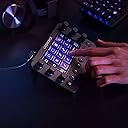

🎥 Elevate your creative flow — command every pixel and stream like a boss!
Loupedeck Live is a compact, USB-powered custom console designed for live streaming, photo, and video editing. Featuring a premium aluminium build, LED touchscreen, customizable buttons and dials with haptic feedback, it offers native integration with over 15 professional apps including OBS Studio, Adobe Creative Cloud, and Twitch. Its powerful software enables unlimited custom profiles, macros, and OS controls, making it the ultimate productivity hub for creators on Mac and Windows.


| ASIN | B08F7RJYZV |
| Brand Name | Loupedeck |
| Color | Black |
| Controller Type | Touch |
| Customer Reviews | 4.1 4.1 out of 5 stars (1,006) |
| Display Type | LED |
| Form Factor | Handheld |
| Hardware Interface | USB |
| Included Components | Cotroller Unit |
| Is Assembly Required | No |
| Item Dimensions | 15 x 11 x 3 centimeters |
| Item Dimensions L x W x H | 38.1L x 27.9W x 7.6H centimeters |
| Item Type Name | Custom Console |
| Item Weight | 230 Grams |
| Manufacturer | China |
| Manufacturer Maximum Age (MONTHS) | 60 |
| Manufacturer Part Number | LDD-2001 |
| Manufacturer Warranty Description | 1 year Local Warranty |
| Material Type | Metal |
| Model Number | LOUPEDECK LIVE |
| Number of Players | 1 |
| Platform | Mac, Windows |
| Power Source | USB Powered |
| Set Name | 1 |
| Size | 11 cm x 15 cm x 3 cm |
| Theme | General |
| Unit Count | 1.0 Count |
B**I
If you can keyboard it, this thing can too.
All the key inputs can be shortcutted into a single button press, and incremental inputs via repetitive key presses can be programmed into a knob. Multiple pages and hard buttons allow for quick swapping of programs at a button press/screen swipe. There's even a way to program a page set to appear automatically when an app is opened. There are limits though: key combos are limited to modifiers only(key+Alt or Shift or Ctrl). Key+key is not allowed. Which is odd as my program allows it. The buttons are all purple for text labels, wish there was a way to switch colors. For picture labels tho u can put whatever u want I don't know if burn-in's a thing with these screens but if your computer doesn't sleep neither does the loupedeck.
M**N
I think this device works really well. I use it with Capture One, but also with other photo editing software like Exposure X6. For Capture One the Loupedeck Live works by mimicking the readily available keyboard shortcuts. This works pretty well in general and the Capture One custom profile is a help in setting this up. Having said that I did have to spend a good few hours setting up the device to be how I want it. I could have used the Capture One custom profile straight out of the box, I would say that it does not integrate with Capture One to it's full potential. I used the custom profile as a start point and modified the dials and buttons to suit my needs. The software looks good, but it is a little unwieldy, although with a bit of patience it is easy enough to setup. The software seems stable in operation. The device itself has a really good build quality, the dials and buttons have a nice feel to them. The touch screen also works very well in my opinion. I have started to set up other applications and over time I am sure I will get all of my most used apps integrated into the Loupedeck. Overall I would say that the the Loupedeck Live has increased the speed of editing dramatically and I don't have to touch my keyboard at all while editing. I spend less time looking at sliders and messing with the user interface and more time looking at the image and the effect the sliders are having. One minor gripe is that it needs a longer USB C cable. A one metre cable is provided, but for my setup a two metre cable would be better for my setup. It's a USB C to USB C cable so easy enough to get hold of. I suppose the take away is that if you expect to receive the Loupedeck Live and start using it with applications like Capture One out of the box then you will be disappointed. If you are willing to put some time in to set the device up as you want it then I would say that the result is surprisingly good. NOTE: Before you buy, check the Loupedeck website to see what extended software profiles are available and if one is not available for the software you are intending to use it with then the functionality that Loupedeck Live is capable of supporting is completely linked to the amount of shortcuts the intended software has. Example, Capture One has an impressive number of shortcuts available for many of the sliders and tools within it, so as you might expect each of these shortcuts can be assigned to buttons and dials with Loupedeck Live. DxO have a very limited amount of shortcuts within the software, so as you can imagine the amount of things that Loupedeck Live can be programmed to mimic will be limited.
M**S
Excelente produto ótimo vendedor .
G**D
I'm probably not the typical user of a Loupedeck. I bought the Loupedeck about four months ago because it is configurable to whatever you want. It has the functionality that I could define a function or macro for each program I use for the desired buttons, dials etc. OK, I had to spent some time looking up the shortcuts and program them, but now I have all the shortcut available at my fingertips. This is such an improvement to quickly activate something in the programs i use, like start a new document or something else. It feels that some people are making an unfair comparison between doing something through your mouse or looking up the shortcut and programming it in Loupedeck. It takes a little time, but now you can work much faster. It is not clearly stated at the website, but you can program macros for every program you want, which can replicates everything you normally do in a program. You don't have to be a rocket scientist to do this, only a few clicks and you are ready to go. I’m glad I bought the Loupedeck because it makes working with a computer much easier and less intense on using your mouse all day long.
S**E
Nice, compact and sturdy. Great addition to my editing and 3d needs, hotkeys and macros right in front of you. I love how you can swipe to the right to toggle more commands and group them per workspace. Itd be nice in the future update if they can provide a feature where you can add url links to the buttons, I couldnt figure out how. Other than that, awesome piece of equipment.
M**C
Producto: En seguida te das cuenta de que estás delante de un producto bien diseñado y con materiales premium. La caja contiene un cable USB-C/USB-C con un adaptador por si el pc no tiene entrada C y un soporte opcional con un ángulo fijo para elevar un poco la posición de la deck. Software: El programa de configuración es intuitivo y permite configurar los botones y diales al gusto de cada uno. Trae de serie un montón de integraciones nativas para distintos programas y ofrece además la opción de añadir perfiles extra que se pueden encontrar en su web o bien crear perfiles propios para cada programa. Tanto en los botones táctiles como en los diales se pueden añadir más paneles a los que se accede deslizando el dedo hacia los laterales, lo que ofrece una infinidad de botones. Los diales también se pueden usar como botones (pulsando en vez de girándolos) y el programa permite asignar una función para cuando se gira y otra para cuando se pulsa. Opinión personal: Me ha ayudado mucho a mejorar la productividad con programas de modelado y texturizado 3D como Maya, Substance Painter, ZBrush o Unreal Engine 4. Teniendo los shortcuts asignados a la Loupedeck puedo olvidarme de tener que recordarlos todos ya que en cada programa hay un montón y a veces para la misma función son combinaciones distintas. Llevaba mucho tiempo buscando algo parecido para asignar macros y agilizar el trabajo y ésta es la herramienta perfecta. Es ideal para trabajar junto con una tableta gráfica ya que prácticamente puedes olvidarte del teclado y el ratón. En las imágenes podéis ver algunas de las configuraciones que tengo para diferentes programas, es una pasada tener un panel físico con las herramientas que mas usas y la opción de poder cambiar el tamaño, opacidad o dureza del pincel con una rueda física da mucha precisión y un feedback increíble. Atención al cliente: Loupedeck tiene un servicio al cliente excepcional, un trato muy atento y están abiertos a recibir feedback y propuestas para añadir nuevas funcionalidades.
Trustpilot
1 month ago
2 weeks ago