Desertcart purchases this item on your behalf and handles shipping, customs, and support to Austria.
⚡ Bridge the tech gap — connect past and future with power and speed!
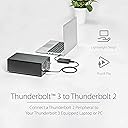
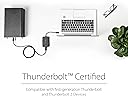
The StarTech.com Thunderbolt 3 to Thunderbolt Adapter enables professionals to connect their latest Thunderbolt 3 laptops to older Thunderbolt 1 and 2 peripherals at speeds up to 20Gbps. Bus-powered and certified for top-tier laptops, it supports legacy Thunderbolt displays and external drives, ensuring seamless integration of your existing tech ecosystem without compromise.


| ASIN | B019FPJDQ2 |
| Best Sellers Rank | #7,466 in Computers ( See Top 100 in Computers ) #5 in Thunderbolt Adapters |
| Brand | StarTech |
| Built-In Media | 1-Thunderbolt™ 3 to Thunderbolt Adapter |
| Color | Black |
| Colour | Black |
| Compatible Devices | Laptop, external storage drives, Thunderbolt 2 and 1 monitors, including specific models MacBook Air, Pro, Dell XPS, Lenovo ThinkPad HP EliteBook |
| Compatible devices | Laptop, external storage drives, Thunderbolt 2 and 1 monitors, including specific models MacBook Air, Pro, Dell XPS, Lenovo ThinkPad HP EliteBook Compatible devices Laptop, external storage drives, Thunderbolt 2 and 1 monitors, including specific models MacBook Air, Pro, Dell XPS, Lenovo ThinkPad HP EliteBook See more |
| Connector Type | Thunderbolt 2/Thunderbolt 3 |
| Connector type | Thunderbolt 2/Thunderbolt 3 |
| Current Rating | 1 Amps |
| Customer Reviews | 3.9 out of 5 stars 847 Reviews |
| External Testing Certification | CE, FCC, Thunderbolt |
| Finish | Matte |
| Global Trade Identification Number | 00065030864138, 05057103094363 |
| Input Voltage | 12 Volts |
| Item Dimensions | 27.9 x 5.8 x 1.5 centimeters |
| Item Type Name | Data Transfer Cable |
| Item Weight | 0.13 Pounds |
| Item dimensions L x W x H | 27.9 x 5.8 x 1.5 centimeters |
| Manufacturer | STARTECH.COM |
| Mfr Part Number | TBT3TBTADAP |
| Model Number | TBT3TBTADAP |
| Nominal Power | 12 Watts |
| Number of Items | 1 |
| Number of Ports | 2 |
| Package Quantity | 1 |
| Power Plug Type | No Plug |
| Specific Uses For Product | personal |
| Specific uses for product | personal |
| UPC | 065030864138 |
| Unit Count | 3 Count |
| Warranty Type | Limited |
N**K
Magique !
Magique ! Carte son Zoom Tac2R et Tac8 parfaitement reconnues et alimentées ! Le convertisseur Apple ne passe pas l’alimentation, c’est une daube … Merci StarTech !
C**B
Probleme bzgl Nutzbarkeit sind echt nicht die Schuld vom Hersteller.
Der Adapter macht seinen Job hervorragend, allerdings so gut, dass gewisse Einschränkungen und Schutzmechanismen von Windows greifen und man diese nur schwer umgehen kann. Ich verwende ihn beispielsweise um einen Apple Thunderbolt2-Firewire800 Adapter an meinem Thunderbolt 3 Anschluss zu verwenden. Das Problem dabei: es ist ein Apple-Produkt und kein PC-zertifiziertes Produkt und das gibt - obwohl es funktioniert - eine Fehlermeldung. Weiters sträubt sich Windows auch gegen die Nutzung der Treiber von Geräten, die über eine solche Verbindung verwendet werden sollen. Denn - das war ja nie vom Hersteller so vorhergesehen und deswegen sind die Treiber in dieser Art nicht signiert bzw zeritifziert. Erst wenn man diese Prüfung durch Windows deaktiert, kann man diese Geräte auch nutzen. Ein bissl zach aber es klappt und der Adapter funkioniert einwandfrei!
G**I
Adattatore StarTech.com "Thunderbolt 3" a "Thunderbolt 2"
Indispensabile per collegare schede audio in Windows 10 (64b). Utilizzato con la scheda audio "Antelope Discrete 8 Synergy Core" tramite scheda PCIe ASRock Thunderbolt 3 AIC R2 (tra l'altro introvabile 🤔) e assemblata nella motherboard ASRock X 570 Taichi. Una volta collegato (acquistato anche un cavo thunderbolt sempre di StarTech.com), installare il driver fornito da ASRock , dopodiché verrà chiesto di approvare la connessione. La scheda D8SC viene vista immediatamente dentro la DAW (per il momento utilizzo Studio One v.4.5.5) in modo affidabile e performate. L'unico neo è il costo eccessivo: adattatore e cavo circa 150€. Consigliato. Giancarlo.
C**C
Get this instead of the Apple adapter if you want to connect multiple devices
I have a Dell XPS laptop purchased in 2017 and an Apple Thunderbolt Display purchased in 2014. I wanted to connect the Dell (Thunderbolt 3) to the Diisplay (Thunderbolt 2). So, I bought the Apple TB3-TB2 adapter. And this worked for getting the single display to function with the Dell. Then I added a Dell Thunderbolt docking station, the TB16, to the mix. The Laptop to the Docking station via Thunderbolt 3, and the Docking station to the display via the Apple adapter. The display no longer worked. I think the problem is related to the problem people have when trying to daisychain multiple displays using the Apple adapter. The Display doesn't recognize that it is supposed to wake up, and becomes useless. So, I bought the Star Tech adaptor and started using it instead of the Apple adapter. Display started working again right away. No issues. (Remember though that you need the latest firmware on your system.)
A**O
XD
Buen producto
Trustpilot
2 months ago
2 months ago