Desertcart purchases this item on your behalf and handles shipping, customs, and support to Austria.
📂 Scan Big, Scan Fast, Stay Ahead!
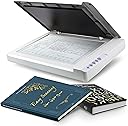
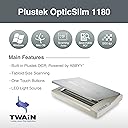
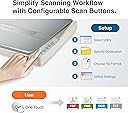
The Plustek OS1180 is a professional-grade flatbed scanner designed for libraries, schools, and small offices, offering large-format A3 scanning at 1200 dpi resolution. Featuring an energy-efficient LED light source for instant startup, one-touch preset buttons for hassle-free operation, and bundled with powerful OCR and file management software, it delivers high-quality scans in approximately 9 seconds. Ideal for digitizing oversized documents, graphics, and archival materials with speed and precision.


| ASIN | B01MZXE0OV |
| Additional Printer Functions | Scan |
| B&W Pages per Minute | 6.67 pages_per_minute |
| Best Sellers Rank | #175,148 in Office Products ( See Top 100 in Office Products ) #13 in Flatbed Scanners #145 in Document Scanners |
| Brand | plustek |
| Built-In Media | PDF Converter, Thumbnail Viewer Application, OCR Software |
| Color | Grey |
| Color Depth | 48 bits |
| Compatible Devices | PC |
| Connectivity Technology | USB |
| Control Method | Touch |
| Controller Type | Push Button |
| Customer Reviews | 4.1 out of 5 stars 570 Reviews |
| Display Type | LED |
| Duplex | Automatic |
| Hardware Interface | USB 2.0 |
| Ink Color | Grey |
| Item Dimensions D x W x H | 16.02"D x 23.18"W x 2.67"H |
| Item Weight | 9.5 pounds |
| Manufacturer | Plustek |
| Maximum Copy Resolution Black and White | 1200 dpi |
| Maximum Copy Resolution Color | 1200 dpi |
| Maximum Copy Speed Black and White | 0.15 pages_per_minute |
| Maximum Media Size | A3 |
| Maximum Print Resolution Black and White | 1200 |
| Maximum Sheet Capacity | 1 |
| Maximum print Resolution Color | 1200 |
| Model Name | OS 1180 |
| Model Number | 7.83064E+11 |
| Model Series | OS 1180 |
| Number of Drivers | 1 |
| Number of Trays | 1 |
| Other Special Features of the Product | A3 size, bright LED, shortcut buttons, ABBYY FineReader 12, PageManager and Docation software |
| Output sheet capacity | 1 |
| Paper Size | A3 |
| Print media | Glossy photo paper |
| Printer Connectivity Type | USB |
| Printer Output Type | Color |
| Printer Type | [NI] |
| Printing Technology | [NI] |
| Processor Count | 1 |
| Resolution | 1200 |
| Scanner Type | Photography |
| Series Number | 783064282635 |
| Special Feature | A3 size, bright LED, shortcut buttons, ABBYY FineReader 12, PageManager and Docation software |
| Specific Uses For Product | Specific uses such as scanning charts, large format documents and potential in professional or educational environments |
| Total USB 2.0 Ports | 1 |
| Total Usb Ports | 1 |
| UPC | 783064282635 |
| Unit Count | 1 Count |
| Warranty Type | limited warranty |
L**S
Great for large-size scanning, super value, and the BEST tech support ever
I absolutely love this scanner. I have been working to diminish my stuffed file drawers by throwing away what I don't need and scanning what I want to keep. Some of the keepers were newspaper clippings and other larger items that my other scanner couldn't accommodate--other than scanning them in pieces. Thus began my search for a large-format scanner. Is this the best large-format scanner on the market? That depends on your criteria and how much you're willing to spend. Here's why it is the best for me. 1) If you compare the prices of large-format scanners, this is an unbelievable bargain. If you're trying to scan fine art, it may not be what you need. For my purposes of having high-def, clear copies of precious but mundane items, it was a screamin' deal. 2) This has a great user interface and is fairly intuitive and easy to use. It took me a little while (maybe 20-30 minutes) to figure out exactly how everything worked, which I consider not bad at all. It also has excellent instructions. 3) It offers a lot of fine tuning, with options of color/BW, level of definition/dpi, JPG/PDF, etc. 4) I initially couldn't get it to work and was ready to send it back. I called tech support, and I got a human. Not a human after a recorded menu. A real human answered the phone. The kind and knowledgeable tech support rep who answered the phone walked me through troubleshooting, and I discovered a huge, embarrassing, total rookie error. I hadn't fully plugged in the USB cable. The rep was totally kind about it. 5) Most importantly, this scanner creates clear, high-quality scans. Yay! Mission accomplished. (If you found this review helpful, I'd really appreciate if you would click the "Helpful" button. Thanks so much for reading! Liz)
C**3
Best large flatbed scanners
This is, without question, one of the best large-format flatbed scanners I have ever purchased. The scanner offers customizable resolutions up to 1200 dpi, which produces excellent image quality. It also provides multiple scanning options, including saving directly to PDF, scanning to a drive, or sending scans directly to a printer. The functionality is outstanding and extremely user-friendly. Recently, while scanning a lighter-colored photograph, I noticed a horizontal line appearing across light backgrounds. I contacted customer support, and their response was exceptional. Within 24 hours, they sent me a form to complete. After a few days of communication and troubleshooting, they promptly provided a prepaid shipping label so I could return the scanner for repair and replacement of the hardware component causing the issue. Between the product quality, functionality, price, and customer support, this is one of the best large-format flatbed scanners I have owned. I highly recommend it. Both the technical support and product support teams were responsive, professional, and committed to resolving the issue quickly.
J**O
Huge but slim, easy to use
Installation of software only took a few minutes. I have an Acer intel core 15 with windows 10. Abbyy Finereader 12 Spint made a quick access folder on my desktop so I just click it open to start the software. The scanner is lightweight but takes a lot of desk space and needs to be by both an outlet and your computer. Once the power is on it’s a lift flap to put item to be scanned on the flatbed. You can remove the hinges if needed and they go back in easily. The software feels ancient with limited options such as only 300 dpi or 600dpi. There’s not a lot of adjustment except brightness. There is either black and white, grey, or color. You get the choice of previewing before scanning which is nice and you can place multiple pages into one scan (but you have to place them each on the flatbed individually). You can scan to make a pdf, an image pdf, an image file (mine makes jpegs), word, etc. I’m using this for my scrapbooks which are 12 by 12. I’m making digital files in a pdf format and have made some into jpegs. You lose some of the quality but they look decent. The files start getting pretty large so I’ll probably need a hard drive for back up and storage. I’ve uploaded some of the massive jpegs to Shutterfly. I’ll update on how the prints look considering this is def like taking a picture of a picture the uploading and then printing so we shall see how that looks. Overall I’m happy with the quality and ease of use. It does sound similar to a fax machine at times when it’s scanning. Def not a silent machine. I love the size and capability and everyone in my family is already begging to use it. I’m happy with the price point as well since I priced out a company to scan my scrapbooks and it was 2.99$ a page plus other fees. Ten years of scrapbooks would cost a small fortune so this has saved me a ton. Plus I prefer to have the control even though it’s a time investment. I’ll update with any issues or concerns as I continue to use the Plustwj OpticAlim 1180 scanner. Questions welcomed.
R**A
This Large Size Scanner Opens Up a Whole New World for Artists
This scanner is fantastic, especially at this price range. Stop stitching together 8 1/2 X 11 scans ! The high resolution settings are great. Scans are fast. Controls are comprehensive. You can fudge your way through it by just pressing buttons and clicking here and there. The quick guide is effective too. Super value for the money. A must for comic book artists drawing at 10 X 15. I cut off 1/2 inch from m by 11 X 17 boards to allow the full page to sit flat. After three months of use, I’m quite satisfied.
R**K
Dead in less than two years
I scan lots of sheet music as an orchestra librarian, and lots of those parts are printed on oversize paper. This scanner was a good add on to my office in many regards. The good: Scan quality of printed materials was very good. I can understand that for graphic artists/ photographers, the quality of scans may not be precise enough, but it certainly met my needs. Scanning was quick, and fairly quiet. The scanner itself was pretty much a plug and play item. Since the time I bought this device, (July 2022) I have scanned several thousand pages of sheet music. But now the scanner is not recognized by any of my computers and/ or scanning software apps. I had not needed to contact Plustek tech support before this, but I can say they responded quickly and worked to diagnose the issue in short order. The bad: The scanner is just over a year and a half old, and is dead. I am faced with the decision whether to spend $170 for a flat rate repair, plus one way shipping, or buy a new one for not that much more (even their tech support admits the cost difference may make the cost of repair not a good idea). I knew at the time I purchased this unit that I was buying in the bargain basement price range of scanning equipment, and that this outcome (failure not that long after the warranty is done) was a possibility. So if you happen to own one of these, and it's lasted longer, I'm happy for you. For myself, I'll be looking into a different (translation: more $) scanner. Not the worst experience, just wish it had worked successfully for a longer time. As always, caveat emptor.
B**N
Best bang for buck. Lightweight too!
I needed a scanner to transfer my comic pages and art pieces. 11x17 was the minimum i needed. This was the cheapest scanner i found. Received brand new, plugged in and drivers installed. Does everything i need it to and with barely a fuss. Scanning options for JPG, PDF and TIFF? Perfect. DPI resolution options from 100 to 1200dpi? Incredible (See image for example) It's day one and i can imagine this being a part of my work space for the long term (as long as the tech gods smile upon me). The user interface is a little intimidating, but on top of being able to customize scan quality, format, location, and naming convention, i love that i can make my scan automatically open on any program I want (in my case, Photoshop). Two things to keep in mind: 1. If after a few minutes of non use. Your computer might say "scanner not detected". Technically true. By default, the scanner goes to sleep after a few minutes. you can turn this off by checking the scanner utility section and turning off the auto sleep. 2. If your colors look too light or dark, check the gamma. I thought my color art pieces were scanning weird and the gamma was the culprit. I also love that the program has a preview button which has saved me a lot of time by testing the look before i take a real scan.
M**F
Won't scan certain colors
I haven owned this for about 8 months. I have literally scanned thousands of items now. I resell old documents so I have put a ton of different stuff through this. In general, it easy to use assuming you don't need to make adjustments. Quick 1 button scan. Colors are not exact but good enough for the most part. If you need to tweak, good luck. It's not intuitive. After scanning thousands of items, there is a pattern of not scanning certain colors. You will simply get a "generic error" pop-up and it won't scan it. It will not scan documents that are certain shades of purple, blue, browns, gray, and some blackish/white docs. So when it detects these shade, it will not scan the entire document. You'll get a generic error and a really bad black and white scan that is not usable in any way. Frustrating. Support and online documentation is non-existent. If there was a larger-format scanner in this price range I would try that instead. Couldn't find one. I gave up trying to find an answer to this problem and just scan them on another scanner now.
A**R
Holy Amazing Scanner, Batman!
First off, this thing is a bit big - well, it has a big footprint - but it is very thin & light, so it's easy to stash out of the way when not in use. Works great on a Mac (M1-2 & Intel). Reasonably fast, good colour accuracy, does 1200dpi. A magnitude less expensive than anything else comparable. Need to scan larger documents? Get this scanner and you're all set.
A**R
Nice product, produces very high quality scanned images
I am totally happy with this product, it can truely scan very high quality images. There are various settings available to fine tune the image as you wish and you can save presets based on your preferences.
B**P
Pour ce scanner à plat, je retiens le rapport qualité/prix.
Le choix de se scanner à plat au format A3 correspond tout a fait à mes activités. La prise en main m'a parue facile, il faut bien sûr faire quelques essais pour optimiser les résultats.
R**N
Clear images but struggles with colour balance
The scanner is easy to setup, fast and produces very crisp and clear images. It takes a bit of practice to sometimes find the right settings for your source material. It seems to struggle with certain colour palettes, especially darker sections of an image. In one test case, my cheap Epson scanner on top of the printer produced a more pleasant result than this more premium model. Normally, I don't like to use any filters or enchancements from the scanner software and prefer to do everything manually in an editing program. However, I found without using "auto density" feature the scan would produce a very washed out scan. Overall, this is a good budget scanner but it's probably not for me. I am in the process of returning this and have bought the big brother model, the A320E - which is a CCD type scanner (this is CIS) and should produce richer colour palettes than OS1180.
テ**ラ
思った通り、大きいです。
A3、A4の図面をスキャンして保存しています。 やりやすいです。
E**F
gnadenlos gut
Lange habe ich nach einem DinA3-Scanner gesucht, der mir dabei helfen sollte meine Bilder zu digitalisieren, eben für die Ewigkeit bewahren und sie so vielleicht einem möglichen Käufer vor stellen zu können. Tatsächlich ist der Plustek der Zweite Scanner. Nach ein paar Monaten und 395 Scans später kann ich berichten dass ich an meinem Ziel angelangt bin. Der Plustek kommt sehr gut verpackt mit allem Zubehör daher, um ihn an einen PC anzuschließen und ans Laufen zu bekommen. Windows 11 erkannte den Scanner sofort, was der Vorgänger eben nicht konnte. Selbst wenn man sich nach der Bedienungsanleitung an die Reihenfolge der Inbetriebnahme hielt, wollte Windows 11 mit dem anderen Scanner nicht zusammen arbeiten. Das aber nur Nebenbei erwähnt, damit man nachvollziehen kann wieso es klasse ist dass der Plustek sofort lief. Die Aufstellungsanleitung ist eindeutig und leicht zu verstehen. Die mitgelieferte Software erlaubt es einen die Bilder schon korrigiert zu scannen. Da ich aber meine Bilder pur haben wollte, genauso wie sie nun mal sind mit ihren Rändern, Knicken, Flecken und Schmierhintergründen, ich generell in dafür vorgesehenen Programmen Bilder bearbeite, habe ich die Software nicht in allen Facetten eingesetzt. Die Schnelltasten funktionieren hervorragend, gehörten aber auch noch nicht in meine Arbeitsweise. Trotzdem; Nice to have. Der Plustek scannt gnadenlos alles, wenn man es dann eben möchte. Wie erwähnt wollte ich genau das. Der Scanner hält die Details auf 1200 dpi so genau fest dass man ganz leicht nicht nur die Maltechnik sondern sogar die Struktur des Papieres ganz genau erkennt. Gnadenlos, ist er eben, gnadenlos gut. Der Plustek ist eindeutig ein Scanner der auch einen Profi, der mal was zu Hause ordentlich digitalisieren möchte, zufrieden macht. Plustek scannt Schrift, Bild und Fotos locker ein. Ob Sie jetzt die Bilder beim scannen verändern wollen oder hinterher ist dabei vollkommen machbar. Eindeutig eine Kaufempfehlung für diesen Scanner.
Trustpilot
1 day ago
2 weeks ago