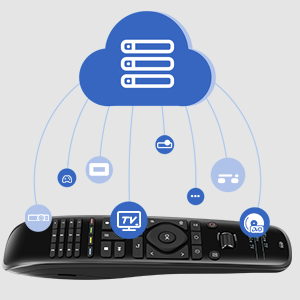
🎯 Master your entertainment universe with one remote to rule them all!
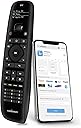
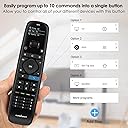
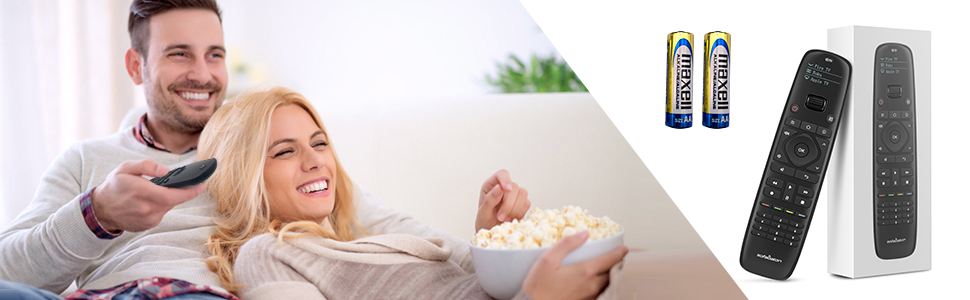
The SofaBaton U1 is a cutting-edge universal remote that replaces clutter by controlling up to 15 Bluetooth and IR devices from over 6,000 brands. Featuring an OLED display, scroll wheel, and macro buttons programmable via a smart app, it offers seamless multi-device management with real-time database updates. Powered by 2 AA batteries and backed by a 1-year warranty, it’s the ultimate all-in-one remote for the modern connected home.


| ASIN | B08FXK18BY |
| Battery Types | AA batteries |
| Best Sellers Rank | #708,679 in Electronics ( See Top 100 in Electronics ) #25,118 in Audio & Video Remote Controls |
| Brand | SofaBaton |
| Brand Name | SofaBaton |
| Button Quantity | 15 |
| Colour | Black |
| Compatible Devices | DVD/Blu-ray Player, Projector, Set Top Box, Stereo System, Television |
| Connectivity Technology | Bluetooth, Infrared |
| Controller Type | Android App |
| Customer Reviews | 3.7 out of 5 stars 2,398 Reviews |
| Item Type Name | remote |
| Manufacturer | SofaBaton |
| Max Number of Supported Devices | 15 |
| Maximum Number of Supported Devices | 15 |
| Maximum Range | 50 Feet |
| Model Name | U1 |
| Model Number | U1 |
| Network Connectivity Technology | Bluetooth, Infrared |
| Number of Batteries | 2 AA batteries required. (included) |
| Product Features | Bluetooth |
| Special Feature | Bluetooth |
| Warranty Description | 1-year warranty |
C**T
Quality Feel, Quality Function. BUY IT!!
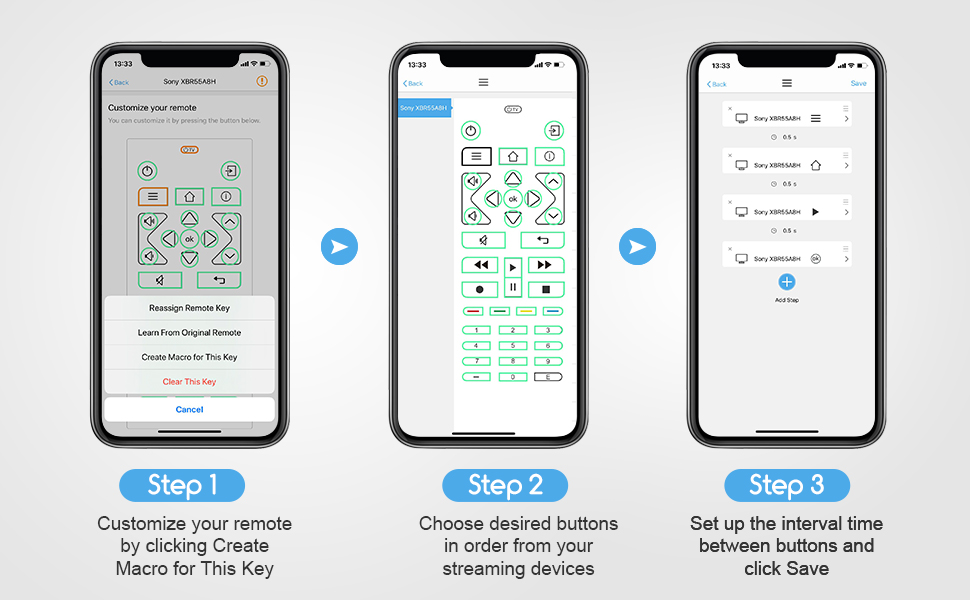
I have 3 things that needed to convert to this remote: LG TV, Pioneer Amp/Receiver, Fire TV. The remote first made me download the app, which is very user friendly. It walked me through pairing the remote with the app and was easy to get started. The search for device function is pretty slow and not very accurate. I put in my exact make "LG" and model number "UJ6300" and I got the spinning wheel for a long time. FIXED: Simply type in the make, NOT model of the unit. For example, I typed in "LG" only and it brought up 5 or 6 categories under "LG" or there was a list of "popular models." This is where you want to be. You can just scroll through all of that brand until you get to your model (in alphabetical order). So it helped a lot, because I was typing in UJ6300, but it was listed as 55UJ6300 (which still should have been found, but ok). Once I found the model, I let it program and BOOM! I was having an issue with the ARC function of either my TV or my Home Theater Receiver. The sound works fine, but the ARC function has faulted and I have to control the TV and Receiver with separate remotes. This solved that. I also have kids running around and one, in particular, loves to mess with the stereo buttons/inputs. Many times, the stereo gets bumped off of "TV" and onto something like "DVD." So I programmed one of the color buttons to be "TV INPUT" from the list. This way it doesn't matter what he changes it to, I can hit that button and bring it right back. TIP: Each time you program the remote to take over for an old remote, compare the two. Start testing buttons, etc. I found that the "back" button wasn't working. So, on the app, I used the diagram of the remote to choose the button that I assume is meant to be "back" and I found a list of all known commands. It was a quick fix: instead of "back" it needed to be "BACK." I know that's a little buggy...but anyone with common sense should be able to work it out. TIP: If there is a command that just isn't in the list and you can't figure it out, try "learn from original remote." On the app you choose the button in question from the diagram. Then choose the learn from original remote" option and follow the directions (basically just point the old and new remotes at each other and press/hold the button on the original remote while the sofabaton intercepts the signal and learns it). TIP: Use the 4 colored buttons as shortcuts (I programmed mine to Netflix, Prime Video, HDMI - Fire TV, and HDMI 3 (Game). TIP: If you use a separate audio system (Home Theater Amp/Receiver or Sound Bar), consider using macros for the volume and mute buttons. You can program the remote to know that even if you are on the "TV" mode, when you press one of these volume buttons, it automatically applies it to the sound system and not the TV. This is a nice shortcut to actually having to use the wheel to scroll down to the audio system and then change the volume. I programmed this macro for both my "TV" and "Fire TV" modes. TIP: Reprogram the very top "TV Power" button to be an "ALL POWER" button. Simply go through each mode and reprogram that "TV Power" button using a macro and select each mode's "power" setting with no input delays. This way, when you hit "TV Power" it will shut down all programmed devices. (You do need to be generous with pointing the remote towards all devices at once. I do have instances where one doesn't get the signal and gets left on. Just scroll the wheel to that device and hit the power button). My 4 year old was able to use this remote to find her shows within 30 seconds after I let her loose. It's not a complicated setup at all. 100% RECOMMEND
D**3
It works! Could use some improvements
Like many people, I have a table full of remotes, 3 of which are needed just to watch TV. I got tired of it and began searching for a truly universal remote. The last "universal" remote I bought was years ago, and they weren't terribly universal. Good: 1. Phone app makes it pretty easy to program even if there is a slight learning curve. It took me about 15 minutes to really figure it out, but once I did it was pretty easy, even for the Dish TV remote, which I had to program completely from scratch. 2. You can program any key to do just about anything with the learning from original remote option, which I had to do for the Dish TV remote. My Yamaha receiver and Hisense TV were already in their database. Even with those, I was able to remap some keys for more intuitive use. 3. Price point is pretty good. Paying $200 or more for a damn remote is just stupid. At under $50 this is a great deal for how much it can do. 4. Using the scroll wheel to select your device on an LCD screen is a nice feature. The illuminated screen makes it easy to see. Bad: 1. Phone app. I hate having to install more apps to my phone and giving up my email and phone number info. Not an hour after I installed it and registered my email, I got some damn sex spam mail that somehow avoided my spam filter, which is VERY rare. Maybe coincidence, but I'm not a big believer in coincidence. 2. Buttons: Could use a couple more buttons common to many remotes these days. Buttons are VERY stiff and often requires a second press to get to operate properly. Illuminated buttons would be a huge help. Seeing the button icons can be difficult (especially when you're getting old and your eyes are starting to go bad for reading) and keeping track of what each specially programmed button does on a remote that will be used on at least 3 different devices can be a little aggravating. Conclusion: It's a good remote that will absolutely replace just about every remote for every device in your home for a reasonable price. With some button improvements it would be an excellent remote. UPDATE: I was about to dock it another star as continued use has created increased annoyance. The buttons are just terrible. Takes an average of 5 presses to perform 3 actions given how difficult it is to press the buttons. Finger fatigue sets in real fast. However! I just found out how to edit my buttons so I can control functions from more than one device on the same profile. i.e. I can control the sound from my surround receiver even with the Dish receiver or TV being the active component. HUGE feature as I don't have to scroll back to my surround receiver just to adjust the volume. GOOD JOB! Buttons still suck more than any remote I've ever owned, so you broke even on add one minus one star.
P**N
Lost it’s programming within minutes!
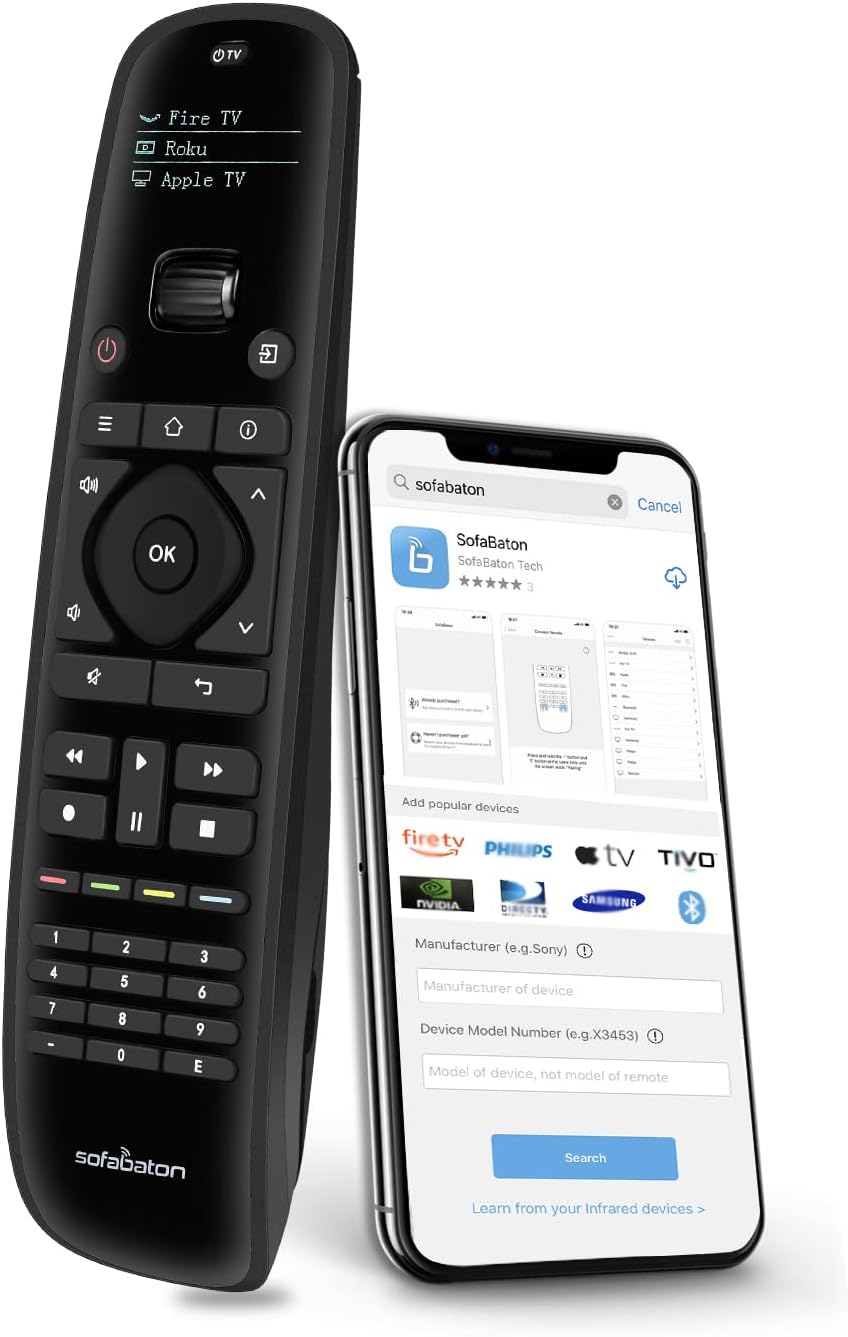
I knew there were a lot of negative reviews for the SofaBaton U1, but decided to give it a try anyway, because Amazon was simultaneously running both a Lightning Deal and a Coupon. Unfortunately, this is a perfect example of the old saying, you get what you pay for. First impressions: - The remote is supposed to be ergonomic, but its shape is actually awkward. - The buttons have a loud, annoying click to them, like old fashioned remotes from the 1980s. - The battery door is very difficult to remove, and takes a screw driver or a coin to pry open, which mars the soft plastic. Programming: The only way to program this remote is to use their Android or iPhone app. No problem, I went to the Google Play Store and downloaded the app to my Android phone. Unfortunately, my experience was mostly down hill from there… (1) Before the app will function, they force you to provide an email address and create a password, and then they send a verification code to your email to make sure you didn’t give them a fake address. There’s absolutely no functional reason why this is necessary. It isn’t integral to the remote’s functionality in any way, and isn’t associated with the purchase either. It’s just a shameless information grab, most likely so they can either sell their customers’ email addresses for profit, spam them, or both! (2) As if the requirement for a verified email address wasn’t intrusive enough, next the app forces you to grant it Location permission on your phone before it will pair with the remote. This is undoubtedly so they can link your email address with your location, adding more value for advertisers when they sell your information! A poorly worded popup message claims this is a Bluetooth requirement and not their app’s fault (see attached screenshot) but I’m calling BS! As a Software Engineer, I know for a fact that is NOT true. Bluetooth pairing is close range peer-to-peer and is NOT dependent on the phone’s Location data. Either their developers don’t know what they’re doing (possibly included an unnecessary or outdated library in their code build) or they’re just plain lying for another shameless information grab. (3) After they extorted my email address and location, I was finally able to get down to the business of programming the remote… (a) First, I added my Samsung TV by searching for it by name, which worked surprisingly well. The app prompted me to test a couple functions on the remote to confirm it was using the correct codes, and then it was done. Of course I tested more thoroughly, and every button I pressed worked just as expected. I was pleasantly surprised… at first. (b) Next, I followed the same procedure to add my Onkyo receiver, but it hung for several minutes at 0% supposedly uploading codes to the remote (see attached screenshot). Eventually it finished - no idea why it hung - but interestingly, I noticed it didn’t prompt me to test any buttons this time, like it had done for the Samsung TV. I tested manually, and found that some buttons worked as expected, while others either didn’t seem to do anything, or didn’t do what I wanted, so I decided to customize several buttons. For some, I was able to assign new functions just by scrolling a list on the app and selecting what I wanted. For others, the functions I wanted weren’t listed in the app, so I used the IR learning function by pointing the original remote at the new one and pressing the button I wanted. This worked OK, although I had to program a few of them twice because they didn’t work after the first attempt. Eventually I got them all programmed and working the way I wanted, but not before running into several app errors (see screenshots) and having to restart the app and pair with the phone a couple times. (c) Having added the TV and the receiver successfully, I decided to try adding a Fire Stick, which does not use IR, only Bluetooth. To complete this process, the remote had to disconnect from the phone, because apparently it can only handle one Bluetooth connection at a time. Doh! Not sure what version they’re using, but for reference, Bluetooth version 5 supports up to 7 simultaneous connections. Just sayin’! Anyway, I followed the instructions and was able to pair the remote with the Fire Stick successfully. I tested the buttons and most worked as expected. The only buttons that didn’t work at all were the Volume and Mute buttons, which using the original Fire Stick remote are able to control the receiver via HDMI-CEC, so I’m not quite sure why this didn’t work with the new remote. Note that HDMI-CEC does work from the TV when controlled by this remote, just not from the Fire Stick. I suspect they are not sending the correct commands to the Fire Stick, or perhaps not sending any commands at all for the Volume and Mute buttons, but I didn’t spend any further time troubleshooting because I soon discovered bigger problems… (d) Here’s where it gets interesting. After discovering the Volume buttons not working through the Fire Stick, I scrolled the wheel on the remote to select my Onkyo receiver, so I could just control the volume directly. I quickly discovered that most of the remote buttons were no longer working with the Onkyo, and a few buttons would only work intermittently. What the heck? They were all working perfectly just minutes ago! I then scrolled the wheel to select my Samsung TV and had a similar experience. A few buttons still worked, while most no longer did, or only worked intermittently. As I continued to press buttons, it became progressively worse until nearly all of the IR buttons were no longer working. The remote was still able to control the Fire Stick via Bluetooth, but it seems it lost most of it’s IR programming for no obvious reason. I re-opened the phone app and connected with the remote, but the app didn’t seem to know anything was wrong – it still indicated all the buttons were fully programmed for both the Samsung and the Onkyo. At this point, I reset the remote to factory settings, uninstalled the app from my phone, and boxed up the remote for return. Wow, this was supposed to support up to 15 devices, but after adding only three, it lost most of its programming in just minutes. I’m not going to drive myself crazy troubleshooting a product this buggy. Too bad, because if I had liked this SofaBaton U1, I would have bought the much more expensive X1 for another room. Not a chance now!
R**1
Awesome device & great tech support!
I bought this remote to consolidate the 4 remotes I use on a daily basis: Samsung TV, FIOS set-top box, an older Samsung Blu Ray/sound system, and a Firestick. The instructions that were included with the unit were brief but they were enough to get me started. I found some more detailed instructions on YouTube that gave me the info and confidence to configure my remote. The remote is tied to an app on your phone during the config phase. The app is wonderful and it does all of the work to find the IR codes you need. The code for my older Samsung Blu Ray/sound system was not part of their massive library. When that happens, you just email tech support and they find it/add it within 2 days. Tech Support was wonderful!! You can customize just about every key under each device. You can copy keys from other devices on the remote to any of the other devices - like adding the volume button from my sound system to the volume keys for the TV Mode (So the TV volume itself doesn't override my sound system). You can use macros to chain together multiple actions and set delay times between the actions! I set the power button to power on my TV, STB, and sound system all with one push of the button. There are also 4 special keys that you can set up to do anything. I set one up with a macro to change the source on my TV to my Firestick. (That required "pressing" the input source key 4 times with some special delays.) I spent about 45 min programming the remote exactly the way I wanted to. It's very intuitive once you get started. For $50, this is an INCREDIBLE product with great tech support.
G**G
It's just ok
There is some good and bads with this remote. Overall it's easy to program. The app (I used Android) worked well with my Pixel 4a running Android 12. I had no issues connecting the remote to the phone. My primary interest in this remote was using my nVidia Shield 2019 Pro which does not use IR, it's Bluetooth. That's where the Sofabaton caught my interest, since it supports Bluetooth. It worked pretty well with the Shield but I have a really buggy issue with the power button. It works sometimes and other times it has a mind of it's own. Another issue is when the remote is sleeping, waking it up, the keys don't work for several presses. I find that very annoying. It's random how many times I have to press a key before before the Shield starts responding. Once it's awake it works it's fine. The Shield remote does not have that issue. The Sofabaton would not work with my Pioneer receiver (LX-503). I sent them an email and the next day they told me they added it to their IR codes. It still did not work. So I had to manually learn each key. The learning process is straight forward but for whatever reason learning the Pioneer remote was extremely picky with the distance and angle of aiming the remotes at each other. It took me well over an hour to get it done. I also replaced the batteries in the Pioneer remote thinking that would help and it did not. Next I use AT&T uVerse set top box, once again the Sofabaton did not support it. I emailed support, they again added the IR codes the next day. It kinda worked but they fouled up a few buttons which required me to learn them using the AT&T remote. This remote had no issues like the Pioneer did, it learned them very easily. So my major complaint once it's programmed. The keys are not good quality. Sometimes they don't work when you press them hard enough. I find it annoying how many times I press the skip button and it does not respond until I press it harder. I am worried how bad they are going to get after a few months of use. Also the keys are not backlit. I really miss that feature. Next is the motion sensing on this remote. The LCD display keeps turning on with the slightest movement on my couch. The Shield remote also has a motion sensor and does not go off anywhere near as easily as this Sofabaton does. That worries me for battery life with the remote constantly turning on. Even my subwoofer can set this Sofabaton on from the vibration! The next issue is setups with a receiver for their sound. I don't use the TV speakers, all my sound goes through the receiver. So every device you program will have to be reprogrammed to use the correct codes for your receiver. There should be an option in the programming to say what device always controls your sound (vol+, vol- and mute). So when you select your TV for example it knows to always use the receiver codes for volume, not the TV. Support although they respond within a day usually has wrong answers. I had a confusion over the wheel on the remote for selecting the device. I thought once the device is in the LCD window you would have to press the wheel in to select it. It does have some click in it making you think it's a button. The simple answer it does not work that way. Support wanted to send me a new remote. Overall I found their support lacking in good answers.
Trustpilot
2 weeks ago
2 weeks ago