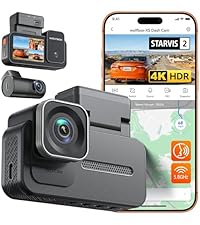
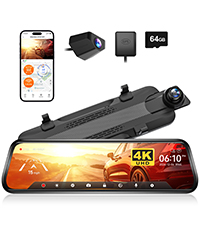
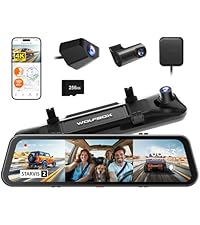
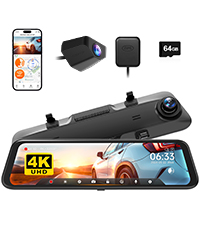
🚗 See More, Drive Safer, Stay Connected — The Future of Dash Cams is Here!
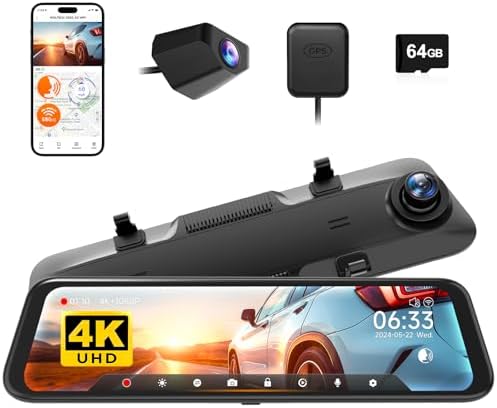
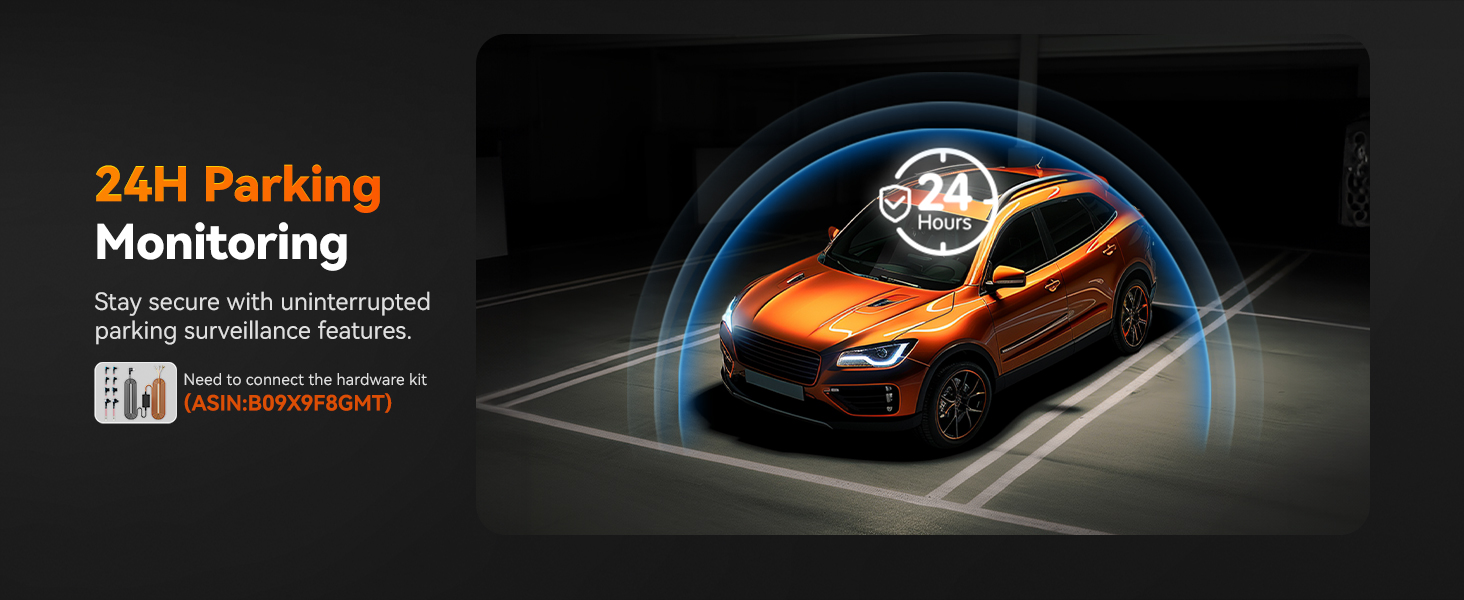
The WOLFBOX G850 is a premium 12-inch 4K rearview mirror dash cam featuring a 5.8GHz WiFi connection for real-time video access, intelligent voice control for hands-free operation, and advanced WDR technology for superior day and night recording. It includes a 64GB memory card, GPS tracking, and safety features like G-sensor collision detection and parking monitoring, making it an all-in-one smart driving companion designed for professional and safety-conscious drivers.




| ASIN | B0B1LLMCS9 |
| Auto Part Orientation | Drivers Side |
| Auto Part Position | Front Inside |
| Best Sellers Rank | #45,511 in Electronics ( See Top 100 in Electronics ) #59 in Car In-Mirror Mounted Video Players |
| Brand | WOLFBOX |
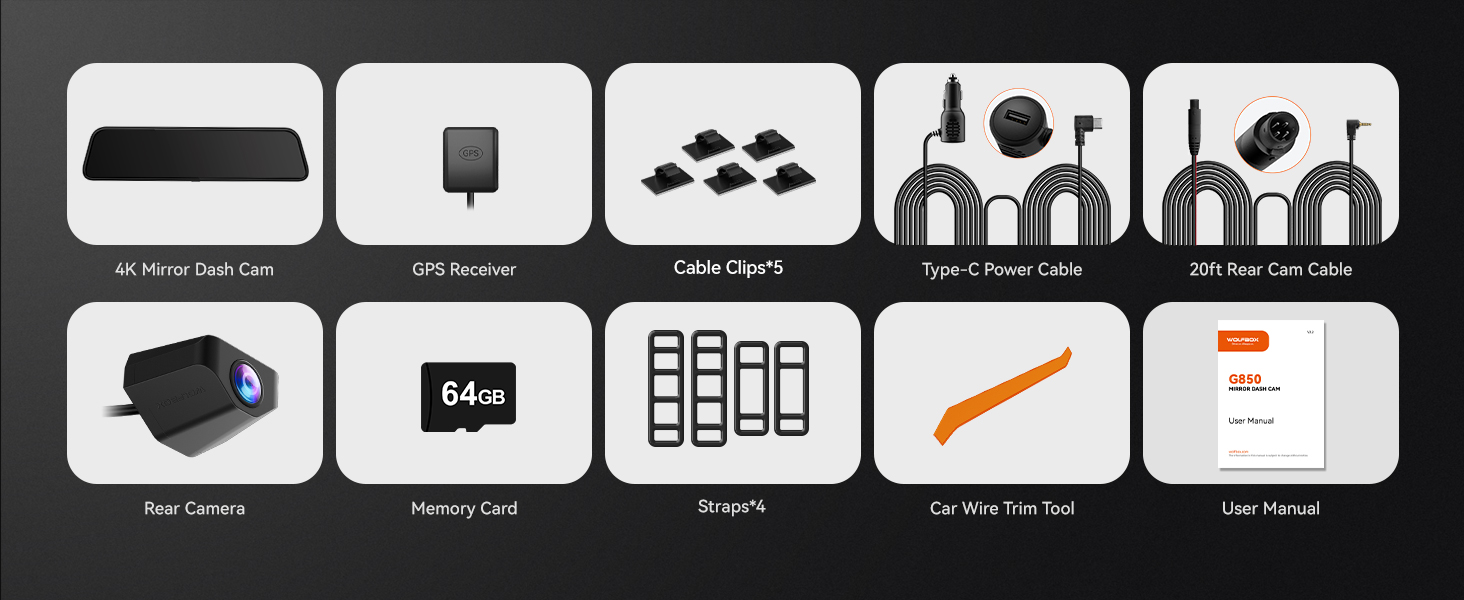
| Built-In Media | 1080P rear camera, 11 feet car charger, 20 feet cable for the rear camera, 4K mirror dash cam, 64GB card |
| Color | black |
| Compatible Devices | WOLFBOX vehicles, Bus, Car, Minivan, Truck |
| Compatible with Vehicle Type | Bus, Car, Minivan, RV, Truck |
| Connectivity Technology | USB |
| Control Method | Touch |
| Customer Reviews | 4.3 out of 5 stars 3,124 Reviews |
| Display Type | Touch Screen LCD |
| Field Of View | 170 degrees |
| Flash Memory Supported Size Maximum | 256 GB |
| Flash Memory Type | card |
| Frame Rate | 24, 25, or 30 FPS |
| Included Memory Card Size | 64 GB |
| Item Dimensions D x W x H | 1.5"D x 12"W x 3"H |
| Item Type Name | mirror dash cam |
| Item Weight | 1 kg |
| Manufacturer | WOLFBOX |
| Memory Storage Capacity | 64 GB |
| Mfr Part Number | G850 |
| Model Name | G850 |
| Model Number | G850 |
| Mounting Type | Rearview Mirror Mount |
| Number of Items | 1 |
| Number of Packs | 1 |
| Optical Sensor Technology | CMOS |
| Other Special Features of the Product | 1-YEAR GUARANTEE & CUSTOMER SERVICES WOLFBOX: the backup camera mirror comes with a 12-month guarantee, software upgrades, and 24/7 customer service. |
| Real Angle of View | 140 degrees |
| Screen Size | 12 |
| Supported Standards | TS |
| Unit Count | 1 Count |
| Vehicle Service Type | Bus, Car, Minivan, RV, Truck |
| Video Capture Resolution | 2160p |
| Warranty Description | 1 year manufacture |
A**D
Major safety improvement due to wide angle view to rear and rear/side of vehicle
I first saw this system mounted on a Lyft rideshare SUV and decided to try it on my 2002 Chevrolet Suburban; a truly old technology vehicle with regard to visual aids and navigation systems. Arthritis in my neck impairs my ability to turn my head and once in use the wide view camera image viewed on the screen/mirror made a huge improvement in visual detection of vehicles/objects/people around the rear of the truck under all driving situations. The only limitation to me is the objects are actually closer than they appear due to the wide angle camera lens. To avoid this I modified the mounting by modifying a Iottie cell phone holder to mount the G850 screen on the surface of the dashboard just below the top mounted rear view mirror. This gives me a true distance view through the usual mirror and a wide angle view through the G850 camera. Service with Wolfbox has been exceptional. Three months after installation in my Suburban the truck was stolen from in front of my house. Although recovered by police 7 days later the G850 was taken. I called Wolfbox and they very generously replaced it with a new unit free of charge that I will install as soon as the truck is returned from the repair shop. I am so impressed with the G850 functions and enhanced visual safety I have installed one using the same method on my 2018 Chrysler Pacifica mini-van. My wife loves it too because of the increase in visual awareness especially when parking in store parking lots with people and cars all around. Installation is easy and simple unless you want to directly wire it to your fuse panel and is a easy do it yourself job. Even in the large Suburban the video camera cable that comes with the kit is long enough to do the installation at the midline located rear view mirror or on the dash just below it. With the current pricing on Amazon this is a great deal in a front view/rear view recording video camera system for your car.
T**N
Great 4K Camera for Front and Rear of your vehicle!
I have been living without a working front and rear dashcam for a while and had been eyeballing this Wolfbox G850 for a bit. I installed it in my 2018 Kia Optima EX and I gotta admit, it was both pretty easy and it looks/fits great in the vehicle!! Installation: If Kia or if your vehicle has MICRO fuses, use this: https://www.amazon.com/WOLFBOX-Hardwire-Parking-Multiple-connectors/dp/B09X9F8GMT due to multiple adapters. Otherwise, if your vehicle has MINI fuses you can go with https://www.amazon.com/WOLFBOX-Hardwire-Parking-Multiple-connectors/dp/B09X9F8GMT/ which is the standard USB C Hardwire kit for MINI fuses. I installed this by hiding the wires within the liner of the vehicle on the windshield and down the trim line for the USB C Hardwire, GPS, and Rear Camera cabling. A little more wires than I'd love, but with all the attachments, it's necessary (Wish GPS could just be build into the mirror!). I was able to route the cable to the rear camera through the inside of my vehicle and I ran it through the trunk lid liner and popped the cable out through the same hole as my license plate light. It was a tight fit, and doesn't allow the light to fully seat, but it's minimal and I don't anticipate any moisture intrusion. If observed, i'll likley place some putty or foam to keep the moisture out. The directions are super simple to follow and the Camera itself looks GREAT. It has numerous features such as speed minder (alert), flipping the camera view or mirroring it, etc. You can see both the front and rear cameras simultaneously OR you can have it show one or the other -- simply swipe to the left or right to cycle through the different views. The 4K quality both front and rear are impeccable. You can download Wolfbox's software for video viewing/editing directly on their website as well, which makes editing and posting the videos a breeze! I did have to use the MICRO FUSE adapters, and Wolfbox's customer service took care of me via WhatsApp in less than 24 hours and had an alternative item shipped to me quickly for the installation. I am in love with these cameras for numerous reasons: Video Quality, product quality, ease of installation, size of cables (easy to hide), hardwire option, and customer service.
G**E
My Favorite Dash Cam
This is a great camera system. Mirror dash cams are definitely a different breed but in a good way. Almost everything I dislike about regular dash cams are not an issue with this WolfBox 850 model. I installed the camera and all accessories myself. It was a big deal to get the rear camera installed, location, wiring, tapping into the reverse light power, but that is true for all rear camera installations. One could always take to a professional if needed. The end result is awesome and totally worth my time. I am so impressed with the touch screen functionality. All settings, viewing, playback, switching cameras are immediately accessed via touch screen, and mirror dash cams do not take up more window real estate which I like. The picture is great and can be adjusted up or down as needed when recording. If you need to look at files on a PC, the WolfBox Player works great and has map tracking capability. I installed the hardwire kit for parking monitoring (only up to 24 hrs) and collision capability. When the mirror cam is off, the reflection is a little on the dark side, but it gets the job done for my needs. I really do not want to use the screen saver as I would rather constantly see the rear video stream. I do, however, have one issue with how the front mirror cam attaches to my old mirror. My mirror has OnStar buttons that protrude along the bottom. Therefore, my mirror is not straight across the bottom, and it keeps the mirror cam from fitting perfectly (see pic). The attaching mounts should be about an inch more apart or offset a little since the camera lens is on one end of the mirror cam, thus keeping it from being centered on the old mirror. Also, larger mirrors will stick out on the other side slightly. I contacted customer service and they were the simply outstanding! My solution was to use their mirror mounting bracket (see pic). This bracket replaces my old mirror completely. I will lose OnStar capability, but that is not an issue for me because I do not use it. Hands free calling still works with the OEM mirror removed. I am completely satisfied with this mirror dash cam. Not everyone will need to replace their mirror, but it is a clean look to do so, and it increases the awesomeness and functionality of this mirror dash cam system.
D**R
Not the best for an externally-mounted rear camera
This is a well-rounded, but imperfect kit. I bought it for a 2010 Nissan Maxima without a stock backup camera. I don't actually care about the dashcam portion or recording people behind me; I just want to not drive into things while reversing. Evaluated as a mechanism to tape other motorists doing dumb things, this Wolfbox is great. As a backup assist, it's lackluster. Installation took about four hours over two sessions with the hardware kit. Ten minutes was attaching and adjusting the mirror. It mounts offset by an inch (the dashcam sticks out too much to center it), but securely with the rubber straps. (Subsequent to this review, I bought Wolfbox's bracket to replace my factory mirror. This would have been easy, except I had to reduce the length of the included screws with a bench grinder.) An hour was the hardwire kit, in part because I had to use a multimeter to differentiate ACC slots from always-on and do a bit of troubleshooting. Each of the included fuse taps has two fuse holes, but a single fuse. They need two to operate. You're meant to pull an existing fuse and use it. My box was compatible with both micro and mini-style fuse taps, so I just borrowed a fuse from the unused tap for each and used blank slots. Three hours was pulling panels and trunk liner to run the rear wire. It required significant disassembly of my trunk. It would have been a lot easier to mount it inside on the rear window, for which the including adjustment bracket was apparently designed. Mounting above my license plate, the 20' wire included had an extra three feet for my car. There's a 33' wire for longer vehicles or less direct wire runs. The connector is four-pin and proprietary. Some notes after installation: * Camera image quality seems quite good. Sharp and bright. Minimal noise visible on the screen at night. Glare is minor at night unless it rains. With water on the lens, headlights cause severe reflections, though the lens does eventually dry. * The mirror LCD is good. Not great. The brightness range is narrow (could be brighter) and there's no light sensor, so you'll be fiddling with it when the sun goes down. In broad daylight, the picture doesn't quite overcome the mirror reflection, so I tend to leave the LCD off. Viewing angles are good. Color depth is low (you can see posterization or dithering in some gradients). Touch-response is adequate. * The UX is a bit dated compared to what I've seen in some videos. It hides functionality based on what's detected (rear camera, GPS), which is confusing; I thought I'd bought a cut-down version until everything was plugged in. You can't turn off the blinking record icon and timer or the GPS overlay. Boot time from a cold start (i.e., any time after the 12 or 24-hour time-lapse parking function has ended) is 7 or 8 seconds. * With the LCD off, this is a dim, but functional mirror. It's a little darker than I'd like at night, though headlight glare is minimal as a result. I do like that it's significantly larger than my stock mirror. You can leave the LCD on and still see people behind you depending on where your eyes are focusing, but it's a little unnatural. The button to turn the LCD off is accessible on the bottom and responsive. All that aside, let's talk about the backup camera. I don't love it. With stock cameras, you see your bumper and the horizon. This camera isn't wide enough to do that and show it onscreen. If it's mounted with the camera straight out, you won't see your bumper even if you pan down on the LCD. That's the only way it can be mounted unless you buy or make an angled mount; the one it comes with is the wrong orientation to tilt the camera down (unless mounted inside the rear window). If you tilt the camera down to show your bumper at the lowest pan, the highest pan is a little too low to see the horizon. The overlay markers only show up if you've attached the reversing wire. They don't dynamically update as you pan and they're not useful at all with the camera mounted on the trunk. I suspect they'd be a lot better with the camera mounted to the rear window, because you could actually line up the markers to the shape of your car with adequate overlap and you wouldn't ever need to pan. Mounting this camera this way is likely to have more glare and poorer low-light performance, though. In sum: despite the instructions and various guides describing an external location for the rear camera, the included mount and the overlay markers seem designed for a rear window mount. I'd probably give it 4.5 stars for that, but only 4 otherwise.
A**E
Great for Jeeps!
Difficult to see behind and around our Jeep because of the big spare tire and a lot of blind spots. This changed everything!!!! Self-adjusts for day/night and widens the view a lot!!! Can see other lanes and sidewalks!! Easy install over existing mirror. Great buy!
G**Y
High quality dashcam with lots of convenient features!
I got this Wolfbox camera for a very good price, and replaced my older (technically illegal) Z-Edge dual dash cam with it. It's about the same price as the Z-Edge, but has a much larger screen, better interface, and like I said is not illegal. The reason some Dash cams are illegal is that they partially obstruct the windshield (like my Z-Edge). The Wolfbox is fantastic because it actually attaches to your rearview mirror and does not obstruct any of your view of the road. Accessories and additional items included in the box(the dashcam is obviously included): Silicon attachments (use these to hold the dashcam on the mirror, there are smaller ones for smaller mirrors which I used, and larger ones for larger mirrors) Microfiber cloth to clean the screen Power cord Rear camera GPS attachment User manual Installation: As mentioned, you just attach the silicon stretchy brackets to the upper back hooks of the dashcam, hang it over your mirror, and then attach the lower part of the brackets to the lower hook on the dashcam. You then can attach the power cord and rear view camera wire and run them behind your paneling (I attached pictures and a video with a brief summary of how I ran my wires). Plug in the GPS (attach somewhere out of the way with the 3m tape), and then plug in the cigarette lighter adapter. Voila! You are good to go. Don't forget to take the protective plastic off the cameras (not that I have ever forgotten that haha). Great features that are included: General direction you are driving (N for north, SE for southeast etc.) Time and Date Speed Screen Saver mode (in Screen Display under settings, talk more about this later) Sensitivity adjustment (how big of a bump you want for the camera to recognize a "crash") Brightness adjustment (turn it down to low, or use screen saver mode if you want to use the camera as a mirror instead, talk more about this later) A very responsive touch screen Button to take a picture Change resolution (options are 4k, 2.5k, and 1080p. Default is 2.5k.) Loop time of the recordings (options are 1 min, 3 mins, 5 mins. Default is 1 min) Whether you want to record audio or not. Option to attach the reverse line so the camera will automatically turn on the reverse camera when reversing Can flip the rear camera (this means you can install it upside down or rightside up if you want) Important things to note: Running the dashcam requires a small amount of technical skill. Not much, since I am not super car savvy. However, if you want to setup the cameras in the best position possible you may have to get creative (I'll talk more about this later). HOWEVER, if you want the rear camera to automatically turn on in reverse, you have to splice or crimp the red reverse line into your reverse lights. This requires the correct tools and know how, which I did not have. I had to get a mechanic friend of mine to install it. He also installed the rearview mirror on the outside of my vehicle, above the license plate. To do this, he had to drill a hole behind the rear lights, run the wire through there and then out with the license plate light. If you do this, make sure you don't drill a large hole and then you weatherproof the hole with some sort of rubber, otherwise water will get in and rust out the car. This dash cam functions as both a mirror and a dashcam. What I mean by this is that if the screen is off, it will act as a rear view mirror and you can see through the window behind you. If the screen is on, it will still show the rear view AS WELL as the footage on the camera. This can be a bit distracting, so what I do is I choose to put my Wolfbox in "Screen Saver" mode in the settings options. This turns off the camera while I am driving, but leaves on the nice features like direction and speed. My friend who also has this camera, instead chooses to just leave the camera on but have the rear view on all the time. Essentially he uses the camera instead of a mirror. One thing to note if you do this, is that cars will be closer than they look in the camera. The manual is written with poor English grammar, and does not explain the features well. It requires some trial and error to figure everything out yourself. Installing the rear camera in the recommended position above the license plate means that cars behind you shine their lights directly into the lens. This can make it hard to capture details of the car behind you at night. PROS: Lots of great features Large screen with nice touch interface Clear picture Relatively easy to install Legal Easy to use Option to use as a rear view mirror, or use the rear camera to see behind your vehicle. Cons: Poor grammar in manual Hard to see license plates at night The camera lens quality is good but not great, resulting in a picture that is useable but not as clear as I might like. Overall my cons are mostly just nitpicks, and I think this is a fantastic camera. I would not hesitate to recommend it to anyone interested in installing their own dash cam. A really cool feature they could add is Google maps functionality that displays google maps on the camera. That way I wouldn't even need my phone anymore. But that would require adding some totally different programming, so it's mostly just my own wish!
P**C
All that and more, updated
Update. I have an issue with one of the dash and. It has parking images "frames of color" on the screen when driving at night. It shouldn't. It's so distracting and bright I can't drive at night with the dash am plugged in. I contacted Wolfbox and got a person, in India of course, and have been waiting over a month for the replacement unit. It's still not here. I asked why they came up with a few excuses, none real. I'm going to try one more time then request full refund and or official complaints to all. So sad. Basic product good but customer service poor. This is a barge. Base unit. My other one works great my main one not so good. Not happy with customer support. †****************""*** Finally, after years of trying products I found the winner. Wolfbox G850 This takes time to install properly with the optional power for parking recording (record while parked 12,24 hr) and when you get it up and running take a week to get used to it. It's worth it. After adjusting the screen brightness to a level your used to (match your regular mirror look) you will love it. It takes a while to learn to navigate the software but it again is worth the time and effort to get into the program. If you can't access the settings on screen click the recording button (red) and it stops recording and allows access to settings. I had to ask in that one. The picture is outstanding. The rear mounted camera is perfect I mounted it directly above the license plate. You can't see it but perfect picture. The separate GPS module is brilliant. Compartmentalize the units to reduce heat transfer crowding and error diagnosis simplified. Actually you can't just stuff it all in one unit and hang it on a mirror and expect it to work. I'm replacing my Brand New Garmin. It's junk and they won't return it. This is a total security system for your most expensive toy. The mirror screen is on all the time. You won't notice it at all after a week. I did contact the company for a question and they got back with a solution right away. So far perfect score on this item and company. Seller shipped fast and all good there as well. It comes with a 64g flash, I have a 128g class 10 to replace it with, can handle 256g. I bought this for my kids first car 2000 Camry, now I'm getting another one for my 2003 Avalon. My new car will have a Wolfbox waiting for it as well
C**Y
POTENTIALLY DANGEROUS and NOT SAFE. 1 star if it wasn't a decent idea
I bought the 850 12" rear view mirror in April 2025. Installed it the following month. I'm a 66 yyear old disabled Vet. I dont bend and crawl around easily. Nor am I a mechanic, although I've done many mods on my own. This was my most difficult. I got this camera to ease some neck problems I have when backing up and to better assist with backing up for parking. It took my buddy and I a couple of hours to install it. INSTRUCTIONS: Some things are not self evident. Not everyone likes to watch YOUTUBE Videos. For instance, Once we had the camera installed the picture was upside down. So we took it apart and flipped it over ( another 30 minutes). I realized later you could flip the picture in the setup function. The other installation issue was hardwiring it to my battery. Make sure you connect it to the ignition switch and not just power. My buddy is an engineer and we put it on the constant power circuit breaker since the mirror is supposed to monitor for impacts, which seemed logical. Based on the impact monitoring, the mirror stayed on when the Jeep was turned off. Again, that "seemed" to make sense. Nope - two days later I had a dead battery. I ended up putting it on the 20 ignition switch circuit breaker. Then it worked properly. Before I go further here is what I like about the mirror: Its a great picture if you're taking a photo, and the sun is not low in the sky behind you or if you have the top off and the sun isnt shining on the mirror (I'll talk about why in a minute). Beautiful color. I wish I could get those colors with my real camera. The Fall foliage in Virginia was gorgeous in the rear view mirrow. Couldnt see traffic woth a damn on the Blue Ridge Parkway. If you buy it for the dashcam, I'm sure you'll be pleased. That being said...Cons: The rear view function takes a lot to get used to. Primarily because its not a mirror. You cant check to see if there's spinach on your teeth. That will make you laugh every time you try. You have to change how you drive to use this safely. The rear view is IMO horribly calibrated for distance perception. THE THINGS YOU SEE ARE DANGEROUSLY CLOSER THAN THEY APPEAR! I canot tell you how mant times I've wanted to change lanes, looked in the mirror and thought I have plenty of room to maneuver safely and the 18 wheeler is ONE CAR LENTH BEHIND YOU (The photo with teh truck on hash mark behing me). On a highway with multiple lanes, THATS A SAFETY ISSUE. If something is 3 or 4 carlenghts behind you, the picture is so small you can barely see it. You'd think its a hundred yards back. No. Its a tiny dot in good light and invisible in poorer light. Thats scary. So now while driving I have to rely on my side mirrors and remember only the drivers side mirror is a normal viewing distance ("Objects in the mirror are closer than they appear"). You have to take a lot more time to maneuver. That can be a ricky maneuver and hesitating in traffic can also be dangerous. BACKING UP - Same issue with distance because even with the markers, you will think you are 20 feet away from what is behind you and its really 3 feet back there. I have not measured it I wouldnt know how. So again, Im back to relying on turning my head further painfully. Backing into parking is way more difficult than it was. For safety reasons this rear camera is not useable. My granddaughter thinks its neat, but she's six. GLARE AND RAIN - EXTREMELY BAD AT NIGHT. If water or dirt gets on the mirror the view is mostly obscured. You also need to buy their screen protector for direct sunlight, which darkens the picture. OTHER GLITCHES - There is a message that pops up if you hit a bump. I think its supposed to be tied to the theft monitoring feature. If you hit a bump while driving THIS BLACK BOX APPEARS RIGHT IN THE MIDDLE OF THE MIRROR AND THERE IS NO WAY TO IMMEDIATELY TURN IT OFF. So your mirror is blocked and not you cant see whats behind you for several minutes, miles. When this happens, I have to unplug the mirror or turn it off while Im driving and reset it. That happened 3 times on a busy highway 95 in 6 lanes of traffic at 75 mph. And maybe 50 times on a 2 lane country road where you really can't take your eyes off the road. I have turned off the "bump" feature and it still missfires and blocks the view randomly. CUSTOMER SERVICE... They seem like nice people but they really don't seem to know their own products when you talk to or email them. I emailed my issues to a CS guy to create an immediate turn off button and put the warnings in a corner instead of blocking your view. Really terrible design. He thought it was something their IT people could fix. After a full Summer of frustration, I thought maybe I could buy a different camera that has a better distance ratio to replace the original one. Havent found one yet. I called the company, and as usual, I got (not trying to insult anyone) someone who does not speak English well, not his fault, he needed better training. I asked if there was a fix. He instructed me to buy the 900 and just swap the mirrors and return the rest untouched with the old mirror and get my money back. Reasonable? NOPE. They dont swap out because the plugs and inputs are not the same. You have to rewire it again, which would more than likely void a refund. AND TAKE FOREVER (again). Im sorry, this mirror is a decent idea, but Wolfbox got a little too cute with this thing, foregoing safety completely. If it were functional I could see this kind of thing being standard in all vehicles. Like the third taillight was a good safety improvement in the 80's. I LOVE MY JEEP and really dont want to buy another vehicle because I cant see around me very well. Im sure there are fixes (Are you paying attention COMPETITION?). Put a better lense on the thing for goodness sakes! Get rid of the cute stuff and focus on what the DOTS would prefer. The rearview function needs a 1ft to 1ft distance ratio as the default standard as minimum. Visibility is a safety issue not something cute to get blonds to ride with you off into the sunset. PLEASE If anyone has found a solution to my issue please let me know. Sorry Wolfbox - Not a passing grade and I hope nobody gets hurt using your devices. I dont think you'd want that on your conscience. I tried guys. If it wasnt a good idea it would be 1 star.
E**A
Buenas características
Muy buen producto y calidad en mi experiencia a veces tarda mucho en comenzar a grabar, tiene muy buena calidad de grabación en 4K y en la cámara trasera cuando hay demasiado calor se ve distorsionada la imagen, le afecta el extremo calor, la frontal sin problemas que le afecte el calor extremo.
R**B
ممتازه وتركيبها سهل جدا
رهيبة وجودتها ممتازه والرؤية فيها واضحه خصوصا فالليل
J**S
An Exceptional Dash Cam with Stellar Performance
I recently purchased the Wolfbox G850 12" Dash Cam and I must say, I am thoroughly impressed! This dash cam is an absolute game-changer when it comes to capturing high-quality footage on the road. It has exceeded my expectations in every way, making it an outstanding addition to my vehicle. First and foremost, the clarity of the video recordings is simply remarkable. The G850 records in full HD 1296p resolution, ensuring that every detail is captured with utmost precision. Even during low-light conditions, the dash cam manages to deliver crystal clear footage, guaranteeing that no crucial information is missed. The 12" screen is another standout feature of this dash cam. It offers a large and vibrant display, making it effortless to review the recorded footage without straining your eyes. The user-friendly interface is simple to navigate, allowing for quick and easy access to various settings and playback options. One of the aspects I appreciate the most about the Wolfbox G850 is its wide-angle lens. With a 170-degree field of view, it guarantees that every corner of the road is covered. This wide perspective ensures that no crucial event goes unnoticed, providing me with a sense of security and peace of mind during my journeys. The built-in GPS system is an added advantage, enabling accurate tracking of my speed and location. This information can be crucial in case of an accident or dispute, ensuring that I have concrete evidence to support my claims. Furthermore, the G850 includes a parking monitor feature, which automatically turns on and starts recording when any movement or impact is detected while the vehicle is parked. This valuable function offers an additional layer of security, making it an ideal choice for those concerned about their vehicle's safety. Lastly, the overall build quality and design of the Wolfbox G850 are exceptional. It feels sturdy and durable, capable of withstanding the rigors of daily use and adverse weather conditions. The installation process was a breeze, thanks to the included suction cup mount and the long power cable. In conclusion, the Wolfbox G850 12" Dash Cam has truly exceeded my expectations. Its outstanding video quality, user-friendly interface, wide-angle lens, built-in GPS, parking monitor, and overall reliability make it an absolute must-have for any driver concerned about their safety and peace of mind. I highly recommend this dash cam to anyone in search of a top-notch product that offers exceptional performance.
I**N
Calidad de imagen y fluidez
He probado la cámara esta misma mañana y me ha sorprendido gratamente. Respuesta muy buena y los menús, que ya no son un listado, ahora son iconos. La calidad de imagen y video es muy buena, pudiendo seleccionar la resolución (de ello depende el almacenamiento utilizado). Una vez ajustadas las cámaras, con deslizar el dedo sobre la pantalla se puede ver todo el campo que abarcan. La sensibilidad del sensor se puede modificar (al máximo, simplemente al cerrar la puerta la cámara se activa y comienza a grabar, algo bueno para cualquier golpe que recibamos estando aparcados). La tengo instalada sobre el retrovisor de un BMW 320d (F30) y se ajusta a la perfección, y al igual que con la 840 de la que vengo, no echo en falta para nada el retrovisor de serie, se ve perfectamente el reflejo y no es nada molesto por la noche con los reflejos. Muy contento con la compra la verdad.
M**N
Not as described
No wifi function No parking monitoring function
Trustpilot
5 days ago
2 weeks ago