Desertcart purchases this item on your behalf and handles shipping, customs, and support to Austria.
🚀 Double your screens, double your hustle!
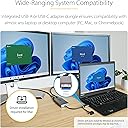
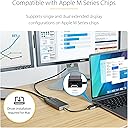
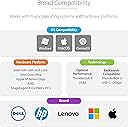
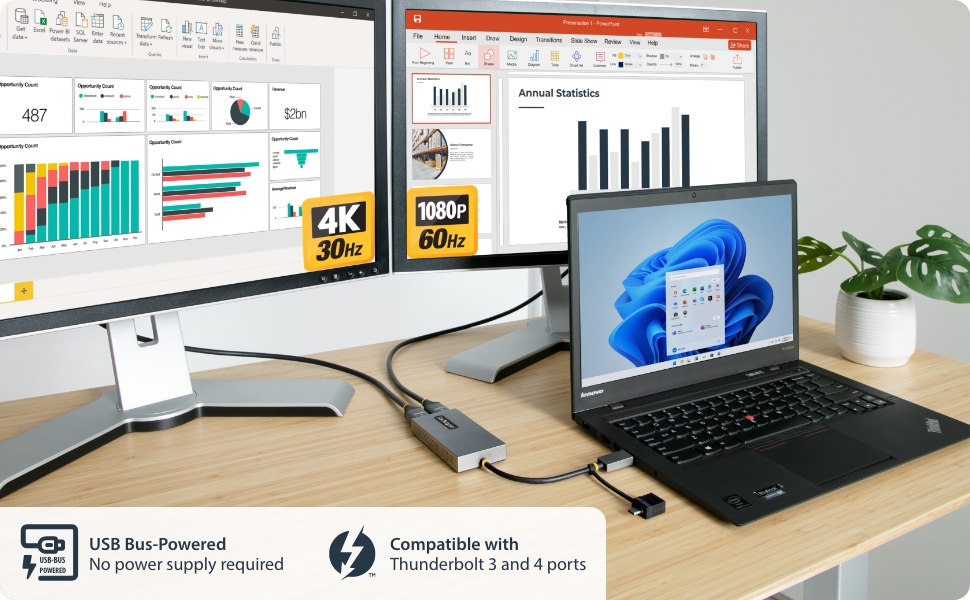
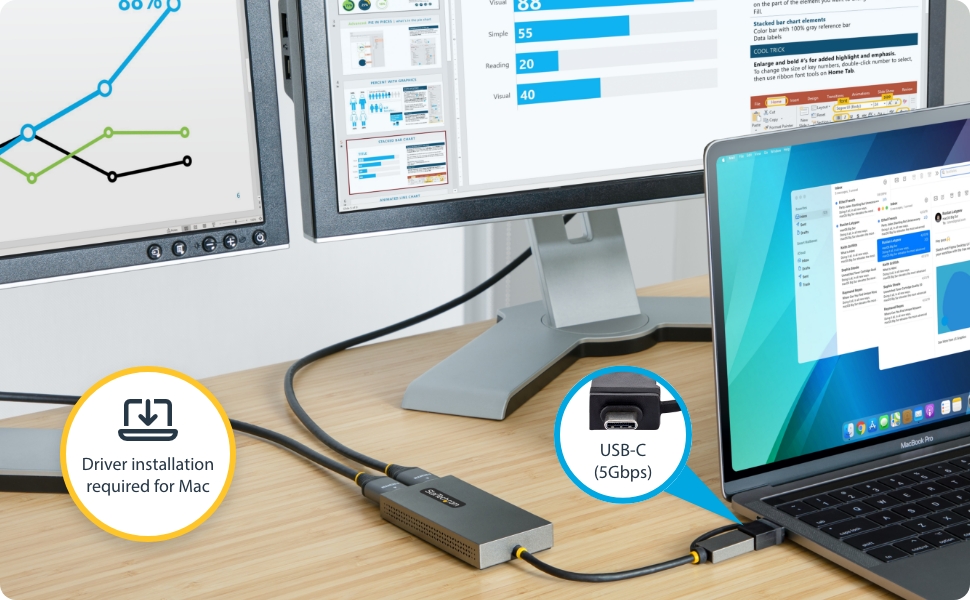
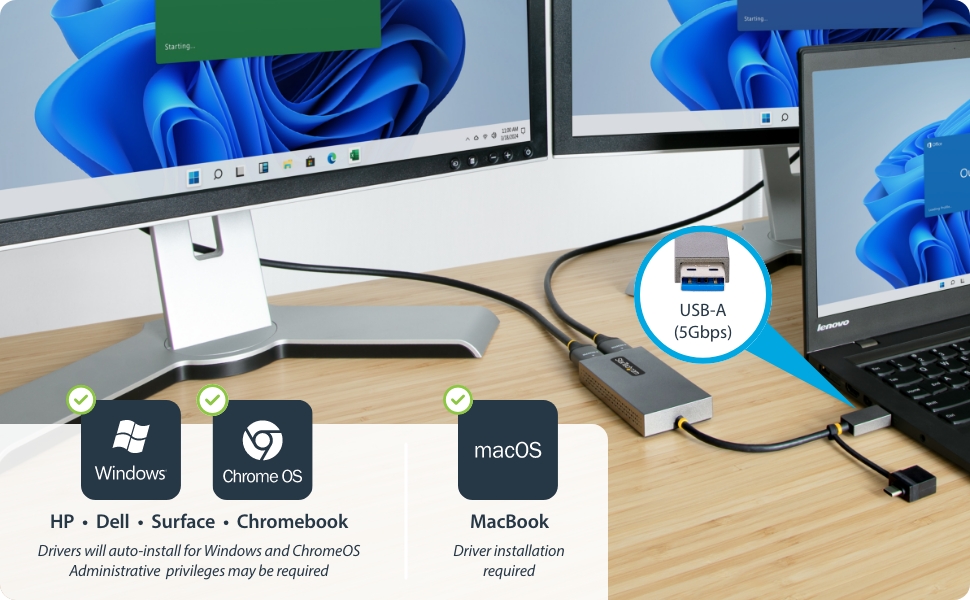
The StarTech USB 3.0 A/C to 2x HDMI Converter is a sleek, bus-powered adapter that enables dual monitor setups with one 4K30Hz and one 1080p HDMI output via a single USB 3.0/3.2 Gen 1 port. Compatible with Windows, macOS, Chrome OS, and Ubuntu, it boosts productivity by expanding your display real estate without extra power or bulky hardware, making it ideal for professionals seeking efficient multi-screen workflows.


| ASIN | B0B15MTFQW |
| Best Sellers Rank | #1,814 in Audio & Video Connectors & Adapters |
| Brand | StarTech.com |
| Built-In Media | 1 USB-A/USB-C to Dual HDMI Adapter, 1 Quick-Start Guide |
| Color | Gray |
| Compatible Devices | Desktop, Laptop, Monitor |
| Customer Reviews | 4.1 out of 5 stars 479 Reviews |
| Global Trade Identification Number | 00065030894012 |
| Hardware Interface | USB 3.0 |
| Input Voltage | 5 volts_of_direct_current |
| Item Dimensions L x W x H | 10.8"L x 2"W x 0.6"H |
| Item Highlight | USB 3.0 5Gbps, Two displays, Mac and Windows and ChromeOS, Low latency |
| Item Weight | 3.04 ounces |
| Manufacturer | StarTech.com |
| Mfr Part Number | 107B-USB-HDMI |
| Model Number | 107B-USB-HDMI |
| Number of Items | 1 |
| Number of Ports | 2 |
| Product Dimensions | 10.8"L x 2"W x 0.6"H |
| Total Number of HDMI Ports | 2 |
| Total USB Ports | 2 |
| Total Usb Ports | 2 |
| UPC | 065030894012 |
| Unit Count | 1 Count |
| Warranty Description | 3-Year |
| Wattage | 4.5 |
J**O
Finally 3 separate screens on MacAir M2 :-)
Been trying to get a simple solution in getting 3 screens on my MacAir M2 Tried various none high $$$ configurations but no luck. Purchased the Startech Usb 3.0 dual HDMI. After a brief driver download, simple click installation making sure I installed right version and adjusting the settings requested, I finally have 2 separate external 1920x1080 screens as well as the main 2560x1664 builtin laptop retina display on my MacAir M2 😊😊😊 No screen mirroring, as all 3 displays working completely independantly. Since I did not want to stress the existing USB plug on the laptop, i plug the usb on a separately used usb adapter that was already hooked up to the laptop. Now I can finally open excell on one screen, word on different screen and all other programs on 3rd screen..... 🥳🥳 One happy camper here. Will update later if I come accross any peculiarities ...
J**A
Important to know the limitations...
Like with all other products, you have to know what you're getting and if it is the right thing for what you need to do. This isn't something to use for resource heavy gaming. On my computer, I use my built in HDMI port for gaming. This is used to extend my desktop for other things, such was viewing system resources and monitoring communications while I am playing. That being said, the picture quality, if you're just doing things like web surfing, using photoshop or even streaming Netflix in 1080 resolution, is great. Performing regular tasks like that, you can't see any difference between this and your built-in HDMI port. However, you HAVE to use a USB 3.0 or better port to get good results. I am using a USB C 3.1 port and two 1080p monitors with this and have no issues at all. Be sure that your system automatically installs the drivers from Windows Update or that you go to the StarTech website and manually install the driver form there. This will not work if you don't do one of those. After the driver installs, leave the adapter plugged into your USB port and reboot your system. For me, the screens attached to this come up as fast as the built in screen on my laptop after doing all the appropriate set up. Bottom line, this isn't a built in video card and it is not a high priced PCIe video card. If you don't try to treat it as such and know how work within its limitations, then things will go smoothly.
N**E
Great Product
This item was exactly what I was looking for. It works great and provides what I need it to. I would definitely recommend this product to others who are looking for something similar. Works great. Will most definitely order it again when needed
L**A
Works for Dell Inspiron 15 7000 2 in 1
I initially purchased cheaper adapter but it didn’t work. Then I decided to try this model and it works on my Windows 10 laptop. The only drawback screens settings can’t be adjusted separately and the third screen is much brighter than the other two
W**O
Crisp picture quality for monitor
This product is not real to support dual monitor, when playing some movie, it cannot display on the monitor for DRM issue. guess they use the technology to capture the screen to realize the daul-monitor functionality.
R**Y
Works exactly as expected on Windows 11
I'm using one of these to power my 4th display since my new system has only one video card and one of its outputs is being used for a VR setup. While you probably don't want to play games on this (as you've likely guessed,) I haven't had any complaints with it for normal desktop use. No image quality problems. As soon as I plugged it in and let the drivers load, Windows automatically detected the monitor attached to it, enabled it, and extended the desktop to it. No noticeable lag, artifacts, etc. so far. I'm currently running a 1080p monitor at 60 Hz on it. I have been using this adapter for a couple of months now with no issues, even when going through a KVM switch. It does have a splash screen that comes up briefly while it's booting, but as long as you aren't using it for your primary display (which you probably shouldn't be,) then that's not really a problem.
J**A
Plug n Play for Sure!
I needed 4 monitors for work on my PC and already had 2. This gizmo let's you add 2 more monitors and Windows Plays nice with it. 1 minute setup! Great!
A**Y
works, but not all the time, is a hassle
when it works, it's great. resolution isn't ideal but I can live with it. What really bugs me is that it just intermittently stops working with no warning and no consistency, usually upon startup or when I'm reconnecting the laptop after detaching.
J**.
Ideal Para 3 pantalla contando el del portátil
Buena herramienta, portatil + 2 pantallas monitor, saco mucho rendimiento gracias a ésto
Y**N
USBからモニターへ出力できるアダプター! 簡単に3画面化できます!
Inspiron 3030 Small Desktopを使用しています。dellのカスタマーには、DP,HDMIの2画面しか出力できないといわれましたが、この商品を使って3画面出力できています。win11です。自動インストールはされなかったのですが、メーカーのサイトでドライバーをインストールすれば、簡単に3画面化できました。以前は、DPの分配器をつかってDPからHDMI2画面へ出力していたのですが、WINのアップデートで突然拡張ではなくミラーリングしかできなくなり困っていましたが調べた結果、この商品にたどり着きました。アダプターのほうでいろいろ処理しているようです。お値段は多少はりますが、あれこれ安いものを試すよりもUSBから間違いなく出力できる、この製品をおすすめします。
B**D
Parfait
Je suis en possession d’un MacBook Pro M1 et mon set-up actuel est composé d’un double écran. Mince, cela est impossible sur les M1. J’étais donc bien déçu. Au final, ce petit appareil me change la vie pour pouvoir travailler en double screen. Cela ne renvoie pas toujours en 2k ou 4K mais plutôt un HD de qualité avec quelques scintillements parfois, mais rien de grave pour de la bureautique. Le logiciel est simple et fonctionne parfaitement. De plus, il est gratuit. Merci pour ce petit bijou.
C**N
Funziona perfettamente
Acquistato per poter collegare tre monitor al mio PC che avendo una sola uscita video HDMI, mi consentiva di utilizzare un solo monitor. Con questo adattatore, attraverso l'USB, ho potuto collegare altri due monitor che insieme all'altro funzionano perfettamente. Per me il prodotto va bene e funziona bene
R**A
Good product
Good product
Trustpilot
3 weeks ago
2 days ago