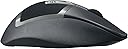
🎯 Dominate your game with precision and power that never quits.
The Logitech G602 Wireless Gaming Mouse delivers exceptional endurance with up to 250 hours of battery life and 11 programmable controls for ultimate customization. Featuring a lag-free 2.4GHz wireless connection and durable mechanical switches rated for 20 million clicks, it’s engineered for high-performance gaming on both PC and Mac platforms.


| ASIN | B00ESVLW0O |
| Antenna Location | Gaming |
| Are Batteries Included? | Yes |
| Are Batteries Required | Yes |
| Battery Average Life | 250 Hours |
| Best Sellers Rank | 317,478 in Computers & Accessories ( See Top 100 in Computers & Accessories ) 5,371 in Mice |
| Box Contents | Batteries |
| Brand | Logitech G |
| Brand Name | Logitech G |
| Button Quantity | 11 |
| Colour | Black |
| Compatible Devices | Laptop, Laptop, Desktop |
| Connectivity technology | wireless |
| Customer Reviews | 4.4 out of 5 stars 3,129 Reviews |
| Enclosure Material | Plastic |
| Global Trade Identification Number | 05099206047617, 08082014022010 |
| Hand Orientation | Right |
| Hardware Platform | PC |
| Item Weight | 261 Grams |
| Manufacturer | Logitech |
| Manufacturer Part Number | 5099206047617 |
| Model Name | G602 |
| Model Number | 910-003823 |
| Mouse Maximum Sensitivity | 2500 Dots per Inch |
| Movement Detection | USB / scroll wheel / tracking resolution selectable / 5700 dpi laser engine / adjustable weights / PTFE feet / SetPoint Software |
| Movement detection technology | USB / scroll wheel / tracking resolution selectable / 5700 dpi laser engine / adjustable weights / PTFE feet / SetPoint Software Movement detection technology USB / scroll wheel / tracking resolution selectable / 5700 dpi laser engine / adjustable weights / PTFE feet / SetPoint Software See more |
| Network Connectivity Technology | wireless |
| Number of Batteries | 1 AA batteries required. (included) |
| Number of buttons | 11 |
| Operating System | Mac |
| Pattern | G602 |
| Power Source | Battery Powered |
| Product Features | Wireless |
| Product Finish Type | Textured |
| Product Warranty | 2 years |
| Range | 3 meters |
| Special feature | Wireless |
| Style Name | West European Version |
| Theme | Video Game |
| UPC | 082014033052 |
| Unit Count | 1.0 count |
C**L
Hooray for optical!
It's so great to see Logitech employing an optical sensor in one of their higher end mice. It's about time people finally realise lasers are not the answer for gaming - they all have the inherent problem of hardware side acceleration of anywhere from 2-10%, something gamers do not want! Optical mice track 1:1 - perfect. The goods: - Optical! - The superior sensor with no built in acceleration compared to laser mice. It's not the most recent optical sensor but I cant detect any jitter or tracking issues in paint. Would have been nice to see them employ the new ADNS-3310 though. - Shape is great, very similar to the G700/S but with a better 'ledge' for your ring/pinkie to sit on making it easier to pick up. The extended thumb rest allows the thumb to sit relaxed and comfortable. - Build quality is outstanding. It really is the best build Logitech mice I've had the pleasure of using - on my desk sat next to it I have the G500S, G700 and G700S and this knocks them all out of the park. The sandpaper like grip on the previous mice has been refined and is now much smoother and nice to the touch while offering good grip. The top of the mouse really stands out though! The buttons employ a soft matte paint somewhat akin to the Roccat mice - great to touch and after a days use there are no sweaty fingerprint marks at all. The rear 'patterned' area is rubbery and very comfortable/grippy and gives a unique design. There are no rattles like you experience on the G700. ALL the buttons are much more clicky and defined compared to the 700's mushy feeling side buttons. - Claimed battery life is big and I'm looking forward to seeing how far it'll stretch. After a day its nice to see it at full still whereas I'd now be thinking of charging my 700! The OK's: - It weighs a fair bit, like the G700. However it isn't so rear heavy so its easier to lift. It can also be run on one battery (I'm doing this) to reduce weight by around 20g. It feels perfect to me with one. The bads: - Mouse wheel feels somewhat mushy to scroll. Its much less defined and it's easy to scroll too far without feeling it. I'm not a fan of Logitech's rattly hyperscroll wheel though and I'm glad they didn't use it. - 500hz max polling rate. This is gonna put a lot of people off. Why? I dont know. I can't notice any difference between 500hz and 1000hz. Unless your monitor refresh rate is 1ms you aren't going to care. Overrall I'm going to keep this mouse. It feels of higher quality than my G700S due to it being a totally newly designed product opposed to a sensor upgrade. The comfort is top notch and its simply really, really nice to use! Would heartily reccomend this mouse.
U**8
Brilliant quality and batteries last forever
9 Months of use and I have changed the batteries once so far... AMAZING. I just got a notification saying that I am now at 5% of my second set of batteries. in 9 months of daily usage. Gaming included. My main concern was how fast this thing would burn through batteries. So glad I made the change from wired to wireless because batteries are of no concern. I have small hands but it fits ergonomically. I would be a bit hard pressed to use some of the side buttons when gaming due to how far back they are but these are not really much use to me in the games I play. I dont tend to use the high performance mode but did notice a small difference in it. If you are a competitive games you probably will benefit from this mode more than I do. Build quality is great and the mouse looks the part. Would prefer a bit more weight to the mouse (or perhaps being able to add some weights like my previous mouse) but this is not a big complaint. Being able to set macro profiles and switch between them with the logticech software is useful but I don't tend to use it very often. If anyone is after a reliable, easy to use and long lasting mouse then look no further than the G602. It is a great little performer that you will be glad you purchased. The only downside is that I believe the wireless adapter that goes into the USB socket on PC is causing conflicts with my wireless keyboard connector (Also a logitech product). It happens randomly and will cause input lag on my keyboard which can be frustrating at time.
S**N
A very nice quality mouse.
I've been on the hunt for a MMO/FPS hybrid type mouse for a while now, Let's start with the basics, It is a very sturdy mouse, although you can hear a minor rattle when you shake the mouse about but I'm pretty sure that's just a normal component. The material on the mouse is unlike any other it has a soft sandpaper type feel to it which helps when you get sweaty and clammy hands when gaming! It has a rubber texture on the top which Helps grip and a matte plastic for the left and right click. The six buttons on the left hand side are positioned really nicely, much better than a lot of the MMO type mouses I've tried (trust me I've bought and returned a lot!) I can't really say much for the sensor like most people but it is really responsive, and lays to rest the mythic input lag that people say about wireless. It has two modes in terms of battery, endurance and performance. I'm not sure if I can tell between the two but on paper endurance seems to provide a lot more usage hours. After about 50 hours of use so far it is still going strong. Being an ex-console gamer, I felt really comfortable using a gamepad, so I found a lot of comfort in still using my thumbs for a lot of actions while gaming (which is why I also have a Tartarus keypad) I absolutely love (and always will) my razer deathadder because it is just pure class, but I wanted something with more thumb buttons to help with my gaming style. I tried all sorts, the g502 spectrum, which didn't feel that comfortable for me and made a strange sound on the right click, The razer naga, I hated how my pinkie and ring finger lay and there were a couple of others but nothing seemed to fit what I wanted in terms of grip and functionality at the same time. But then I tried this..... And it suited me down to the T. If like myself you are a palmed user with a deathadder and want a few more thumb keys, then this is literally the perfect mouse for you. I only have one gripe so far and that's the scroll wheel, it does feel a little "vague" but I guess I can get used to it.
E**Y
Great Gaming Mouse
I found the Logitech G502 Wireless mouse to be really comfortable and well designed for long use. The sensor is very precise, and I liked how customizable the buttons are it worked great for both gaming and everyday tasks. The wireless connection felt reliable with almost no lag, which was important to me. I also found the battery life to be good, easily lasting through hours of use without needing to recharge frequently. Overall, it’s a versatile, high quality mouse that I’d definitely recommend to both gamers and anyone looking for a solid productivity mouse.
D**N
Batteries have lasted 4 months!
I'm writing this review now as I wanted to see how long the batteries lasted. I used the Duracell ones which came with the mouse. I purchased this in November 2013 and its now March 2014. They died last week. And its not as if I haven't used it. I'm a gamer and used the mouse daily, sometimes up to 6 hours in one sitting. I switched between the two different modes "endurance" and "performance". Performance for when playing games and endurance for anything else. Amazing! I used a Logitech G500 for many years and thought it was time to upgrade. This mouse fitted my hand perfectly if not better than the G500. That's not to say it'll fit yours. I think this mouse is better for the palm grip players rather than the claw. I would recommend this for any sort of game. I've used it on for BF4, Skyrim, Total War, Hitman, Assassins Creed. The mouse works well. I had to setup different profiles for each game which the logitech gaming software allowed me to do. I know allot of people say its downfall is the max dpi but I can't find any game which needs that much. I would say I'm an above average player on FPS games and have only ever used a max of 1800dpi. Which is what I currently use with BF4. And using this mouse hasn't affected my stats or gameplay in the slightest. The additional buttons on the side are great and you can map, sometimes hard to reach keys, from the keyboard to them. This especially comes on handy when switching weapons, throwing grenades etc. The only downside I've found so far is the no horizontal scroll on the wheel. Other than that this mouse it great!!
C**N
Great price, great performance, some very small issues
I've been buying and using logitech mice for over a decade and have never been let down, this is no exception. It's a great little mouse. It's very comfortable for those who like myself have beefy hands, the thumb rest is a little high but I got used to it very quickly. The AA batteries (amazon basics) last for about a million years, even when the software says its at 0%, its not, easily got another 8-12 hours in it in my experience. I only ever turn it off if I'm moving around with it. Inside the battery compartment is a small space for the wireless USB nub, just in case you were wondering if you'd lose it or not. It's super responsive, the 'high performance' mode provides a nice bump in fidelity, which I don't really turn on for gaming since I'm not a 1337 gAmEr, but I find it very useful with programs like illustrator, font forge or something where the application can benefit from a bit more precision. It tracks adequately on mouse mats (cloth & plastic), white ikea desks, paper, note-books, the arm of a cloth sofa, bed-sheets and even bare skin in a pinch. All buttons are reprogrammable with the software and can save that data to the mouse which is useful for someone like myself who uses multiple devices. And aesthetically it just looks like a well-to-do mouse, and the blue/green LEDs dont stay on for long. There are a couple of small caveats, as with all things: My one (purchased lightly used) sometimes registers a double left click, its occasional and only a little annoying, I haven't rated it down because I have a sneaking suspicion that might be the reason this particular unit was returned by the original owner. The macro buttons are a grease magnet if you get sweaty palms and might require a cotton bud to clean properly. The pads on the bottom can lift at a corner and catch a bit, but that's nothing that a bit of glue cant fix. And, at least with my unit, I get the best range & wireless results by using the included extension cord and just keeping it wrapped up and out of the way -- that is to say, just using the USB nub by itself makes the connection a bit spotty, despite only being four feet or so away from my PC. Strange, but not major. Honestly, I'm just nitpicking though. All in all, it's a great product, espcially with a used hardware discount.
C**R
Can't recommend this triumph of a mouse highly enough!
I just wanted to add my voice to the legion already endorsing this triumph of a mouse. The first and most astounding feature to me is its phenomenal durability. It has withstood 4 years of abuse at my clumsy hands (I'm pretty hard on all my gear) and is still as solid and reliable as the day I bought it. I've lost count of the times I've dropped it and bashed it and splashed it (don't judge me, it is an accident every time, I swear! :P) and the thing just keeps going as strong as ever. For a mid range wireless mouse, it is beautifully responsive too with smooth, steady, reliable performance through hours of gaming. Navigating the detailed, many layered keybind customisation feels very intuitive so that it's easy to get the most out of this feature. In terms of the structure, I have ridiculously tiny hands and the great ergonomic design means it is still the comfiest mouse I've ever used. (Now and then I leave it behind when I'm traveling for work and take a reasonable but less treasured alternative with me instead, but I always regret it when my wrist starts complaining.) Sometimes the very top buttons on the side are a bit of a stretch for me, but I've just keybound rarely used powerful abilities to those to justify the extra miliseconds it takes my thumb to get there. If you need an army of mouse keys at your disposal, then obviously this isn't the mouse for you, but it's about perfect for a middling but mildly ambitious player like me. Great job, Logitech! If this mouse ever finally succumbs to the daily abuse it suffers at my butterfingered hands, I will have no hesitation in replacing it with the exact same item, knowing how utterly I can rely on it for years of outstanding service.
R**I
Worse than G700s in everything except battery life
Overall it's a great mouse, but coming from a G700s, most things feel like a downgrade. The biggest advantage it has over the G700s is the battery life. G700s is a far better mouse that is only let down by the placebo effect of 1000 Hz laser sensor that eats through batteries like there's no tomorrow. G602s is worse in the following areas: - almost none of the functions I need can be assigned to the G keys unless I keep Logitech software running. I used the on-board memory of G700s to store all of those settings (e.g. one of the buttons was media play) so I can connect it to my other computer and still have them. G602s _cannot do this_. They tell you it has onboard memory, which is true. They tell you you can assign media keys to G buttons, which is true. But you cannot combine the two. Onboard memory is so limited it's nearly useless. (or, another way to put it is, most of those G buttons will be useless if you require onboard memory) - no mousewheel will ever feel the same after G700s with the switchable wheel. I thought I didn't use that fast scroll option on G700s often enought. Boy was I wrong. I miss it more than anything. I don't miss the wobbly feel though. The scroll wheel on G602 feels cheap but solid. It also has the bug that many cheaper mice have: if you wiggle the scroll wheel up/down slightly, it will generate up/down scroll events. This must not happen in an expensive mouse; no scrolling unless you move the wheel past a notch! G602 fails this. - the shape is worse, at least for me. This is a highly subjective aspect, but I absolutely hate the curve on the right side of the mouse. They tried to make some sort of a rest there, which I don't want because I let my fingers touch the desk for extra control. The curve makes it very awkward to lift the mouse when you're readjusting it (which you may do subconsciously without realising it). - the buttons form the very front edge of the mouse. If you bump it into anything (the keyboard, stuff that lies on your messy table), you _will_ generate a click. Every bump generates an undesirable click. Maybe you don't think you bump your mouse into things, but I didn't realise this either - until I bought this mouse. G700s doesn't suffer this problem. Of course tidying up my desk solved this problem to some extent, but the keyboard cannot be tidied out of the way, and I continue bumping into it and generating unwanted clicks. - the balance is slightly worse than the G702. It's back-heavy even with one battery. With two batteries it's much too heavy overall, and even more back-heavy in terms of balance. Now onto the good sides: - there is no noticeable difference between G700s at 1000 Hz and G602 at 125 Hz. It does go all the way up to 500 Hz, and there is a switch to enable a "performance" mode. - it runs on one battery or two batteries, it's up to you. With one battery it weighs the same as the G700s. - those 6 thumb buttons aren't as awkward as I was worried they might be. It's easy enough to press the one you need. They're also clicky. I prefer the feel of the G700s "mushy" thumb buttons, but this is a personal preference. Those just felt more luxurious. - the rubbery area around the logo on the top feels amazing. I'd describe it as "silky-soft". The only issue is that I can only feel the silky-softness with my fingers, not with my palm, so that area is a bit of a gimmick. That's about it! Regrets? Hm. Not really. G700s required new batteries every 3 days. That's nuts. Both of these mice are approximately equally far from perfect. If I had to pick again, I don't know which one of the two I'd buy. I'm really rather tired of swapping and charging batteries for G700s.
V**T
Sehr bequem und gute Funktionalität!
Ich benutze seit Jahren die MX518. Wirklich, sehr lange. Die Qualität dieser Maus ist phänomenal. Kein knarkseln, kein quietschen, rattern, nichts. Sie ist ebenso sehr bequem. Diese Similaritäten habe ich auch bei der G602 feststellen können. Sie braucht etwas Eingewöhnungszeit, da die Finger-Flächen Auflage im Gegensatz zu der MX518 breiter ist. Etwas verkrampfend, wenn man gewohnt war mit Zeige- und Mittelfinger auf der Maus Position zu beziehen. Nun ist es Zeige-, Mittel- und Ringfinger. Die 6 Tasten an der Seite, plus die schnurlose Verbindung, waren für mich der Kaufgrund. Ich brauche Multi-Tasten. Hier habe ich sie somit, sehr gut zu erreichen, zu betätigen, die Haptik ist angenehm, etwas laut, aber guter Druckpunkt. Die Funkverbindung ist relativ gut, würde ich sagen. Ich merke vor allem bei "Ausdauer vs. Leistung"-Modus keinen Unterschied. Der Ausdauer Modus wird mit einer Signalerate von 125Hz laufen, der Leistungs-Modus hingegen bis zu 500Hz. Ich sehe kein jittering, kein verwackeln, plötzliches herumspringen des Pointers. Also ... irgendwie eigenartig. Batterie ist immer noch zu 50% voll (habe benutzte Batterien eingestöpselt), und das nach 1 Woche mit je 8 Stunden Nutzung pro Tag. Die Software (Logitech Gaming Software) erkennt die Maus korrekt. Hat sogar keine eigenartigen Bugs, wie es mit der G900 üblich war (Profile Switch während Fenster Wechsel, sogar von Chrome auf Desktop, sorgte für sehr frustrierende Momente. Unnutzbar für Multitasking). Alle Tasten, bis auf den Mode-Switch, lassen sich belegen. Somit sind es acht zusätzliche Multi-Tasten. Das einzige, was mir aufgefallen ist, die Maus rutscht ... leider zu gut. Ich habe das G440 (Kunststoff Oberfläche) und sie gleitet bei anderen Grips außer Palm-Grip gerne aus der Hand. Claw- und Finger-Gripler mit einer Kunststoff Oberfläche sollten das wirklich bedenken. Auf ein langes mit dem Produkt! (Anstehend sind knapp 9 Jahre Rekord-Laufzeit ohne eine einzige Reparatur!)
F**O
Perfect price quality
Love it, so comfortable and accurate
Á**F
Satisfecho, cumple las expectativas
Lo suelo usar para trabajar y ocasionalmente para jugar, la verdad es q funciona muy bien. Es grande y la mano queda bien reposada sobre el ratón con los dedos extendidos, justo lo que queria (tengo una mano mediana varón). Tacto agradable y la rugosidad de la zona superior es muy leve, mucho menos pronunciada de lo que parece en las imagenes. Los botones me parecen bien posicionados y a diferencia de lo que comentan algunos usuarios, nunca he apretado ninguno de forma involuntaria. Los G10 y G11 (junto al indice) estan preconfigurados para subir y bajar DPIs y resulta muy comodo para jugar. Los niveles de DPI se pueden personalizar con el software de Logitech aunque los que vienen por defecto se ajustan bien a mis necesidades. El software de Logitech no me parece nada intrusivo, almenos la version actual que he probado. Permite programar las funciones de los botones. Inicialmente pensaba que podria definir cualquier función o incluso lanzar scripts personalizados pero solo te deja elegir entre una lista de funciones predefinidas por logitech. Viene con pilas, el USB necesario para la conexión y un alargo USB por si tienes el ordenador lejos o no te llega bien la conexion. Comentar que lo he probado un PC bajo la mesa sin el alargo y en ningún momento he sufrido cortes o lag. En definitiva, cumple casi todo lo que puedo pedir de un ratón y a un precio razonable. Solo añadiria el poder personalizar más las funciones de los botones y que tubiera la opción de conectar por cable cuando te quedas sin pilas. 9/10
R**O
Molto soddisfatto
per chi, come me, era abituato a mouse "normali" o ai mini-mouse che vanno tanto di moda, passare a questo Logitech G602 è stato come abbandonare il triciclo e salire su una ferrari. L'alta qualità del prodotto si apprezza non appena si toglie l'articolo dalla scatola; ma è quando lo si utilizza per la prima volta che si percepisce immediatamente che vale ogni centesimo del suo prezzo (peraltro ho avuto la fortuna di trovarlo usato in condizioni pari al nuovo, risparmiando anche qualcosina). Si certo, si può spendere di meno prendendo uno degli innumerevoli prodotti cinesi che si trovano ovunque, ma quelli offrono solo la parvenza di una periferica professionale o da gaming.. Invcece questo mouse offre tantissimo in più, a partire dalla possibilità di configurare i tasti, la precisione, le prestazioni, ecc.., fino ad arrivare alla possibilità di gestire il tutto tramite il comodo ed accattivante software che Logitech mette a disposizione (download gratis dal sito del produttore) .. profili personalizzabili e salvabili anche al di fuori dei singoli giochi e tanto altro. Non ultimo, trattandosi di mouse wireless, il fatto che la comunicazione col micro-adattatore/ricevente avviene su una frequenza dedicata e non standard, che quindi non interferisce né con la connessione wifi, né con altre periferiche wireless. Finisco col dire che, accanto all'ottima precisione dimostrata su tutte le superfici su cui l'ho provato, non si nota alcuna latenza nel suo utilizzo (dato importante per i gamers professionisti); infine l'autonomia delle pile non sarà una preoccupazione: ci sono indicatori che segnalano il livello della batteria, ma vi assicuro che vi dimenticherete che è un dispositivo che va a pile. Sono molto soddisfatto e consiglio l'acquisto di questo prodotto: spendete qualcosa in più, ma andate sul sicuro .. fidatevi!
C**R
Lässt wirklich kaum Wünsche offen
Knapp neun Jahre ist es her, als ich das kabellose Maus+Tastatur Set MX3100 von Logitech kaufte. Fast museumsreif also, und doch verrichteten sowohl die Tastatur als auch die Maus immer zuverlässig ihren Dienst. Ein Qualitätsbeweis, der bei mir hängen geblieben ist. Da der integrierte Akku der MX Laser Maus nach diesen knapp 9 Jahren (also nie getauscht) schließlich die Biege gemacht hat, habe ich jetzt allerdings die Gelegenheit genutzt, doch mal etwas Neues ins Haus zu holen. Kabellos sollte es wieder sein, ein wenig präziser vom Sensor her vielleicht, und potentiell auch wieder lange haltbar, sprich vernünftig verarbeitet. Neben der üblichen Arbeit am PC wollte ich damit auch meine Spiele vernünftig zocken können, also die eine oder andere Taste mehr war gern gesehen. Und aufgrund meiner guten Erfahrungen (und umgekehrt den schlechten Erfahrungen in meinem Bekanntenkreis mit Produkten anderer Hersteller) war Logitech wieder bevorzugt. Sehr schnell sprang mir da die noch recht neue G602 ins Auge, die alle meiner Anforderungen zu erfüllen schien, dazu (dank Logitech Gaming Software) sogar noch einige Spielereien mehr bot, anscheinend wieder sehr robust verarbeitet ist, und mit knapp über 50€ dabei gar nicht mal so teuer im Vergleich zu den bisherigen etwas besseren Funknagern. Das schient mir doch ein sehr gutes Preis-Leistungs-Verhältnis zu sein. Da brauchte ich vor dem Bestellen nicht mehr all zu lange überlegen. Jetzt wo ich die Maus schon ein wenig im Betrieb hatte kann ich den positiven Eindruck der Maus und auch die anderen positiven Rezensionen wirklich nur bestätigen. Aber der Reihe nach: Die Verpackung ist wirklich sehr ... kreativ. Regelrecht verspielt möchte ich fast sagen. Um sie zu öffnen und die Maus schließlich in den Händen zu halten muss man die Packung entweder mit Gewalt zerstören - aber das wäre ja langweilig - oder sich den Spaß machen einfach mit etwas Verstand heran zu gehen und sie "auseinander zu basteln". Aber das ist eigentlich dann auch recht schnell machbar, also so "schlimm" ist es nun auch nicht. Mir hat es sogar Spaß gemacht. In der Packung findet man dann nur eine sehr kurze Anleitung, das Garantie-Beiblatt (nebenbei bemerkt immerhin 3 Jahre, finde ich gut!), die Maus selbst sowie den kleinen Mikro-Empfänger. Letzterer muss auch zwingend genutzt werden, die G602 ist NICHT mit dem Unifying-Empfänger kompatibel! Eine Software- oder Treiber-CD ist nicht beigelegt. Nach dem Einstecken des Empfängers hinten am Rechner wurde die Maus sofort problemlos erkannt und funktionierte. Leider bei mir erst einmal etwas hakelig und mit Aussetzern. Anscheinend ist die Reichweite des Empfängers bzw. der Maus also nicht besonders hoch und/oder die Verbindung relativ störanfällig. Allerdings hat Logitech ein Verlängerungskabel beigelegt, mit dem man den Empfänger günstiger positionieren kann, z.B. unter dem Monitor o.Ä. Das Ende des Kabels ist dabei speziell geformt, so dass es stabil auf dem Tisch liegt und eben nicht nur wie ein billiges 0815-USB-Kabel aussieht. Dies sollte aber von jedem beachtet werden, der die Maus kaufen will um generell Kabel zu sparen: Je nach Rechner-Positionierung etc. werden viele (wie ich auch) um die Verlängerung nicht drumherum kommen. Für einen etwas stärkeren Sender hätte ich z.B. sogar auch auf ein paar Stunden Laufzeit verzichtet. Finde ich jetzt in diesem Sinne aber auch nicht schlimm, wichtig war mir eher, dass ich die Maus überhaupt wieder ohne störendes da direkt angeschlossenes Kabel bewegen kann. Die Maus wirkt wirklich gut verarbeitet. Die Druckpunkte finde ich so weit alle recht gut. Die DPI-Tasten (G10/G11) sind tatsächlich ein wenig schwammig, dass die Daumentasten etwas knackiger sind finde ich dagegen gar nicht mal schlecht. Das Mausrad ist nicht besonders knackig gerastert, das stimmt, aber auch das empfinde ich gar nicht als unangenehm. Ich hatte bisher auch nie ein Problem damit die dritte Maustaste (also das Rad) zu drücken ohne es dabei zu drehen. Schön ist noch, dass das Mausrad etwas weiter vorne ist als bei der MX Laser, so lässt sich das mit dem Mittelfinger 1A bedienen, viel besser als bei ihrem Vorgänger. Die Oberfläche ist mir griffig genug und sie fühlt sich auch recht angenehm an. Zudem wirkt sie auch wieder recht robust. Der Sensor ist sehr genau und zumindest völlig ausreichend. Ich halte eh nichts von dem Marketing-Gewäsch mit x000 DPI. Die G602 bietet immerhin auch schon 2500 DPI, für mich persönlich finde ich 1500 als sehr angenehm, und ich mag es eigentlich schon immer ein wenig schneller (meine Freundin hatte damit selbst bei der MX Laser schon immer Probleme, wenn sie an meinem Rechner etwas zocken wollte). Sehr praktisch finde ich, dass man wählen kann ob man eine AA-Batterie oder deren zwei einsetzen will. Mit zweien ist die Maus schon recht schwer, dafür läuft sie natürlich länger. Ich selbst habe ich dazu entschlossen nur eine zu verwenden. Bei der angegebenen Laufzeit der Maus wird auch das schließlich nicht gerade zu einer Wechselorgie werden. Wie lange die Ladung tatsächlich hält kann ich jetzt allerdings noch nicht sagen. Schön finde ich aber, dass man zwischen einem Ausdauer- (125Hz) und einem Performance-Modus (500Hz) wechseln kann, letzteren braucht man aber wohl vor allem bei schnelleren Shootern. Im Moment zocke ich eher Strategiespiele und MMOs, da merke ich durch die 500Hz jetzt nicht wirklich einen Vorteil. So kann ich dann eben noch Energie sparen und die Laufzeit entsprechend noch erhöhen. Nachdem ich die beiden beigelegten Duracell-Batterien aufgebraucht habe, werden Eneloop-Akkus ihren Platz einnehmen. Aufladen kann man die Maus allerdings direkt nicht, man braucht also bei Verwendung von Akkus auch ein externes Ladegerät. Allerdings sollte ein solches ja eigentlich eh in jedem Haushalt verfügbar sein. Auch kann man die Maus durch Anschluss eines USB-Kabels o.Ä. nicht weiter verwenden, wenn die Batterien oder Akkus leer sind - also immer mindestens eine AA-Zelle griffbereit halten. Der Austausch geht sehr schnell und einfach über eine kleine Klappe auf der Unterseite. Dort kann man übrigens auch den Mikro-Empfänger verstauen, damit er z.B. beim Transport nicht verloren geht. Insgesamt ein Top-Produkt, dessen Kauf ich in keinster Weise bereue. Der schwache Empfang zwischen Maus und Empfänger gibt leichte Abzüge in der B-Note. Bewerten würde ich die G602 somit letztlich mit etwa 4,5 Sternen, runde es aber mit gutem Gewissen auf.
Trustpilot
2 months ago
2 weeks ago