Desertcart purchases this item on your behalf and handles shipping, customs, and support to Austria.
🎮 Elevate your flight sim game—real controls, real feel, zero compromises!
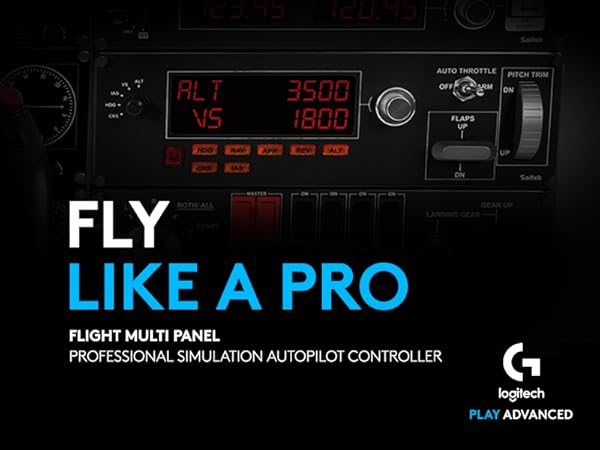
The Logitech G Saitek Pro Flight Multi Panel is a professional-grade flight sim controller featuring a real-time LED autopilot display, 14 physical buttons and switches, and a precision trim wheel. Designed for seamless integration with major flight simulation software like FSX, X-Plane, and Prepar3D, it offers modular stacking options to customize your cockpit. Lightweight and USB-powered, it delivers tactile, accurate control over autopilot, throttle, flaps, and pitch trim, transforming your virtual flying experience into a realistic pilot’s command center.


| ASIN | B01MFBNN9J |
| Best Sellers Rank | 2,483 in PC & Video Games ( See Top 100 in PC & Video Games ) 5 in PC Flight Controls |
| Brand | Logitech G |
| Brand Name | Logitech G |
| Button Quantity | 14 |
| Colour | Black |
| Compatible Devices | PC, Microsoft Windows XP/Vista, USB 1.1/2.0 |
| Compatible Video Game Console Models | Microsoft Xbox One, Microsoft Xbox One S, Microsoft Xbox One X, Nintendo Switch, Sony PlayStation 2, Sony PlayStation 4 |
| Compatible devices | PC, Microsoft Windows XP/Vista, USB 1.1/2.0 |
| Connectivity Technology | USB |
| Connectivity technology | USB |
| Controller Type | Joystick |
| Controller type | Joystick |
| Country Of Origin | China |
| Customer Reviews | 4.2 out of 5 stars 896 Reviews |
| Global Trade Identification Number | 05099206069831 |
| Hardware Platform | Desktop |
| Item Dimensions | 28.2 x 8 x 8 centimetres |
| Item Weight | 0.57 Kilograms |
| Manufacturer | Logitech |
| Manufacturer Part Number | 945-000009 |
| Model Name | pro |
| Model Number | 945-000009 |
| Model name | pro |
| Package Quantity | 1 |
| Power Source | Corded Electric |
| Product Warranty | 2-year Limited hardware warranty |
| Special Features | Touchpad |
J**N
Very useful Flight sim add on - which works!
This brief review is in respect of the Logitech (formerly Saitek) Pro Flight Multi Panel. I only say that because the reviews in this area seemed to be bundled together in respect of products that are as different as chalk and cheese. The Multi Panel is one of a series of separate Flight Simulator add ons made by Logitech for use alongside a joystick, control column, and other flight simulator controls. To the un-initiated, perhaps considering buying as a gift, please speak to the recipient first. By itself, this item will be useless! Right, having got that over with. If you are in the market for an add-on Flight Sim controller that provides elevator trim, flap control and simple autopilot functions, then you'll be please with this. I have it working with Microsoft Flight Sim X, X Plane 11, and Aerofly FS2. By itself it's tricky to get working, but install FSUIPC software (free download, no catches and well respected in the FS Community, which will be sufficient, or payware if you want full facilities) and you'll be away in seconds. I'm no expert at the techie bits, but once I connected this, I love it!
J**H
Very useful and easy to use
Works well but it has to be plugged in from 'start up' of computer. Doesn't work 'plug and play' as I expected. Otherwise, very useful and easier than using on-screen flight deck controls in X-Plane 10 (Mac). If I have any criticism, the function selector is very stiff and it makes me wonder how long it will last.
A**C
Check EXE.xml file if Flight Simulator 2020 fails to start Logitech Plugin
I bought this to use with Flight Simulator 2020 for the auto pilot and trim wheel functionality. Installed the Logitech Plug-in software and it was working fine for a few weeks. When it suddenly stopped recognising the Multi Panel, I discovered I had to manually launch the Logitech Plug-in software. Reinstalling the Logitech software made no difference. Upon further investigation, the EXE.xml file contained in Flight Simulator 2020 was corrupt. I deleted the file and reinstalled the Logitech software. This created new entries in the EXE.xml file to locate and automatically start the Logitech Plugin software. It's been working ever since for past 18 months. I purchased the Multi panel direct from Amazon UK (not marketplace) when it was on special offer in spring 2024. I was surprised it was being shipped from Germany and it would take a week. When it arrived, the protective film covering the LED display was crumpled. The unit was in mint condition though. I suspected it was either 'open box' or 'refurbished'. The serial no. on the unit didn't match the one printed on the box. Upon Very close inspection of the box lid seals, the original seals had been professionally removed and replaced with new identical round seals. I complained to Amazon and they offered a discount which I accepted, and they backed it up with a written 2 year guarantee.
P**O
Plug and play
Excellent ‘plug & play’
K**E
Knob very very loose on multi panel
I've already got the radio panel which is spot on. Just taken this out of a brand new sealed box and the actual knob used to set hdg/alt/vs has got so much play it's rediculous. It even makes a racket when moving it so something is not right. The buttons on my radio panel are nice and tight and precise. This is going back. Big question is do I try another or are they all like this?
H**S
Works straight out of the box....
Microsoft flight simulator 2020 and windows 11 compatible. I installed the logitec drivers, then tried it out. Every single function works, depending if the aircraft has that function to start with. Turns on and off automatically with flight simulator. No need for external usb power hub. Works straight from the blue usb port. More than happy with it.
M**S
Flight sim
Brought as a gift, and he loved it, stability good quality
S**.
Great for simmers
Really good little controller, slightly difficult to setup, but if you have the time to do it right it works a treat! The housing feels good quality, and the ridges on the knobs and buttons feels nice and of good quality, if a little flimsy at times. The buttons are responsive, not noticed any issues in that area. The provided cable is fairly short, which can be an issue if your PC is further away on your desk, though I use a powered usb hub so not an issue for me. Overall it's good value for money, and was cheaper on Amazon than on Logitechs own webpage
H**R
Good product
I like it
K**M
En väldigt användbar gadget för flysimulatorer
Funkar som den ska i MSFS 2020, installera drivrutinen sen är det plug and play, det tråkiga är att alla knappar och rattar är förinställda och går inte att ändra förutom med programmet Spadnex.
F**B
impeccable
Comme avec tout les produits de la gamme> aucun problèmes
W**T
Leuke toevoeging voor de Flightsimulator
Bijna onmisbaar als je veel in Flightsimulatie zit. Het enige minpuntje is dat de +/- draaiknop maar 1 knop is en niet een binnen/buiten werking heeft (zoals het Radiopanel) en erg jammer dat Logitech (Saitek) dit na al die jaren dat het al te koop is nooit aangepast is. Dit had de Multi Panel nog beter gemaakt. Gelukkig kan je met wat software Spad/Axis and Ohs deze werking iets beter maken
C**S
Muy útil y práctico
Sirve para cualquier tipo de avión y simulador, logitech siempre hace buenos productos y este no es para menos. Todos los botones funcionan a la perfección y con precisión. Lo recomiendo mucho.
Trustpilot
2 weeks ago
2 days ago