Buy anything from 5,000+ international stores. One checkout price. No surprise fees. Join 2M+ shoppers on Desertcart.
Desertcart purchases this item on your behalf and handles shipping, customs, and support to Austria.
🎤 Own the stage, command the room with Logitech R400!
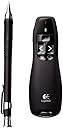
The Logitech Wireless Presenter R400 is a durable, easy-to-use presentation remote featuring a 15-meter wireless range, a bright red laser pointer for clear highlighting, and intuitive tactile controls. Designed for professionals, it offers plug-and-play USB connectivity and a 3-year hardware warranty, making it the reliable choice to elevate your presentations and captivate any audience.
| ASIN | B002KKM5J2 |
| Antenna Location | Live Presentations |
| Best Sellers Rank | 11,586 in Stationery & Office Supplies ( See Top 100 in Stationery & Office Supplies ) 20 in Presentation Remotes |
| Box Contents | Camera Body |
| Brand | Logitech |
| Brand Name | Logitech |
| Button Quantity | 6 |
| Colour | black |
| Compatible Devices | Computer, Laptop, Smart TV |
| Compatible Operating System Family | Windows |
| Compatible Tablet Computer Models | AAUB P30 |
| Compatible devices | Computer, Laptop, Smart TV |
| Connectivity Technology | 2.4GHz |
| Connectivity technology | 2.4GHz |
| Customer Reviews | 4.5 out of 5 stars 2,378 Reviews |
| Enclosure Material | Plastic |
| External Testing Certification | GS, CE, FCC, C-Tick, VCCI |
| Generation | 1st Generation |
| Global Trade Identification Number | 05099206018129 |
| Hand Orientation | Ambidextrous |
| Item Dimensions L x W x H | 22.3L x 17W x 6.6H centimetres |
| Item Part Number | 910-001357, 910001357 |
| Item Weight | 95 g |
| Keyboard Description | Flexible |
| Keyboard Layout | QWERTY |
| Keyboard description | Flexible |
| Language | English, English, English, English, English |
| Manufacturer | Logitech |
| Manufacturer Part Number | 5099206018129 |
| Minimum Required Operating System Version | Mac OS 10.12 Sierra, Windows 10 |
| Model Name | R400 |
| Model Number | 910-001357 |
| Number of Keys | 104 |
| Number of Sections | 1 |
| Power Source | Battery Powered |
| Product Features | Waterproof |
| Product Warranty | 3 Years |
| Recommended uses for product | Live Presentations |
| Series Number | 910001357 |
| Special feature | Waterproof |
| Style Name | R400 Old |
| Switch Type | Mechanical |
| Theme | Presentations |
| Unit Count | 1.0 count |
| Water Resistance Level | Not Water Resistant |
M**K
Works with PowerPoint and laptop
Use this all the time. Works perfectly for PowerPoint on my very average laptop. I tend to lose the dongle which is annoying but that’s my fault!
P**.
Raise the receiver
Great for both PC and Apple laptops/Macbooks. Tip: Raise the receiver(by means of a USB extension led) to a suitable height if at all possible. If you put it into a normal USB socket on your device, low down, then the line of sight will be impaired and thus the reception of the receiver. I had the advantage of nearby cabinet to rest it on, about 1.5m above the ground, the Macbook on a table about 1m high, and was able to operate it from about 30m away! With direct, line of sight. Even somone in the way, let alone anything metal of even brick work, concrete etc, starts to impair the signal. So try and make sure you have a clear path to the receiver. The side on/off switch is quite delicate, with small text, and appears to operate not quite intuitively, but once mastered, the unit works well.
C**T
Excellent product. Very easy to use
Had one once before. A great product. Very easy to use
H**L
Expensive but works
Expensive but works
D**W
Works well - a tried and tested solution.
Second one I have bought. This one for use by the team!
V**R
Mostly very useful
Works well for the laptop slide-shows I use for the small U3A Interest Group I run, and will come into great play for a larger talk I'm preparing. One thing I'd like it also to do is run a succession of JPEGs, not just PowerPoint slides - can it be done?
S**E
Good for presenting
Very good and fits on hand well.
A**L
Works fine, but I don't expect it to last forever
Not as solidly-built as I expected. Works fine, but I don't expect it to last forever.
L**.
Ottimo: maneggevole, funzionale, elegante
Il Logitech Wireless Presenter R400 è l'unione di un telecomando wireless per computer e di un puntatore laser rosso a bassa potenza (classe 2, P < 1 mW). E' un utile accessorio per le presentazioni in Microsoft Powerpoint, in quanto consente di comandare l'avvio della presentazione e lo scorrimento delle slide restando a distanza dal computer; inoltre consente di marcare un punto dello schermo sul quale si desidera attirare l'attenzione dei presenti. Ho ordinato il telecomando venerdì scorso, il martedì successivo mi è stato consegnato. Prezzo al 13/4/2012: € 28,29. L'imballaggio è semplice ma efficace ed agevole da aprire, all'interno vi è il blister sigillato contenente il telecomando, una stringatissima guida al primo uso, un pieghevole che riporta le avvertenze per la sicurezza d'uso, una serie di etichette adesive in varie lingue di avvertimento per l'utilizzo del laser. Il telecomando è molto maneggevole, piccolo ma non troppo. Le batterie, 2 AAA alcaline Duracell, sono già incluse e montate nel telecomando; il suo corpo inoltre ospita e protegge la chiavetta USB che costituisce il ricevitore. L'inserimento della chiavetta nella porta USB del computer determina l'avvio della procedura di installazione dei driver, che almeno per Windows XP e Windows 7 è completamente automatica e si conclude in una manciata di secondi. Il telecomando è stato progettato per le presentazioni, in realtà esso funziona anche con altri programmi, ad esempio Word, Excel e con il browser (Chrome), consentendo di spostarsi in alto e in basso nel documento già aperto. Il tasto di avvio presentazione consente sia l'entrata che l'uscita dalla modalità presentazione di Powerpoint. Il tasto di oscuramento schermo funziona solo con Powerpoint e con la presentazione già avviata. Sarebbe interessante provare il telecomando con la versione OpenOffice di Powerpoint, che però io non ho. Il punto luminoso del puntatore è ben visibile su una parete anche a distanza di diversi metri. Per motivi di... spazio non ho ancora avuto modo di provare la portata effettiva del telecomando, ho dovuto limitarmi a circa 5 m. Infine ho provato a sostituire le batterie alcaline con due AAA ricaricabili NiMH a bassa autoscarica (LSD): nonostante la tensione complessiva fosse decisamente inferiore a 3 V l'indicatore dello stato delle batterie ha segnalato batterie cariche, e il telecomando ha funzionato perfettamente.
P**.
No falla
Suelo dar bastantes conferencias y clases. En muchos de los lugares donde voy suelo encontrar este pasador de diapositivas. Ya es el segundo que utilizo. El otro lo perdÃ. Me gusta por varias razones, es fácil de conectar con el ordenador, yo funciono con Mac, pero con Windows funciona igual. Tiene cobertura suficiente y no falla. Tiene el pendrive lo suficientemente grande para que no lo suelas olvidar. Es muy cómodo para tenerlo en la mano durante una conferencia larga.
L**E
Beeindruckende Qualitaet
Ich habe mir das Produkt für eine anstehende Präsentation besorgt. Positiv: Nach zwei Tagen klingelte der Postbote und übergab mir mein Päckchen. Es war alles in dem Paket was drin sein sollte(was in der Produktbeschreibung stand). Dort gab es einmal das Gerät selbst, mit zwei voll geladenen Batterien. Was mich positiv überrascht hat war das es in der Verpackung noch ein klein Tasche gab in die das Gerät sehr gut rein passt. Die Tasche hat eine sehr gute Qualität und ist außen weich. Sie franst weder aus und man kann sie sehr fest zuschnüren. Zum Gerät selber kann man eigentlich auch nur positives sagen. Das Gerät ist sehr gut an die Handanatomie angepasst und liegt dementsprechend sehr angenehm in der Hand. Des weiteren wirkt alles sehr robust und die Verarbeitung ist wahrscheinlich genauso gut wie sie aussieht. Um das Gerät mit dem Computer zu verbinden nimmt man den ebenfalls sehr gut verarbeiteten USB-Stick der in der Hinterseite des Geräts steckt und steckt in einfach in ein USB-Anschluss an dem Computer(es muss nichts extra installiert werden). Nachdem man das Gerät eingeschaltet hat kann man dann auch die Präsentation starten. Es sind insgesamt fünf Tasten angebracht. Etwas in der Mitte ist eine Taste angebracht die die Präsentation startet. Rechts daneben ist eine Taste von der ich noch nicht genau weiß für was die gut sein soll ;). Gleich darüber sind zwei Tasten zum vorspulen und zurückspulen angebracht. Noch etwas darüber ist noch die Taste für den Laserpointer angebracht. Alles funktioniert einwandfrei! Der angesprochene Laser ist rot und ist wirklich sehr stark. Ich habe ihn in der Nacht ausprobiert und konnte den Punkt in über 200 Meter Entfernung noch gut sehen. Beim starten des Gerätes popt jedes mal kurz eine Batterie Anzeige auf, die den aktuellen Batteriestatus zeigt. In der Produktbeschreibung steht, dass es nur mit Windows Vista Ultimate x64 klarkommt xD. Das stimmt natürlich nicht das Gerät kommt nämlich auch mit neueren Windows Versionen klar.(Es kommt sogar mit allen auf Debian basierenden Linux Distributionen klar). Negativ: Mir sind nur zwei negative Dinge aufgefallen. Zum einen ist die Kompatibilität mit der Powerpoint Alternative LibreOffice Impress nicht ganz perfekt. Es funktioniert zwar alles, aber wenn man eine Folie zurück spult werden beim wieder nach vorne spulen die Animationen nicht mehr angezeigt. Ich habe leider nicht herausgefunden woran das liegen könnte, aber es beeinträchtigt einen in der Regel nicht(da ja sowieso fast alle Powerpoint und nicht LibreOffice Impress verwenden. Der zweite Punkt könnte tatsächlich den ein oder anderen stören. Und zwar geht der Batterie Deckel(der eigentlich auch sehr gut verarbeitet ist) sehr leicht auf. Es ist zwar nicht so das es während einer Präsentation einfach aufgehen würde, aber es kann bei leichtem Druck schon aufgehen. Fazit: Wenn man sich so einen Präsentationspointer kaufen will sollte man sich definitv diesen hier holen. Bei dem etwas höheren Preis habe ich eine entsprechende Qualität erwartet und habe sie auch bekommen. Meine Praesentation verlief problemlos und es ist einfach viel geschickter, da man nicht ständig auf irgendeine Tastatur draufhauen muss. Des weiteren ist es ja auch viel angenehmer, wenn man etwas in der Hand hat während man präsentiert.
C**A
Trop bien et super facile d'utilisation !
J'ai un mac, je suis nulle en informatique et pourtant, cette télécommande est trop simple à utiliser ! On met une sorte de clé USB dans l'ordi sur lequel on va faire sa présentation (clé insérée à l'intérieur de la télécommande, donc on ne la perd pas), on attend disons 4 minutes que l'installation se fasse, on allume la télécommande (dans laquelle on a mis une pile), et ça marche tout seul !!! Donc super simple, et le laser est aussi très utile.
A**S
Calidad máxima
Llevo usándolo 13 años y funciona como el primer dÃa. Recomeindo 100%.
Trustpilot
1 day ago
2 months ago