Desertcart purchases this item on your behalf and handles shipping, customs, and support to Austria.
๐ค Own the stage, not just the slides.
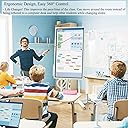
The Zoxkoy Wireless Presentation Clicker is a professional-grade remote designed for Google Slides, PowerPoint, and Keynote users. Featuring a 100ft wireless range and an ultra-bright 656ft red laser pointer, it ensures flawless control and visibility in large venues. Powered by 2 AAA batteries for instant swap and backed by a 2-year warranty, this ergonomic, plug-and-play device offers seamless cross-platform compatibility and total slide command with volume and blackout screen controls.


| ASIN | B0BKZV5CRW |
| Additional Features | 100ft Remote Control Range, 656ft Long Range Red Pointer, Easy 360ยฐ Controls, Ergonomic, Plug-and-Play, Professional, Universal |
| Battery Type | AAA |
| Best Sellers Rank | #41,723 in Office Products ( See Top 100 in Office Products ) #37 in Office Presentation Remotes |
| Brand | Zoxkoy |
| Button Quantity | 6 |
| Color | Black |
| Compatible Devices | Laptop, Desktop, Tablet |
| Connectivity Technology | Radio Frequency |
| Controller Type | USB |
| Customer Reviews | 4.6 out of 5 stars 559 Reviews |
| Item Type Name | clicker for powerpoint presentations |
| Item Weight | 33 g |
| Manufacturer | Zoxkoy |
| Max Number of Supported Devices | 1 |
| Maximum Number of Supported Devices | 1 |
| Maximum Range | 100 feet |
| Mfr Part Number | wireless clicker for presentations |
| Model Name | presentation clicker |
| Model Number | PC-678 |
| Number of Batteries | 2 AAA batteries required. |
| Number of Items | 1 |
| Special Feature | 100ft Remote Control Range, 656ft Long Range Red Pointer, Easy 360ยฐ Controls, Ergonomic, Plug-and-Play, Professional, Universal Special Feature 100ft Remote Control Range, 656ft Long Range Red Pointer, Easy 360ยฐ Controls, Ergonomic, Plug-and-Play, Professional, Universal See more |
| Warranty Description | 2 year |
R**E
Essential presentation tool at a low price
If you give presentations using PowerPoint in situations where your laptop computer is across the room, connected to a digital projector, you need this so you don't have to be "that guy" constantly calling to an assistant, "next slide please." It is simple to use. Remove the small receiver from the rear of the pointer device, insert it in your computer's USB port, and turn it on. It has five buttons. Two that make PowerPoint slides advance forward or backward, one that plays or exits PowerPoint slide show, and one that blacks the screen until you click it again. This is useful to eliminate visual distraction during a discussion mid-presentation. The fifth button turns on a laser pointer while it is pressed. It has a terrific range, and will keep its connection across a large room, and function while aimed in most any direction. I once did a lecture with a different device that required me to aim it precisely at the laptop for it to receive the signal. Not so with this one. One thing I discovered, is that when you insert the receiver USB, it disables the laptop's mouse or track pad, so have your PowerPoint slideshow up and running beforehand.
A**N
Works well!
Works well with our laptop and a better price than the local bug box store.
B**M
Plug and play presentation ready
Bought this for work presentations. Iโm a corporate trainer and got tired of being tied to my laptop to advance slides and going into training rooms that the remote was missing so I got my own. Easy to use, just pop the batteries in, plug in the little usb key and go.
B**K
Great clicker for the price
Great clicker for the price. I am a trainer and use it when I present and train others. Works well and is perfect for what I need. Sometimes I have to take out the batteries and roll them around because it seems to get stuck, but thatโs very infrequently. I highly recommend this.
S**E
Need one - Get this one
Was looking for a replacement for my Logitech that stopped working. This clicker was a great purchase. Did everything needed with no issues. Highly recommend.
R**.
Must have for presentations
I bought this as a back up for public speaking engagements and it works like a charm! The clicker allows me to complete a seamless presentation without "next slide" commands distracting the audience. This backup came up useful when a particular agency forgot to bring there clicker and suggested I sit an audience member by the laptop to click the slides along--not! I had my back up. Easy to use, great quality, great price. Highly recommend!
L**N
Great option for Sunday school teachers using PowerPoint
This works great for PowerPoint presentations at my church. The range is great! The computer is at the back of a big sanctuary and I have no problems with the signal. This is so much easier than having someone in the sound room advanced every slide when Iโm teaching.
D**.
Great purchase!
I bought this to use in my classroom! I use it everyday for presentations. I have also used it for HUDL in order to control plays and playback. Great purchase!
Trustpilot
2 weeks ago
2 months ago