Desertcart purchases this item on your behalf and handles shipping, customs, and support to Austria.
๐ Scan Smarter, Work Faster, Impress Always!
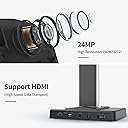
The CZUR ET24 Pro is a professional-grade book and document scanner featuring a 24MP HD camera with 320 DPI resolution, advanced 3D flattening technology, and multi-angle lighting for glare reduction. Compatible with Windows, macOS, and Linux, it supports HDMI output and real-time preview on a built-in 2-inch screen. Equipped with ABBYY OCR technology, it converts scans into editable files in over 180 languages, making it the ultimate tool for digitizing large-format documents up to A3 size with precision and speed.


| ASIN | B0BM92YPHW |
| Best Sellers Rank | #49,216 in Office Products ( See Top 100 in Office Products ) #36 in Document Scanners |
| Brand | CZUR |
| Color Depth | 24 bpp |
| Connection Type | USB |
| Connectivity Technology | USB |
| Customer Reviews | 4.4 out of 5 stars 320 Reviews |
| Item Dimensions D x W x H | 14.76"D x 8.66"W x 15.35"H |
| Item Weight | 4.5 kg |
| Manufacturer | CZUR |
| Media Type | USB |
| Minimum System Requirements | Windows XP; Windows 7 or later; Mac (Apple Silicon): macOS 13 or later; Mac (Intel): macOS 10.13 or later; Linux (Only for Ubuntu 20.04 to 24.04) |
| Model Name | ET24 Pro |
| Optical Sensor Technology | CMOS |
| Product Dimensions | 14.76"D x 8.66"W x 15.35"H |
| Resolution | 5696*4272 |
| Scanner Type | Book, Document |
| Standard Sheet Capacity | 10 |
| Warranty Description | 1 year manufacturer |
N**.
CZUR ET24 Document Scanner - A Remarkable Blend of Performance and Thoughtful Service
The CZUR ET24 Document Scanner seamlessly combines efficiency and clarity, making it an exceptional choice for digitizing documents, books, and more. In this review, we'll explore its impressive features, outstanding performance, and the thoughtful gestures from CZUR's customer service. Key Features: High-Quality Scanning: With its high-resolution scanning capabilities, the CZUR ET24 captures documents with unparalleled clarity and detail. Smart OCR Technology: The built-in Optical Character Recognition (OCR) technology swiftly converts scanned documents into editable and searchable files, enhancing productivity. Automatic Page Turning: A standout feature is the innovative automatic page turning function, simplifying the scanning process, particularly for books or bound materials. User-Friendly Interface: CZUR's intuitive software interface makes scanning and editing documents effortless, catering to users of all levels of technical expertise. Versatile Compatibility: Compatible with both Windows and Mac, the CZUR ET24 offers flexibility and convenience across various platforms. Exceptional Customer Service: CZUR's commitment to customer satisfaction shines through in their thoughtful gestures. The inclusion of a complimentary assistive book cover was a pleasant surprise, highlighting their dedication to enhancing the customer experience. Moreover, their proactive approach, reaching out to ensure satisfaction with the product, sets a commendable standard for customer service in today's market. Impressive Packaging: Noteworthy is the attention to detail in CZUR's packaging. The product arrived in a stunning matte finish black box adorned with a beautifully designed logo, exuding elegance and sophistication. Inside, the dense foam interior provided ample protection during transit. Additionally, the inclusion of a small, plastic, claw-shaped device for opening the package exemplifies CZUR's commitment to user convenience and adds a touch of innovation to the unboxing experience. Performance Beyond Expectations: Personal experience with the CZUR ET24 further reinforces its excellence. Scanning a 300-page book in under 15 minutes showcases its remarkable speed and efficiency. Such impressive performance speaks volumes about the product's capabilities and reliability. Conclusion: In conclusion, the CZUR ET24 Document Scanner surpasses expectations with its outstanding performance, thoughtful customer service, and meticulous attention to detail. From its high-quality scanning capabilities to its elegant packaging and user-friendly interface, it sets a new standard in document digitization. CZUR's dedication to enhancing the customer experience is commendable, making them a standout choice for anyone seeking a reliable and efficient document scanner. Thank you CZUR!
S**.
TIME SAVER
I've been extremely impressed with the CZUR ET24 Pro. The image quality from the 24MP camera is outstanding, producing crisp, readable scans even for detailed documents and photographs. One of the biggest time-savers is the auto-flatten and desk technology. it does an excellent job correcting curved book pages without having to press books flat, which helps protect bindings. Setup was straightforward, and it worked well with my Windows computer. The scanning software is intuitive, and the OCR feature is surprisingly accurate, making it easy to search and edit scanned documents. I've scanned everything from books and reports to oversized A3 drawings, and the results have been consistently excellent.
S**4
Perfect for scanning documents for emails, books for school/academia, flash cards, and much more.
This product is perfect for students (or place of employment) looking to scan books, scan documents for email/personal use, scan flash cards for study, and much more. Unlike a paper scanner or flatbed, it handles a variety of formats, which can be modified and exported in a variety of useful formats that are readily searchable. For example I have a ton of multiple resources to write an academic paper. I can scan books, articles, etc. into a format and quickly search/reference them for whatever application I need such as summary for AI, personal reference if I cannot recall where I read something, and much more. I have also been able to use the scanner to create digitized flash cards for use on quizlet, etc. I definitely recommend this for being able to create PDF's that you can mark up as well. I use Remarkable digitized notebooks, which only works well with PDF formats... I can do that with this to make notes for personal use or to demonstrate anything I need to reference for slides and presentations. It is an EXTREMELY flexible tool. Another plus, if you need to record hands-on video-clips for youtube, presentation, etc., this has you covered. The scanner itself has a premium build quality to it. It doesn't take up much space and is light-weight. The software is lacking in terms of aesthetics, but it gets the job done effectively... I'm just nit-picking at this point. I use a Surface Pro 11 and had to go into properties to upscale the software to so it wouldn't look pixelated. Also, it uses USB-A ports, which should be updated to USB-C IMO, etc. Despite that, it functions as intended. This is probably the best device on the market for scanning books. It isn't cheep, but once you start looking into options, things get expensive pretty fast. I started out with the CZUR ET16Plus and found that the resolution was lacking... so I somewhat reluctantly spent the extra money to get this model (limited budget). I believe the ET24 Pro is the sweet spot for an all in one scanner. If desk real-estate is tight, consider one of CZUR's folding models. I prefer the fixed base on this scanner as I am not the biggest fan of moving parts. Awesome design and easy to use. If you are considering the device, you probably need it and give this company a try. They seem like a small business that put a lot of thought and effort into getting this into production for such a niche market. I'm working on my Doctorate degree now, but would have greatly appreciated it long ago with other work/schooling/aspects of life... I've mostly been using apps (Doc scanners) from my phone, but couldn't bring myself to pay for subscriptions, etc to remove water marks and so forth. I reached out to CZUR customer support (regarding the software appearing pixelated) and they responded within 24 hours several times... they are on the ball... great customer support that cares about the user experience. On a final note, beyond home use and cleaning up clutter around the house from bills, etc sitting around, it is useful for ministry. I can scan books, timelines, charts, maps diagrams for Bible studies, preaching, etc. Pretty handy. Just shocked there aren't more options out there, but other than the port and software update recommendations it functions pretty flawlessly for what it is. The laser scan and auto-image straightening work really well too. Software tools are not overly complicated and thoughtfully/well-designed. The software is rather intuitive once you figure out the settings/features you like to get the images and file-formats you are working with. Anyhow, give it a try if you think it'll work for you. Its one of those tools you keep around and greatly appreciatte it when you need it.
D**.
Finally, a Book Scanner that Works
I had previously tried several other book scanners that look a lot like this one, but they had so many issues and problems that they were completely useless. This one, however, works right out of the box. But, if I actually knew of another similar scanner that worked to compare this against, I would probably only rate this 4 stars instead of 5 (keep reading to see why). First off, a big "Thank You" for supporting Linux. Even though these book scanners are nothing more than a camera and there's plenty of open source software on Linux to do all of the necessary functions for book scanning, it's still nice to be able to install the official software for a device and just use it. The line-lasers on this scanner help a lot with page flattening and is one major thing that similar scanners are missing. Sure page flattening can be done entirely in software, but having a line-laser really improves the algorithm and makes for better results. Unlike other similar scanners, this one seems to correctly report itself in the USB enumerations for all of the resolutions and settings. That is a must for compatibility across platforms. And, since it appears as a standard video and camera source device, it means you can easily use this with 3rd party software if desired. The finger cots are a little interesting. They do work to let you hold down the book and have special markings so that the software can remove them. However, the software doesn't fully remove the cots from the captured picture. It mostly uses them to figure out the boundary of the book so it can remove your hands/arms from the picture. There is still an outline of the cots on the page and it will generally cause some stray character interpretations and formatting weirdness in the OCR step -- and seemingly worse on the right-hand side of the page than the left-hand. For example, it will usually see the curvature of the cot as a ")" character and its presence will often cause a paragraph break or formatting change to the text it's recognizing that it wouldn't if the cot wasn't in the picture. I think they could have done a little more post-processing to remove them better, but they do generally work. The 24MP camera is more than sufficient for adequately scanning pages for OCR and to capture decent images from pictures in books. However, I wouldn't go with any lower resolution. OCR is very dependent on the pixel count to font size ratio (essentially the DPI captured). It has to be somewhat close to what the OCR engine was trained with or you will get garbage out. I learned that one years ago when trying to do an OCR of a book captured to fairly low-res JPG files. All I got out of OCR was random noise and so I figured it had no chance due to the JPGs being too low-res. Then a coworker clued me in on the pixel count to size ratio requirements and I used imagemagick to resample all of the files to a higher pixel count (still same basic "camera" resolution and same source images only more pixels) and tried the OCR again. This time it yielded a nearly 100% perfect OCR output and totally amazed me. I mention that about OCR and pixels because the resolution of the camera for a scanner like this is important. If your camera is too low-res, you may find you have to first resample all images before you can OCR it. I'm finding that the 24MP on this scanner is sufficiently adequate for the majority of fonts in books, but just barely. So, you definitely don't want to go lower than that. My first big complaint on this scanner is the user interface of the software. Yes, it works and works on Linux and is written in Qt making it a very compatible and cross-platform tool (albeit Qt 4, which is quite ancient since Qt 6 is the current standard), but it's very clunky, not overly intuitive, and somewhat annoying. It doesn't remember the last saved path correctly when relaunching. It has no easy way to automatically operate on multiple subfolders (such as if you want to scan different chapters to different folders), and there's a number of bugs and limitations in the software. However, it was usable to scan the books I needed to scan without resorting to pulling in 3rd party tools. One note on the software -- if you run an OCR session, the tool launches off a separate helper thread that then calls the OCR tool. That in itself would be fine, except that when its done with the extra thread, it doesn't close down that thread. When you are done and exit the application completely, that extra thread causes the app to not fully shutdown and to just hang. And it hangs with the scanner device locked in-use, meaning that if you relaunch the scanner software it can't find the scanner camera device anymore since it's "already in use". To get around this, you have to find the process ID for the stuck app and manually kill it after you close the app (or reboot). It only hangs, though, if you do an OCR session, and works fine if just using it to capture scanned pages. My second complaint is that the lights, even with the extra light-bar attached, aren't fully sufficient to evenly illuminate the page and causes some shadows. If you are scanning to OCR, it's fine, but if you were doing archival quality scans, it's not -- you will need to add some extra lighting. Perhaps this is where their extra light/shadow box is useful? The little LCD screen on top is basically useless, or at least it was for me. It's not moveable and is very small for trying to see a preview image. If you are sitting down at the table in front of the scanner as I was, since it isn't moveable, you can't see it at all. So I really have no idea what it was showing as I couldn't see it. For previews, I just used the live video feed on the computer in the scanner software to make sure things were lined up. They should have either saved themselves a few dollars per unit and just not put a display on it or spent a few dollars more per unit and put a larger, moveable screen on it that would actually be useful, but this one is useless. I mostly use the footswitch to trigger page captures. However, you need to keep an eye on either the red light at the top of the scanner or the images captured in the software to make sure it took a snapshot. A number of times, I would press the footswitch and then realized that nothing happened. I don't know if it's a problem with the footswitch just not sending a signal or if it's the debouncing logic on the switch or something else. But occasionally it wouldn't trigger. However, once you get in your rhythm of flipping pages, double checking the alignment periodically, and clicking the footswitch, you can scan a large book very quickly -- much faster than any flatbed scanner by a long shot. Though don't be concerned if the tiny preview images of each captured page occasionally look a little wonky -- that's just a Qt software quirk on how it renders such preview images (as I've seen it in other Qt-based apps). And it still looks good enough to be able to get a general sense of the page scan quality. I haven't tried the HDMI output connector nor have I used the microphone and "presentation" mode. At first, it seemed a bit of a gimmick, especially the microphone, but then I realized you could use it with things like OBS and either do a live stream presentation or capture a video presentation, and that could be useful. I primarily got the scanner because I have a number of books in foreign languages that I need to scan and OCR so that I can translate them to be able to read them. Several of the books are rare and need to be handled with care. I didn't want to scan them in a flatbed scanner, as doing so usually destroys the spine of the book. This device fits the bill and has worked quite well. For OCR, it comes with Abbyy, which is a commercial grade OCR tool. I had previously used the open-source Tesseract quite a bit and found it to be absolutely fantastic and ran circles around commercial OCR apps I had tried in the past. So, it was interesting to see how Abbyy compared. I must say, I'm pretty impressed. In fact, I would be hard pressed to tell the two apart. I personally think that Abbyy just took the open-source Tesseract OCR engine and trained it with their own datasets to make it into a separate commercial app. They seem to be too similar to think otherwise. But that also means you will have no issues with OCR. The Abbyy OCR this comes with works fantastically. However, if you ever prefer to use something different, you can always take the JPG files from this scanner and run them through Tesseract or other OCR tool. You can also inject your own scripts into the OCR batch process. That means if you want to run things through ScanTailor or something first, you certainly can. That's pretty much it -- this is not a perfect scanner, but it comes with everything you need to get going, was very nicely packaged, and worked right out of the box and on my Linux computers. I had previously tried to save a few bucks and tried several competitor scanners, but couldn't ever get them to work correctly. If there was anything else to actually compare this with, I would give it 4 stars instead of 5 because of the minor quirks and bugs -- their software isn't fully polished. But for general scanning needs, you won't go wrong with this scanner.
M**Y
I'm a school teacher.
I've been extremely impressed with the CZUR ET24 Pro. I honestly wish I had bought one sooner. Before using it, scanning books was a slow, tedious process with a flatbed scannerโlifting the lid, scanning one page at a time, and repeating the process over and over. What surprised me the most is how fast it is. I simply place the book under the camera, turn the page, and keep going. The scanner captures pages almost instantly, and the workflow is so smooth that I can digitize large books in one sitting. It's also incredibly easy to use. The software automatically crops the pages, straightens them, and even flattens the curved pages near the spine. The image quality is outstanding. The scanned pages are sharp, crisp, and easy to read, even with small print. I highly recommend the CZUR ET24 Pro. It's fast, reliable, and has saved me many hours. It's one of the best investments I've made in a long time. Musa Ramsey
F**A
CZUR Scanner ET24 Pro: donโt buy it before reading my review
I purchased the CZUR ET24 Pro after carefully reading many reviews and concluding that it was the best option for a professional scanner in the market - and it truly delivers. As a professor of Artificial Intelligence at Einstein In Brazil, this device enables something that would have been almost unimaginable not long ago: transforming technical books into high-quality PDFs that I can actively interact with. It allows me to study and absorb content in much more dynamic ways - asking questions, creating mind maps, generating targeted summaries, presentations, infographics, and even podcasts or video lectures. All of this has become a powerful extension of both my teaching and my own continuous learning in a field that evolves extremely fast. The scanner stands out for its speed and excellent image quality. One feature I particularly appreciate is its ability to flatten scanned pages from an open book, producing clean and highly accurate digital copies. If there is one area for improvement, it would be the system used to hold the book open. Ideally, this element should be completely removed from the final scanned image. Occasionally, there is a slight yellowish distortion that reveals an unwanted artifact. Since the product receives frequent updates, I am confident this feature will continue to improveโmoving from being 98% effective to truly seamless and invisible in the final output. Aside from that, everything works very well. The lighting system, both from above and the sides, does a great job minimizing reflections and ensuring consistent results. Overall, this is an excellent product. It is efficient, fast, relatively portable, and built with outstanding quality. I highly recommend it.
H**Y
Unreliable, glitchy, inconsistent & poor quality product:(
Waste of time and effort! After multiple attenpts of scanning with all devices, foot pedal, handheld, scanner button... all were glitchy with inconsistent output and only 1 out of every 10pp might produce one decent page. The book must be flat in order to produce good result, otherwise, even slight curve or raised page will NOT be properly flattened by scanner software. Then trying to follow up with customer service became another headache. The apps Feedback window never worked, could not submit feedback after multiple attempts. Pop up window keeps saying its a network issue but my network was fine. Multiple back and forth emailing customer service to NO avail. They were unhelpful, did not accept the proof of images, did not offer any work around their submission other than making me go back to try the non working Feedback window. Wasted my time and effort trying to make.this work. Returning this overpriced, defective product and going for the Canon scanner instead. Save your time and money!
T**R
Quality and ease of use
Dear potential users: This is a superior device. If you have large scanning projects don't even think about wasting your time scanning something with a traditional scanner or a scanner on printer apparatus. You are seriously wasting your time and I bet your copy is of poor quality too. It does take about 4-5 books to become proficient with your movements so you can scan a book in relatively low time investment. The onboard tools with the software are substantially better than you get on a traditional scanner. I've been very pleased with the settings for quality image adjustment. Just make sure you have a rather large area of space to do your work. I can almost guarantee you will never go back to the old way of scanning materials. Also note, you don't have to rip the spine or tear out the pages out of your book or manual anymore. Also know that the quality of the camera/scanning is far better than your standard printer scanner. This makes for a large difference in scan quality. I would stick with at least 24MP scanner or better. There is no way you are going to be disappointed with this product.
S**D
Very Satisfied
I recently used your CZUR ET24 Pro scanner to prepare a PowerPoint presentation. It was very easy to use and saved me a lot of time not having to use a conventional printer scanner. The only issue was the software froze a few times. I am not sure if the interface is completely compatible with my MacBook Pro using Sequoia 15.4.1. Please let me know if there is a software upgrade that will resolve my issue. Otherwise, Iโm very happy with my purchase and I would recommend the CZUR ET24 Pro for someone who wants a reliable, easy-to-use scanner!
A**T
Good Quality Images
We purchased this scanner to scan documents in our accounts office, as we wanted something that would scan quickly compared to our Epson printer/scanner. This book scanner scans very quickly and documents are a good quality. It does take some working out exactly how to use the scanner and the videos provided are not that useful in relation to basic set up and operation. You need to make sure that the mat is right up to the scanner or you end up with a scan of the surrounding area and not just the document that you are trying to scan. You can scan using the button on a wire connected to the scanner, or you can use the software on your computer to trigger the scanning. I would recommend this scanner as an easy to use stand alone scanner that takes high quality images of your documents, which are easy to convert to PDF documents and save to your computer. It also comes extremely well packaged and looks very high quality before you have even started to unpack it all!
W**M
Not coverting from Arabic language
Its not translating Arabic language
B**E
The greatest and the most fairly priced Scanner in India today! CZUR is a game-changer!
The product is excellent. The packaging by CZUR is top class. The assembly is quite easy. The Scanner is great. The software works properly as well. It is a game changer when one needs to scan thick hardcovers and create OCR(multiple languages support) enabled PDFs. I have scanned text heavy hardcovers containing 3000 pages... The camera captures every minute detail of each page perfectly. The OCR capability of the PC/Mac CZUR SCANNER APP takes care of each and every word. Creation of a searchable PDF bearing 3000 pages is no joke. There are many thick and dense hardcovers that don't have digital prints. CZUR ET24 PRO is a Godsend in such scenarios. The camera is pretty fast when it comes to processing the captured images of the pages... One could scan hundreds of pages in no time effortlessly at any instant. The user has to position the book properly first on the black mat and then start capturing the images by pressing the foot pedal. To get started.. One just needs to attach the side lights, foot pedal, PC/Mac connector cable, power adapter to the apt ports on the main camera stand. Then the user has to postion the stand appropriately on the black mat for taking the pictures accurately. Once the user turns on the camera, the software recognises the device. But prior to it, one needs to connect the Scanner to the PC/Mac via the connector cable and enter the serial key(printed at the bottom of the main camera stand) on the CZUR Scanner app for product registry and gaining access to all the app controls. The live camera view can be directly accessed from the CZUR Scanner app. The Scanner comes with all the accessories (side lights, black mat, foot pedal, connector etc). Kudos to the Amazon seller, Scanners India, for doing a great job in delivering the product. I highly recommend the seller. In fact, I would recommend every prospective buyer to buy from Scanners India by its fair pricing of the product. It cost me around โน74k.
H**R
Quality device & software
As someone with autism, I don't learn new things very quickly. There are many features that I have not even explored as yet with this scaner. However, for the components that I have learned about, the device works beautifully, and I am very pleased. Unlike a flatbed scanner, there is no waiting time during scanning. The process is pretty much instantaneous, and is a very clever process. I still have much to learn, but I feel that I have bought a quality product, and I am very happy with it.
Trustpilot
1 month ago
2 months ago