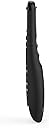
🎯 Master your entertainment kingdom with SofaBaton U2 — control redefined.
The SofaBaton U2 Universal Remote Control consolidates up to 15 remotes into one, supporting over 500,000 devices from 6000+ brands. Featuring a powerful 35-foot infrared range, programmable macros, and an intuitive OLED display that wakes on lift, it offers seamless control of smart TVs, Blu-ray players, streaming devices, and more. Setup is simplified through a smartphone app with real-time cloud updates, making it the ultimate all-in-one remote for the modern connected home.


| ASIN | B0BYYHRR27 |
| Additional Features | Digital Display, Ergonomic, Lightweight, Pre Programmed, Universal |
| Battery Type | battery_type_aa |
| Best Sellers Rank | #55,924 in Electronics ( See Top 100 in Electronics ) #3,161 in Remote Controls (Electronics) |
| Brand | SofaBaton |
| Color | Black |
| Compatible Devices | DVD/Blu-ray Player, Home Theater, Set Top Box, Stereo System, Television |
| Connectivity Technology | Bluetooth, Infrared |
| Controller Type | Android App, iOS App |
| Customer Reviews | 3.5 out of 5 stars 735 Reviews |
| Item Dimensions L x W x H | 8"L x 2"W x 1"H |
| Manufacturer | SofaBaton |
| Max Number of Supported Devices | 15 |
| Maximum Number of Supported Devices | 15 |
| Maximum Range | 35 feet |
| Mfr Part Number | U2 |
| Model Name | SofaBaton U2 Universal Remote |
| Model Number | U2 |
| Number of Batteries | 2 AA batteries required. |
| Special Feature | Digital Display, Ergonomic, Lightweight, Pre Programmed , Universal |
| UPC | 795063906689 |
P**N
Very flexible, easy setup, controls all my devices
I had a Logitech Harmony remote, but that one died and the product line was terminated. I did look at Sofabaton a few years ago, but their library did not have all my devices. I saw a positive review from channels I trust, and it was on sale, so I tried again. Today the library of devices is extensive, and the setup was easy. Then came the hard one: my Kodi/Raspberry Pi streamer. No Kodi was listed, but there was a Bluetooth keyboard. Since Kodi has tons of keyboard shortcuts, I tried it. How Bluetooth switches between setup and device control was confusing at first, but once you trust that Sofabaton does it right and you accept to let it go.. it works. I was impressed. The arrow keys worked right away, so I knew success was in my reach. I quickly understood how to remap the keys, a really easy process with minor quirks. I did not originally plan to use Bluetooth, but I am now glad it is there. I also tried the learning mode, and was confused at first. After you realize when to use the Sofabaton or when to use the app, it goes well, is quick and easy. Once I understood how the setup worked, I went for max comfort: how to make the sound level +/- keys always control my AVR (not the selected device) and how to make selection of input really simple. The smart phone app is _really_ good. Even while the Sofabaton features are not as advanced as the Harmony, I was able to achieve a more satisfying result with less effort. You have to repeat some setup for each devices, but you don't have to commit to hours of programming training like you needed to setup the Harmony. The Sofabaton is an impressive combination of simple and flexible. In the end you can do what you want thanks to a very user friendly interface. Some comments refer to Bluetooth not working well. It worked perfectly at first, then I found that it may take one or two touch before it reconnects. A bit annoying but not a huge deal for me. I feel that Sofabaton could improve the product usability by not disconnecting so early on inactivity.. That might be necessary to save battery usage? Last but not least, I no longer get the remote desynchronized on sequences commands (multiple devices) like regularly happened with the Harmony (the Logitech process for resynchronizing is a badly designed, lengthy morasse!). Overall I highly recommend this device. Sofabaton is a Chinese company: this might be a turn off to some. It is still worth it nonetheless.
A**R
Works great, once you figure programming out (but see edit)
Had it for about a month now, and I'm not usually into writing reviews, but I'm glad I finally found a decent remote that actually works with my devices. In all fairness, this has been one of the easier remotes to program, and the company has an incredible selection of codes for you to access if IR programming doesn't work. But be ready with your phone in hand, it took me a bit to realize the programming works through an app you download to your phone. The app is a bit confusing (like when you press a button to assign it to a device), so make sure you go through the whole process. We have three devices we control (Roku, Denon and Samsung), and the thumb wheel will become your best friend. I have to admit, it was annoying to push a button and have nothing happen - only to realize I wasn't on the right device (you have to have the device selected). This could become an issue for those like me who want instant gratification, but I've learned to live with it. Overall, I recommend it (five stars if it holds up). EDIT 12/30/24: I meant top get back to this review when my problem started, but the scroll wheel stopped working almost completely about 10 months into owning the remote. This is an issue that other reviewers had commented on, but I hadn't seen. Have to drop it down to two stars for that, and I'm not sure I'd have bought it if I'd seen this issue mentioned.
M**T
Useless without app access
This remote does nothing without their app. The app won’t load with a yahoo mail account, a proton mail account, or my particular gmail account. Several attempts at tech support were not useful beyond issuing a full refund for my purchase price. Support takes 5-12 hours for a response, in spite of being told 2-4 hours for their response time. I had to cancel the free trial for their app because my week ran out and never had a chance to even find out if it is compatible with my equipment. I’m still awaiting the conclusion of this comedy because I refused to give up trying to get an account set up. If and when that happens, I’ll edit my review. For now, I’m 48 hours since their last reply. The moral of this story is, I got fully refunded on this remote and I still feel like it was overpriced. I absolutely cannot recommend this remote under any conditions, unless you simply lack human connection and a 12 hour time gap with someone who doesn’t understand you. In which case a random chat website would serve you better. Buy at your own risk after reading this. Update: Once the remote gets access to the app it actually works well. Subjecting yourself to the to daunting task of syncing everything together is nothing short of monumental. I live in a tech forward household and this was at best frustrating. Other remotes by a famous peripheral manufacturing company were (and still are) exponentially better. I like the button layout on this remote. I like the backlit buttons. I dislike the setup process, the app itself and the lack of model support for the list on the menu. I’m not sure if not having my exact model of television caused my frozen screen glitches or not, but I had to do a factory reset on my tv and I haven’t used the remote since. I just grossly overpaid for a new old replacement remote and am back to a harmonious relationship with my devices. I’ll keep this remote as an emergency backup just in case, but I don’t like all the drama of the login/setup process. Add the glitch to the mix and I’m unsure if my webOS update caused it or the remote but I’m not gambling on adding all those accounts back in. I do see how people like this, I’m just not in the crowd because of my hassle, but if you get straight into the login, this would be a much different story. Don’t forget to actually read this EULA as well.
L**P
Great U2 compact universal remote controller
Got it 2 weeks ago to replace all my remotes, especially for a LG HU85LA projector, Denon AVR-S770H and an old Daewoo DVD plyer in an AV system. Initial learning: The models of my Denon and Daewoo remotes were not in the DB list. I had to let them learn each button that I needed. Most learnings you have to long press and hold the original remote, but some buttons just need a quick click to learn. If failed to learn, repeat and it will be good. Found this tricks from their FAQ on the web. Sent feed back to add these 2 devices to database. Support told to try closer models if not listed exactly. That works too. MACRO: After initial learn for all these 3 remotes, I added MACRO (one key has many commands for different devices) to streamline the process, e.g. to turn on Projector, to turn on AVR, to set correct HDMI port, to select correct AVR input and sound effect. Attached pics to show some power key MARCOs. Projector takes 5-10 seconds to start up and taking commands after that. So in the MACRO setting, just need to add long sleep, max to 10sec. Only inconvenience is that when to use the MACRO key that has long sleep timer for next commands, you need to hold the remote steady and aim to the devices for whatever the sleep time need to let all commands taking effect. If just one quick click and put away the remote, some later commands in the MACRO will not be taken by devices as the remote is still sending commands. Also, to deal with the HDMI auto power/ARC to turn on other devices that compatible with HDMI-CEC, you do not need to add extra power on key in the macro as CEC will take care of powering up for you. Learned that added individual power in MACRO on will actually turn off the power as CSC already turned power on for you. If a device does not have HDMI-CEC, you do need to add power on on MACRO. One click to a MACRO key will do all magics to turn on power for all devices that required, change the HDMI input port for a device, setup correct the sound effect selection, etc. One click to turn them off once done. Making sure to level set all device at their powered off stage before use MACRO. Otherwise MACRO will so its thing but mess up the power on/off if a device was on before. No big deal, I just setup a key only doing power control in case you need to change individual device power. These sleeping requirements and HDMI-CEC tricks are not related to the remote itself but rather the original devices requirements. After played around it and get used to it, the setup is so simple and worked very reliably every time. All in all, this is a great smart universal remove controller that replaces all my remotes and added MACRO save my time to manage devices. Highly recommended.
M**C
Universal... Not so much UPDATE
Like most people today work your basic technology I had a bunch of remotes hanging around. I find it stupid to use 3 remotes to watch TV. So I did some research and while the Harmony remote was by far the class of the field, for some odd reason they stopped making them. The next seemingly best remote was this Sofabaton U2. Let me say it's fits nice in the hand and looks fairly easy to use. You pair it with your phone, look up the device you want to control and pick when the functions go on the U2. Sounds simple enough, and I suppose if you have a brand new tv and mainstream devices this remote may work well. The database didn't have my 4yo LG Smart tv. Their genetic codes didn't work either. My old dish Network hopper wasn't in the database. My brand new android streaming box, no joy. Then i decided I'll just manually program them in. The programming interface is great. You put the remotes head to head 2 inches away a graphic of the U2 showed up you click where you want the original device to may then press the corresponding button on the original remote and a leaning bar pops up on your app showing it's been learned. Sounds great huh.. yeah that's the end of greatness for this remote. If you try programming anything besides on and off and vol up or down the U2 absolutely will not learn the IR function. I tried everything, closer, further, above and below. Nothing would program on and off my remotes except for those same 4 commands . Asking in a few groups and most said they had the same issue. If it wasn't a commercial commonly used box, like Apple TV or a brand new television they couldn't get it to learn either. So my dilemma remains work no good answer. Used harmony remotes are $450, and these doesn't seem to be any newer alternatives to try. So if you have a table full of remotes and new commercial boxes you want to combine under one remote this may work. If you have anything of the beaten path. Forget it this ain't the answer. The company did send me the codes for the TV. They were responsive to emails. Unfortunately the problem remains the same. If you aren't replacing a week known remote you won't be happy. The learning function only works for a small portion of the commands. They had no help to offer the one remote for my streaming box. Overall if you were looking to replace a TV, DVD or stereo it's a great remote. If you need anything for a fringe device like my streaming box, a sound bar etc. I wish it had worked, it's a nice remote
S**2
50 dollar holler, Ain’t hollering anymore.
UPDATED REVIEW: SCROLL DOWN A BIT—- :-( “Fancy feature packed universal remote at an amazing value!! Setup is soooooo easy via smart phone and the pre loaded remotes codes are handy. Learning capabilities are the easiest I have ever used, with that it works my fireplace too!!! WOW! This remote is GREAT! $50 dollar holler!! The over priced Logitech remotes will just fade into the abyss because the SofaBaton came to slay the day!! Super easy to use. Only draw back is the keys are not backlit (easy fix cough cough!) and it doesn’t work with the wonky PS3 remote, not a big deal I only really use that as a Blu-Ray player anyhow. With the learning capabilities it can even work my weird RV dvd radio combo! RV People this is the remote for you!! Did I mention it is only $50!!! Even my pessimistic spouse loves it!! Do yourself a favor and stop laying 3+ remotes beside you at all times.” NEW UPDATE EDIT!!!!! 2/26/2025 So yea I loved the remote when I first got it. But TWO remotes later (first replaced with company) I had the same issues with the second one that I did with the first. Biggest issue: the scrolling roller faults. Did that on BOTH remotes. And it eats Batteries!! Like the Cookie Monster -Om Nom Nom! Could I have gotten a 3rd remote? Probably, as the replacement lasted LESS THAN A YEAR —same as the original remote. But do I want to go through that replacement process again and reprogram a new remote- and it FAIL less than a year later?! NO, NO I DO NOT! Fool me once, shame on you. Fool me twice, shame on me. Fool we thrice- yea I am not doing that! Two strikes and you are out. In addition to the scrolling bar, the programming for my weird RV Westinghouse Roku TV never worked well on either remote- not to mention the Apple TV was so glitchy on both, but I do applaud Sofa Baton for putting Bluetooth on this value universal remote in the first place. Albeit it did not work well- ever. So in my next search for a universal remote I came across a GE cheap remote that does have backlit buttons ANNNND it is rechargeable. So far it has worked most of lmy devices including the Roku tv and Apple TV (Apple TV needs a line of sight for IR operation-one downside) You wanna know how much this backlit recharging remote from GE costs?? $18.00!!! Does it work the RV fireplace, NO. But I guess for that one device I can have another remote hanging around. The GE remote is Not Learning, but it does include weird codes for obscure electronics and at $18 with button backlights and rechargeable battery, it is a good replacement for a 2 and a 1/2 times the price remote that crushed my dreams of full remote integration. Maybe the $200 sofa baton is the supreme device, but I spent $300 on a remote that did do all smart home things for a while- and I waited one year for delivery on and then it was outmoded/not supported 3 years after I funded it on a kickstarter campaign- so i don’t have a lot of trust for the online app managed remotes anymore. One that need updates. So here I am representing a good old fashioned GE remote you can buy in a Walmart. But hey it works- and that is the point of a universal remote in the first place.
M**E
Worked great…until it didn’t
UPDATE: They reached out and sent me another one which works well. I’m appreciative of them. Thank you. I was so happy when I got this remote. My setup involved a tv, audio receiver for a home theater system, and an Apple TV. I spent around an hour setting up the remote perfectly to my liking and creating macros. My world was amazing. I was in control of my everything with one remote instead of 3 for the first time in my life. Whenever I pushed a button, whatever I wanted to happen, simply would. Until one day, it didn’t. I sat down to use the remote and it didn’t work. Then it froze. I changed batteries. I tried everything I could find online but it was completely unresponsive. I ended up factory resetting it, losing all the beautiful settings I worked hard on. But I started over. I went back and created macros. Created shortcuts. Reassigned buttons. Only now, it doesn’t work the same. When I push the button, it doesn’t always do what I want. For example, I set the power button to turn on all three of my devices at one. This used to work beautifully. But now when I do it, almost every time at least one of the devices won’t turn on. And it’s not the same device. One day the tv won’t turn on, next time the receiver won’t. This went from a quality product that made my life better, to a so/so product that works when it wants to.
A**R
Company Makes Things Right
November 7, 2023 I bought this remote to replace my Logitech Harmony remote that I had for over 4 years. I have been disappointed with this remote ever since I purchased it. The initial set up to pair remotes was tremendously difficult and lengthy. I had to watch multiple YouTube videos to find out how to set up the remote because the manufacturer instructions were not user friendly. I went through three (3) sets of batteries in the span of four (4) months because the screen is always lit up. Lastly, the scroll wheel worked great at first to cycle through devices and then the wheel got stuck and no longer works. I would not recommend purchasing this remote. You will save yourself a lot of headaches. December 11, 2023 I originally posted the above review on November 7th regarding my SofaBaton U2 Remote. Since posting, the SofaBaton Customer Service team sent me a replacement U2 Remote and I have not experienced any issues with the scroll wheel. Additionally, SofaBaton also pushed out a new firmware update that allows better customization of the remote buttons with my other device remotes. Based on the experience I've had, I would recommend purchasing a SofaBaton remote.
S**A
Best universal remote control
Excellent product.
K**R
Ücretini hak etmiyor Söylendiği gibi değil.
Bluetooth özelliği de var diye aldım ancak tanınmış bir kaç cihaz dışında cihaz tanımıyor. Diğer kızıl ötesi ile de cihazı tam tutturamazsan işlemiyor. Cihazlar arası geçiş için kullanılan tekerlek daha 2. ayda atlamaya ve teklemeye başladı kesinlikle bu paralara alınacak cihaz değil. Cok daha ucuz olan ONE For All kumanda var bundn çok daha iyi. Hiç tavsiye etmiyorum. Tek yıldız bile fazla.
S**L
Has great potential, but scroll wheel needs to go
This remote works really well with the multiple devices I have (TV, AV Receiver, Blu Ray Player, Firestick). You're also able to configure macros for multiple devices which is very useful. The negatives: The buttons are a bit "clicky" and the main method of switching devices is a scroll wheel, which in less than a year is no longer working properly. This Amazon purchase unfortunately isn't covered in Sofabatons 1 year warranty, so beware.
Trustpilot
4 days ago
3 weeks ago