Desertcart purchases this item on your behalf and handles shipping, customs, and support to Austria.
🚀 Power up your PC reinstall game—fast, easy, and network-ready!
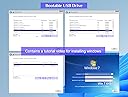
The Xtssui 64GB USB 3.2 bootable drive is a professional-grade Windows installation and recovery tool compatible with Windows 7 through 11 (64-bit). It supports both UEFI and Legacy boot modes, requires no TPM, and includes essential network drivers for WiFi and LAN connectivity immediately after install. With a blazing 200MB/s read speed, beginner-friendly video tutorials, and built-in data recovery utilities, it’s designed to streamline system repairs and fresh installs for tech-savvy professionals and managers alike. Backed by a 3-year warranty and antivirus scanned for safety.
| Additional Features | 64GB |
| Asin | B0BYW1G4QR |
| Best Sellers Rank | #63 in USB Flash Drives |
| Brand | Xtssui |
| Color | black |
| Compatible Devices | PC/Laptop |
| Compatible Phone Models | PC/Laptop |
| Connectivity Technology | USB |
| Customer Reviews | 4.3 4.3 out of 5 stars (2,606) 4.3 out of 5 stars |
| Flash Memory Type | USB |
| Hardware Connectivity Technology | USB Type A |
| Hardware Interface | USB 3.2 Gen 1 |
| Item Dimensions D X W X H | 0.4"D x 0.82"W x 0.4"H |
| Item Weight | 15 g |
| Manufacturer | Xtssui |
| Memory Storage Capacity | 64 GB |
| Mfr Part Number | 64GB |
| Model Number | 64GB |
| Number Of Items | 1 |
| Read Speed | 200 megabytes_per_second |
| Unit Count | 1 Count |
| Warranty Description | 3 YEARS Guarantee |
| Write Speed | 20 |
User
Nothing Else Like It — A Revolutionary All‑in‑One Bootable USB Solution
Nothing Else Like It — A Revolutionary All‑in‑One Bootable USB Solution> I’ve worked with countless bootable drives, installers, and recovery tools over the years, but this Xtssui Bootable USB Drive 3.2 stands in a class of its own. It’s not just another Windows installer — it’s a complete, self‑contained operating environment that solves problems most technicians spend hours trying to fix.> I used it to bypass Windows 11’s TPM requirement on a legacy system that had no business running the new OS — and it worked flawlessly. The drive booted instantly, recognized every hardware component, and launched a clean, stable installer that completed without a single error. No registry hacks, no command‑line gymnastics — just plug, boot, and go.> What truly sets this product apart is its comprehensiveness. It includes built‑in network drivers (Wi‑Fi & LAN), recovery utilities, partition management, and even data‑repair tools. It supports both UEFI and Legacy boot modes, making it compatible with virtually any machine from the last decade. Whether you’re reinstalling Windows, rescuing data, or diagnosing a failed system, this one device replaces an entire toolkit.> The craftsmanship is impressive — solid casing, fast USB 3.2 transfer speeds, and a plug‑and‑play design that feels professional. It’s clear the creators thought through every scenario a technician or advanced user might face.> In short, there’s nothing else on the market this complete or this reliable. It’s ahead of its time — a genuine breakthrough for anyone who values efficiency and precision in system recovery or installation. I’ve tested dozens of alternatives, and none come close to the stability, speed, and versatility of this drive.> If you’re serious about maintaining or repairing PCs, this is the one tool you’ll never want to be without.
User
AMAZING PRODUCT!!!
I must I had doubts from reading some of the reviews. I believe some of the comments were due to hardware failures and/or lack of computer knowledge. This product did exactly as advertised. Following the explicit instructions, I was able to boot an older HP system with sufficient drivers to install the Windows 10 Home 64-bit iso file. I decided to disconnect all hard and floppy drives, graphics board, and removed other USB components. I then connected a new SSD drive to the main board to avoid reformatting and losing existing data on the old drives. After installing Windows, I reconnected the old drives to access my previous files. I only wish that I had not wasted time creating a bootable usb drive using Microsoft downloads that did not have drivers for my system. After looking extensively for the drivers, I decided to try this product and was surprised how easily it worked. My only confusion was following the instructions for selecting the item beginning with 11 since I wanted to install Windows 10. Now I realize it was just a name for the selection, not Windows 11. Once I got past that, it was smooth sailing following the steps to select the iso file. Although I checked the bios settings during the process, it was not necessary because the system automatically configured properly as I reconnected everything in the system. A Windows update configured the rest. Since it was the same version of Windows I had previously purchased, I was able to login to my Microsoft Windows Account to activate it rather than purchase another copy. I then removed the USB drive and rebooted the computer successfully. The whole process took about an hour but that was mostly for the Windows install time. I'm investigating some of the repair tools on the drive to correct a minor boot loop problem. I remain hopeful.
User
So effective. So easy. So worth the price!
I purchased this stick, along with a FixMeStick, to deal with a virus compromised laptop. This would be my fallback only if needed.In the early days, the FixMeStick was a best in class virus removal tool, but this time it did not remove them all (despite reporting a few); even after running it twice on my device. Windows Defender (and Malwarebytes) continued to alert me, even after FixMeStick reported my device was clean.Naturally I was disappointed, as I hoped to avoid starting from scratch, but given the financial and reputational exposure from my compromised accounts I could not continue using my device with such uncertainty.As I continued to whack-a-mole on all of my accounts and credit cards, I feared any new passwords I set up were being keylogged or potentially compromised if a virus persisted.Fortunately, having this fall back was a Godsend and it worked like a champ!Not only did it have clear, almost over the top instructional materials for those less versed in building a drive and reinstalling windows, it provided me the scorched earth solution I needed for virus elimination.It also had the tools I needed to remove, then consolidate, my drive partitions (even writing a 0 to every sector) to ensure the virus couldn't hide in a utility, recovery or MSR partition.This is a long review (I know, I'm using my phone to leave it) but, given the hell of dealing with a persistent virus and all the downstream effort to address compromised accounts, this bootable USB made the process to wipe, and rebuild, my drive so easy that I'll never try to address a virus after the fact again.It's not worth the time or potential background running process exposure.
User
Easy to Use
Instructions it came with were good. Videos were short, straight to the point. It solved my error code: 0xc0000185 “Blue Screen Of Death”: corrupted or missing boot configuration data files. I thought I’d have to bring it to a PC shop. Thank you
User
Worked out of the bag, helped me get my computer useable again, Windows 11 23H2
After a Windows Update, my computer failed to start. I followed a bunch of online guides to recover but unfortunately I was stuck needing the installation media and I didn’t have it. I purchased this bootable drive. This is much like Hiren’s Boot CD but it includes the Windows 11 (Home and Pro) and other Windows ISOs. Following the directions on the bootable interface with the included video and README file, I was able to quickly re-install Windows 11 and get my computer back into a useable state.Please note that this is NOT a Windows repair bootable media. It uses USB-A, not USB-C. There are a few tools on the drive as well that you can use to attempt to repair your boot drive but I already knew they weren’t going to work for me (I had already tried Hiren’s Boot CD). I would highly recommend that you create your own bootable Windows media USB drive after you recover. The installer on this drive is over 2 years old (Windows 11 23H2) and it will work, you will just need to upgrade a bunch when you do get back into Windows. Also keep in mind that since this is a new Windows install, you are essentially starting from scratch on your applications. You won’t lose your documents or previous Program Files (look for them in Windows.old) but you will need to do some work to move them back to your new user and re-install everything.Thank you for helping me get back into a working state without gouging me. For the price, this drive is worth the price of the drive, the speed to get back into a working state, and peace of mind that these are authentic installers.PS: I don’t know if it will happen to everyone but I nearly got stuck during the install when it asked me to connect to the internet and it never loaded any WiFi connections (because it didn’t install the WiFi device drivers). In this case, search online for the command to bypass this step. I was able to get into Windows and then install the old drivers from the Windows.old/Windows/system32 directory.
User
BUY THIS IMMEDIATELY if you need to recover any loss files or drives. Don't go to a professional.
I'm typing this on my phone so I hope it allows me to write as much as I want:I am somebody that knows absolutely nothing about computers. I did not realize how much trouble I was in when I had a power surge that destroyed my Windows 10 operating system because it also destroyed my monitors so once I got the monitors up and running I realized the computer can't turn on and that my user profile cannot load. I then spent days with help from AI thank God I had it God bless AI, and I was typing in commands and trying to get to the point where I could robocopy my entire c drive off of Windows 10 because I had no access to anything on my user profile nothing I somehow miraculously got into a temporary profile and got on and it was a miracle believe me because it just wasn't possible to even start Windows 10. Then after doing all that I had only bought this USB thinking originally not knowing how damaged my computer was, that I was just going to see if I could repair the Windows 10 image something to that effect. And what I realize that my hard drive was ruined and it failed the DST scan then I bought a brand new 4 TB hard drive and I took all the robocopy files of my entire 2 TB hard drive that had failed put it on to one partition of the two 2 TB partitions and I went to load Windows 10 or Windows 11 with this USB and I couldn't do it because it was stuck in MBR I couldn't do it. I ended up putting on a Linux system it was a complete nightmare that I couldn't get off of Linux because I couldn't use Linux to download another Windows copy I mean it was pure hell. This is going on many days this is going on like over a week going on two weeks between getting all these files and all this crap. Then? When I'm trying to figure out how to use this USB's Windows 10 or Windows 11 installation and I'm trying to fix some formatting or do a work around that AI is telling me to do which is currently in Linux at that time? It tells me to do something and when I say this wording doesn't seem right it cleans the partition it gets rid of for all intents and purposes on the surface the entire drive that I just spent over a week typing in commands with AI help trying to recover my data. And I just could not believe it the AI had done so well and then failed me at the last second. But thank God I didn't move to the format part or else it really would have been lost. At that time I was so upset I just said my god I've wasted all this money and time and maybe I should have gone and spent $1,000 for somebody to recover all this but I couldn't afford it. That's why I did it the way I was doing it. Then? Somehow for the first time I noticed all these other programs on the USB and it's all disk recovery and it's also partition recovery, so I get in to the software I run one scan with ease USA recovery I see all my stuff there I said Thank God then I get into mini tool wizard and it recreates a partition. Then? I go into disc genius because many tool partition and USA is recovery weren't quite cutting it and that's when everything lines up and I can see my partition and everything. At that point or buy this time I had very difficulty gotten another USB with a tool to get it off of Linux, I had installed a new Windows 10 on the second to terabyte partition and I was ready to start recovering my data. I then gotten a disc genius and was starting to run it and it just kept shutting everything off so according to AI it was too corrupted to go forward but this genius is so good and this is one of just one of the recovery tools you'll get if you buy this USB it was so good that it had already mapped it all out, so all I had to do was just copy everything the partition that I had the old drive on that I had robocopied and I was so confident in everything I had that I just deleted that old partition copied everything over and everything was there. I'm telling you this is the same software that you would get if you paid somebody $1,000 to $3,000 to go and get 2 terabytes of data it's exactly the same. You can do it yourself! Don't pay anybody to do it get this USB and do it yourself.Now did I ever get to use this USB for Windows 10 insulation or Windows 11? No I didn't because I think that the image that the owner made was just on an MBR I couldn't figure it out but I don't care if it were for not for all of this recovery tool that he put on here? Which I needed immediately after making the horrible mistake that I did? I would not have my computer back right now. Now it took me weeks to get here cuz first I was doing it myself with AI and AI helped me tremendously. I recommend going into brave browser, downloading brave browser choosing your search engine is Google and they use something called Gemini and they have excellent AI talk told me step by step like a little tutor in my ear. And that's how I got as far as I did and I appreciate it it was a great learning process but I don't ever want to do it again! Next time? I will take this USB and I hope to God there's never another time I will take this USB I will put it into the computer and I will start recovering data.I learned so much about computers during this time period because I was without the computer a total of a month cuz of originally I thought my monitors had just gone out I didn't realize it was a full power surge. And it required me even having to sign up for Amazon prime to start getting all of this equipment in quickly instead of a week from now so I ended up having to buy a new graphics card for Linux which now I'm going to send back I bought a sabrent that's what you really need you need that every person needs it it would cost me 24 bucks was on sale so you can put your failing hard drive or a new hard drive right into that case I don't know why I haven't had one before and then you need some USBS so you can copy and operating system onto, but the real thing you need is you have to have a USB like this with all this recovery software because what we were given I think is a minimum of $1,000 of value these are his commercial licenses that he gave us to use. And you got to spend a minimum of $1,000 I mean he's got everything on here everything and I was too blind to even see it. But this is the greatest 20 something dollars I've ever spent in my life and I've told everybody about this everyone should come and get this there's a reason why he sold over 2,000 units of this usb. This USB is priceless. This is not just a simple install Windows 10 or Windows 11 and fix it. I didn't end up using it for that cuz it didn't work on my new HDD in partitioning for that and maybe there was a way to do it at this point I don't care I've already moved beyond it and got the solution. But it was that critical fix when I had worked for over a week to get all this data off and then I had disappeared to partition I mean it's just too much the the grief you feel just like it's like somebody just threw you up a bridge. Like you bungee cord right off the bridge it just is a horrible feeling.So.. I can't think the owner of this enough it completely saved me I'll be taking the rest of today to transfer everything over and I'm only using one of his tools right now which is disc genius and I actually think it's the best one it's got everything in here. And I'm just so so grateful.You can do computer things alone. You can literally ask AI questions and figure it all out that's what I did and I'm somebody that knows nothing about computers. What I learned during this time period was that I am a Windows person that I don't want to deal with linux. I thought my extended updates were ending I couldn't upgrade to Windows 11 like I guess I was just going to switch to Linux well Linux is for computer programmers Linux is for people that know what they're doing and you're using a command prompt all the time it was a nightmare to me and then in linux? You can't even copy anything from Windows onto your computer if you have a Linux it was horrible and it was like a holiday weekend or something with all this is going on I had nobody to help me I was just flitzing around trying to figure a work around it was just absolute nightmare. It was pure hell. And now that I'm finally at the end of it? Yeah it's been approximately one month to recover all of this and get to where I am. Cuz first I had to order a new power cord monitors and then I figured out it wasn't the monitors it's not just the monitors it's the computer that went out and then I figured out it was a power surge I installed my own ethernet ports my own graphics card, I did a bunch of stuff I mean it was a great learning experience. But when you need your files immediately? You need software like this you can get it done within 2 or 3 days max I think I mean literally Max 3 days and instead it took me a month all together. So don't delay buy this keep it till everybody you know about it and it will save you it'll save you thousands of dollars and data recovery I promise you that. Greatest thing I've ever bought in my life on AmazonLastly this man even puts his email there says he'll email you back and help you and I believe them. I believe him who else is going to do that for you? Nobody's going to do this for you for $20. Greatest thing I've ever bought! And I'm so appreciative of this.*** The one very funny thing to me here is that I was returning it I won't even waste $20 I had hit return and I was ready to drop it off when I first learned I couldn't install Windows 10 and windows 11 on it. Or repair it. And as soon as I figured out what I had I hit the cancel so quickly and I will never let it out of my possession! 🤣🤣🤣I love the person that created this for us and sold it to us. This is a high value item for a very low price. Completely Fair and he should get a little donation site or something that we can drop him a few more dollars. Because everyone can afford $20 to buy this, but once they see the value of it? There needs to be a way to tip him a little more.
User
Great product
I was very apprehensive to order this flash drive after my son somehow deleted some of the windows operating system files off of his computer when trying to do a factory reset. I can say that I am very happy I did. We had a little bit of a hiccup at first but I emailed the seller of this and he responded in less than 30 min with a screenshot of instructions to solve the problem we encountered. The solution worked and my son now has windows back on his computer and everything is working great!
User
Saved my laptop
This saved my laptop, my laptop went AWOL and crashed and somehow got rid of the windows partition and I was able to save my files and reinstall windows with this device. Absolutely a five star device.
User
古いPCでも普通に使えています
旧式BIOSのPCでWindows だけじゃなくubuntu も起動はできました
User
So useful and amazing
Saved me many times when I used to use windows repair it so easily Definetly recommended having
User
Amazing product
Works as promised.
User
Efectivo
Hizo lo que tenía que hacer (después de picarle un poco a las opciones)
User
Did't work at all
Totally useless..it didn't work at all..
Trustpilot
3 days ago
2 days ago