๐๏ธ Elevate your note-taking gameโwhere paper meets smart tech!
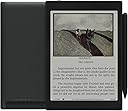
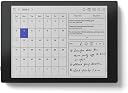
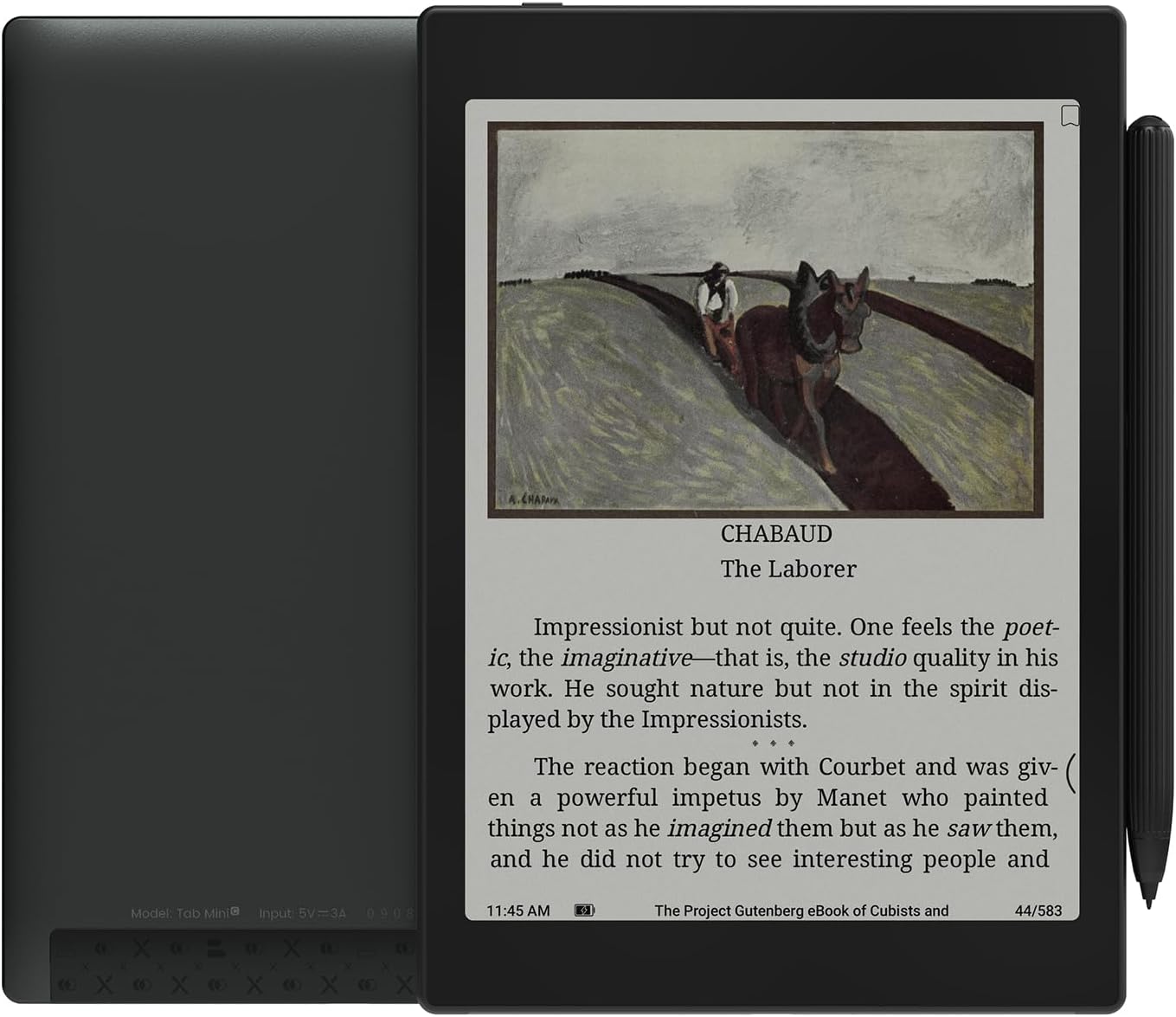
The BOOX Tab Mini C is a sleek 7.8-inch E Ink tablet designed for professionals who crave distraction-free reading and note-taking. Powered by Android OS with 4GB RAM and 64GB storage, it supports a wide range of productivity apps and features a stylus with color markup capabilities. Lightweight and portable, itโs perfect for meetings, travel, and daily organization, combining the best of digital convenience with the comfort of paper.


| ASIN | B0C6TQ5JH7 |
| Battery Description | Lithium-Ion Polymer |
| Best Sellers Rank | #312,932 in Electronics ( See Top 100 in Electronics ) #4,090 in Computer Tablets |
| Bluetooth support? | Yes |
| Brand | BOOX |
| Built-In Media | Device, Stylus |
| Color | Tab Mini C |
| Compatible Devices | Devices with Wi-Fi (2. |
| Connectivity Technology | Bluetooth, Wi-Fi |
| Customer Reviews | 3.8 out of 5 stars 45 Reviews |
| Display Technology | Electronic Ink |
| File Format | AAC, BMP, CBR, CBZ, CHM, DJVU, DOC, DOCX, EPUB, FB2, FLV, GIF, HTML, JPEG, MKV, MOBI, MOV, MP3, OGG, PDF, PNG, RTF, TIFF, TXT, VOB, WAV, WMA |
| Human-Interface Input | Touchscreen with Stylus Support |
| Item Dimensions L x W x Thickness | 7.6"L x 5.4"W x 0.33"Th |
| Manufacturer | BOOX |
| Memory Storage Capacity | 64 GB |
| Model Name | Tab Mini C |
| Model Number | Tab Mini C |
| Native Resolution | 1404 x 1872 (B/W), 702 x 936 (Color) |
| Night vision | No |
| Other Special Features of the Product | Color E Ink Kaleido 3 screen |
| RAM Memory Installed | 4 GB |
| Screen Size | 7.8 |
| Unit Count | 1.0 Count |
| Warranty Description | 1-Year non-hardware warranty |
T**K
Great as long as you don't expect a general purpose Android tablet
I first tried the Ultra C but it's just too heavy for a ebook reader. This is still a bit heavy compared to a kindle but it's good enough. It's a great note taking device if you can get by with smaller pages. While you can install any old Android app, your best bet is to not do that and just do reading and productivity apps. As a specialized device for notes, todo list, news and book reading, this is pretty great. If that's what you're looking for, you'll love it. Most of my books are amazon/kindle and that app works great here. Color photos aren't very great, and videos are worthless, but spot color, the ability to use a red pen for markup, and that sort of thing works fine. Color e-ink is still a compromise but it has come far enough to be useful enough that it's worth it to me. The included pen is surprisingly good but I'm mostly sticking with my trusty Noris digital jumbo which works great on this tablet. Go ahead and get the official case, it is well thought out and it'll keep you from losing the pen.
N**N
A Tech Purchase Favorite
I bought this for work and it's one of of my favorite tech purchases. I travel for work and use it for both conference room meetings and while walking the floor in warehouse and manufacturing facilities. The size is perfect for taking notes on the go. Android OS provides a familiar experience and I love that I can access Google keep, drive, kindle, and other common apps. Writing feels natural and I LOVE the ability to add color and shapes. No problems after a month. Other reviews scared me into buying the extended warranty, and I'm glad I did because I plan on using this heavily for as long as I can.
J**A
Great for the money, but fragile screen
Overall, this is exactly what I'd want in an e-ink tablet - something non-stimulating or distracting that I can use for focus time and daily planning sessions. You have to buy it with the realization that this is not a LCD screen, nor is it even a B&W screen. The extra color layer is going to reduce the contrast; that's the unfortunate drawback to the current state of e-ink technology. No color e-ink on the market is going to compare to the quality of a B&W screen. But you get the additional features of color highlighting and a far superior browsing and play store / app experience. Also Onyx chose to include a new and upgraded GPU for the Tab product line which significantly improves screen performance, but at the expense of battery life. So you're going to be charging this a lot more than your Kindle Paperwhite, even with the larger capacity battery. Overall, Onyx hit this out of the park with a powerful, slightly complicated tablet that will do everything you need it to do and more, but in a tasteful, non-distracting kind of way. Compare that to the inherent distractions of an iPad or the Kindle Scribe which only supports Kindle and the most basic of writing tools (even with the latest upgrade), and requires you to be signed into the Amazon Ecosystem. Another perk of the Tab Mini C is that it has a 7.8" screen compared to the Scribe's massive 10.3" screen and is super lightweight, leading to a perfect portable productive experience. You don't realize how great the smaller screen size is until you hold the beefy Scribe and realize you cannot use it without two hands or setting it down on a table. That said, my only real complaint is that the first tablet I received had a cracked screen, possibly related to the outer glass being a new type that's supposed to improve screen quality. That's pretty unacceptable and makes me nervous about the long-term reliability. I'd much prefer the lesser quality of a plastic screen, but the comfort of long-term durability. I returned it and re-purchased with a case and a sleeve and a 4-year squaretrade warranty. Right now, there's nothing on the market that compares to the Tab Mini C, so ultimately you have to make compromises until the competition offers a better product.
A**P
Dull and grainy colors
Too heavy to use single handed. There is almost no place to hold the device, so you get a lot of accidental touches all the time. The main selling point is supposed to be the colors, but they are dull and grainy. Not worth the price.
M**D
Great but flawed! (returned!)
Both issues below are featured in YouTube ''shorts'' videos by users with the same problems: 1. When you try to calibrate the display touch, you click on the cursors and they just donโt respond!! Solution is to reset it and leave it alone. 2. The lower right portion of the display is just dead to stylus touch. Temporary solution is to hold the tablet upside down to avoid hitting this dead spot when writing so it would be pointed at the opposite side and probably occupied by a menu item! I reached out to Boox support team 3 days ago and I havenโt heard back from them till now. Their support is not so good as their marketing. Update 2: I didnโt hear back from support after more than 2 weeks. I believe the screen issue is caused by possibly the magnetic field of the lower right speaker. So itโs a hardware issue and I donโt think it can be fixed. I returned it. update: (this was because it was in a 3rd party case that locks with a magnet so beware of this. It will drain your battery) I left it in a case with battery at 90%. I came back 3 hours later to find it very hot with battery dropped to 60%. When I opened it, I found a warning message saying that the battery Consumption is too high and that I need to check power opions which I have set to delay wifi disconnection for only 5 min. This is both weird and alarming to be honest. I still haven't heard back anything from box support team. Not very good service here. If this situation persists unresolved I might return it and get a tab ultra or ultra C instead! Other than that itโs a great and very capable e-reader device.
C**N
My favorite device
I use this more than my iPad mini (6th edition), more than my iPhone 13 Pro, and more than my computer. Itโs a wonderful device. Fast, distraction free, amazing. I have word on it, news apps, Libby, kindle, notion, etc.
S**O
smaller version of the Tab Ultra C, and it is incredible.
I have used the reMarkable2, Note air2 and air 2+, the Nova air C, The Tab Ultra, and the Tab Ultra C. While the TUC is my daily driver, the TMC is everything the TUC is (minus the camera - which is a good thing in many ways) in a smaller size. It has the same great 300 DPI B&W / 150DPI color screen as the TUC, the same gpu, and the same ultra fast refresh. It is a perfect union of the power of the TUC and the portability of the NAC. If you own either the TUC or the NAC, this is not the upgrade you are looking for, as the NAC is not missing much from the TMC (lesser color dpi and GPU - but it has better battery life, OS and writing latency is very comparable as well.) and the TUC is the same device with more screen and a camera.... but if you are looking to buy an eink device and deciding between the power of the TUC vs the size of the NAC... this is the device for you.
W**Y
Lousy Contrast, Ghosting.
I had really hoped that this tablet would be a Kindle killer because Amazon is playing games with Kindle access to news sources in a bid to compel a Kindle Unlimited subscription. I had hoped to reward them for that anti-competitive B.S. by switching to a device that could run apps from The Atlantic and Washington Post. But, alas, the background color on this device is so grey that contrast at all comparable with the Kindle Paperwhite can be achieved (even in a well-lit room) only with the backlight on, which kills the battery and, thus, largely defeats the value of e-ink. Also, I found myself hitting the screen refresh way too often even with app optimization. It's a great note-taker but, for the money, it has to also be a decent e-reader.
S**K
Peace for eyes!!
This e-ink device is the way it should be. It is a Kindle ++ device with full-stack Android OS. One can download meaningful apps to aid work productivity. I am also very happy with the delivery and packaging. Thanks to the vendor. The only thing I am finding difficult to get is the case for the device. It is just not easily available. But overall, I have had a great experience with the device till now. Let me also add that this is a 100 times more "remarkable" device than remarkable 2!! Also, this is a very good e-ink device and a sign of the times to come when e-ink displays become the preference, at least for work devices. Happy about the purchase!!
I**O
Totalmente recomendable
Excelente, ya que se pueden tener todas las plataforma de libros en una.
D**Y
Unsupported Android lets it down
The hardware is truly excellent. I use this way more than my Kindles (Paperwhite, Oasis and Scribe) and the colour for note taking and web browsing is great. Once the settings are dialed in for apps the ghosting isnโt an issue. Unfortunately the version of Android on this will never be updated and already doesnโt get security updates despite being a current model. This is unforgivable and means the device cannot be used for anything secure like banking and email nor can it be connected to work for note taking. With up to date Android this device would have been almost perfect but as it stands itโs basically a toy.
Trustpilot
5 days ago
2 days ago