Desertcart purchases this item on your behalf and handles shipping, customs, and support to Austria.
🖋️ Print smart, label sharp, organize like a pro!
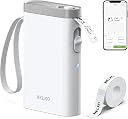
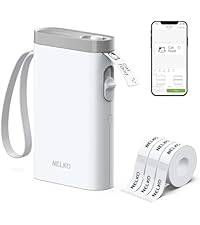
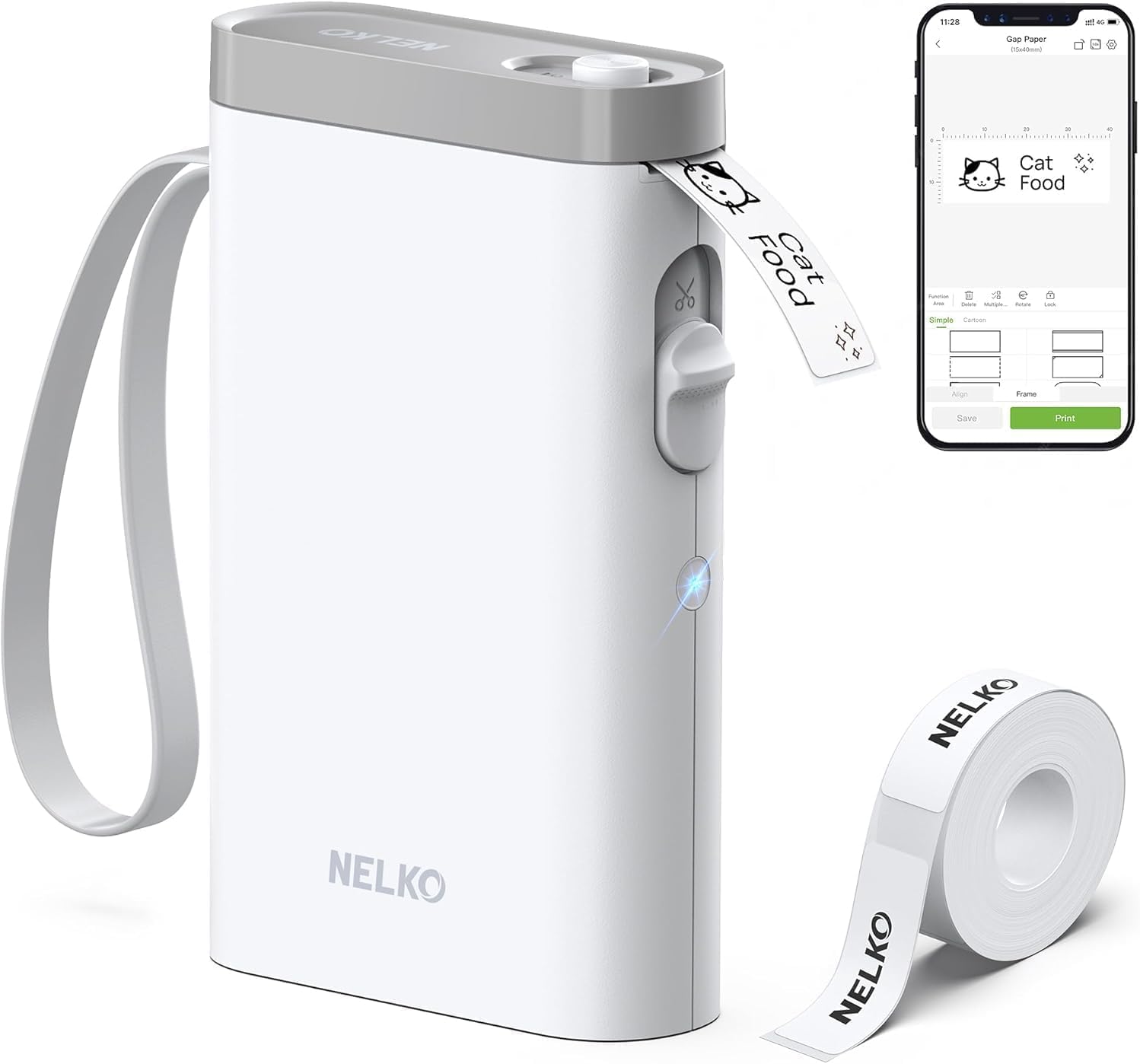
The Nelko P21 Label Maker is a sleek, ultra-portable Bluetooth thermal printer delivering crisp 203 DPI monochrome labels without ink. Compatible with iOS and Android, it offers a rich app experience featuring thousands of templates and icons, rechargeable battery, and easy one-touch printing—ideal for professionals and creatives seeking stylish, on-the-go organization.


| ASIN | B0C3L93F2Q |
| Additional Printer Functions | Print Only |
| B&W Pages per Minute | 30 |
| Best Sellers Rank | #118 in Office Products ( See Top 100 in Office Products ) #1 in Desktop Label Printers |
| Brand | Nelko |
| Built-In Media | 1 X P21 label maker, 1 X Roll of white label paper, 1 X Type C charging cord, 1 X User Manual, Setup Guide |
| Color | White |
| Color Depth | 1 |
| Compatible Devices | Smartphones, iPhone, IOS & Android |
| Connectivity Technology | Bluetooth |
| Control Method | App |
| Controller Type | iOS, Android |
| Customer Reviews | 4.4 out of 5 stars 23,670 Reviews |
| Duplex | Automatic |
| Hardware Interface | USB Type C |
| Ink Color | Black |
| Item Dimensions D x W x H | 6.65"D x 4.5"W x 1.9"H |
| Item Type Name | Label maker |
| Item Weight | 11.52 ounces |
| Manufacturer | Nelko |
| Maximum Copy Resolution Black and White | 203 DPI |
| Maximum Copy Speed Black and White | 30 pages_per_minute |
| Maximum Media Size | 14X75mm |
| Maximum Print Resolution Black and White | 203 DPI |
| Maximum Sheet Capacity | 1 |
| Model Name | P21 |
| Model Number | P21 |
| Model Series | P21 |
| Number of Trays | 1 |
| Other Special Features of the Product | Portable, Clear Printing, Easy to Use, Rechargeable, Wireless, Inkless, Text, QR code, Barcode, Materials, Images, Time and Borders, Thanksgiving, Christmas,School, Students,Teacher Supplies |
| Output sheet capacity | 1 |
| Paper Size | 15X30mm,12X40mm,14x40mm, 14X50mm,14x75mm |
| Print media | Labels |
| Printer Connectivity Type | Bluetooth |
| Printer Output Type | Monochrome |
| Printer Type | Thermal |
| Printing Technology | Thermal |
| Processor Count | 1 |
| Resolution | 203 x 203 DPI |
| Scanner Type | Portable |
| Special Feature | Portable, Clear Printing, Easy to Use, Rechargeable, Wireless, Inkless, Text, QR code, Barcode, Materials, Images, Time and Borders, Thanksgiving, Christmas,School, Students,Teacher Supplies Special Feature Portable, Clear Printing, Easy to Use, Rechargeable, Wireless, Inkless, Text, QR code, Barcode, Materials, Images, Time and Borders, Thanksgiving, Christmas,School, Students,Teacher Supplies See more |
| Specific Uses For Product | Small Business Price, School and Office Files Classification, Home Supplies Organization, Personal Item Identification, Name Tags and Jewelry Tags |
| Unit Count | 1 Count |
| Warranty Description | 1 year |
A**A
Please Read- Works Wonderfully! (Green color)
Buy it! I am a teacher and needed a label maker to help me create materials and this did not disappoint! More details: this label maker is the perfect size and very user friendly. You just download the app, connect via blue tooth, and you can play around with the templates they have or make your own design from scratch. To turn it on you do have to hold the power button for a few seconds until you hear a beep (I kept pressing the button and thought something was wrong because nothing happened, you need to hold it down which is in the instructions lol). You need to do the same to turn it off. I tested several things out, the first label you make will probably come out cut off because of having to pull the roll out a bit from how it’s originally packaged (will have a green arrow at the end of the new roll to pull out and feed through printer opening of device). Just expect that the first label you print will be a test label and you may have to discard and print the same design again. The device auto moves the roll up so once the first one is printed, do not mess with it just let it do its thing and the rest will be fine! I also tested out the cutting function, just cut the roll after you print the last label, do not pull on the label and adjust the length when cutting! It will cut the last label out perfectly fine. I then printed another label right after cutting to see what would happen, the roll comes out without an issue so the device aligns it perfectly fine even if you do not see the label paper hanging out! The labels did not smudge, I did leave it alone for a few minutes. I also wasn’t gentle when applying them to my materials and smoothing them down, so I’d say the ink is holding up thus far. The quality is reasonable and I’d say is worth it considering all the pros. Of course it is a small device and the image quality will not be super detailed due to size but it’s as expected. Some designs will lend themselves to being more clear (some will look pixelated, and intricate details won’t be discernible) so keep that in mind! I noticed the green version had the highest reviews and most negative reviews were the other colors, not sure if that matters but it influenced which one I chose. I can’t speak to how it’ll hold up after the kids get their hands on it, and details on wear and tear but I will update if my review changes drastically!
C**T
😍🥰
this label maker is compact easy to use and prints clear labels quickly it connects easily and the app is simple to navigate making it easy to create custom labels the print quality is excellent and the labels stick well this is a great tool for organizing at home or in the office and i would definitely buy it again
T**S
I’m officially old now, but at least my stuff is organized. (A truly im-press-ive gadget).
I hit 30 recently, and apparently, my birthday present from the universe was a sudden, overwhelming urge to organize my garage and pantry. I bought this Nelko P21 to help with the transition into full adulthood, and honestly, it’s been a blast to use. Setting it up was surprisingly painless. You just download the app on your phone, turn on Bluetooth, and it connects almost instantly. The app itself is straightforward—you don't need a tech degree to figure out how to change the fonts, add borders, or even insert little icons. Since it's a thermal printer, you never have to buy ink or deal with messy cartridges, which is a massive plus for me because I would absolutely find a way to spill it. The machine itself is tiny, basically the size of a couple of smartphone decks stacked together, so it doesn't take up any room in a drawer. The labels print fast, the text is sharp, and the adhesive on the tape that comes with it holds up well on plastic storage bins and glass jars. My only minor complaint is that the app forces you to look at a ton of font options, and a lot of them are locked behind a subscription or paywall, but the free, basic fonts are more than enough to label a box of spare cables or spice jars. If you've reached the stage of life where clean storage containers bring you joy, this thing is worth every penny.
C**S
Convenient Label Maker
This little Bluetooth label maker has been a really useful tool overall, especially for quick organization projects around the house. Setup was simple, and connecting it to my phone through the companion app was fast and straightforward. The app itself is user-friendly and gives a good amount of customization options for labels, including text, icons, and barcodes. The print quality is generally solid, and I especially like the individual sticker labels, which peel easily and stick well to different surfaces. For normal text labels, everything comes out clear and clean. My only real issue has been with barcode printing. If the barcode is too detailed or printed too small, it can end up looking muddled or difficult to scan. Printing larger usually fixes the issue, but it’s something to keep in mind if you plan to use this mainly for inventory or barcode-heavy labeling. Overall, this is still a very handy and reliable little label maker with good connectivity, a solid app experience, and quality labels.
P**N
Genuinely Awesome Printer!
This label printer is one of the absolute best ones I’ve used! Genuinely so simple and easy and awesome. The amount you can actually put on the labels is crazy. Even little pictures! It’s compatible with almost anything Bluetooth! It’s sleek, portable and cute. Honestly an all around really nice label maker if you’re looking for something simple and portable and rechargeable!
R**5
Easy to print small labels
This Nelko label maker machine comes with the tape, charging cord, and works really smoothly. The directions were clear as it was easy to set up and easy to use. The labels are small, but I knew that when I purchased it and it works perfectly for what I use it for.
T**Y
Great little labeler, great app to control the labeler!
For some reason, I got shipped the older model (in the older box, not the nice box like in the images), but it still has RFID to identify what size official Nelko replacement tape is being used. You pop in the tape, press the power button twice, and it’ll auto-set the label paper roll so it prints perfectly. Because of the RFID, you can only use official Nelko paper replacements (but I read if you peel the green sticker off an empty roll and put it on a generic refill, it’ll work since it thinks it’s genuine). I have only used expensive labeler before in a work environment, so this is pretty cool to have a personal device. Instead of ink ribbons (that are expensive) it does some type of thermal printing where it burns in the text. It looks like it was printed, but it’s inkless thermal printing. It’s lighter than I expected, but it worked right out of the box. You just download the app and it’ll show you how to pair. It only took 2 minutes to download the app, register (you now have to put in an email), and pair the label maker. The app is intuitive. I was worried it would be clunky but it’s a pretty good app. It needs to be a good app, since this only works with an app, via Bluetooth pairing. You’ll make your labels on your phone or iPad, and then click don’t and it prints nearly instantly. The app works in an iPad, and that’s what I use, since I don’t want my phone to control this. I tested 10 labels in various designs and they all printed very well, in dark black text, with no blurring or light text. You can make custom labels or use templates or make a custom label and save it as a template. You can add 3 lines of text and an image/icon… and you can drag and drop things to position. You can pinch to resize or use a slider so all things are the perfect size and fit like you want them to fit and look like you want them to look. It’s pretty cool and you can make some cool custom labels for whatever you need. It’s got preloaded icons, fonts, and some templates… but you have to pay for the premium templates. It’s easy to avoid any paid content though, it’s got a little yellow label for anything that requires a subscription. I’m never going to subscribe, so I like that it’s got so many free options. You don’t need premium templates though. You can create your own and then save it as a template. Since you can custom size icons, text, and lines of text, it makes things really cool since you can put big letting at the top with smaller writing at the bottom, and have an icon for quick identification. Overall, I thought this would be “cheap” and since I was shipped an older model for some reason, it’s lighter than it should be… but it works and it works well. The app really defines these budget thermal printers. Some have terrible apps that make everything a pain, some have apps that are clunky, and some have apps that have a clean UI and pair instantly while allowing you to save templates. I got an extra roll of tape as another item, so I can use this for ages. It charges fine (but avoid fast charging), the labels are easy to peel off, if needed (and leave NO residue)… and these really are rub proof, oil proof, and they only issue I can see is long term labels eventually being rubbed clean. I was going to get a slightly more expensive one, but heard the app is good for this model so I got it since the app controls everything… and they were right. It’s a good app, a good label maker, and it works. The app defines these label makers. It does feel sort of cheap since it’s so light, but for this price, who cares as long as it works, pairs, prints reliably, and can customize labels to precisely fit your needs. Which it does. This is a great pick for a label maker. This works well and I cannot stress that when looking for these budget label makers to look at the app. The app controls everything, so if it’s a bad app it’s going to make even a great product cumbersome to use. The app rocks, is easy to use, and allows users credible customization for multi-line text, icons, resizing, having different fonts for every part of text… and really just a neat device. I’m labeling everything now! The tape is 14mm which is about 1/2 wide. I wanted 12mm… but you can just cut the label to make it smaller. It comes with little tear off labels that are spaced about .25” apart. But that makes peeling off the label easier. It is not a continuous label maker where it’s just a single strip. It’s little labels in a strip of label paper that print within the label areas, cut off, then peel to stick. I love that the labels can be removed since I use them for things that get swapped out often so I can’t have permanent labels. I was shocked at how good this thing is for the price. It just works! It pairs and prints nice, and the app is very pleasant to use. I’m glad I got this. If you are going to go buck wild on labeling, don’t forget to pick up an extra roll. It’s really good for the price and it’s cool to design labels.
A**E
Good, convenient and portable printer
This printer works great for my needs. The battery life has been good and the printer app functionality has worked without any issues. For me it is very easy to use and understand so overall I think it is a good, portable and convenient printer. However my one ad only issue is the labels get stuck and causes an error about 80% of the time meaning the label won’t print out unless I open it and realign it perfectly. That is a pain! I am contemplating returning it for a new one to see if it is just a design flaw or a printer issue so I am rating it 4 stars.
V**M
Top
Tres facile à utiliser
D**I
Pratica e funzionale
Facile ed intuitiva. La consiglio
A**ー
コスパいいですね
高い製品を使った事ないですけど、何も問題なくケースにラベリングしました。 スマホでサッと作れて満足です。
V**I
A melhor
Muito boa. Indico a todos
K**A
Très efficace
Assez simple d'utilisation, très rapide et efficace! J'ai 4 enfants et j'ai acheté des kits les dernières années.. mais au final, ça commence a coûter cher.. j'ai acheté cette imprimante et je l'adore! L'essayer c'est l'adopter.. je la recommande sans hésiter!
Trustpilot
3 days ago
1 week ago