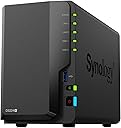
💼 Elevate your data game — secure, sync, and share like a pro!
The Synology 2-Bay DiskStation DS224+ is a compact, diskless NAS designed for small businesses and professionals seeking centralized, secure data storage. Featuring RAID support, Synology’s intuitive DSM OS, and powerful backup tools, it enables seamless multi-device syncing, private cloud creation, and robust data protection. With easy setup, versatile mounting, and extensive app support, it’s the smart choice for future-proofing your data infrastructure.


| ASIN | B0C6927XPX |
| Additional Features | Not_Performance_Used |
| Best Sellers Rank | #25 in Network Attached Storage (NAS) Enclosures |
| Brand | Synology |
| Built-In Media | Item |
| Color | Black |
| Compatible Devices | Desktop, Laptop, Smartphone |
| Connectivity Technology | Ethernet |
| Customer Reviews | 4.6 out of 5 stars 634 Reviews |
| Data Transfer Rate | 1 gigabits_per_second |
| Digital Storage Capacity | 36 TB |
| Enclosure Material | Metal |
| Form Factor | 2.5-inch, 3.5-inch |
| Hard Disk Description | Solid State Drive |
| Hard Disk Form Factor | 2.5 inches |
| Hard Disk Interface | Solid State |
| Hard Disk Rotational Speed | 5400 rpm |
| Hardware Connectivity | PCI, Solid State Drive, eSATA |
| Installation Type | External Hard Drive |
| Item Type Name | Synology NAS |
| Item Weight | 1.3 kg |
| Manufacturer | Synology |
| Media Speed | 225 megabytes_per_second |
| Mfr Part Number | DS224+ |
| Model Name | DS224+ |
| Model Number | DS224+ |
| Number of Items | 1 |
| Read Speed | 225 megabytes_per_second |
| Special Feature | Not_Performance_Used |
| Specific Uses For Product | Business |
| UPC | 846504005253 |
| Warranty Description | 2 years warranty |
A**R
Versatile Media Server and Home Data Storage Solution
I purchased the Synology DS224+ NAS primarily as a media server. My requirements were pretty straightforward. I was in the process of transferring and consolidating years of analog and digital multimedia. I was not comfortable with sticking with cloud storage. Unpredictable internet speed demanded local storage for performance. So, I decided to get a networked storage device that was fast and simple to set up and maintain. After considerable research, I settled on Synology's DS224+. I had some experience using Plex on my PC with an external drive, so the built-in Plex Server app was a bonus. The setup of the RAID 1 (other options are available) dual drive (drives purchased separately) was straightforward using the Linux-based DSM 7 operating system. My knowledge of networking is limited, so it took some poking around to figure out how to map a shared folder on the NAS to a lettered drive on my PC. Transferring all of the media files from my PC to the NAS was incredibly fast once the setup was complete. Performance using LAN Plex clients on my PC, Android tablet, Roku, and phone was better than I expected. The DSM 7 OS has a rich set of apps for backing up, taking snapshots, and setting up a cloud-based drive service. Those were very easy to set up on both the NAS side as well as the PC client side. I decided to take it one step further and set up remote access. The DSM 7 NAS OS has options for VPN service. So, I decided to set up the OpenVPN server. This is where things get sticky. Without getting into all of the details, the default VPN configuration makes some minor security compromises, perhaps to accommodate older client configurations. I had to make some tweaks to the configuration and regenerate the security certificate key to get a sold VPN connection with no warnings. So, you may want to have someone handy who knows a bit about VPN setup to help out, or be prepared to do some research! Alternatively, you can connect remotely using Synology's QuickConnect. The setup is straightforward. It may not be entirely as secure as a VPN connection since it relies on Synology's servers, and you can't access other devices on the LAN remotely. All that being said, if you simply want remote access to your NAS, I would recommend using QuickConnect simply based on easy of setup and use. The Plex performance was so good that I decided to ditch my Tablo and purchase an HDHomeRun quad tuner as an add-on to the Plex server. That was super easy to set up. Now, I have an Over The Air DVR setup that integrates with all of my other media. So far, I have found the Plex's performance and reliability to be far superior to the Tablo, especially when accessing it remotely. If you are simply looking for a simple home NAS and media server setup, the Synology DS224+ provides a solid solution at a reasonable price. Add on a multi-channel network tuner and you end up with a setup that will seriously tempt you into cutting the cord on cable and paid streaming services. If you are willing to fiddle around with the setup a bit, you get the added functionality of a secure VPN connection into the NAS and Media Server as well as other devices on your home LAN. Bottom line: The Synology DS224+ is solid winner in the entry level NAS arena.
W**B
Excellent Hardware, OK software, mediocre documentation
Update 5/7/2025: Just found a limitation. Recent update makes this less desirable as a media server. My Sony TV (Android OS) is hit or miss with "seeing" the NAS, and sometimes when it does see it, videos will just not play. Also, it is absolutely (according to Synology tech support) not compatible with Roku's media player, and the app you need is not available for Roku. Big disappointment after transferring 25 favorite movies from DVD to the NAS. I bought this to replace an aging file server running Microsoft Server 2012R2. Since the server's role has been drastically reduced, I looked for a simpler, cheaper alternative. Just need storage capacity, RAID 1 capability, and the ability to be backed up to an external hard drive. This is it. Good reviews everywhere. This is an alternative to a full-blown file server, if you don't need other than access for multiple users (three computers in our house, sometimes four.) For capacity I selected two 18TB Western Digital Red Pro series drives. Of course, I gave no rating on capacity, since that's up to you. Good: This NAS is like a limited power computer. Its operating system is simple and updated from time to time. A suite of applications for backup and other functions is included. They're accessed via a web browser. Also, the OS has a time-out function for the drives. By default 30 minutes of no activity and they power down and wake upon access from the LAN. This is a big plus for assuring maximum life for the drive(s) installed. This NAS also has dual LAN ports for optimum speed. The NAS shows up as another device on your network. One of the apps is a backup program that can backup to a USB device, the cloud (if available) or to another NAS. Bad: Not much. Documentation, including user instructions for the included apps, is somewhere between limited and nonexistent. I've twice had to use tech support to explain simple things--like how to do backups that only backup new and changed files. That said, once you learn how incremental backups work, they have a great feature--prior versions. So after your first full backup, subsequent backups (at least to the same device--I haven't tried alternate devices yet) back up changed files, and when you look you can see not just the changed file but also dates of prior available versions. Again, great features but it may take some work to figure out how they work. Other: Cloud access is available. Being kind of a security nut, I've opted out of that feature, but if you want/need it, it could be valuable. Overall, I spent twice as much on the two 18TB drives as on the DS224+ unit itself (but less than the cost of another file server). Less cost, less space, less heat. I had my own IT consulting business for twenty years. Frankly, I had a few clients who could easily used this as an alternative to their expensive file servers!
I**C
Synology DS224+ - Powerful and Reliable 2-Bay NAS Solution
The Synology 2-Bay DiskStation DS224+ has proven to be an outstanding NAS for both personal and small business use. Its compact design hides a powerful punch, with the ability to handle various tasks such as file sharing, backups, and multimedia streaming without breaking a sweat. The setup process was straightforward, and the Synology DSM interface is user-friendly, making it easy to configure and manage the NAS. Despite being diskless, it's highly customizable with your choice of hard drives, which adds flexibility. I have mine set up with two 4TB drives in a RAID 1 configuration for data redundancy, and the performance has been fantastic. It offers smooth data transfers, and the integration with cloud platforms like Google Drive and Dropbox is seamless. For anyone looking for a reliable and versatile NAS solution, the DS224+ is a great investment. It's a bit of an upfront cost, but its features, expandability, and overall performance make it worth every penny.
J**M
This 2 bay system is a bargain.
The DS422+ uses the same CPU as the the DS920+ which includes a graphic processor that than do hardware transcoding of video files for streaming. It also is capable of running the Synology Virtual Machine manager. It also can upgrade the memory with a 2,4,8 or 16GB memory module although the 8 and 16GB modules are officially unsupported. I cloned two virtual machines running Linux from a DS920+ to the DS422+ using Synology export and import functions withing a couple of hours of receiving the machine with the VMs operating perfectly. A couple of SSD's make the unit very fast with no need for the M2 slots that are in the DS920+. It makes the perfect home automation controller for a secure cloudfree system.
B**S
The Synology DS224+ is an outstanding Plex server (and how to make it even better)
I finally got tired of using my desktop PC as a Plex server for videos stored on my decade-old 2-bay NAS drive, so when this 224+ went on sale, I jumped on it. The setup was a breeze. It was about an hour from opening the box to serving up its first 4K video to my media center. Transcoding 4 K is something that my PC would never do, and now I can watch high-definition videos even when my PC is off! Just for fun, I contacted Synology tech support with a few questions. They responded within an hour and were very helpful. This NAS has 2 GB built-in. You can easily upgrade it to 18 GB by adding a reasonably priced Timetec 16GB DDR4 2400MHz RAM Module . The 9-fold memory increase makes this drive serve up files even faster. All in all, I am extremely happy with this purchase.
D**S
Great beginner NAS
It works well, but there's one annoyance. Whenever my router restarts, I get an email saying it has lost its connection to my network and I have to go and manually restart my NAS. There's no way for me to connect to it so I have to go across the house and manually shut it down and restart it. Other than that, it's a great starter NAS for me. I'll likely upgrade to a larger one eventually, but this one is my first ever NAS and has made the experience pretty easy to get used to. I do wish I could upgrade the RAM more than 6GB, but it's whatever. That's just me being greedy I guess. I just expected more for a piece of hardware like this in 2025 considering a lot of smartphones have more.
M**N
Plan carefully before you purchase
So far I do like it. Overall the product is what I expected and meets our household needs. It's fairly easy to set up and deploy, so I have no negative comments there. I do wish the directions and assorted videos were a bit more easier to follow and Synology realised not all users have the background or terminology to understand everything. If you're looking to buy a NAS (and I would 100% suggest this model for basic household use because of price, etc.), I hope my following suggestions help: 1. Organize, organize, organize! My biggest headache was that my digital data and digital artifacts (files, pictures, videos, etc.) were spread across a combination of drives and flashdrives i.e. external hard drives, disks, flashdrives, etc. accumulated over a good 20 year period. I started copying files and ran into issues like where my cords were (apparently I forgot over the years different devices had different power sources, cords, etc.) 2. Patience young grasshopper! Many of my files over the years started with weird characters, periods, dashes, in some cases the entire first sentence of a document. File extensions that looked like might have come from an old word processor I once had in the 90s. Definitely some file extensions that were from various Nintendo handheld devices, PDAs, etc. So there seemed to be a bunch of pop-up warnings when transferring. Overall, I think the NAS captured all the important stuff, but like I said, I had 3 different WD and ioSafe 2TB external devices, and I didn't bother to check if everything went over. 3. Where do I put things? I was a bit confused about the whole Shared Folder vs. Folders that seemed to already populate (photos, music) Synology Photos, Music apps, etc. I still really haven't figured that part out so I just created a folder, then basically dumped all my device files into it. Like I said, this is for the house, nothing I need to worry about other household members accessing, so i went the easiest way. Share and share alike, I guess. 4. The wireless/hardwired ethernet stuff was easy to set-up. Synology pretty much does everything for you. But it is so SLOW! My mistake was that I believed because I was using an ethernet cable from my laptop to my Netgear router and a cable from Synology to Netgear router this would be the fastest way. It wasn't until I remembered that you can create a network on your laptop and that seriously sped things up. It was a bit more complicated to set up though. Now I have a "drive" all I do is connect to and it acts like any other external hard drive I've used in the past. 5. Hardware: Definitely decide what you want. I went with 2 4tb drives. I wish now I saved up and went with 2 6 or 8tb drives. 4tb filled up super fast! I went with the Iron Wolf and Synology 4TB HDD models. THey work great. 6. Upgrade that RAM before you start. I upgraded to TimeTec 4gb because of price and reviews. It did make a difference. I think it's more than enough for what I need. 7. Watch a bunch of YouTube videos! Some are really good, some are too advanced, so just look for some that meet your needs. 8. I highly recommend this product or at least a NAS type set up. it's easy to use. So far we love it. Organizing videos and photos has been really fun for us in the evenings. Watching the children from birth to now age 20+ makes for nice memories in the kitchen, plus there's no good shows on TV to stream anyway. Hope this helps.
E**2
Easy to Setup and Use
I'm not a technical guy and I was able to set this up and use in no time. It's so small, quiet and unobtrusive but be sure to think about placement for the network connection and keeping it cool so it doesn't run hot. 2 ethernet connections that allow redundancy and increased bandwidth if you want to configure that. Hard drives were easy to install and configure. Easy to upgrade the RAM. I'm a visual learner so I watched YouTube videos with recommendations on best ways to do these things and why. Saved my family money by eliminating cloud subscription storage fees by backing up photos to the NAS from our phones and there's multiple options for doing this. We have over 30,000 pictures from over 20 years of pictures, all searchable with plenty of storage left. Connected to my multi function printer which scans documents to the NAS in seconds allowing me to eliminate paper storage, all searchable. Shared drives and private individual drives. Synology really did a good job thinking through the practical, functional parts. Console to manage is easy and had option for two-factor authentication for safety that sends phone notifications or use an OTP code. And it does so much more that I'm not even using now. Bravo Synology, well worth the investment.
T**N
Klare Kaufempfehlung
Super gerät , klare Kaufenpfehlung
L**Z
Producto Premium
Uff!! De las mejores nas que hay, excelente producto fácil y rápida de configurar e implementar compatible con ssd y hdd de gran capacidad. El sistema operativo es de los mejores que hay en el mercado. Gran calidad de construcción es un producto premium
S**.
Perfect NAS storage for my purpose
I bought this NAS for one of my projects on Synology but I m using it on daily basis. It's worth the price
W**Á
The best
For the price this is the best NAS/homenserver that I have used, reliable, silent, full of nice features. I used this to quit using google drive and having my own cloud.
A**I
ممتاز نفس المطلوب
جدا ممتاز نفس المطلوب لكن الشحن تاخر قليلا
Trustpilot
2 days ago
1 month ago