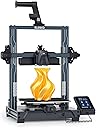
🚀 Elevate your 3D printing game with speed, size, and precision that professionals crave!
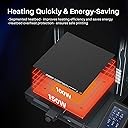
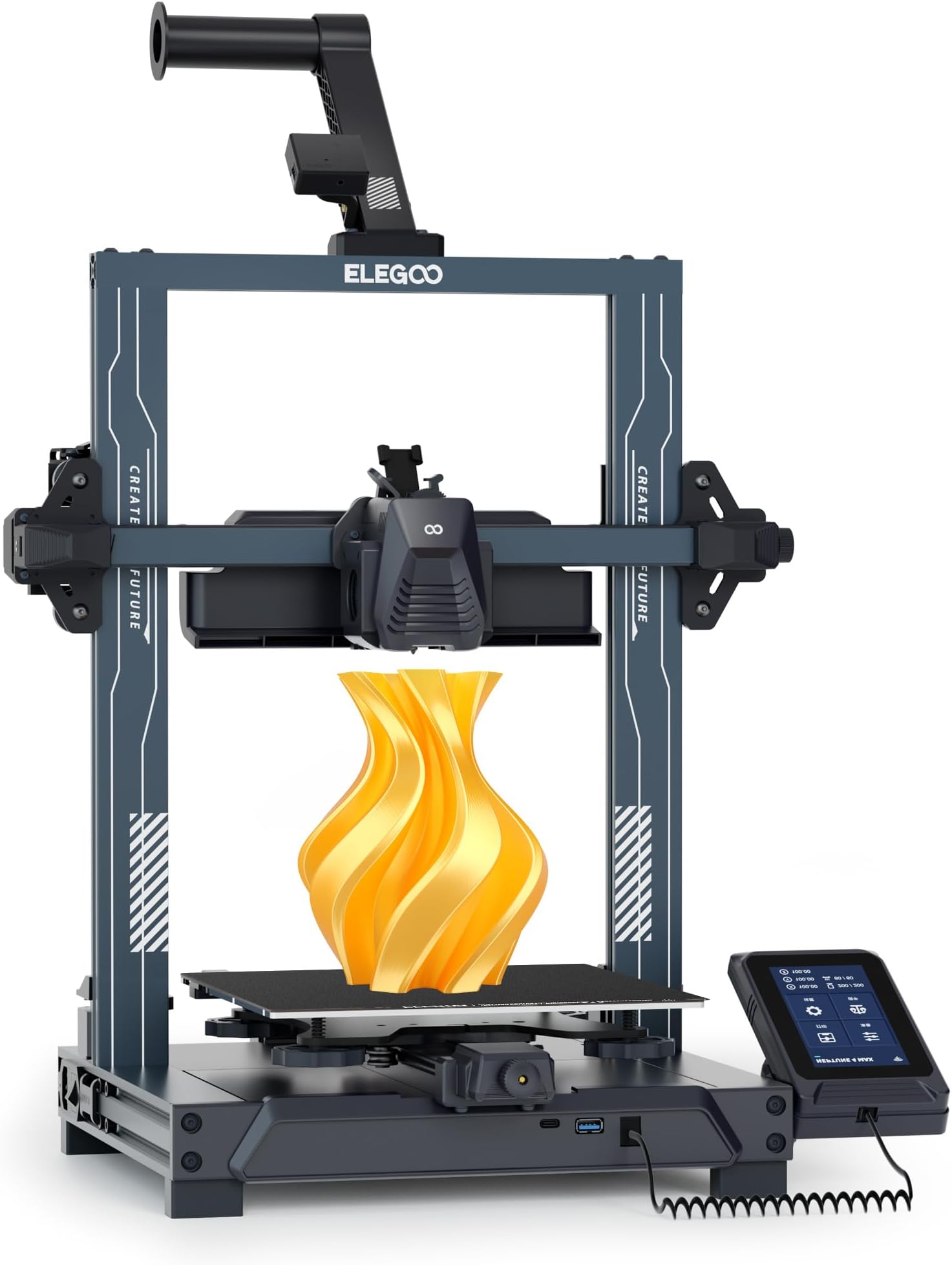
The ELEGOO Neptune 4 Plus is a high-speed 3D printer featuring a powerful Klipper firmware enabling print speeds up to 500mm/s, a large 320x320x385mm build volume for expansive projects, and a 300°C high-temp nozzle compatible with multiple filament types. Its dual-gear direct drive extruder and advanced auto-leveling with input shaping ensure precise, reliable prints. With versatile connectivity options including WiFi, USB, and LAN, it’s designed for seamless, professional-grade 3D printing right out of the box.


| Best Sellers Rank | #233,198 in Industrial & Scientific ( See Top 100 in Industrial & Scientific ) #224 in 3D Printers |
| Brand | ELEGOO |
| Color | black |
| Compatible Devices | Laptop, Personal Computer, Smartphone |
| Customer Reviews | 3.9 out of 5 stars 508 Reviews |
| Item Weight | 8890 g |
| Material | Aluminum |
| Product Dimensions | 17.5"D x 18.7"W x 20.3"H |
T**T
The best machine, with mindful use
My new HP copier died. This machine did not. This elegoo printer is the best affordable and high quality intro to 3D printing. The parts provided, tools, and starter filament are all fantastic. I am another one to say that it did work straight out of the box and producing high-quality prints though results may vary. Because of the nature of the printing experience, it’s very important to understand fundamentals of how the machine works, and make sure certain things are adjusted properly and certain things are tightened. Regular maintenance of the machine would be recommend. I’ll begin now with faults here which are related to the setup. The setup of the machine and use is not fully detailed in the manual. There are several things to pay attention to, that’s not in the manual. For instance, they don’t tell you that the build plate is magnetized onto the machine and you remove it after a print and the bed cools, then you flex the plate to get your print job off. Took me a good moment to find this out. Other things left out are related to setup and maintenance. Do research on the machine before you get it, and you’re certainly more likely to have a good printing experience. It also does have a couple software faults maybe to keep aware of. I had a print job fail to resume after pressing pausing it. And I’m not sure if it had anything to do with how my model gcode was written by the slicer. Also keep aware, be sure to remove your model after a print. Further actions you might take after you return to the home screen are not aware of whether any material is still on the build plate. So if you’re not careful, you could run the print head into your build and destroy things including the printer. Furthermore, the machine is not WiFi connected and I thought it was supposed to be. I’ll have to check on that later, however it still does have an Ethernet jack. Now onto print fails. Running the printer at high speed is nice, but it can introduce problems in both the machine and prints. Be sure to upgrade the machine maybe if you want super high speed like advertised and use a high speed filament. The servo motors can do it though. My other fail is possibly from a bad slice from Cura slicer. Cura provided a warning about the STL I was printing, so I’m assuming that the print issue there was not related to the printer itself. Lastly, the auto bed leveling is working well. It took time because some of it is still manual. Again, experience may vary and do your research. Overall, as a first time user, I’m extremely satisfied because I’m a user that understands nothing is perfect and overall, elegoo has put out a noteworthy milestone in 3D printing. I’ve also attached a photo of my 3D benchy for reference of print quality
K**R
Excellent printer but beware of cheap pla.
You will have trouble with generic (cheap) pla. It breaks into 3 pieces in the throat of the hotend and cannot be pushed out without disassembly, even when printing slowly. Use only pla+ for best results. It took several fails to isolate the problem. Elegoo has modified Cura, and it produces great prints using that app. The config files are not compatible with the Cura downloaded from the internet. The printer is easily 3 times faster than the Ender V2 series. The print plate and base are magnetic, and the included metal print plate is flexible. The leveling feature actually works. (A first in my experience.) Just follow the instructions. A quad core RockChip processor runs Armbian, which can use debian packages. I had to install a couple of packages to get the printer's hostname to show up in my router's dns server under the ".local" suffix. (mkspi.local is what the printer is identified as now) I was able to ssh into it and do the obvious updates needed for linux. The initial password can be found in the user forums for that printer. It has a web interface fairly similar to Octopi, with quite a few more features. Very handy. The only change I would like to see is moving the filament out sensor much closer to the head. In my area PLA gets brittle quickly (well before it starts popping due to moisture) and it breaks after the sensor (right at the head), so the printer never knows the filament is out. Also narrowing the throat hotend after the Teflon tube would help avoid jams due to breaking pla. The overhead LED is a good addition, especially in a dark area! The touch sensitive panel is magnetically mounted and can be picked up, used, and put back any time. It produces good prints. Every additional piece of the printer is used to solve some problem I have had with previous printers. However, the head clogged due to broken PLA after the filament gears and just before the "hot" part. It took me a couple of hours to pull it apart and get the stranded piece out. Put it back together, re-leveled, and was printing shortly after that. It failed several more times before night switched to pla+
R**K
So disappointed … dead on arrival
I was looking forward to using the Elegoo Neptune 4 Pro, given the positive reviews it had on my usual (and trusted) product review websites. Unfortunately, the printer I received was a dud and was dead on arrival. So instead of having fun printing out 3D creations, the fun was limited to assembling and disassembling it. So sad. Anyways my story is that I watched the assembly video about 5x over an hour to familiarize myself with the assembly steps. It then took about 30 minutes to assemble the printer. Once finished, I set the voltage selector switch to 115 VAC US power (230 VAC is the factory default), plugged it into a wall socket, flicked on the power switch, and waited for the magic to happen. But after 10 minutes of waiting, it was apparent that no magic would happen. Even though the power switch was illuminated, the printer showed absolutely no signs of life. Nothing popped up on the video screen, no whirring of fans or motors, no beeps or buzzes. Just nothing. I quadruple-checked the various wiring connections as well as the voltage selector switch, and power cycled the printer a few times. I went on Elegoo’s website for debug tips, which recommended that the cover be removed from the printer’s base so that the lights on the motherboard could be checked. I declined to do this because I didn’t want to void the warranty and more importantly, I simply shouldn’t have to do this for a brand new piece of gear. So I watched the assembly video in reverse, disassembled everything, and RMA’d it back to Amazon. Amazon offered to send out a replacement but I opted for a full refund because of my obvious quality concerns with Elegoo 3D printers. Other Observations: Packaging is well done, shadow-boxed fitted foam inserts kept parts secure during shipment. The Neptune 4 Pro is solidly built, all structural parts were either extruded aluminum or steel. Use of plastic is limited to cosmetic parts. It’s a beast with a large print volume and requires ample desk space. The diagrams in the printed assembly directions were dense and hard to read. You are better off viewing Elegoo’s assembly video, an MP4 of which is included on the supplied USB drive. The assembly video is well done but way too fast; recommend playing at slower speed and pausing as necessary. For each subsystem, the video clearly shows the parts involved and the screws to be used, which are conveniently packaged in well-labelled plastic bags. All required tools are provided, anyone who can use an Allen wrench and do righty-tighty should be able to put this printer together. Elegoo’s USB drive also includes a custom version of Cura, which Elegoo recommends installing. Not sure why this is recommended by Elegoo, given that the stock version of Cura already supports the Neptune 4 Pro. Maybe Elegoo’s version of Cura supports multi-color print better. In any case, I wouldn’t have installed Elegoo Cura on my computer out of security concerns, given where the printer was made. Sorry!
O**O
Great machine to get started with 3D printing
I think this printer is a great starter machine to get into 3D printing, but there are some things that aren't obvious or need changing. I'll try to summarize what I've learned in the last couple of weeks with this 3D printer: - The instructions don't tell you how to maintain the thing, they only tell you how to get started. The Elegoo website has support documentation which leads to YouTube videos. They're quite good, but it would be nice to be able to download a manual. I don't know how long the existing videos will be up on YouTube for. - You'll want to buy some lithium grease, because the machine only comes with enough to lube it up for the first time. Elegoo recommends cleaning off the old grease from the rails on the X and Y axes, and the screw mechanism for the Z axis every couple of weeks. - More thought should've gone into cable management for the bed and the extruder. This can result in the cables catching on whatever you're printing, or even catching on the machine itself. Luckily, you can easily find models to print your own cable management clips or cable armor. I'd highly recommend going to Thangs, Printables, or Thingiverse to find some modifications. It feels good to fix the problem, and it gives you something to print. I would almost say it's a requirement to download and print anything that turns the extruder cable 90 degrees so it doesn't droop onto the bed anymore, and something that keeps the bed cables straight so they don't catch on the Y axis motor. You can also find tool holders that clip right onto the printer so they don't end up strewn about or lost. - Elegoo doesn't yet sell replacement nozzles for this machine, and the Neptune 4 nozzles aren't compatible with previous Neptune models. This means if you intend to print abrasive filaments (glow in the dark, carbon fiber, wood fiber, or anything else with additives) you have to go third party to get hardened steel nozzles, and if you intend to print anything to be food safe you'll also need to go third party for stainless steel. Unfortunately, Amazon doesn't yet have many options for third party nozzles, but other sites that focus on buying directly from China are starting to. This doesn't only apply to you if you want to print using exotic filaments, but also if you just want to print at a different nozzle diameter should you want to print faster (larger diameter) or finer (smaller diameter). Their support has said if you need a replacement 0.4mm nozzle you can contact them directly to buy them, and they'll hopefully have them available for general purchase on the website soon. - This printer can move at 500mm/s, but you won't be printing at that speed. You can find guides, or even great tools within something like Orca Slicer (an alternative to the Elegoo skinned Cura slicer that's included) to fine-tune your settings, like flow rate, filament temperature, pressure advance, retraction, etc., but things will start to fall apart (literally, in the case if whatever it is you're printing) if you try to print anywhere near 500mm/s. I find myself printing at 100mm/s when I want to print something detailed, but the travel distance can be faster, like 300-500mm/s. For parts that don't require as much care, like prototypes or just isn't decorative I'll print as fast as 150mm/s. You can likely get away with going up to 250-300mm/s, but the faster you go the more likely your print is to fail at some point. Weigh the pros and cons of how quickly you need the part versus waiting a little longer to ensure you don't need to start over and waste more time and filament. - If you're new to 3D printing, don't blindly follow numbers listed on the machine, in the slicer, or even on the filament. You'll want to tune things and find your own sweet spot. Also, each filament will have different recommendations for how to print with it (speed and temperature), which is shown as a range. Don't assume all filaments are created equal. PLA, PLA+, and Rapid PLA+ from Elegoo all have slightly different properties. This is doubly true if you go to a different brand, or a different material (ABS, ASA, PETG, PCTG, Nylon, composites, etc.). It's better to use up a little bit of the filament in a roll figuring out those parameters than wasting time and filament because you started a 14 hour print and it went wrong toward the end. - 3D printers are not yet "set and forget" machines, and aren't for kids to operate unsupervised. Parts of the printer move very fast and get very hot. You'll want to check in on your prints, especially the first few layers, to make sure things are going as expected. You'll need to be hands on. You can purchase a USB webcam to monitor your prints from afar, and use the web interface to remotely stop your print if it goes awry. That said, this is probably one of the quickest machines to get started with out of the box for the price. Setup was quick, lubricating the rails wasn't a big deal, and leveling the bed has its own instruction sheet, but the screen walks you through the process anyway. This has auto bed leveling, but you'll still need to set the Z-offset and fine-tune the bed using the knobs under it. There's a lot to like about this machine, and a lot to learn about 3D printing as you get into the hobby. While 3D printing is FAR easier to get into today than it was a few years ago, you'll still need to be a bit more hands on with most 3D printers you find today than almost any other device you buy. Pay attention to what filaments are good for what applications (ASA and ABS hold up better to higher temperatures and to UV), but pay attention to the toxic gasses something like ABS lets off during printing to ensure you remain safe. Do some research to avoid issues. Similarly, some materials are much more difficult to print with and might require an enclosure to avoid parts warping during printing. Turning the fans off may also help in that regard.
L**H
Impressive, but has a few weaknesses
Quite simply one of the best 3d printers i have bought... i have three (ender 3, biqu hurkan). great intro device for those looking for a web based 3d printing experience. The klipper program excels at web based access with only the ip address required for accessing your printer. Almost everything can be controlled from your browser; thats the main advantage of klipper. Elegoo has pre load their version of klipper with lots of macros to play with. The biggest key for making this work for me was switching slicer programs from prusa slicer to orcaslicer and really unlocked the ease of use of this printer. Klipper also enables high speed printing features with speeds up to 500ms with beautiful results. But there are drawbacks to this device... the secondary high flow fans are noisy (very noisy), but you can turn these off with much of a difference on standard prints. The next and most glaring drawback is the device doesn't have a built in wifi card. you must connect with a wireless device that attaches to ethernet port so thats gonna be an extra cost. My devices came with some harmonic noise from the dual access bearings that needed lubrication and that went away. Maintenance is also a pain if you have any nozzle clogs, but this isn't a clone of some other companies extruder and it works extremely well. Expect to spend sometime when you need to perform work on this guy. A quick extruder charge system is something they really need to develop for this, because quickly changing nozzles for prints is not going to happen.
C**E
Top notch functionality
This printer is amazing, from the quality to the speed. It runs off kipper firmware so its able to handle high speed printing (250mm for quality prints), has a good build volume coming in at 225x225x265. The dual fans are a bit noisy, but I've learned to tune it out. When you turn the auxiliary fans on it sounds like a rocket taking off. It does have an option to hardwire straight to your computer to send a file directly to the printer, a wifi option would be nice. After about 20 hours of printing the print head developed a clicking noise and upon further investigation found there was a crack in the extruder housing. I contacted elegoo support and with the necessary information were quick to resolve the issue and sent me a brand new assembled extruder assembly. The set up was easy, instructions were clear. I will definitely be ordering another one here soon because I am beyond impressed!
J**O
Good product- not sure is box was damaged or returned prior- but prints good
The box was severely damaged (not the exterior Amazon delivery box) and the parts were jumbled. Not sure if it was returned and sold again- we did end up setting it up ( as the products has a protection plan) and it is functioning fine- some bolts were in different packages (again making us wonder if it was not new but returned after someone opened it?). After YouTube helped us set unit up- we’re still printing on it- so far doing well- we would probably buy another elegoo but would hope it was packaged better or guaranteed new in box. All in all we are happy with the printer and way it works - the programs it has slice and prep well- good for us as newbs.
S**N
Solid printer
I've had the printer for four months, and it's been in use pretty frequently during that time. Features and print speed/quality are very good, however the printer has developed issues while extruding filament. Upon taking the extruder apart, the two gears that drive the filament through have worn down and no longer consistently push it through to the nozzle, leading to gaps during printing. Four months is too short a time for normal wear and tear to degrade these gears so much, seeing as I have not printed with any exotic materials. 95% pla and 5% PETG. I've reached out to elegoo support and will update this review if I hear back from them. Update: Quick one day turnaround for elegoo support, they have offered to send me replacement gears so I can fix it myself, which was my preferred solution. Will update again when I get the parts installed. Update 2: It took a while due to the Chinese New Year delaying shipping but they sent a new extruder unit and the hotend is again working as it should.
F**S
Excelente maquina
Estoy comenzando a aprender a usarlo, tiene la opción en configuración para elegir el filamento que vas a usar y por default maneja diferentes temperaturas para cada cosa, al principio para que esté bien balanceada, debes usar una hoja y calibrarla con las ruedas que tiene por debajo en cada esquina hasta sentir una ligera fricción, atención, no apretar de mas para que la boquilla no raspe el trabajo que vayas hacer y asi no tengas problemas más adelante. Si usas otro modelo sacado de internet busca que este centrado, porque intenté con una espátula pequeña pero se imprimía en una esquina y la impresión falló, pensé que era la máquina, así que imprimí con el poco filamento que quedaba solo la base de otro buda y quedó excelente, así que tenía errores el modelo de la espátula. Es una máquina muy rápida, dependiendo si es mas grande en el programa orca slicer, elegoo cura, que son los que use, viene el tiempo que tardará y los gramos que usará del filamento, más sinembargo es un estimado porque al pasar el USB a la impresora maneja otro tiempo pero no es mucha la diferencia, otra cosa que me gustó es que llega antes, me imagino dependiendo la zona, pero lo bueno es que la caja llegó entera sin daños, todos los accesorios vienen dentro, solo que el manual no venia en español, pero uno lo puede conseguir de la pagina principal de Elegoo.
B**N
Great 3d printer for beginners
This was my first ever FDM printer, I bought this 3d printer to print some home interior stuffs...which was a great decision. If you are also a first time user, then don't hesitate go for it, printer worth the money. -Print in a slow and steady speed for better quality end results, because too much printing speed does not looks good :) -I had this printer for now like 4 months and printed like close to 50parts, never had a major issue printing parts, its all about getting the right setup, including the print speed/temperature/fan cooling, lot of resources online should help you get the good setup. -Performance of the printer is amazing, i even had the printer run for close to 12hours non-stop, yet the printer managed to give the final out put flawlessly.
S**I
Printing and heating
Good For PLA material Printing and heating Speed is good.
G**.
Excelente compra!!
La verdad muy buena impresora, el paquete llegó de Estados Unidos a México sin problemas. La impresora funciona de maravilla. Buena velocidad de impresión. Una excelente compra sin duda.
R**Z
Mucho desperdicio de filamento con pésima calidad de impresión
Tiene mucho desfase en la impresión, las partes más delicadas las rompe a pesar de ponerle una muy baja velocidad de 60 mm/seg, por eso la devolví, por encender la luz me cancela la impresión, no vale la pena invertir en un producto de pésima calidad, por algo elegoo se enfoca más en impresoras de resina, y ni así es un buen competidor, recomiendo impresoras de Creality o FLSUN
Trustpilot
1 week ago
1 month ago