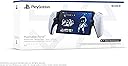


Desertcart purchases this item on your behalf and handles shipping, customs, and support to Austria.
🎮 Game Anywhere, Feel Everything — Your PS5, Unleashed
The PlayStation Portal Remote Player is a sleek, portable 8-inch 1080p LCD device that streams your PS5 games over home Wi-Fi at 60fps. It delivers authentic DualSense controller features like haptic feedback and adaptive triggers, allowing you to play your PS5 library without needing a TV. Lightweight and designed for immersive, flexible gaming, it’s perfect for professionals who demand high-quality play anytime, anywhere at home.
| Asin | B0CJJCZMKJ |
| Batteries | 1 Lithium Ion batteries required. (included) |
| Best Sellers Rank | 81 in PlayStation 5 Consoles, Games & Accessories |
| Country Of Origin | China |
| Delivery Information | We cannot deliver certain products outside mainland UK ( Details). We will only be able to confirm if this product can be delivered to your chosen address when you enter your delivery address at checkout. |
| Guaranteed Software Updates Until | unknown |
| Item Model Number | 1243094 |
| Language | English |
| Product Dimensions | 33.7 x 15 x 9.5 cm; 540 g |
| Rated | Not PEGI rated |
| Release Date | 15 Nov. 2023 |
User
Flawless for me.
I have my PS5 wired to my router. It's not using the Virgin Media router for WiFi. I have theirs in "modem mode" and use a £90 TP-Link Wi-Fi 6 router with 4 aerials on it. I don't have a fancy mesh setup or anything like that, it's just a regular router you'd buy if upgrading from your ISP's with no tech skills required. So this isn't some elitist ultimate experience that is only available to network professionals.I have not, and flat out refused, to change any settings on PS5 - e.g. changing the resolution to 1080p and any of that nonsense people suggest. The device is worthless if every time you use your console on the TV, you have to keep switching your resolution back and forth, so I point blank refused to do it. It's set to 4K, 120hz and HDR as per normal.I have got in the habit of putting my PS5 in rest mode rather than shutting down, and enabled the network connection when in rest mode - that way your PS5 turns on when you turn on the Portal.Performance for me is flawless. I've been all around the house with it (modest 3 bed semi) and no issues. I'm used to streaming, having used Geforce Now extensively, and Nvidia Gamestream - so I know what good streaming is like. With it running over your local network rather than the web (unlike GF Now) this is obviously the optimum streaming experience.I am playing in May '24, and I gather there was a major patch that "significantly" improved the performance of the device a month or so earlier. So my experience may differ from early adopters. I don't see compression artefacts, judder, stutter, latency or disconnects. It all just works perfectly; like owning a "PS5 Switch".It's particularly good for older games, or those running in performance mode, as the 1080p Portal Screen means they run at native resolution, so it looks better than playing the game on your TV, albeit minus HDR. Something like RDR2 which has poor resolution on PS5 (compared to XSX) would definitely be better on Portal than on your TV.For the ultimate latency test I tried AC Unity, which is an old 30fps PS4 game running at 1080p. This game is now in its element on Portal. It looks amazing even compared to modern games, and whilst 30fps isn't ideal for streaming, it's actually great to play and doesn't feel laggy at all. Obviously 60fps games will feel even better.The screen is very bright and I haven't touched any brightness settings, so that's how it came out of the box. It also seems to have less glare than my iPad screen that I'd previously used for PS remote play. That's despite having a tempered glass screen protector on it.I gather the sticks are shorter than on a regular PS5 pad, but I haven't actually noticed when playing.Sound is excellent. Better than my Switch OLED even! More like my old 14" portable TV's of yesteryear than a handheld console!So yeah, this really is the "ultimate Switch"! Because my PS5 turns on with the Portal, and because it runs so flawlessly, it really is like having a Switch but with PS5 graphics.Currently playing AC Liberation which I also own on Switch, but clearly the experience is a million times better on my Portal, and looks better than if I were using my big OLED TV.99% of the time when I use my Switch in handheld mode, I'm in the house and connected to my home Wi-Fi. Sure in the Switch TV commercials it shows cherry picked trendy and attractive actors pretending to play it at a basketball court or skatepark, but let's be brutally honest..........who really plays at such places? We all mostly use the Switch in handheld mode whilst we or our partner is watching/hogging the TV or a movie in the same room.That makes this the perfect device, and more akin to whatever the Nintendo Switch 3 will be like in 2030! Albeit you have your entire Playstation collection at your fingertips, anywhere in the house!I took it to a relatives house who had good Wi-Fi broadband, and it played exactly as it did in my house, even though my PS5 was miles away. If you take it on holiday and **IF** you have good Wi-Fi and internet at your destination, then it will be perfectly useable and like taking your PS5 and TV on holiday.I tried connecting to my mobile phone as a hot spot at home, but the 5G signal here is terrible and whilst it was playable, it would occasionally stutter. In an area with good coverage, I think it would also be perfectly good.Easy 5/5 stars for me based on what I wanted it for, and how well it does it. This is my primary way of playing PS5 now and has made me want to buy all third party games for my PS5 rather than XSX or PC, simply because I have this device and the capability it offers.
User
A great experience after I upgraded to a cable connection from the PS5 to the router
The device looks and feels great; it's comfortable to hold and the screen delivers a crisp, bright image. However, the performance is disappointing, with frequent missed or delayed responses to button presses, and this makes gameplay frustrating. My home WiFi is usually very good for my gaming devices but in this case the experience is poor. I should say that my PS5 connects wirelessly to the router - which has been fine for online gaming - but I am going to try a cable connection (which will be a pain due to the distance!) and I am hoping that this will improve the situation.UPDATED 2 August 2024: Okay, I have now connected my PS5 to the router by an Ethernet cable and it has made a huge difference! Input controls now work perfectly on the Portal with no lag; it is now just like playing on the TV screen. I have upgraded my rating to five stars but I would suggest that - at least in my experience - connecting your PS5 to the router by cable is essential.
User
Great player for travelling
Great for second hand, box to device came in perfect condition 👌 must have been returned as unwanted and then sold for %40 off as a second hand item
User
Great gift
My husband loves this and he is addicted to it. Good quality and a great gift!
User
For PS5 owners with strong home Wi-Fi who want to game away from the TV
The PlayStation Portal delivers exactly what it promises - seamless PS5 remote play in a dedicated handheld form factor. The 8-inch LCD screen is crisp and vibrant, while the full DualSense controller layout feels natural and responsive for extended gaming sessions.Performance over Wi-Fi is impressive when your connection is solid. Games stream smoothly with minimal input lag, making it genuinely viable for most titles beyond just turn-based games. The 1080p resolution looks sharp on the device's screen size.Build quality feels premium with comfortable ergonomics that work well for longer play sessions. Battery life hits around 7-8 hours depending on usage, which is respectable for a streaming device.The main limitation is its total dependence on Wi-Fi and your PS5 being powered on. No local game storage or cloud streaming means it's purely a remote play device. Connection quality can make or break the experience.For PS5 owners with strong home Wi-Fi who want to game away from the TV, the Portal excels at its specific purpose. Just don't expect it to replace your main console or work reliably outside your home network.
User
Great Product
Great product for those who want to remote play. Very handy to carry on holidays or anywhere away from home.
User
Does not work
I don't know if the one I have has product issues, however, the system does not work via remote play or cloud streaming.I have a 400mb+ connection, yet both methods have been tried, across different network settings, and the portal is unplayable. It is way too laggy, and unstable. My friend has a 100mb connection and his works fine.Update Aug 2026I made changes to the router to help with the connection. The issue now is the portal just does not regularly and seamlessly connect to the WiFi. It has to be bugged/broken.
User
Handy!
I was always adamant that the Portal was completely unnecessary. It can't do anything that your smart phone connected to a controller can't do. And that's still mostly true (unless you have PS Plus Premium, then you don't need a PS5 to play (some) games on it!), but it is a very lovely controller.The weight isn't fatiguing, the screen is great quality, and the connectivity for me is fantastic. I've played using my home WiFi, my phone's 4G, and the local city free WiFi and they've all been great. Probably not good enough for competitive play, but I'm not sure why anyone would want it to be. My only real concern is the battery life, which is very poor even with all the bells and whistles disabled. I keep an Anker power bank in my Spigen carry case with enough juice to recharge the Portal 5 times, which sounds like a lot but really only amounts to about 10 hours play time. I'm yet to get stick drift so I don't know how resolving that would work, but the sticks are smaller like on the PSVR2 controllers.It's fantastic for playing games with lots of tiny windows with tiny text in them, especially world builders and simulator games. And sometimes I just don't want to stare at a TV. I've heard it's also good for "spending time with the family" by completely ignoring them as you play video games, but I can't comment on that aspect.If/when this one breaks, I'll happily replace it. I just hope that isn't for a long time yet.
User
Idéal pour le Cloud Gaming, mais attention à votre connexion !
Un excellent accessoire pour libérer l'écran du salon, mais il faut être conscient de ses exigences techniques. L'ergonomie est parfaite, on retrouve les sensations exactes de la DualSense et l'écran est de très bonne qualité. C'est l'outil idéal pour le cloud gaming et les sessions confortables dans le canapé ou le lit.Cependant, carton rouge sur les spécifications annoncées : une connexion à 15 Mbps est clairement insuffisante si vous voulez une expérience propre. Les jeux deviennent vite flous et pixelisés. Pour en profiter pleinement sans frustration, une vraie connexion stable supérieure à 50 Mbps est indispensable. On ressent également une légère latence par moments, ce qui peut gêner sur les jeux ultra-nerveux (FPS ou jeux de rythme), mais pour les RPG ou les jeux d'aventure, c'est un pur bonheur.
User
Seyahat eden ama oyundan vazgeçemeyenlerin dermanı
Ürü hızlı ve sağlam bir şekilde elime ulaştı. Kurulumunda bir iki aksaklık oldu ama olsun. İlk olarak ben kurulumda hata yaptım sonrasında da cihaz bağlantıda sorun yaşadı ama en nihayetinde ps5ime bağlandı. Şu an için evin başka bir köşesinde oynuyorum ama seyahatlerimde bavula ilk koyacağım şey olacak bu güzel makine. Param var ve nereye harcasam diye düşünüyorsanız düşünmeyin ve bunu alın
User
Excelente para llevarla a donde quieras
⭐⭐⭐⭐⭐Muy buena experiencia para jugar a la PS5 sin tener que ocupar el televisor. La pantalla se ve muy bien, los controles tienen la misma sensación que el DualSense y la respuesta de los botones y sticks es excelente.Lo que más me gusta es poder seguir jugando desde otra habitación mientras la televisión está ocupada. La configuración es sencilla y, con una buena conexión WiFi, funciona realmente bien.La autonomía también es correcta y el dispositivo resulta cómodo para jugar durante bastante tiempo.No reemplaza a una PS5, pero como complemento es excelente. Si ya tenés una PS5 y querés jugar cómodamente en cualquier lugar de la casa, lo recomiendo totalmente.
User
Playstation portal
Tout d'abord déçu par la qualité d'image comme, apparemment, beaucoup de monde.J'ai fini après quelques recherches à trouver la solution à mon problème.Il vous suffit de brancher votre ps5 par un câble ethernet à votre box internet et tout de suite, la qualité d'image devient nickel!Qualité toute relative puisque ça reste du hd, donc ne vous attendez pas à la qualité du 4k oled.Cela dit, la fluidité est au rendez-vous et la jouabilité reste correct.Le prix reste un peu élevé pour le concept étant donné que ce n'est pas une console à part entière mais plutôt un partage d'écran avec (obligatoirement) votre ps5 allumée.Ça n'en reste pas moins une bonne alternative quand vous n'avez qu'une télé à partager. Je recommande.
User
LA PS5 DIVENTA UN PORTALE REMOTO...
Considerando che nasce e vive come piattaforma pensata per il gioco remoto da PS5, PlayStation Portal fa in modo davvero eccellente il suo lavoro. Il design tutt'altro che accattivante (ma qui dipende dai gusti) trova ragion d'essere nel fatto che la realizzazione sia molto familiare una volta tenuta tra le mani. La possibilità di portare con sé i pregi di DualSense, tra vibrazioni e grilletti, si sposa a un ottimo display che rende giustizia ai titoli che si giocano. D'altro canto, l'impugnatura che replica quella di DualSense stanca più di quanto dovrebbe perché nessuno gioca tenendo DualSense in verticale, come invece servirebbe fare con Portal e la totale assenza di funzioni diverse dal remote play, compresa la possibilità di giocare i propri titoli in cloud da PlayStation Plus senza passare da PS5, un po' grida vendetta, considerando il costo del dispositivo.Portal si incastra così all'interno di una strategia di PlayStation fatta di alti e bassi, in termini di accessori: è un dispositivo molto comodo per chi condivide la TV e il salotto con qualcun altro, anche se non riesce a realizzare il suo pieno potenziale e si "accontenta" di dedicarsi, per quanto bene, solo al gioco remoto. All'altro lato della medaglia, per assolvere a questa unica funzione, rischia di assottigliare un po' la fetta di mercato che, nel lungo corso, avrebbe potuto conquistare. Soprattutto se lo scopo di Sony, come dichiarato, era effettivamente quello di aumentare il tempo trascorso a giocare, e non monetizzare, ma detto questo risulta comunque un buon prodotto per gli amanti videogiocatori.👍🏻 PRO:- Resa del gioco in streaming davvero buona, anche con una connessione non eccellente;- Mantiene la familiarità del DualSense (e le sue peculiarità);- Display nitido e godibile;- Qualità costruttiva top e grande solidità.👎🏻 CONTRO:- L'ergonomia non è il massimo perché il peso tende verso il dorso del controller, facendovi inclinare il display;- Niente supporto al Bluetooth in favore di PlayStation Link.📦 DENTRO LA SCATOLA:- 1 x PlayStation Portal;- 1 x cavo di alimentazione (da USB-C a USB-C);- 1 x manuale di istruzioni.⚙️ DESCRIZIONE:Le proporzioni dell'originale DualSense sono state mantenute e l'impugnatura ci fa sentire subito a nostro agio. Inoltre, la qualità costruttiva è molto buona, come quella dei controller PS5: non si ha la sensazione di un prodotto economico, né ci sono scricchiolii sospetti. Le rifiniture sono raffinate e per quanto il colpo d'occhio sia molto soggettivo personalmente, il design è accattivante e Sony ha lavorato bene nel mettere insieme Portal.Ciò che colpisce di più, è il generoso display. Ci si trova di fronte a 8" a 1080p e 60 Hz, ideali per giocare in full HD e fino a 60fps: si tratta di una soluzione che permette di godere dei titoli preferiti con una straordinaria nitidezza e con colori davvero vibranti.Tutti i pulsanti sono dice ci aspettiamo di trovarli, anche se qualche scelta di design è un po' infelice: sul dorso abbiamo il tasto di accensione, un pulsante di pairing e il bilanciere del volume, mentre nella parte frontale è presente la porta USB-C per la ricarica piuttosto scomoda, rispetto a dove si trova di solito su DualSense.Sono stati spostati il tasto PlayStation, ora sul lato dello stick sinistro, e quello per mutare il microfono, sistemato dal lato opposto. Tasti frontali e dorsali, grilletti inclusi, hanno il medesimo feeling del normale DualSense, compresi gli stick analogici: questo significa che, idealmente, potrebbero deteriorarsi o andare incontro al drifting proprio come sul controller standard, ma è una supposizione, dal momento che Portal è troppo giovane per potersi esprimere con certezza.Accanto è anche presente un jack da 3,5 mm per il collegamento delle cuffie cablate: una buona opzione, considerando che Portal non supporta il Bluetooth e utilizza la comunicazione wireless solo con la tecnologia proprietaria PlayStation Link.⚙️ SPECIFICHE;Dimensioni:• 30 x 11,5 x 5 cm circa;• 400 grammi circa.Display:• Touchscreen 8" a 1080p e 60 Hz;• Rapporto 16:9.Connettività:• PlayStation Link;• Jack da 3,5 mm per cuffie.PlayStation Portal è pensata come macchina per il gioco remoto da PS5 e questo significa che non si può usare per nient'altro. Non c'è nessuna funzionalità, non si possono installare app, non ha neanche un'anima da tablet a cui affianca quella di schermo partner di PS5, no: una volta premuto il tasto di accensione, la rapida configurazione del proprio account assocerà la console domestica a Portal.Una volta fatto, si imposterà la connessione internet e si potrà cliccare sull'icona che permette di collegarsi a PS5. È necessario che la console sia accesa, e successivamente almeno in modalità riposo, per poter entrare virtualmente nella sua dashboard e cominciare a giocare.Una volta associate Portal e PS5, che quindi devono essere entrambe sempre connesse a internet, per scambiarsi dati, si potrà cominciare a giocare. Quando si vorrà smettere, si può spegnere PS5 e ci si ritroverà nella schermata iniziale di Portal, che comunicherà l'avvenuta disconnessione.La durata della batteria è piuttosto buona (passano anche due ore, con la luminosità dalle parti del 60-70%, prima che perda la prima tacca) e la cosa è positiva, considerando che nella scatola non è presente una presa a muro. Questo significa che per ricaricare Portal ci si dovrà servire della porta USB-C frontale di PS5 (o di qualsiasi altra).Anche la resa audio è piuttosto buona e, una volta collegata a PS5, Portal inizierà senza problemi a riprodurlo dagli auricolari o dalle sue casse, a seconda di come l'abbiamo impostata.L'esperienza di gioco offerta da Portal, sorprende in positivo; la cosa va a braccetto con lo splendido display di cui Portal è dotata: capita di tanto in tanto che ci sia qualche blocco dei frame, ma nella maggior parte dei casi l'immagine rimane nitida e godibile, offrendo colori vivaci e piacevoli. Certo, il vetro del display è lucido e, se è vero che questo permette ai colori di essere più vibranti, lo è anche che si presta a riflessi di ogni tipo e perde qualcosina quando si cambia l'angolo di visione.Al di là di questo, l'esperienza è immediata, lo schermo di alto livello e la risposta del controller molto precisa, come quella di un DualSense.🏆 VOTO FINALE: 9
Trustpilot
2 days ago
2 weeks ago
5 days ago
2 months ago