Desertcart purchases this item on your behalf and handles shipping, customs, and support to Austria.
🎨 Elevate your art game with precision and freedom — don’t just create, dominate!
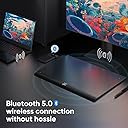
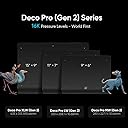
The XPPen Deco Pro MW (Gen 2) is a professional-grade wireless graphics tablet featuring a 9"x6" active area, the revolutionary X3 Pro stylus with 16,384 pressure levels, and Bluetooth 5.0 connectivity that supports dual-device pairing. Designed for artists and creatives who demand precision, portability, and seamless workflow, it offers over 10 hours of battery life, an ergonomic design with wrist support, and a customizable shortcut remote. Compatible across multiple operating systems and creative software, it’s engineered to keep you inspired and productive anywhere.


| ASIN | B0C3R2PZLP |
| Active Surface Area | 99.5 square inches |
| Best Sellers Rank | 42,860 in Computers & Accessories ( See Top 100 in Computers & Accessories ) 79 in Graphic Tablets |
| Box Contents | X3 Pro Smart Chip Stylus, Wireless Shortcut Remote |
| Brand | XP-Pen |
| Brand Name | XP-Pen |
| Colour | gray |
| Compatible Devices | Devices with Bluetooth 5.0 and compatible operating systems (Windows 7 or higher, macOS 10.10 or higher, Chrome OS 88 or higher, Android 10.0 or higher, Linux) |
| Connectivity technology | USB |
| Customer Reviews | 4.2 out of 5 stars 69 Reviews |
| Display Type | LCD |
| Item Dimensions L x W | 28.3L x 22.7W centimetres |
| Manufacturer | XPPen |
| Manufacturer Part Number | MT0962B_ ACK05 |
| Model Name | Deco Pro |
| Model Number | Deco Pro MW (Gen 2) |
| Model name | Deco Pro |
| Native Resolution | 16384 |
| Network Connectivity Technology | USB |
| Number of Items | 1 |
| Number of Packs | 1 |
| Operating System | Windows 7 (oder höher), macOS 10.10 (oder höher), Chrome OS 88 (oder höher), Android 10.0 (oder höher), Linux (kabelgebundene Verbindung); Windows 10 (oder höher), macOS 10.10 (oder höher) (Bluetooth-Verbindung) |
| Operating system | Windows 7 (oder höher), macOS 10.10 (oder höher), Chrome OS 88 (oder höher), Android 10.0 (oder höher), Linux (kabelgebundene Verbindung); Windows 10 (oder höher), macOS 10.10 (oder höher) (Bluetooth-Verbindung) Operating system Windows 7 (oder höher), macOS 10.10 (oder höher), Chrome OS 88 (oder höher), Android 10.0 (oder höher), Linux (kabelgebundene Verbindung); Windows 10 (oder höher), macOS 10.10 (oder höher) (Bluetooth-Verbindung) See more |
| Pressure Sensitivity | 16.38 Levels |
| Pressure sensitivity | 16.38 Levels |
| Product Features | 16384 Pen Pressure Levels, 60° Tilt Support, Bluetooth v5.0 Connection, Wireless Shortcut Remote |
| Product Warranty | 2 year maunfacturer |
| Screen Size | 9 Inches |
| Special feature | 16384 Pen Pressure Levels, 60° Tilt Support, Bluetooth v5.0 Connection, Wireless Shortcut Remote |
| Specific Uses For Product | 3D Modelling, Animation, Drawing |
| Target Audience | Professional and hobbyist artists, animators, video editors, and design students in Germany |
| Unit Count | 1.0 count |
E**N
XP-Pen Deco Pro MW Gen 2, great replacement for Wacom Intuos Pro M
I've had a Wacom Intuos Pro M tablet for around 8 years and it finally wore out. Both the tablet and the stylus had reached the end of their lives. To be honest I was getting frustrated by having to wait a few minutes for the Wacom driver to wake up every time I started up my computer. Added to this the huge price of the new model (£340) just feels like a rip off. So I looked around and eventually found the Gen 2 XP-Pen Deco Pro MW. It has the same size working area as the Wacom, but twice the sensitivity. Also the tablet controls are in a separate module, not on the tablet. I have never used this on the Wacom, and they were just in the way. I sometimes caught them by accident. The Deco Pro tablet has a nice sloped front edge, the stylus is good in the hand, sensitivity is great, and as soon as I switch my Mac Studio on it starts to work. Downloading the driver and setting up was easy. I've only had it two days, but it seems perfect for it's intended job. If you're wanting a Graphics tablet for photo editing at less than half the price of the Wacom, and with greater sensitivity, this is the one to buy. I wanted to add something. Another customer gave a one star review because they thought that the tablet they received was worn. This is not the case. The tablet arrives with a protective film cover on the surface, which you need to remove before use. it is this film that gives the appearance of wear. Unfortunately we can't reply to other peoples reviews.
D**K
Graphic drawing pad..
Just what was needed, great quality. Easy set up, packaging good not too much to rid off, manual easy to follow. Would had been great if a nice carrier was designed for portable use.
B**G
Love it
My son loves it and use it for Art homework
P**R
Returned as faulty
Looked like a really nice piece of kit, but it doesn't work on Linux mint or Windows 10. Returned as faulty
P**L
Completely unusable on a Mac.
So I go this to replace a Wacom Intous Pro on Mac Pro 2019. I was looking forward to getting the Roller pen. The good. Lovely Hardware. love the Remote. Works in Photoshop quite well. The Bad Everything else. Software is abysmal. Click on a safari link and it opens everything in a new tab. Hover and click just don't seem to work. Loses Focus and then just cannot find the cursor. Then I have to use the mouse.... then I go back to the pen and it doesn't do anything. Driver is an overlay I think - not in the system settings so a bit laggy. Driver looks like one of those Game setup pages from the 2000s. Mouse mode - just get the cursor stuck at the bottom of the screen and can only go horizontally Sending back. Edit - Ironically it won't even let me click the submit button below... I think it knows.
A**.
Top!
Das Grafiktablett ist echt eine Erleichterung beim retuschieren von Bildern.
F**A
No la compré, pero casi: muy buena opción si vas a sacarle partido
Estuve a punto de comprarla. Vi un montón de reseñas, comparativas, vídeos... y todo apuntaba a que es una muy buena tableta gráfica por su precio. Diseño pro, buena sensibilidad, inalámbrica, y compatible con mil programas. Pero siendo honesto: no me animé porque ya tengo otro modelo que cumple y sé que la acabaría dejando aparcada. No por la calidad (que parece top), sino porque hay que ser realistas con lo que uno realmente va a usar. ✅ Pros (según lo investigado): diseño elegante, rueda táctil muy precisa, buena duración de batería, muy cómoda para dibujar o retocar. ❌ Contras (lo que me echó para atrás): algo grande para mi escritorio, y me pareció demasiado avanzada para el uso básico que realmente le doy. Si estás buscando una tableta seria para diseño, ilustración o edición, creo que esta es una apuesta segura. Yo no la compré, pero estuve muy, muy cerca.
M**E
Easy install and very accurate
Easy to install and works great. Working with it is pleasant and very accurate.
C**N
installation difficile
installation difficile sur 2 pc différents dont un i7 16 g de ram........mais le service après vente ne m a pas lâché alors que c était entre les fêtes vu que c était un cadeau et ça a fonctionné......je recommande....
M**N
Excelente producto
Todo está diseñado de manera excelente y los materiales son de lo mejor.
Trustpilot
4 days ago
2 weeks ago