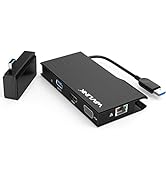
Desertcart purchases this item on your behalf and handles shipping, customs, and support to Austria.
🚀 Transform your old printer into a wireless powerhouse—print smarter, not harder!
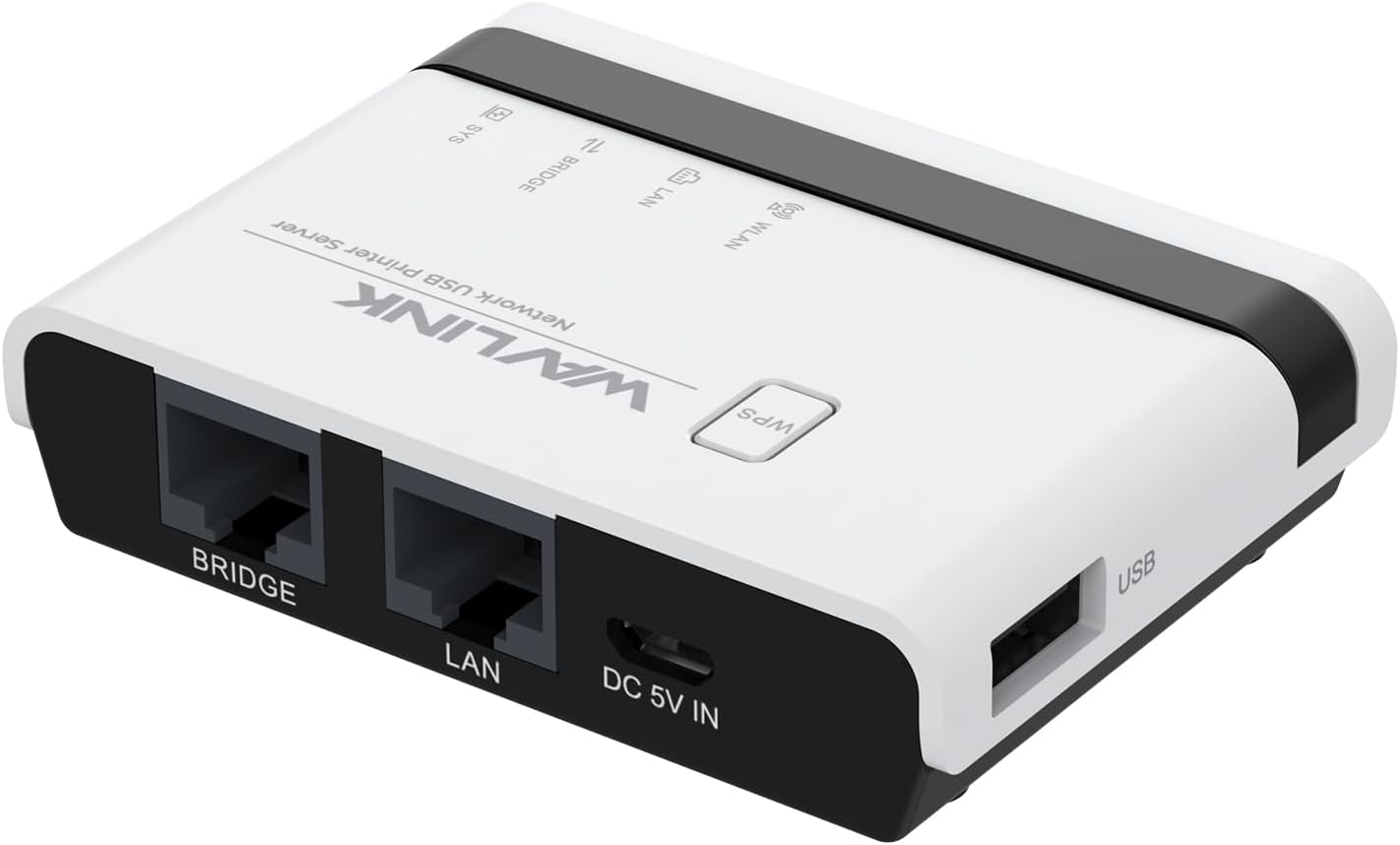
The WAVLINK USB Wireless Print Server converts any USB printer into a versatile wireless or wired network printer with support for up to 4 printers. Featuring 3 operation modes, a high-speed 480Mbps USB 2.0 port, and 10/100Mbps LAN bridge, it offers broad compatibility with Mac and Windows systems. Its compact design and web-based management make it ideal for home offices and small businesses seeking seamless, driver-free printing solutions.


| ASIN | B0CDC2ZDCY |
| Are Batteries Included | No |
| Best Sellers Rank | 19,293 in Computers & Accessories ( See Top 100 in Computers & Accessories ) 2 in Print Servers |
| Brand | WAVLINK |
| Customer Reviews | 3.6 3.6 out of 5 stars (68) |
| Date First Available | 1 Aug. 2023 |
| Guaranteed software updates until | unknown |
| Item Weight | 230 g |
| Manufacturer | WAVLINK |
| Package Dimensions | 17 x 10 x 5 cm; 230 g |
D**D
Great bit of kit but……….! It is certainly not plug and play!
I read the reviews before I bought and I guessed it might be tricky. I was not wrong! The instructions are exact but detailed. I failed several times. I was linking it to an old Samsung laser printer (so was worried about it working with something so old). Everything went well until registering the printer with the unit, for me this needed perseverance. Once done, I set the printer as, “Default”. Still did not work! I then restarted my Mac Book and the printer (not something in the instructions). It then worked! If it does not for you, it is not the product but you probably have not got the setup quite correct. For the price I have ditched all my cables and have an excellent wireless printer! “If first you do not succeed….”. Stick at it, if it works with my very old Samsung it can work for you!
H**B
Toxic!
The first time I ordered this device, it was faulty. The reset didn't work and the WPS button was stuck. Should have known better than order another one! The second one was not faulty, but the installation manual comes in two versions that are incompatible, one on the leaflet and one online, the one online (at least) is ambiguous and confusing, and although I did everything as written, this programme infilterated my network, changed my IP, and destroyed my PC connection both to the Ethernet, and to my wifi adaptor (the latter during my desparate attempt to get rid of it). Ah, right! Impossible to get rid of the residuals in my machine. Certainly not through reset. I had to get technical support to resolve the Ethernet problems, although the wifi ones are still pending. Altogether I spent nearly 5 hours on trying to install this (twice) and trying to fix the mess. It's now been returned, and I hope Amazon thinks twice about allowing this to be sold through their site. STAY AWAY! You have been warned!
A**R
Works fine on multiple OS once installed
Certainly not the easiest thing to install. Refused to accept a fixed IP address reserved on the router - would only accept dhcp. Needs reboot if you reboot the router in order to re register. That said it works once set up. However you need to set up manually as network discovery doesn’t work with Windows 11 properly. Does work with Windows via manual setup - using IP address and port, Android, Chromebook via third party app Printershare again using manual setup via IP although once setup it does allow browse.
J**E
It works really well
I wanted to be able to put a USB memory stick on the network so any computer could access it without having to turn the main computer on that had the USB installed because Windows was causing all sorts of access issues over the network. Having looked everywhere to find something suitable but mainly only finding NAS drives, that cost well over three times what this unit costs!, I came across this unit. I thought I'd give it a try, nothing to loose. I wasn't expecting it to work very well, but it really does!! I bought an Anker 4 port hub, and I've now got two 128gb USB sticks running. All computers on the network can access both drives with no issues, I mapped them as network drives so they appear in the box when "open file" has been selected in all the software I've tried so far. I've only had it a few days, so time will tell if it's reliable. But no issues so far! Definitely recommend. Really good price and it totally works how I need it to. I've not used it as a print server as I don't need that, so cannot comment on how good that side of it would be. It runs with no noise, setting it up I found fairly easy but you will need to be handy with a computer and know your way around network settings as it's not quite plug and play (but then what network devices ever are!) In terms of file transfer speeds, on a large file transfer from desktop to USB I got around 2.5 - 3.5 MB/s according to Windows. Not the fastest, but I'm more than happy with that. I mainly use it for transferring smaller files or saving files direct from software anyway, so it really isn't an issue to me as of yet.
M**R
Wavlink Trials and Tribulations A'PLENTY.
While I finally got this product to work -- the journey towards that end was certainly not what I would call a pleasant. Nay, quite the reverse. On connecting I lifted the instructions manual - very small print indeed for any senior purchasers - and proceeded to follow as directed. They said to log in to Wavlink's online platform and I dutifully proceeded to do as instructed only to be met with pages of red as Malwarebytes - a very respected entity - prevented me from going any further having blocked the wavlink pages saying in large crimson letters that this was an EXTREMELY dangerous website. Caveat Emptor. I finally found a way around it after a couple of hours and it is - as I say - at last working. Was it worth it? There MUST be easier and more friendly set-ups. SURELY. I'd suggest you might explore those options. None of us has a massive excess of time to waste and the stress we know too is extremely harmful. Hope this review helped at least one someone. Good luck.
M**Y
Works well
I use this to share a hotlabel 6x4 label printer. I actually have it connected with wired ethernet, then USB to the printer. Small and inobtrusive. Intial setup of the print server fairly easy, but a bit of a pain to remember how to find and configure the printer in each PC/laptop once this is being used. I'm sure some printers might be easier - Not really the fault of this print server, more the way Windows works with remote print servers.
M**K
It actually seems to work!
For many months I have been struggling with my HP, allegedly wifi printer. Some days it works but most days it says it's offline or that there's no printer installed. I've tried everything (too boring to go into detail) but it never gets better. It was either a new printer or a tiny little box called a WAVLINK USB Wireless Print Server. The printer is only wifi or USB, no netwok port. But the WAVLINK also works as a converter from wired network to USB. This afternoon I set up internet over mains and then plugged the adapter into the WAVLINK and the WAVLINK into the printer via its USB port. It just works! No drivers to load up, no installing devices. I love it. I'll keep the old printer.
Y**R
Very bad product
Do not buy this item only issue with this and the system stay away
J**O
Útil
Ideal para impresoras sin red
A**5
Gutes Gerät
Tut was er soll, negativ ist das er oft die IP wechselt, sonst ist alles super
D**L
serveur impression
Très bon produit reçu en parfait état , bon emballage correspond à mes attentes. Le délai de livraison a bien été respecté.
M**L
qualification en informatique requise
Un serveur impression et de partage de très petite taille, un câble micro-usb d'alimentation nécessaire est fourni, n'importe quel port USB fait l'affaire. Le branchement du boitier ne nécessite aucune compétence particulière. La notice est entièrement en Anglais et n'est pas conforme à la mise en configuration du serveur. La notice est juste une catastrophe. la configuration du serveur est compliquée surtout quand la notice n'est pas conforme. il m'a fallut 2h30 pour configurer l'imprimante en réseau, et 2 disques dur. l'adresse IP de la notice pour le serveur n'est pas la bonne et donc il faut des connaissances en informatique pour la recherche de l'IP, sinon impossible de faire la config. une fois configuré, et prêt à l'emploi, le serveur fonctionne très bien. un rapport qualité prix très moyen.
O**7
Funktioniert, aber die Einrichtung ist unnötig kompliziert
Der WAVLINK Kabellose USB-Druckserver erfüllt grundsätzlich seinen Zweck: Wenn er einmal eingerichtet ist, funktioniert das Drucken im Netzwerk zuverlässig und stabil. Auch die Verarbeitung macht einen soliden Eindruck. Allerdings ist die Einrichtung wirklich nicht intuitiv. Die Anleitung ist teilweise unklar und nicht eindeutig beschrieben, sodass man sich einiges selbst zusammensuchen oder ausprobieren muss. Gerade für Nutzer ohne viel technisches Hintergrundwissen kann das schnell frustrierend werden. Hat man die Hürde der Installation einmal genommen, läuft das Gerät ordentlich – aber der Weg dorthin ist deutlich komplizierter als nötig. Fazit: Technisch okay und im Betrieb zuverlässig, aber die Einrichtung sollte dringend benutzerfreundlicher gestaltet werden. Daher solide 3 Sterne.
Trustpilot
3 weeks ago
2 months ago