Desertcart purchases this item on your behalf and handles shipping, customs, and support to Austria.
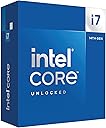
🚀 Power your productivity and play with the Intel Core i7-14700K — where speed meets unstoppable multitasking!
The Intel Core i7-14700K is a 14th generation desktop processor featuring 20 cores (8 performance and 12 efficiency cores) and a max turbo frequency of 5.6 GHz. It supports the latest PCIe 5.0 and DDR5 memory standards, is unlocked for overclocking, and is compatible with Intel 600 and 700 series motherboards. Designed for gamers and professionals alike, it balances high performance with efficient power usage, backed by a 3-year warranty.


| ASIN | B0CGJ41C9W |
| Best Sellers Rank | 10,156 in Computers & Accessories ( See Top 100 in Computers & Accessories ) 21 in CPUs |
| Box Contents | desktops-processors,computer-internal-CPU fans |
| Brand | Intel |
| Brand Name | Intel |
| CPU manufacturer | Intel |
| CPU model | Core i7 |
| CPU socket | LGA 1700 |
| CPU speed | 5.6 GHz |
| Cache Memory Installed Size | 33 GB |
| Country of Origin | China |
| Customer Reviews | 4.6 out of 5 stars 1,699 Reviews |
| Global Trade Identification Number | 00735858546928, 05032037278485, 05032037278492 |
| Item Dimensions L x W | 11.6L x 4.4W centimetres |
| Item Type Name | ehf not applicable |
| Item Weight | 80 Grams |
| Manufacturer | intel |
| Manufacturer Part Number | BX8071514700K |
| Model Number | BX8071514700K |
| Platform | Windows 11 |
| Processor Brand | Intel |
| Processor Core Count | 20 |
| Processor Count | 1 |
| Processor Number of Concurrent Threads | 28 |
| Processor Series | Core i7 |
| Processor Socket | LGA 1700 |
| Processor Speed | 5.6 GHz |
| Product Warranty | 3 Year Limited |
| Secondary Cache | 33 MB |
| Secondary cache | 33 MB |
| UPC | 735858546928 |
| Unit Count | 1.0 count |
| Wattage | 125 watts |
J**Y
New microcode has solved the failure issue
The Intel 13th and 14th generation i7 and i9 unlocked CPUs have had a difficult time recently due to overvoltage under idle or light load. Hopefully this has been resolved by the microcode updates. Both CPUs have a reputation for being difficult to cool, and requiring AIO water cooling. Get the cooling right and these are still good CPUs for gaming and productivity. The i7-14700K is a good cost / performance mix and works well with Z790 motherboards. Z890 motherboards have a different socket, and no longer use DDR4 and PCIe Gen 4 NVMe. Although I'm not a gamer, my everyday self-build computers are always gaming motherboards with overclocked unlocked Intel CPUs, as they are reliable. I might have been pushing my luck with this build. ROG STRIX Z790-H Gaming Wi-Fi motherboard, i7-14700K CPU with Noctua NH-D15 air cooler and, Team Group DDR5 7200MHz memory. The Noctua heat pipes clash with the VRM heatsink, so the Noctua big cooler has to be swung through 90 degrees: see the first photo. I use the integrated graphics, so the placement of a graphics card wasn't an issue. The second photo shows the UEFI BIOS screen. CPU at 5900MHz, DDR5 memory at 7200MHz, CPU at 39 degrees C, motherboard at 28 degrees C, XMP1 profile enabled. At idle, it consumes around 45 watts; the PSU is an EVGA 650 P2 Platinum rated. Update 20 March 2025 It has run perfectly since my earlier review, so it appears that the BIOS update has worked. I forgot to mention that the CPU was mounted with a Thermaltake anti-bending frame, so that may be keeping the temperature lower too. More than happy with the STRIX motherboard and Intel CPU. Update 16 September 2025 Still running everyday on the overclocked settings without a problem, even during the hot days this summer.
D**R
Best for gaming!
Great cpu.. very powerful but needs a strong cooler under stress but i dont get to stress it much due to being so strong!
A**N
Fine CPU
I decided to give Intel a try for my new build, so far I've slightly overclocked it and I have no problems with speeds, runs everything I've thrown at it fine so far. Installation was easy as per usual with CPUs, keeps cool under load with my AIO.
N**A
Great CPU
Loving the processor so far. One tip if you are getting this. These 14th- and 13th-gen chips have power-delivery issues that can cause them to stop working over time. Motherboard manufacturers now patch this issue, so be sure to update your bios to the latest version.
L**3
Good
Brill
M**N
Great!
Can game/code/simulate without problems. Doesn't get hotter than 60/70 Celsius with an AIO with most if not all tasks done.
A**X
One of the best value intel options
While AMD has the gaming CPU market pretty much cornered, for people with an Intel-compatible motherboard this is one of the best options you can get. In terms of price / performance ratio this is one of the best mid-range CPUs available and competes with the equivalent price AMD options. The one downside with the CPU is the high power consumption (and therefore, heat production). Out of the box, it runs very hot and my cooler was running at maximum speed (producing a LOT of noise), so I STRONGLY advise undervolting. After a few hours of testing, I managed to reduce the wattage significantly with no real reduction in performance and got it running stably. Overall, I would recommend this CPU if you are constrained on chipset and don't mind doing a bit of manual work to get it running effectively, but if you are building a whole new PC and can pick your motherboard there are several better options available.
A**S
safe bios now hopefully
last upgrade for my LGA1700 from a 12th Gen, waiting until they sorted out the voltage problems, worthy update with a 5700ti
A**M
Asegúrense hacer “Under Volt”
Excelente CPU si armas tu PC desde 0.
I**K
Great CPU for everything
Amazing CPU for both gaming and streaming or editing or heck even playing multiple games at once switched from a 12700k & was already a instant improvement on frames and just overall performance currently have it paired with a 5070ti & 64GB of ddr4 so it’s a cheap upgrade if you are already on ddr4+lga1700 pretty okay temperatures while gaming & very stable at default settings but makes for great compatibility for ddr4 or 5 if wanted a simple upgrade in the future & simple to cool with a $40 air cooler peerless assassin digital 120
F**N
great buy
both worked perfect as intended. recommend
T**G
Top Prozessor
Ich habe meinen Rechner mit folgenden Komponenten aufgerüstet: CPU: i14700k CPU-Cooler: Thermalright Silver Soul 135 Dual Tower MainBoard: Gigabyte Gaming X AX RAM: DDR5 Crucial 32GB Kit (2x16GB) 5600MHz SSD: Crucial P3 Plus 2TB M.2 PCIe Zusammenbau war relativ einfach mit einigen Youtube- Videos zu bewerkstelligen Anfangs hat das aber nur über die iGPU funktioniert. meine Grafikkarte (EVGA Geforce RTX2060) wurde nicht erkannt. Im BIOS war ersichtlich, dass der PCI- Steckplatz nicht belegt war. Ein BIOS- Update des Mainboards (F3->F9b) hat dieses Problem nun auch behoben. Hier hat Youtube auch wieder geholfen. Jetzt bin ich erstmal sehr zu frieden mit dem Rechner. Natürlich werden die Zocker jetzt sagen, dass hier ein Ungleichgewicht zwischen Grafikkarte und CPU besteht. Da ich allerdings mehr an Softwareentwicklung als an Spielen interessiert bin, passt das für mich. Um mit dem System ordentlich spielen zu können, müsste wenigstens eine RTX 4070 oder Ähnliches verbaut werden. Alles in Allem bin ich sehr zufrieden, der Leistungssprung ist natürlich enorm zu dem 10 Jahre alten i4790k Prozessor, wobei hier der zwangsläufige Wechsel von DDR3 auf DDR5- RAM auch seinen Beitrag leistet. Von der wahnsinnig schnellen M.2 SSD ganz zu schweigen. Mir ist klar, dass der CPU-Cooler etwas schwach ausgelegt ist, aber mein Gehäuse hat nicht mehr an Platz her gegeben und mal ehrlich: Ich habe nicht vor den Prozessor mit 250W Dauerlast zu betreiben.
H**I
性能に関してはさすが、発熱は相当
8年前のゲーミングPCから買い替え。 Corei7 6700からなので当然ですが非常に高い性能で満足しています。 CINE BENCH R23では31,000超え。(画像は全てベンチマーク中) ただし、かなり発熱しますね。 360mmラジエーターの簡易水冷でもMAX100℃になることがあり、サーマルスロットリングでクロック数が4.6GHz近くまで落ちます。 マザボの初期設定では電力制限かかっておらず、253Wの最大値に。 ゲーム中で80℃超えるのはさすがに…、ということで200Wに制限。 するとMAX75~80℃まで抑えられ、4.5GHz前後に。 これでも十分なのでしばらくはこれでいこうと思います。
Trustpilot
1 week ago
2 weeks ago