๐ Print Big, Print Fast, Print Smart โ Dominate Your Creative Space!
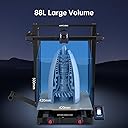
The Anycubic Kobra 2 Max is a powerhouse 3D printer boasting an ultra-high 500mm/s print speed and an enormous 88-liter build volume (420x420x500mm). Featuring advanced LeviQ 2.0 auto-leveling with smart Z-offset and one-click vibration compensation, it delivers enhanced print quality and reliability. Bluetooth-enabled for remote control and backed by lifetime tech support, itโs designed for professionals and creators who demand speed, scale, and precision in their prototyping and custom designs.


| Best Sellers Rank | #373,986 in Industrial & Scientific ( See Top 100 in Industrial & Scientific ) #488 in 3D Printers |
| Brand | ANYCUBIC |
| Color | Anycubic Kobra 2 Max |
| Compatible Devices | Laptop, Personal Computer |
| Customer Reviews | 3.6 out of 5 stars 247 Reviews |
| Item Weight | 21.28 kg |
| Material | Aluminum |
| Product Dimensions | 30"D x 29.5"W x 7.25"H |
C**N
Not as easy as my other Anycubic printers, but tech support was amazing!
I mostly use my printers for TTRPG terrain using PLA filament. At first I was disappointed and a bit overwhelmed once I realized that the bed wasn't level and my prints were failing. Tech support was AMAZING in helping me troubleshoot the situation and pointing me in the right direction as to how to fix my situation. After watching a video provided by tech support, I was able to resolve my issue, and help the auto leveling process along (I know, I know, it should be auto leveled by default, but sometimes this just isn't the case). After all the issues I had when I first started out trying to level an Ender 3, the solution provided was simple, to the point, and I saw immediate results. Another review gave suggested parameters to change to ensure quality prints and they were spot on. If you're running on the "Standard" speed, it's really fast, but the acceleration speed and jerk CAN lead to less than stellar prints. Adjusting these settings in accordance to the snip I took from the review that helped me can be seen above. Once it's dialed in, you won't be disappointed! At the "Stable" speed setting, I was able to finish the dragon skull print in just over 9 hours and the rubble scatter terrain in around 3. Compared to my Anycubic Vyper, I'm shaving off literal days of printing time for each print.
T**C
Poor quality components but works well when it works.
When it works, it's great. I appreciate the large format capabilities, and the prints that actually completed turned out pretty good (after the expected tuning). Unfortunately, there have been quite a few problems with this printer. Out of the box, the axis sensors had poor quality connectors. I had to splice a new connector into the Y axis right out of the gate. X axis limit switch worked intermittently as well but seems to have resolved itself. Very very very cheap and poor quality components. I have had this for about 3 weeks and already needed to replace the thermistor in the hot end (tbh it was easier just to buy a whole new head, luckly cheap). But the worst is now the bed doesn't stay at temp as soon as printing starts. It will heat/preheat fine then just shut off. No GCode or slicer issues (previously succesfful prints now fail), and clearly the heater element is working. Ambient temps are about 20*C and no drafts, no fan usage (PETG @255/80). So -- you get what you pay for. Seems like many folks on here have been lucky but I've had more downtime than uptime with multiple independent failures. Being cheap, at least its been cheap to repair but can't say it has been convenient or positive.
A**S
Unfortunately, mine came with a defect, but I would buy it again in the future, I miss it
It is a product that perfectly meets the specifications stated by the manufacturer. It is easy to assemble and comes with some extra accessories. There are several videos available if you encounter any problems, and the technical support from Anycubic and Amazon is very effective. Plus, it's aesthetically pleasing. It has good print quality, and its calibration was very easy, so if you are a beginner, it won't be difficult. Its interface was very straightforward, and I used Cura for slicing. It had good bed adhesion, its replacement parts are affordable, it has a very large bed, and it reaches a good height. It is a bit noisy when printing quickly and can move everything around it, but it is mesmerizing to watch it print so fast. After a while, I had a technical problem that I tried to resolve. Anycubic was very attentive in helping me, but there was no solution, so they asked me to return it and gave me a refund. But I miss it.
J**N
Upgradable to absolute GEM! (But broken by default, HANGS!)
โ **Assembly** Got this a few days ago. Assembly was smooth, but check the (short) video on YouTube, rather than rely solely on the booklet. The video of the assembly makes it much more clear, but overall, no issues. โ **Hang Issue (Firmware!)** After a simple benchy, the first print STOPPED MID PRINT, with the fan still blowing, and screen blank and unresponsive. This happened on the second try, and kept happening on various prints. LAME! However, the interwebs eventually solved the issue for me, and others here have said it as well: !!! You must UPDATE THE FIRMWARE for the printer to work !!! This is super easy, you just connect to Wi-Fi, go to the firmware (v2 something by default), and update to the latest (v3, which fixes everything). You need to run the PID calibration / (for the "stability" vibration compensation setting) after the update. โ **Slow. It. DOWN.** The printer has onboard vibration compensation (PID), but you have to turn it on after each print. (Start print, then set time to "stable.") It's lame and odd that this cannot be enabled by default, because it's sort of an essential feature ... prints will be somewhat slower than the official time in the gcode, but will look way nicer, and be less likely to fail. Also, the slicer settings are absurdly TURBO by default. I turned everything down in the machine limits part of the slicer, and cut all the values (velocity, jerk, acceleration) in half. I call this the "gentle" setting, for naming, and use this as my default printer setting. With stability and "gentle," the printer just feels nice and peaceful and chill while printing. I was having a hard time to get prints to complete, on the default "berserk" setting. It still sounds like a wind tunnel, though. The fans are annoying, and probably not necessary to be that loud. The printer itself (motors, etc.) is pretty quiet. โ **Get It Sliced Right** The default slicer is the AnyCubic slicer, which is a fork of the PrusaSlicer. The project files are identical, you can read and write them with either program. I actually like the AnyCubic slicer a little better, it looks nicer (and of course has the printer in there, by default.) I did need to tweak the settings. Some things that worked for me: * 3 perimeters, rather than 2, is much stronger and looks better * Gyroid at low density (10 - 20%) is a great infill. The curves make it strong, and it looks awesome (especially in clear) * Hilbert curves for surfaces look nice * No skirt or brim * I turn OFF "Detecting Bridging Perimeters" ... it causes more problems than it solves. For instance, if you have a small screw screw hole, it will close off the top "bridge" even if the hole would have printed just fine. * Stagger inner seams (for strength and printability), and set the outer seam to "rear" (looks best, of the options) โ **Upgradable Nozzle + Carbon Fiber** When the printer first came out, it took a few months for nozzles to appear, since anycubic reengineered their nozzles for the Kobra 2 series. You can get nice ones now, I upgraded to a ruby 0.6 mm nozzle from durozzle (available Amazon for 25 bucks). Ruby is 9 on the hardness scale, basically right behind diamond, which is 10. Ruby (or diamond) lets you print abrasive material, and I have discovered carbon-fiber embedded PLA. It's just a whole new world. Prints are strong, to do not warp or shrink, and feel and look nice. In addition to the hardened nozzle, to print CF you need to keep the filament in a dryer ... I have not figured out a placement that allows the filament to flow freely to the printer, without taking up massive space. (I just set the filament a few feet away, so no sharp bends.) But still, it's awesome and worth it, and I have no real plans to print anything else ... For the nozzle, I had to change only three settings: * nozzle diameter to 0.6 mm (duh) * linewidth to 0.67 mm * and layer to 0.3 mm. That was it, I kept the previous "gentle" speeds. โ **IT'S ALIVE** The printer is awesome. BUT Anycubic deserves minus one star, for sure, for shipping a broken printer (bad firmware). Printers are difficult enough, and although I eventually found the solution, I went down the rabbit hole of thinking it was overheating (?) or browning out (?). People ask this question on line (was very common on the Vyper), and many of the threads end in "it's still not working" ... why does AnyCubic not post the solution? (I have a friend with a Vyper, that stopped working in the same way ... I did not know about it when I got my printer. The hang issue is VERY COMMON, but somewhat sporadic, and really hard to debug.) โ **Conclusion** This printer took a LOT more effort to bring up than I was expecting. Along with the firmware issue, "stable" should be on by default. The default slicer settings are meant to sell the printer on SPEED, which is good because it means the printer is solid, but need to be slowed down to something reasonable, to actually have nice prints. BUT the end result is really cool, for $500 plus a little more for accessories (hardened nozzle, and filament dryer). At some point, I'll see if there is a way to make it less loud (the fans could at least be turned down), which is my one remaining gripe. Overall, solid, would recommend.
C**W
GIANT!!!!
Had to buy a 30x30 table just to support this monster, then I had to brace it and weight it down to keep it dampened for the vibration. I love the machine, but MAX is no joke, it's freaking huge. Print accuracy has been decent, especially considering the price point. Some Z axis fine tuning was necessary, and the auto calibration has to be run if it sits for a while, but thats not much of a bear, again, considering the price point of a machine this big. I've printed some really large items that have all come out nice.
A**R
Size and speed are useless if it can't handle the basics.
I have had 3 years experience 3d printing various table top models and game pieces large and small with an Anycubic Vyper that I have been happy with. Positives: Out of the box the Kobra 2 Max was relatively easy to put together. Wifi simple enough to set up and calibration, auto-leveling, and vibration compensation easy to run. Menus are easy to navigate The size and speed are impressive for the price especially for people who haven't upgraded their machine in a while. Negatives: TL;dr: everything else. When printing with brim, results varied even with no changes made to settings in slicer between prints, and regardless of cleaning/replacing parts, rerunning auto-leveling, etc. Brims would print very messy with strings going every which way, and either way too thin and crispy, or glopped all over the place. The machine would randomly print too high or too low. Many times it would start prints millimeters above the print bed causing nothing to adhere, or start too low dragging and scraping the nozzle along the print bed. This would happen after looking at steppers, adjusting files in slicer, and re running all calibrations and leveling. Prints would have inconsistent z levels leading to gaps in the layers. Machine would knock into supports causing prints to fail. Even test prints would have issues. Printer obviously has a huge footprint and the weight to match. Combine that with its acceleration and speed you have a machine that will shake even the most sturdy of tables like a bully shaking a nerd for their lunch money. Even at less than half speed it is still an issue. Fine tips of prints come out very globby no matter what settings are used. Machine does not handle overhangs well. Could these problems be troubleshooted further and maybe even solved? Yeah, probably with tech support and maybe replacement parts. But you shouldn't be expected to do all of that for a machine straight out of the box. There is no point to size and speed if you cannot trust your machine to handle larger/longer prints. Machine was returned.
F**E
Superb engineering
High precision and fast prints with excellent output quality. ( I use either a .8 or 1mm nozzle, not a weenie .4, for all my work and the extruder handles it effortlessly. ) The bed surface is a joy, holds the print in place well and releases it easily when cooled. My only criticisms regard minor firmware issues; for instance, if one decides to disable the part cooling fan temporarily during a print, they will discover that it will not turn back on later in the print. Also there is no way to incrementally increase or decrease printing speed slightly , one is stuck with 'Stable', 'Standard', or 'Sport' modes. This means one spends a lot of time dialing things in with the slicer/repeatedly loading the print file for every slight change in speed, a real pain in the butt. As all makers know, with a wide range of filaments and model parameters to work with, getting the exact perfect print speed can be a chore, and an incremental speed adjustment feature would save a lot of time. Another quibble is that Every time I shut the machine off and start it again later, the bed z calibration settings seem to vanish, requiring a bed level run on every startup, which consumes a lot of time. On the plus side, the motion-correction software seems to work quite well; the table I have the printer on shimmy's a bit but this does not affect the print quality. The pictures show my first project on the printer, a 420 hour print of 2 custom designed speaker enclosures in matte black PLA, along with a SPL graph of the finished result. They are double-walled with fine quartz sand between the walls.
M**T
Unit still needs a lot of development
I started off with the first gen Kobra Max, so I was beyond excited when I started looking for my 2nd printer and came across the Kobra Max 2. I went with this model because I am designing large parts that need the big print bed. The first gen Kobra Max works great. A little bit of a learning curve but I never had any significant issues with it that I couldn't resolve myself, or with a Google search. It seemed only logical that the Kobra Max 2 would be so much better...boy was I wrong. To be fair, I'm not certain that I didn't just get a bad unit, but I can't determine that because Anycubic's tech support is non-existent. I follow their instructions, send in a ticket, and it goes nowhere. THIS is why I buy everything on Amazon. The unit is going back and someone else can buy it on a clearance pallet and see what they can do with it. As for performance, set realistic expectations on what you are going to get with this unit. 500mm per second print time? Not even close. Oh the machine will move that fast, but it sounds like it's ripping itself apart, you have to strap it to the table so it doesn't vibrate itself off, and the print quality you get is horrible...but yes, it can move that fast, it's just useable at that speed IMO. I had to dial it back to 120mm/s to get it to stop grinding. The new firmware is amazing, when it works. As long as their cloud servers are accessible, you can upload directly from their slicing software. My biggest complaint is this unit constantly layer shifts for no reason. I have had 1 layer shift on the first Kobra Max and I've done several hundred prints on it. The Kobra Max 2 layer shifts 50% of the time, and at random times in the print. Anycubic put out a layer shifting troubleshooting guide for this model specifically, and it didn't help one bit. Their last step is to submit a support ticket...which never gets answered. For all the wonderful features they've included in their new models, it's completely negated buy the unit's basic inability to complete a large print. This purchase could have solidified me as a permanent Team Anycubic member, but instead I feel like I need to send this piece of junk back and look at other brands to see what else is out there.
Trustpilot
1 month ago
5 days ago