
Desertcart purchases this item on your behalf and handles shipping, customs, and support to Austria.
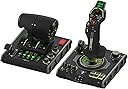
🛩️ Elevate your flight sim game with the VelocityOne Flightdeck — where precision meets innovation!
The Turtle Beach VelocityOne Flightdeck is a premium HOTAS system designed for Windows 10 & 11 PCs, featuring 139 programmable buttons, a groundbreaking Flight Touch Display, and hall-effect sensors for precise, durable control. With adjustable stick height, multi-zone RGB lighting, and integrated audio enhancements, it delivers an immersive, customizable experience for serious flight and space combat simulation enthusiasts.


| Additional Features | Audio Advantage, Flight touch display, HOTAS System, Modular Stick, Throttle controls |
| Asin | B0CPQ7RF6Z |
| Best Sellers Rank | #1,757 in Video Games (See Top 100 in Video Games) #9 in PC Game Flight Controls |
| Brand Name | Turtle Beach |
| Button Quantity | 139 |
| Color | Black |
| Compatible Devices | PC, Windows |
| Connectivity Technology | USB |
| Controller Type | Joystick, Throttle Quadrant, Yoke |
| Customer Reviews | 3.0 3.0 out of 5 stars (425) 3.0 out of 5 stars |
| Global Trade Identification Number | 00731855007240 |
| Hardware Platform | Desktop, PC |
| Included Components | Item |
| Item Dimensions | 6.93 x 20.63 x 10.04 inches |
| Item Weight | 1460 g |
| Manufacturer | Turtle Beach |
| Manufacturer Part Number | TBS-0724-05 |
| Model Name | VelocityOne Flightdeck (TBS-0724-05) |
| Model Number | TBS-0724-05 |
| Package Quantity | 1 |
| Power Source | Corded Electric |
| Upc | 731855007240 |
| Warranty Description | 1 year limited manufacturer |
User
EXCELLENT. BUY IT.
Amazing. Switched my thrustmaster 16000 and rudimentary throttle quadrant for this to play Warthunder sim in VR and DCS and so far all I’ve played is Warthunder, but it works like a charm. Haven’t had this much fun flying in a long time, you have to map out each button for Warthunder and DCS but anyone who plays will know this already. The only complaint I have is that one of the 6-8 hat buttons doesn’t have a binding for if you click down and only works directionally. Would be an issue if there weren’t FIVE OTHER hat switches that do let you bind clicking it. Buy it you won’t be disappointed.
User
It died 5 minutes out of the box
Was looking forward to trying out my first HOTAS setup. Was in the market for an entry level throttle and joystick combo and saw a few reviews on this combo unit. Some of them had some comments about quality being unsatisfactory in some areas but I just brushed it off as nitpicking. When the unit arrived I noticed it was shipped in box within another box within an Amazon box with a bit of paper packaging. Inside the product box was just some cardboard packaging. No foam or any kind of impact packaging. Not exactly what I would want to see after paying $400 but again was going to brush it off as nitpicking. That opinion changed when I was updating firmware for both units when suddenly the throttle unit turned off. I was updating the UI for the display on the joystick when this happened. I had only just plugged in the USB cable for the first time and had the unit out of the box for about 5 minutes. Joystick works just fine with no issues while updating firmware. Tried swapping cables. Using different USB-C to A cables I had for other peripherals. Tried power cycling PC. Did the recovery process on the support page. No luck. Device won't power on and no data signal detected in control software. At this point I accepted the fact the throttle unit was defective and would need to be sent back. Updating the firmware was rather easy but does take some time to complete. While I didn't have a chance to use the setup, some things I noticed about the HOTAS are the fact that they used a lot of plastic which make it somewhat light weight. This could be an issue for those who don't have proper mounting points for their controls as they could accidentally lift their controls off the desk. Another thing I noticed that also was mention in reviews is how "loose and wiggly" some of the caps on buttons and switches are. The throttle grip seems a bit on the large hand size as trying to reach some of the buttons either on the back or side could be difficult and might require frequent repositioning of your hand's grip on the throttle controls. The left throttle also doesn't seem to go all the way down to Max Rev but the right throttle does. The grips are also covered in a rubber like plastic coating or material to give you a good grip but it feels like it could lose that characteristic with frequent use. All in all this would be a hard pass for me in future as it's not worth the time spent trying to get everything set up only for it to give up the ghost after unboxing the unit.
User
Amazing HOTAS for the price
(Bought on sale)I have owned this HOTAS for a few weeks at this point with regular use in combat flight simulators (DCS World, War Thunder), and I can confidently say that this is an amazing HOTAS system for the money, Turtlebeach really outdone themselves with this product.The build quality is amazing and all the buttons and switches function perfectly.However, and this was stated quite a lot before me- The three switch covers on the Joystick base feel loose and wobble on the metal switch arm itself- However for me it is not an issue at all._Stick_Pros:- Stick grip is very ergonomic and fits most hand sizes with the sliding feature.- A lot of programmable buttons, switches, HAT switches, joysticks and rotary switches.- Build quality is amazing for the price.- Very satisfying buttons and switches.- Very responsive gimbal.Cons:- Pretty useless screen ontop of the stick- "Mouse" feature on the pickle button is very rough and unresponsive, as well as also being useless as it is right now with how choppy it is._Throttle_Pros:- Very accurate throttle readings.- Extremely smooth throttle sliding.- "Fire" button extremely satisfying to press (personal opinion)- Many useful buttons, HAT switches, 3 position switches and joysticks all over the throttle grip.- Split throttle feature, can prove useful in certain twin-engine aircraft.- Useful programmable screen (Can make your own switch panel using keyboard bindings in the software) that makes use of digital switches, dials and buttons.- Satisfying knobs and dials near the throttle gripCons:- Never found a use for the "flap" lever as no game I tried recognizes the lever moving (as an axis), instead recognizing the switch clicks on the bottom and top of the travel- Touch screen is pretty low framerate and can wash out at certain angles.Overall, I really recommend buying this HOTAS system as it is a great product overall and you get an amazing system without breaking the bank like some of the more higher end HOTAS out there by Thrustmaster, Winwing, Etc. And you get a lot for what you pay which is always a big plus!.and I really recommend buying the Turtlebeach Rudder pedals along with this HOTAS system for an immersive flying experience!.
User
RETURNING THE POS. from 5,4,3 and now 1 star which is to much RETURNING.
update I have 10 more days to be able to refund from amazon. It's GOING BACK. Nothing but trouble. The forums all say the same. Mine now stopped working on the stick side. Doing a firmware update again and will see.Original revoiew below. I LOVE the rubber coated feel. HOWEVER a week later the throttle lighting started to FLICKER. I looked online and found other saying this and some say they don't work (left side throttle "at all". Other commends in reddit about it is some guy has on his 5th replacement, other guys talking about things not working and I'm on the verge of sending it back for a refund. TORN as the 500-600-800 units are massive metal and I love the layout, side and feel of this. But I can return now? or fight with warranty later? It may be best to return it... I have a month or more to do so.Love the weight, size, design. Lots of controls... wow.Don't likeTension is to strong, (on throttle and spring on the stick). Not horrible, but not comfortable either.Lacks a USB port to plug the throttle into the stick, so I have TWO CABLES running to the PC.I'm buying 3 extension cables to route them together under my chair.I wish it had more mounting holes on the bottom. It has 3 and they didn't line up with my hotas CLAMPS. More holes doesn't cost more on their part. Just a hair more time.Instuctions are weak. It should be in depth. However after a couple hours I did figure out most of it. But I'm a long time computer geek.Doesn't seem to be supported by FS2024 yet. I can use it and program it myself but there are hundreds of buttons if not more and FS2024 wants a setup for each plane. Means 10's of thousands of programming steps.STILL: I was so so at first, the more I learn it and use it the more I love it. If it had more mounting holes on the bottom and better (online) full documentation - I'd give it 5 stars.
User
I want to like it...
The throttle is mostly good to excellent. It has an issue with the left and right engine throttle not being in sync with one another when held at the same level forcing you to use it as a single engine throttle. How you use it will dictate if that is a major issue or not. The software is sub-par since it doesn't allow you to recalibrate this and many of the buttons are not remappable and most games don't recognize them. This has been an issue since release, and they know it. I've reported it and they just say "keep checking in incase we update..."The stick...Excelent tracking on roll pitch and yaw.Landing gear button is nice and works well.The two-stage trigger has an option to bind both stages to a single function making it a single stage (in theory). In practice it will work for the first stage but if you pull the trigger all the way it will cancel itself out leaving you with missed shots.The mouse is completely useless moves about 50 pixels at a time minimum making it near impossible to actually click on something.Mouse button continued: The button keeps falling off. This started happening about 2 weeks after purchase. It can be snapped back in but will fall back out again on its own even if just left to sit there untouched for a while.Switches on the joystick side are flimsy and poorly made especially for the asking price here. One of mine simply broke off and fell apart. (the far left one)Touch screen on the throttle is quite nice for additional commands / being able to label things is a big plus here.Compatibility wise with games... I hope you enjoy spending literal hours setting up buttons because absolutely nothing with the exception of Microsoft flight sim has maps for this even after it being out over a year.Furthermore, there is no option to buy a replacement stick (mine is broke) or throttle if you needed it for that matter. You are forced to buy the entire set again if anything happens.Customer service also wants you to pay shipping for the item that should not have been broken / had issues to begin with to send it to them for them to possibly just say "too bad it's up to us if we want to fix it."I would never do that to my customers... just saying.I've had a year to come to the conclusions that I have with this. I wanted it to work, I wanted to like it and for things to improve... but thus far they simply haven't.
User
Very nice controllers BUT game compatibility is lacking (11 games) - support is awesome
I bought Everspace 1 hoping I could use the Flightdeck with it, and while I like the game to a certain extent, I am thoroughly P!$$3d 0ff that my flight stick and throttle aren't compatible with it.I have played with both the keyboard and mouse, as well as an Xbox contoller; while the game is playable with either (each has definitive pros and cons compared with each other), I would have much preferred using the flightstick (Turtle Beach Velocity One Flightdeck, so shame on them for not supporting their hardware better).Supposedly they are compatible with Everspace 2, but I just wasn't impressed with the first one enough to want to spend money on the second (at least I'll probably buy it when it goes on a good sale).To be fair, while my Flightdeck is nice, really nice, however, the support for multiple games REALLY $uck$. At this time Turtle Beach is only showing they are compatible with only 11 games, WTF??? for as expensive as it is, really?But I suppose that part of that is in the game makers too, having so little compatibility with more "elaborate" controllers, which again is why I'm kind of disappointed in Everspace, so shame on them as well.Truthfully, I don't really like using the Xbox controller for most games other than some platformers, for flight games, even this one which is a more "basic" sim (well okay, not sim, more of a shooter), I just don't like controlling with it (forget using it in an FPS, it feels like you're playing gimpy-games).Regardless, any game that offers any kind of flight mechanic, I'd prefer to use a flightstick, just as any driving game I'd prefer to use a wheel...Anyhow, it would have been REALLY nice if the Flight Hangar software offered better flexibility to allow users to at the very least emulate other controller profiles, such as the mouse for flight stick or having you be able to mimic a game controller input so at the very least be able to play "legacy" games, like the old Star Wars games, No Man's Sky, any number of mech games. Really any game you can ride or fly something, a compatibility mode or legacy mode would be really nice.Right now, I only have 2 games that this system is actually compatible with, Elite Dangerous and Star Wars: Squadrons. The others that are compatible I don't have or have much interest in playing.I should have researched this system more than I did to be honest, but I had faith in Turtle Beach products, at least until now.This was a LOT of money to spend to be only able to use it for two games :sI'm really hoping more game compatibility is to come, and more games.So yes, I really like the Flightdeck system, but I am really disappointed in the games supported and the ability to modify control settings.To be fair, on behalf of Turtle Beach, their support is really top notch. I had a problem with the controllers out of the box, and they immediately sent me a replacement. The support staff was extremely polite and efficient. Kudos to them.PS another future add-on that would be nice is to be able to have more control over the skins the throttle display, stick HUD, and tablet controls (nice feature BTW) can have applied. The stock ones could be nicer (or at least Turtle Beach could add some more).
User
I dont understand the hate, this hotas rules
I cannot reccomend this enough. My first one broke and i IMMEDIATELY bought a new one. The stick feels great to me, the throttle is smooth, and the buttons are fantastic. From general aviation in flight sims, to combat sims, to space sims this stick is my favorite hands down. I will be extremely disappointed the day mine breaks and i cant buy another.I have had zero issues as long as i properly troubleshoot. Sometimes its a bit annoying, i did have to recalibrate my throttles for no real reason, but they worked perfectly afterward.If you like customizability, you cannot beat this stick.
User
Serious Quality Control Issues
It's a decent HOTAS, and it looks alright, but for the price, it has too many quality control issues, and the software is extremely limiting. Out of the box, I have two knobs that don't function properly, a scroll wheel that doesn't function, and a button on the back of the stick that will randomly activate another button. You also aren't able to rebind any of the buttons on the screen. Every "cell" where you can place a virtual button, has a predefined keyboard keybind that can't be changed. Meaning you would have to go into your game, and map the game based on the keys that are on the screen, which seems like a huge oversight. The screen itself just feels tacked on. it has horrible viewing angles. You have to be looking straight down over the top of it to really see it properly. They would've been better off leaving the screen out and putting in some more buttons and dropping the price to compete with the X56.Hopefully they iron out the issues, but I really can't recommend it at it's current price point with the amount of QC issues I've had. If I have this many, I'm positive others are going to have them as well.[UPDATE] Changed to one star. I've had two of these now, and both of them after a few days of light use have had the backlighting in the throttle start flickering all random colors, and in one of them all the backlighting died completely on the left side. Also, the pinky button on the stick, will randomly activate the brake lever switch. It did this in both of my units. This thing has serious quality control issues. They may work them all out in time, but this is really a poor way to release them. There's no way that Turtle Beach wasn't aware of these QC issues.
User
Amazing bit of kit.
I’ve been using the Turtle Beach VelocityOne Flight Deck for nearly a week now, and I’ve been very impressed. Everything has worked perfectly straight out of the box, and the overall build quality feels excellent. The controls have a great tactile feel, making them satisfying and precise to use, while remaining comfortable during normal flying sessions.The only minor downside I’ve noticed is that the joystick spring is quite strong. While this gives the stick a solid, premium feel, it can lead to some hand discomfort during longer flying sessions.The number of buttons and controls available is fantastic, giving you plenty of options for mapping functions without needing to reach for the keyboard. I’ve been using it exclusively with Microsoft Flight Simulator 2024, and it’s worked flawlessly. The only adjustment I needed to make was reducing the sensitivity when flying helicopters, which is more of a simulator tuning preference than a fault with the hardware.Another feature I’ve really appreciated is how easy it is to store away. It stays stable during use without needing to be clamped or permanently secured to the desk, making it quick to set up and put away when you’re finished.The only real flaw I can point to is that it’s designed for right-handed use only. If you’re left-handed and aren’t comfortable flying with your right hand, you’ll probably need to look for an alternative.Overall, I’m extremely happy with the VelocityOne Flight Deck and would happily recommend it to anyone looking for a high-quality HOTAS setup.
User
Flight Deck not working from package
Flight deck not working from the box, but bought it for xmas for my son, so now too late to return.Terrible product it seems
User
Schöne Anmutung und präzise
Alles in allem ein toller Flight Stick mit flott Stick. Viele Funktionen und programmierbarer OLED Touchscreen. Alles in allem hat mich die Qualität überzeugt, auch wenn vermutlich in längerer Zeit, die Gummibeschichtung des Sticks und des Throttel sich abnutzen wird. Joystick ist präzise und alle Knöpfe haben einen guten Druckpunkt. Alles in allem bin ich sehr zufrieden.
User
自由度高い
msfs2024及びxplane12でGA機体のみ使用スティックセンターが強めにホールドボタンが多い 設定自由度 良しバイブ振動も感覚を高めるスロットルプログラム設定 自由度 お気に入り!オートパイロットやアプリ操作にも設定出来る!バイブ振動でスロットル位置を設定出来る視野の切り替えも可能自己流コックピット構築とすぐに撤去して ブラボーとハニカムに変更も可能。あくまで 自己流に徹し こうあるべきはこだわらない楽しめる環境が1番正面 15.6タッチパネルlittlenavmapやBGM再生air manager用
User
Firmware‑kaos och noll tillförlitlighet
En produkt som hade kunnat vara riktigt bra, men som faller platt på grund av Turtle Beachs bristande kvalitetskontroll och otillräckliga funktionstestning innan leverans. Resultatet är en enhet som känns som ett lotteri att få igång. Firmware‑uppdateringarna fungerar ibland, ibland inte alls, och jag har lagt betydligt mer tid på att felsöka än på att faktiskt använda produkten. En snabb sökning online visar att många andra upplever exakt samma problem. Mitt råd är enkelt: undvik den här produkten, spara både tid och pengar och välj något mer pålitligt.
Trustpilot
5 days ago
2 weeks ago