


Desertcart purchases this item on your behalf and handles shipping, customs, and support to Austria.
🎯 Dominate Every Match with Precision and Speed – The SCUF Envision Pro Has Your Back!
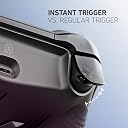
The SCUF ENVISION PRO Wireless V1 (2023) is a premium PC gaming controller featuring 16 remappable buttons, including 5 G-Keys and 4 back paddles, ultra-fast Corsair SlipStream wireless connectivity, and OMRON mechanical switches for instant trigger response. Designed for pro-level customization with iCUE software, it offers adjustable triggers, side-mounted SAX buttons, and RGB lighting, all housed in a sleek steel grey design to elevate your gaming performance.




| ASIN | B0CM728YPY |
| Additional Features | Wireless |
| Best Sellers Rank | #5,328 in Video Games ( See Top 100 in Video Games ) #306 in PC Game Controllers |
| Brand Name | SCUF |
| Button Quantity | 16 |
| Color | Steel Gray |
| Compatible Devices | PC |
| Connectivity Technology | USB C, Wi-Fi |
| Controller Type | Gamepad |
| Customer Reviews | 4.0 4.0 out of 5 stars (874) |
| Global Trade Identification Number | 00853426007593 |
| Hardware Platform | Desktop |
| Item Dimensions | 6.5 x 4.23 x 2.5 inches |
| Item Weight | 0.29 kg |
| Manufacturer | Corsair |
| Manufacturer Part Number | 601-178-03-102-NA |
| Model Name | SCUF ENVISION |
| Model Number | 601-178-03-102-NA |
| Package Quantity | 1 |
| Power Source | Battery Powered |
| UPC | 853426007593 |
| Warranty Description | 1 Year Manufacturer |
P**S
Absolutely Incredible Controller! A True PC Gaming Upgrade!
I honestly don't understand the negative feedback some others have about the SCUF ENVISION PRO Wireless for PC. For me, this controller has been nothing short of a revelation and a massive upgrade from my standard Xbox controller. First off, the overall feel and build quality are exceptional. It feels premium in my hands, with a comfortable and ergonomic design that allows for hours of gaming without fatigue. The textured grips provide excellent control, and the button placement feels intuitive. The customization options are fantastic. While some mention issues with Corsair iCUE, my experience has been seamless. I've been able to easily remap buttons, adjust trigger sensitivity, and fine-tune the performance to perfectly suit my gaming style in various titles. The ability to create different profiles for different games is incredibly convenient. The wireless connectivity has been flawless. I haven't experienced any lag or dropped connections, providing a smooth and responsive gaming experience. The transition from a wired connection to this wireless freedom has been fantastic. The back paddles are a game-changer, literally. Having those extra inputs at my fingertips has significantly improved my reaction time and allowed for more complex maneuvers in fast-paced games. It took a little getting used to, but now I can't imagine gaming without them. Switching from a regular Xbox controller to the SCUF ENVISION PRO has been a night and day difference. The increased level of customization, the responsiveness, and the added functionality of the back paddles have truly elevated my PC gaming experience. It has given me a competitive edge and made gaming even more enjoyable. If you're looking for a high-performance, customizable wireless controller for your PC that offers a significant upgrade over standard options, I wholeheartedly recommend the SCUF ENVISION PRO. Don't let any negative noise deter you – for me, it has been an absolute game-changer and worth every penny!
J**S
An amazing controller that rapidly becomes an asset to your equipment
I use this controller for RPG gaming, with some MMO gameplay and racing gameplay. The level of customization you can do with this controller is honestly amazing and in some cases overwhelming. Individual triggers have dead zone adjustment as well as actuation curves to set how aggressive your button press is. Thumb sticks are much the same you can set the level of dead zone that each thumb stick has before it activates and the curve of which the pressure is applied when the button is activated. Most of the buttons on this controller are mappable including the five programmable macro keys on the base of the controller. You can even set the intensity of the vibration on each side of the controller independently from the other. There is a simple RGB element to the bottom of the controller which is a small light bar and the g keys become illuminated when the option is turned on. The settings in IQ are easy and intuitive you will have this controller set up and ready to go within a matter of minutes.
J**S
could be the best controller ever
!!!!DO NOT BUY NOW!!! i just got the controller a few days ago and when it works as it should best controller ever used so far on pc. i usually use xbox 2 elites but they always break so within in the year. when i moved from xbox to pc it always felt sluggish to. when got the scruf envison pro thought all my problesm would be solved. when it works like it should for sure going to be great the response time is unreal. but the first issue i have been having is i can not update the firmware. tried uninstalling the program and reinstalling. i read on reddit that alot of people have been having the same issue. so my next issues i wonder could be solved by the update i am unable to get. when i am in the middle of playing the triggers or thumb stick will stop working. i have to bring up the program and then reset the response and will work for awhile. also everything i open the program it says i have conflicts and things saved. next issue is that in middle of playing a game the control will just go haywire and do all sorts of crazy things. i am playing with it wired,. so once i unplug and replug it back it works again for awhile. so when it works great and not super bad for the amount of money i wouldn't buy until they are fix the issues. Update 2-5-24 I sent an email about the problems and heard back a day later saying they were having a ton of tickets and would get back with me. Never heard anything yet. Today it started up and stop working while playing games. Added to the email to let them know still no word and possible fix. Give them another day to reply. I don’t mind if they tell me a way to fix it or return it, but would like to know. From what I have been ready there are a tons of problems with them lately. At this time I would not buy until they are addressed and fix. Once it works right think it will be my favorite controller of all time… update2 2/10/24 got another one from amazon and sadly it doing the same thing only wasn't as bad. but now today the bottom bumpers have stopped working completely now. tried several things to fix it that read online from everyone else having troubles. still have not heard back from envsion on any type of fixes, did send email yesterday saying how important i am to them for waiting but they have a long list. I will giving them a couple more days then go ahead and return for my money back. could be a good controller. so in the end do not buy right now it is a waste of money!!!
J**Y
Solid controller. Worth the price and effort of setting up.
Solid controller. Worth the price and effort of setting up. To those complaining about the software, maybe consider going to console. It's not difficult to set up and they have a ton of videos up showing you what you need to do step by step. This is probably one of the best controllers I've used. Feel premium and I'm happy I can use it wirelessly or via USB. The headphone jack is also great. ICue software isn't as bad as they say. I actually keep it open while I game to monitor my PC temps. Overall, great buy.
T**O
Good controller, weird design flaws
This is a good controller - I really like the quality of the sticks, the side buttons, and configurability. It has one big design flaw that explains (to me) all the returns and frustrated me for days when I first got it. On the back of the controller, there is a mode switch - you can switch it between USB and wireless. When set to wireless mode, it will use the USB dongle to communicate. What I have found is that: a) If you plug in using usb, but leave it using the wireless mode, the controller does not charge. b) If you plug in using usb, but leave it using the wireless mode, the back paddles stop working. If you want to charge the controller/use it as a wired controller, you need to slide that control on the back, or it doesn't charge and the back paddles don't work. That is a bizarre choice. I should not have to switch a toggle to connect my controller to the PC and have it charge. The profiles also differ depending on whether you use wired or wireless mode - there is a mode where it can use the device memory for the button settings, but you can only enable that if it is connected via usb. (icue software is functional but the UI could use work.) I should be able to configure my controller regardless of how it is connected to my pc. If you can deal with these quirks, the controller is fine and seems to work well otherwise.
H**S
Top-Tier PC Controller – Worth Every Penny
I’ve been gaming for years, and the SCUF Envision Pro is hands down one of the best PC controllers I’ve used. The build quality feels premium right out of the box, especially with the steel gray finish. The remappable G-keys and back paddles give me a huge edge in fast-paced games, and the instant triggers are perfect for shooters. I love how customizable everything is through iCUE — it really lets me dial in the setup for my play style. Wireless performance is super responsive, with no noticeable lag. If you’re serious about gaming on PC, this controller is a game-changer.
O**R
great controller with plenty of customization!
it's been a week since I bought it as of the writing of this review, the controller arrived well packaged and with care, nothing was open, inside the box the controller itself with extra accessories 2 extra thumb sticks and some side buttons cover. the side buttons are nice for accessibility nicely place but I canceled them because they were interrupting a lot of my gamer play like tossing a nade before time and what not. the controller feels good and very sturdy I kept it in wired connected as I like it, but there's a -USB type- Bluetooth connection for people who prefer wireless, trigger stops are my favorite part of this controller they are firm and very responsive no stick drift yet, but I will update in the future if it happens. the extra buttons on the bottom of the controller are nice addition to the controller and add more functionality like mute, play, stop I think, the cable is long enough for my set up, it's about 6' long. the iCue app is not as complicated as I thought it would be pretty straightforward to navigate but you need to tweak the controller as the default dead zones are set high and may add input lag. so far, it's a 5/5 stars and would buy again.
A**X
A great feeling controller held back by horrible software
This controller absolutely needs the iCue software to work, and my god is it awful. I want to start off by saying the good. The controller feels incredible. The ABXY buttons, the adjustable triggers, the shoulder buttons, the D-pad, they all feel super satisfying and clicky like a mouse. The ability to map 6 buttons as well as the additional shortcut buttons on the bottom adds so much functionality, it actually gives you an edge over other controller players. Your buttons have less travel which make you perform actions quicker. The physical feel of this controller makes you want to play your video games even more than you did before, that’s how I felt…. In the beginning at least. Here comes the bad. The iCue software. This is the interface that needs to be open on your desktop for the controller to turn on and work in your games. Granted, it worked fine for the first day or two. I connected my controller through USB and programmed my buttons. It’s relatively easy, a little janky, but nothing terrible. It’s not that beginner friendly but I’m not a beginner so take that as you will. The iCue software started to bug out on me really bad. When I switched the controller to wireless mode, my RT button would activate on its own when holding forward on the Left joystick. My character would walk and shoot at the same time. I switched the controller back to wired and the issue stopped. I checked all my mappings and there was nothing that should have caused this to happen. I closed the app, reopened it, switched back to wireless, the same issue popped up. I deleted the app, reinstalled it. iCue tells me my controller needs an update. I check for updates, it says my controller is up to date. I close iCue, reopen it, prompts me to update again, nothing pops up. There’s a “force update” button available so I press it, it updates my controller, I switch it to wireless mode, guess what? Left joystick causes my character to move forward and shoot the gun by itself. It does not want to work in my preferred way of playing. Also, switching it to wireless mode doesn’t carry over my mappings. I have to enable device memory mode so that the mappings stay installed onto the controller. But there’s a problem with this. The options you have for mapping is limited in device storage mode. I am not able to map the “tab” key from my keyboard to any button, which I need to use to look at the scoreboard of a game. Why use “tab” to look at a scoreboard? Because the iCue software does not let you map the “start” and “select” buttons on the controller, WHAT?! So if I want to use the controller wirelessly, I lose features. Unbelievable. So I have a controller I paid extra money to use wirelessly, that doesn’t work wirelessly. And when it does work wirelessly (which was only for a day), I lose features compared to wired. And even when playing wired, some of the programmable buttons that I left inactive/not mapped randomly caused me to throw grenades in call of duty. I had insanely high hopes for this thing and have only been left with disappointment. Huge caution to those buying
J**N
SCUF ENVISION PRO : la manette ultime pour une expérience de jeu personnalisée et performante
Je suis vraiment satisfait de ma SCUF ENVISION PRO. Elle offre une ergonomie exceptionnelle, ce qui permet de jouer confortablement pendant de longues sessions. La qualité de fabrication est excellente, avec des matériaux solides et une finition soignée. Les boutons programmables et la personnalisation avancée me donnent un avantage supplémentaire dans mes jeux préférés. La manette est réactive, précise et vraiment agréable à utiliser. C’est un excellent choix pour les gamers exigeants qui recherchent performance et confort. Je la recommande vivement !
J**F
Premium‑Controller für PC – präzise, hochwertig und absolut zuverlässig
Der SCUF Envision Pro Wireless V1 ist für mich einer der besten PC‑Controller, die man aktuell bekommen kann. Die Verarbeitung ist hochwertig, die Tasten reagieren extrem präzise und das gesamte Handling fühlt sich nach echtem Premium‑Gaming an. Besonders bei Shootern merkt man sofort, warum SCUF im Pro‑Bereich so beliebt ist. Was mir besonders gefällt: Extrem präzise Eingaben: Die Trigger, Sticks und Face‑Buttons reagieren schnell und sauber – perfekt für FPS‑Games. Viele frei belegbare Tasten: Die zusätzlichen Paddles und Seitentasten geben einem einen echten Vorteil, ohne überladen zu wirken. Sehr guter Grip: Die Oberfläche liegt sicher in der Hand, auch bei längeren Sessions. Hochwertige Verarbeitung: Nichts knarzt, nichts wackelt – der Controller wirkt massiv und langlebig. Kabellos oder kabelgebunden: Beide Modi funktionieren stabil, ohne Input‑Lag. Individuelle Anpassung: Über die Software lassen sich Profile, Tastenbelegung und Empfindlichkeiten perfekt einstellen. Fazit: Der SCUF Envision Pro Wireless V1 ist ein absoluter High‑End‑Controller für PC‑Spieler, die Wert auf Präzision, Komfort und professionelle Features legen. Perfekt für Shooter, aber auch für alle anderen
E**K
A great gift
Amazing quality.
B**K
Worst peripherals software I ever experienced
The software named iCUE just randomly turns off. It crashes like every 30min of gameplay. If it thappens, your controller just doesn't work. In hardware mode, without iCUE app you can use only half od the controller functions.
D**R
Came with stick drift
Came with stick drift do not buy terrible product
Trustpilot
3 days ago
2 months ago