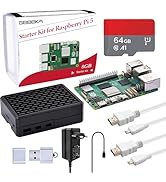
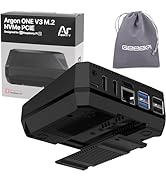
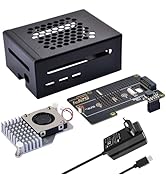
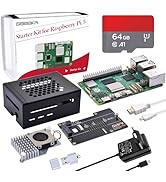
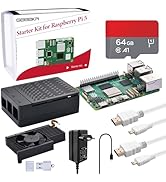
Desertcart purchases this item on your behalf and handles shipping, customs, and support to Austria.
🚀 Supercharge your Raspberry Pi 5 storage — speed, style, and stability in one sleek shield!
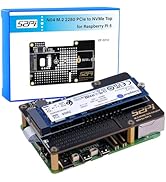
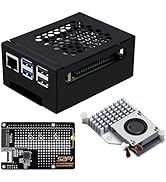
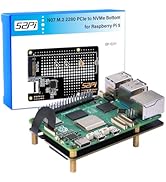
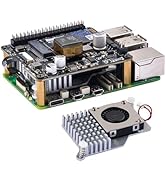
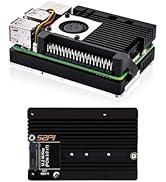
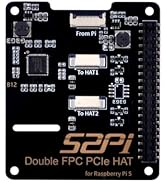
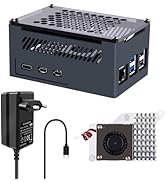
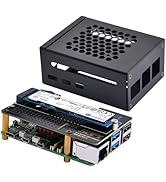
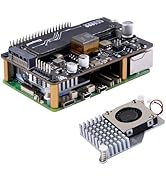
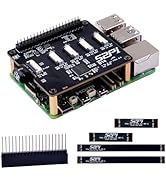
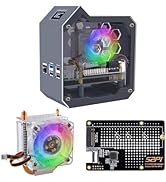
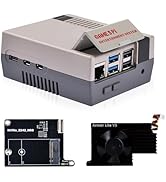
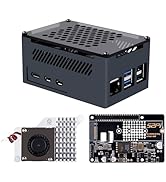
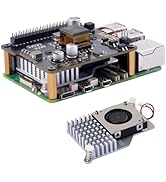
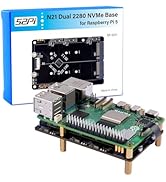
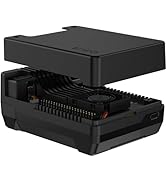
The GeeekPi N04 M.2 M-Key NVMe SSD Shield transforms your Raspberry Pi 5 into a high-speed powerhouse by enabling PCIe Gen3 x1 connectivity for M.2 NVMe SSDs (2230-2280 sizes). Designed with precision CNC mounts and ventilation holes, it ensures easy installation, reliable power delivery, and optimal cooling. Perfect for professionals seeking to expand storage with blazing-fast SSDs and boot directly from NVMe, this shield includes all mounting hardware and supports Linux-based Raspberry Pi OS configurations.


| ASIN | B0CTLX5MW5 |
| Best Sellers Rank | 40,307 in Computers & Accessories ( See Top 100 in Computers & Accessories ) 56 in Single-Board Computer Kits |
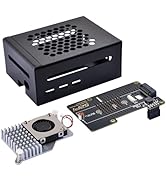
| Box Contents | FPC PCIe ribbon, M2 and M2.5 screws, spacers, extra custom CNC SSD mount screw, and SSD mounting screws |
| Brand | GeeekPi |
| Brand Name | GeeekPi |
| Compatible Devices | Raspberry Pi 5 |
| Connectivity technology | PCIe |
| Country of Origin | China |
| Customer Reviews | 4.6 out of 5 stars 371 Reviews |
| Included components | FPC PCIe ribbon, M2 and M2.5 screws, spacers, extra custom CNC SSD mount screw, and SSD mounting screws Included components FPC PCIe ribbon, M2 and M2.5 screws, spacers, extra custom CNC SSD mount screw, and SSD mounting screws See more |
| Item Weight | 0.06 Kilograms |
| Manufacturer | GeeekPi |
| Manufacturer Part Number | N04 |
| Memory Storage Capacity | 250 GB |
| Memory storage capacity | 250 GB |
| Model Name | GeeekPi N04 |
| Model Number | N04 |
| Model name | GeeekPi N04 |
| Network Connectivity Technology | PCIe |
| Operating System | Linux |
| Operating system | Linux |
| Processor Brand | Broadcom |
| Processor Count | 1 |
| Product Warranty | 180 days manufacturer |
| RAM Memory Technology | LPDDR4 |
| Total USB Ports | 2 |
| Wireless Compability | Bluetooth |
L**S
Research your NVME drive
This is a very good product and works exactly as described. However be careful with your SSD. I thought the board was faulty as had zero lights or activity but after swapping out multi ssd it finally sprung to life and was recognised. Western digital drives didn’t work. In the end a 1tb firecuda one did and you will know because the led on the board starts to show activity on a pi boot. It would be good to see a compatibility list for known drives with the instructions and possible ways to show that hardware does indeed exist without a drive connected.
J**R
Works well
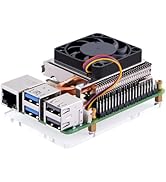
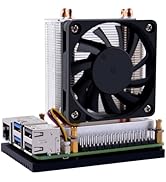
If you have a need for more storage on your Raspberry Pi 5, then this is an economical way to do it. There are other options which offer a full case but are more expensive. This works well if you don't mind the open look. Remember you probably need a cooler too.
N**7
Works with an Ediloca EN600 Pro SSD NVME
Brilliant!! Picked up a 1TB Ediloca EN600 Pro NVME from Prime sale day for £40! popped it into this adapter and followed the instructions. I couldn't see it at first in File Manager despite following the instructions and reboot had no effect. I could see it as a device but wasn't able to access the drive suspected because it wasn't in the right file format for a Pi. I followed instructions on the Web to open up the Pi imaging tool via Accessories and installed a fresh copy of Buster onto it. Edited the EEProm configuration file to boot from the NVME and removed the SD card. Rebooted and it's working a treat!!
S**Z
Best deal for rpi m.2 hat
M.2 SSD hat is a must-buy for raspberry pi. I’m very happy with this upgrade.
J**S
Lose access to gpio pins
You will probably need to boot your pi from an sd card before using this (mine would not boot at all while there was an ssd in the shield). Once booted from SD card, "sudo update" and then "sudo rpi-eeprom-update -a", reboot and the shield should be recognised, shutdown, remove sd and reboot from the ssd. Hope this helps! You will lose access to gpio pins 1 - 10 and will not be able to fit any other hat with this shield in place (this matters a lot to me) but at least you can easily change the ssd (I swap mine frequently to use different OS, versions and development systems)
G**K
Rasberry Pi 5 M.2 adapter
Had no issues getting this working with a Crucial P3 plus and a 8GB pi 5.
G**D
It works
Works with 1TB crucial p310 NVMe M.2 SSD
N**.
Supercharge your PI5
Super fast boot-ups and loads of space to play in, I've added a 1tb NVME chip, true plug and play device that has turned my pi5 into a powerful little server. A lot of bang for not much bucks.
J**S
Nickel pour monter un SSD sur Raspberry 5
Après avoir utilisé l'adaptateur GeeekPi M.2 NVMe vers PCIe avec mon Raspberry Pi 5, je suis impressionné par ses performances et sa simplicité d'installation. Cet adaptateur est conçu pour intégrer un SSD NVMe à votre Raspberry Pi 5, et le gain de vitesse est immédiatement perceptible. ### Installation facile et rapide L'installation de cet adaptateur est extrêmement simple. Il est compatible avec plusieurs tailles de SSD (2230, 2242, 2260 et 2280), ce qui offre une grande flexibilité. Le kit est livré avec tout ce dont vous avez besoin, notamment un câble FPC PCIe, des vis, et des entretoises pour sécuriser le SSD. Le tout se connecte au Raspberry Pi 5 via l'interface PCIe x1, qui prend en charge les normes Gen2 et Gen3. Une fois installé, le SSD est immédiatement reconnu par le Raspberry Pi, et il ne m'a fallu que quelques minutes pour le mettre en route. ### Performances accrues L'avantage principal de cet adaptateur est la rapidité accrue que procure l'utilisation d'un SSD NVMe par rapport à une carte microSD traditionnelle. Pour ceux qui utilisent le Raspberry Pi 5 pour des projets exigeants, comme la gestion de serveurs ou de systèmes domotiques, les gains en termes de vitesse de lecture et d'écriture sont impressionnants. Le Raspberry Pi devient beaucoup plus réactif, et les temps d'accès aux données sont considérablement réduits. Cet adaptateur, grâce à l'interface PCIe x1, tire pleinement parti des capacités de votre Raspberry Pi 5, offrant des performances rapides et stables même dans des conditions de charge élevée. ### Refroidissement efficace Un autre aspect que j'ai particulièrement apprécié est le design de l'adaptateur, qui inclut des trous de ventilation pour une meilleure circulation de l'air. Cela permet de maintenir une température optimale, même lors d'une utilisation prolongée avec un SSD à haute performance. Il est également possible d'utiliser cet adaptateur avec un boîtier en aluminium, disponible séparément, pour améliorer encore le refroidissement. ### Accessoires inclus Le kit contient tout ce dont vous avez besoin pour l'installation, y compris des vis et des entretoises pour sécuriser le SSD. Cela rend le processus d'installation encore plus simple et rapide. De plus, le régulateur de tension intégré assure une alimentation stable pour le SSD, garantissant des performances fiables sur le long terme. ### Compatibilité et polyvalence Cet adaptateur est conçu spécifiquement pour le Raspberry Pi 5, et il fonctionne parfaitement avec cette version. Que vous utilisiez un SSD de taille 2230, 2242, 2260 ou 2280, cet adaptateur offre une compatibilité maximale. Il supporte les normes PCIe Gen2 et Gen3, ce qui en fait un choix polyvalent pour une utilisation future avec d'autres systèmes. ### Conclusion L'adaptateur GeeekPi M.2 NVMe vers PCIe pour Raspberry Pi 5 est un excellent choix pour ceux qui souhaitent améliorer les performances de stockage de leur Raspberry Pi. Il est facile à installer, offre des performances impressionnantes avec un SSD NVMe, et assure une bonne gestion de la chaleur grâce à son design bien pensé. Pour tous les utilisateurs du Raspberry Pi 5 qui recherchent plus de rapidité et de fiabilité, cet adaptateur est un excellent investissement. Si vous avez trouvé cet avis utile, n'hésitez pas à ajouter un petit cœur pour me le faire savoir. Cela m'encouragera à partager davantage d'expériences et aidera d'autres utilisateurs dans leur choix. Merci !
N**N
5 Sterne! Läuft perfekt mit Raspberry Pi & Home Assistant.
Ich habe mir dieses M.2 NVMe Shield gezielt für den Einsatz mit meinem Raspberry Pi 5 gekauft, auf dem Home Assistant läuft. Ich vergebe volle 5 Sterne, denn es funktioniert für diesen Zweck absolut hervorragend! Was mir besonders gefällt: Problemlose Einrichtung: Die Installation war einfach. Das Shield passte perfekt auf den Pi, und die NVMe-SSD ließ sich leicht montieren. Sofortige Erkennung: Mein Raspberry Pi hat die SSD über das Shield ohne jegliche Komplikationen sofort erkannt. Ich konnte Home Assistant problemlos darauf installieren und davon booten. Massiver Performance-Boost: Der Unterschied zu einer SD-Karte ist wie Tag und Nacht. Home Assistant startet deutlich schneller, und das gesamte System (besonders das Laden von Verläufen, Logs und das Neuladen von Integrationen) ist spürbar flüssiger und reaktionsschneller. Zuverlässigkeit: Für einen 24/7-Betrieb wie bei Home Assistant ist eine SSD einfach die viel zuverlässigere Lösung als eine SD-Karte, die oft zu Ausfällen neigt. Bisher läuft das System absolut stabil und ohne Aussetzer. Fazit: Wer seinen Raspberry Pi für Home Assistant oder ein ähnliches Projekt nutzt und die berüchtigten SD-Karten-Probleme umgehen sowie einen massiven Geschwindigkeitsschub haben möchte, macht mit diesem Shield alles richtig. Es funktioniert einfach sehr gut und ist jeden Cent wert. Klare Kaufempfehlung!
F**O
Sdd
Ottimo SSD veloce e capiente .per ora nessun problema
C**T
Au top
Adaptateur facile à intégrer
X**1
Fácil montaje
Instalado en una Raspberry Pi 5. No soy ningún crack en informática, y no me ha costado mucho pasar el sistema operativo de la SD al disco duro SSD. La calidad del producto parece buena, ha funcionado a la primera. La Raspberry Pi ahora va más rápida, y se supone que la fiabilidad ha mejorado.
Trustpilot
2 weeks ago
1 month ago