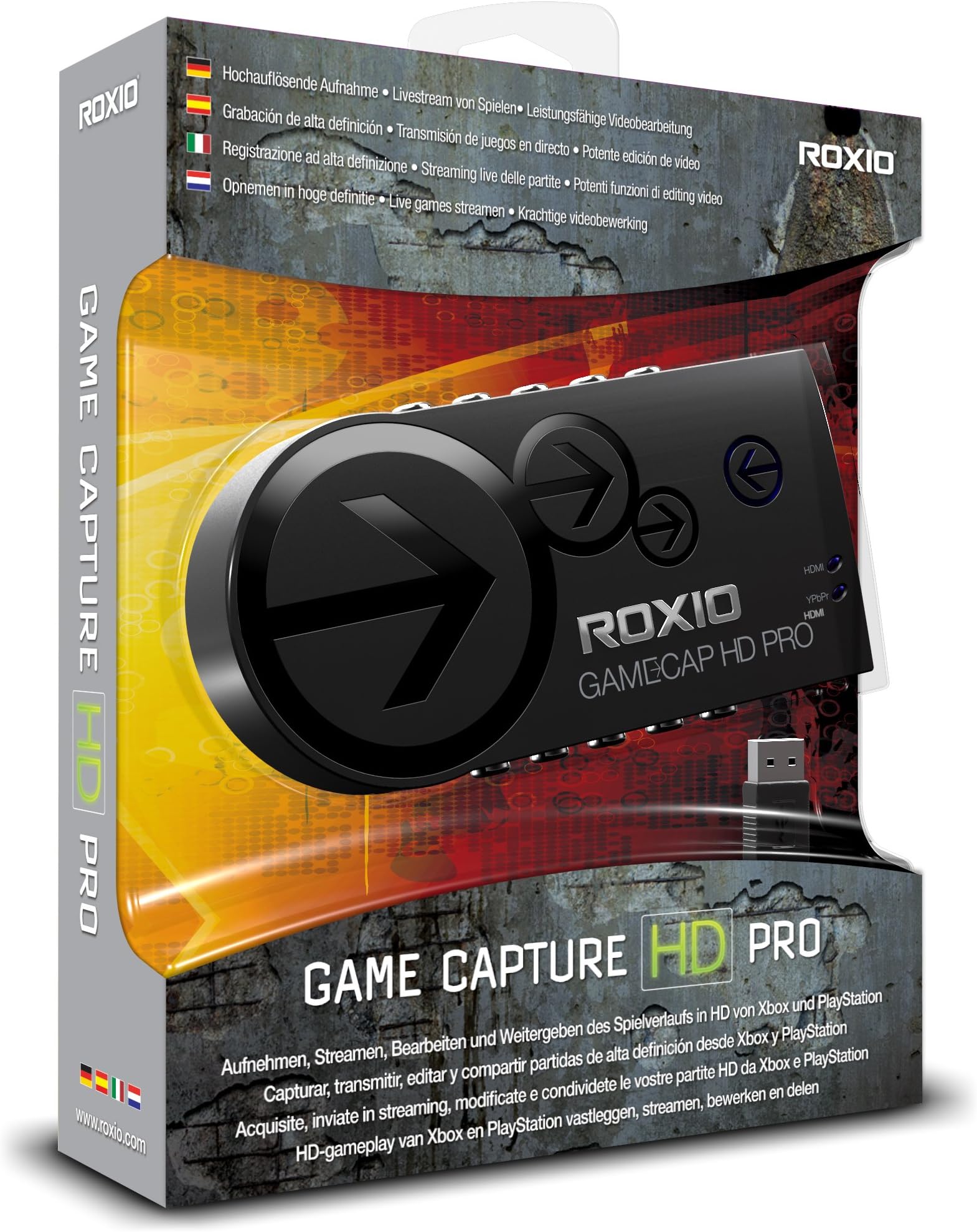


Roxio Game Capture HD PRO Video Capture Device and Editing Software for PC
Product ID: 621301
🎥95+ transitions & multi-layer editing
🎮1080p HD capture @ 30fps/60i
🔗USB 2.0 plug & play
🎬 Capture. Edit. Stream. Dominate your gaming story.
Roxio Game Capture HD PRO is a comprehensive video capture and editing solution designed for gamers who want to record, stream, and share their gameplay in full HD. Compatible with Xbox, PlayStation, and Wii, it supports 1080p recording at 30fps or 60i via HDMI or Component input. The included Roxio software offers powerful editing tools with over 95 transitions, multi-layer picture-in-picture, voiceovers, and special effects. Stream live to TwitchTV or YouTube with bandwidth testing, and share your content instantly with one-click uploads. Easy USB 2.0 setup and no power adapter required make it perfect for professional-quality game content creation.
| ASIN | B008YTAGGW |
| Customer Reviews | 3.8 3.8 out of 5 stars (813) |
| Date First Available | August 20, 2012 |
| Is Discontinued By Manufacturer | No |
| Item model number | RGCHDPR1ENAM |
| Manufacturer | Roxio |
| Our Recommended age | 5 - 20 years |
| Product Dimensions | 2 x 7.25 x 8.5 inches; 12.8 ounces |
S**T
All and all pretty awesome
All in all a great buy, works well with no delay and the capture is flawless. Very easy to set up and use, A couple things to know though: 1.) I didn't know this when I purchased it, but according to the roxio manual the PS3 doesn't support recording HDMI out, so in order to record from your ps3 you MUST have component cables. The most you are going to get out of recording PS3 is 720p/1080i (in reality though, it's a ps3 issue, not an issue with the capture card itself, just make sure you have the appropriate cables.) Doesn't bother me though, the recordings look great even with components. The nice thing is that you can connect component cables to the capture card and still use your hdmi cable to connect the card to the TV, so you won't have to buy two sets of component cables if you don't have any. 2.) The program crashes quite frequently after I'm done recording...I'm not sure if it's because I often turn off my console before I press the "stop" button while recording, if it's because I'm using windows 8, or the thing is just a little glitchy, but it has NEVER crashed while recording, so it's really not a big deal as the program doesn't take long to restart. Other than that this is a stellar device and I highly recommend it.
A**M
Works Well But Could Be Better
To date the Roxio Game Capture HD Pro is the only device that captures PC desktop video externally (through HDMI). Other options (like FRAPS) captures desktop video. The fatal flaw is that capturing the video on the same processor that is playing the software or game results in poor quality media. A separate and external device to capture desktop video is crucial for anyone who is serious about making such media. The capture processing must be set apart from the gaming or software processing. Roxio is is able to capture anything that uses HDMI and RCA component cables (which is almost all media devices). Likewise, Hauppauge HD PVR is able to capture video through RCA component cables yet lacks the HDMI ability. Bravo for Roxio for this innovation (although they might have overlooked the importance of this device). Nevertheless, there are plenty of flaws and shortcomings on this device. You can capture high definition video of desktop, yet the process is very tedious and troublesome. The aspect ratio of the capture is wrong. The captured film is smaller than the window of the player screen which leaves loads of black space on the side of the video. Also, the MT2S video has to be converted into another file type in order to edited in most video editors. By default the capture is set at 15000 kbps which results in video files that are 8 gigabytes per hour big. My preferred settings are 720p 3000 kbps capture. Note that BluRay disk hold 25 gigabytes for two hour movies. The software required to use this device with is very limited. There is no way to change the video format (MT2S AVCHD), no way to change contrast or saturation. There is no way to change the audio quality or aspect ratio. Although this device should be able to work with any capture software (Power Director, Adobe, Sony Vegas, Final Cut) no other software reads the device. Granted, The Roxio Game Capture HD Pro is a breakthrough - but is looks like Roxio was lame in the research and development department. I like this device but I am looking for many needed improvements in future versions of it.
G**N
The 7 Problems I Experienced Before Getting The Roxio Capture HD PRO To Work...
If you're thinking about buying the Roxio Game Capture HD Pro I must warn you that you're going to have problems with this product after you set it up. Here are the 7 problems that I experienced: 1.) When I first connected the card to my Xbox 360 using the 2 high-speed HDMI cables that I purchased, I was expecting it to work right then. As it turns out the product is powered by your USB cable. So if the USB cable isn't plugged into your computer it's not going to work. After I plugged in the 16 foot USB cable that I purchased off Amazon the arrow on the capture card lit up. 2.) At first glance I didn't see the instructions and the software that come with the game card. After doing a quick search I found them in a crevice within the box. I don't know why Roxio chose to put them there because some people will overlook them. 3.) Even after I turned on the game card by plugging it into my PC I still couldn't play my Xbox 360. I still needed to install the software that came with the product. There's a serial number on the front of the software sleeve that you'll need to complete the installation. 4.) After I installed the software and turned on my Xbox 360 the game display looked all messed up. I solved this problem by increasing the quality of the recording. There's a slider that says QUALITY that I had to slide all the way to the right. After I did that the game displayed perfectly on my television. 5.) When I first started recording my gameplay I was constantly getting blurry distortions in my video. Initially I solved this problem by reducing the quality of the recordings. But after using the product for a few hours this problem completely disappeared. I believe either the game card or the HDMI cables have to be broken in before properly transmitting information. This is the only explanation I can come up with. 6.) Sometimes I would get a blue screen when I launched the software before I turn on my Xbox. I solved this problem by turning on my Xbox before launching the software. Sometimes messing with the quality bar worked as well. 7.) When I first started using the software I got a warning from my Norton Internet Security software that the Roxio software was using 100% of my CPU. I have a 3.2GHZ AMD Quad Cord processor in my computer so for a single software program to hog up my entire CPU is almost unbelievable. I solved this problem by clicking on the START icon in Windows 7 and entering "msconfig" where it says "Search programs and files". I clicked on "Startup" and unchecked every program on the list. All of the programs on the list were running in the background which increased my CPU usage. Now the Roxio software hovers around 10% to 40% CPU usage.
C**G
Not Worth The Buy Or Trouble
The Roxio Hd Pro has a lot of bark but no bite. There are too many problems with it that it's not worth the buy unless you like to yell at your computer. Here are the reasons why: 1. Basic Setup: Just setting up the thing is a pain because it doesn't even come with cords besides the hookup to your computer so if didn't have a second HDMI or other pair of HD plugs you have to go and get another set. So this thing is off to a horrible start by not having any cords to plug up to your console and tv. Besides that the instructions are confusing as well so if you've never used a capture card before you might be confused. Then once you get everything hooked up sometimes it won't even work and you will have a blue screen on your tv while your left wondering what's wrong. You'll spend a good 20 minutes wondering what's wrong with either your tv, your game console, or the Roxio itself. Now it's not that it's broken usually the thing is having an issue connecting to your computer for some wierd reason, but you'll unplug everything before you even realize that the connection is the issue. 2. Pre-Recording: So if you're lucky to not have that happen you have the option to record or edit videos also there are links to videos showing you "how to use" the Roxio and all of it's programs. Rather than reading a manual which would have been easier and more helpful these videos are really just another sell gimick, even after you've already bought the thing, showing you what each of the programs can do insted of having a step by step how-to video guide. If you choose "Record" it loads up a whole new menu to choose the settings for recording. Now everytime you begin or end a recording the menu lags out and takes a while to load back up which is a nuisance every time in case you wanted to make another recording shorlty after the first one. Or can put you back to the blue screen as mentioned earlier. 3. Recording: Recording your in-game commentary is one of the main selling points for this product, but you cannot record YOUR in-game commentary you can only record other people not yourself. For example: with the Xbox 360 which I normally record with go to prefrences on the guide menu then go to voice and choose play through both speakers and headset. Now once you've done that all capture cards will record the in game voices of the people in your party, multiplayer lobby, or match. You will have to use another program to record your voice such as Audacity(which is free) and then apply that recording to your video and link up both recordings which is a pain. With recording you can live stream or record and upload later. The one cool feature is that you can set the maximum recording time for your videos so you can begin recording and not worry about going back and stopping, it automatically does that. Which is the only good thing about the recording software which is dissapointing. 4. Editing Your Videos: Now there is only one good thing about the editing software you can narrate your voice to a video so you don't have to use another recording software for your voice. THAT'S IT,there is nothing else good or redeeming about the editing software. They tried to make this their top selling point for the Roxio and the stupid thing won't even work or it will freeze your computer. To top off that suck sandwhich it doesn't even come with proper instructions all the Roxio gives you are those stupid pre-made videos that only show the stupid features not how to use the thing which they should have done in the first place instead of wasting your time looking up how. In conclusion this capture card has ABOSULUTY nothing going for it. For gamers that wanted to record gameplay for "Let's Play" segements or just you showing off your "skillz" on Youtube this is not the capture card for you. There are other and better capture cards out there that are way more user friendly than this piece of crap which now spends most of its time as a paper weight on my desk. From personal experience I will recommend the first capture card I purchased which is an Elgato Game Capture HD which actually comes with the hookups for a PS3 and another HDMI cord for your Xbox 360. Plus there was a system update recently for its recording program which now allows you to record your live commentary with a mic or turtlebeaches plugged into your computer. All of which the Roxio HD Pro advertised yet does not have.Please save yourself some trouble and pass on this product and buy a different capture card which isn't made by Roxio and use Window's Movie Maker or another movie editing software and save yourself the trouble it is to use this piece of crap which is nothing more than an expensive paper weight that has a purple LED light to make it look pretty while you're about to throw out your window because it won't work. What's worse is all of the commercials on tv and Youtube, advertisments, and edorsements that this company uses to advertise this thing to gamers and it doesn't even work. From one gamer to another DO NOT buy this, it is worthless and is a waste of money which could've been spent on a better capture card.
T**3
Good product, bad support.
So, this is the first capture card I've ever owned. I'm making some videos from games I play on the 360. It's actually a great card; it captures in very high quality, easy to understand and set up. The software is a bit wonky at times, and on one occasion, it force closed after the completion of a recording, thereby scrapping that recording. But the problem is not in the product, the problem is in Roxio and Corel support. Support allows you one free question within your warranty period, which is two weeks. Yes, two weeks, fourteen days. You are allowed to ask support one question within this time period, at no cost to you. It is complicated and annoying, and once you fall outside of this two week period, a new support code will cost you $25. It was impossible for me to get in touch with support without first using my support code. I was forced to use my support code on a question that I shouldn't have had to ask in the first place, which is, how many computers does my CD key allow for me to install the software on? By the way, the answer is three. About ten days later, we experienced a thunderstorm. After one lightning bolt hit fairly nearby, we lost power for just a moment. I was on my Xbox when it happened. So, I tried to restart my system, and what the hell, I don't have video anymore. My sound is running to a separate source so I still have sound, but there's no more video. After you contact support, they send you a feedback request e-mail, asking them how you thought they did. I was frantic, so I replied to that e-mail, and said, "Listen, I redeemed my support code on a question that didn't really warrant a support code, and now I have a real problem." I then detailed the problem; never received a reply, or even an acknowledgment. Now, after some toying around with wires, I found the solution to be as simple as, unplug the USB cord from the cap card, then plug it back in. I know it seemed like an elementary thing and I should have tried it first, but I was first messing with the HDMI cables to see if one had shorted out. Anyway, long story short: the question I used my support code on was ridiculous. They should have generated me a new support code just for seeing how trivial my question actually was. Where I thought this $120 product that I had gotten less than two weeks ago had shorted out due to a power surge, they wouldn't even look at me unless I paid $25 for a new support code. That's disgusting customer service. If you know well how to deal with capture cards and their software, get it. If you're confident that this card will never fail you, get it. If you ever anticipate that you'll need to ask the manufacturer a question about their product, RUN. Buy another card. Roxio makes a good product, but they are clueless about how to talk to their customers. Anybody that ever charges you $25 to answer a simple question doesn't deserve your money. I'd recommend that spend your money elsewhere, because for no support, this thing really costs you a nice chunk of change.
H**Y
Great Product, Horrible Software.
Just got this device yesterday and I can say that this device is AMAZING, especially with the price tag. The reason why I'm giving this 5 stars even though I said the software is horrible(which it is), is that it's a fairly new device, and I want to give them some time to fix all of the bugs within the software. The device itself is great, and the quality you get is comparable/better than the HD PVR, Elgato etc. A lot of people say a downside to recording with this device, is that you can't import the clips into other NLEs(Sony Vegas) because the audio doesn't import with it. There is a quick fix on the Roxio forums for that, or you can download "Any Video Recorder" and convert the audio only, which takes about a few seconds. I haven't tried livestreaming yet, as I don't do live streams but I will probably test it out. Instead of pros and cons, I will write what's good about the device, and what's bad about the software as of now. "What's Good About the Roxio Game Capture HD Pro" - H264 encoder within the device, does all the CPU processing for you. - Component and Hdmi passthrough. If you play in component and have the device hooked up to your PC, you can play with HDMI and record via component(great if you have a second monitor that takes HDMI!). - Great sound card, amazing sound quality. - Doesn't need a power source, just hook up via USB and that's all you need. - Great design, lightweight and sturdy(opinion). - Max bitrate is 15mbps, great for people who do multiple renders like myself. - 720p 60fps, 1080p 30fps recordings. "The Horrible Software" - Note that this is MY experience, not yours. You may not have the same problems. - Slow loading times. - If you had problems during the installation, you'll have freezing problems with the software although I fixed it by re-installing. - If you set the bitrate to max(or over the middle of the slider bar), or if you're doing anything else, the screen starts glitching out and so does the recording. If you're having this problem, the only way to fix this as of now is to move the slider to the middle of the quality slider bar and close every program(don't know why) which lets you record at 8-10mbps. - If you mute the audio in the preview window, it doesn't save when you exit. All in all, the device is outstanding, but the software definitely needs some work, but I will hold on to this device until future software updates as it has A LOT of potential.
A**Y
Could've Been Amazing
I'd like to start this review by saying that this is not a horrible product that should be burned to ashes and left to blow away in the wind. It served its purpose and it recorded gameplay, in my case on the Playstation 3, in 720p 60fps. I'll go into the Pros and Cons right now: Pros: 1. High-Definition recording up to 1080p 30fps or 720p 60fps if you're using PS3. 2. Easy to hook up. 3. The editing software is easy to use, but I prefer Sony Vegas. 4. Low Price Cons: 1. First of all there is basically NO customer support. I originally received a defective product that didn't record audio from the Right channel and needed it replaced. It took me 3 months to get my replacement. Not only that, but the software included has only been updated ONCE since its release and even that update people have been having trouble downloading. 2. Speaking of the software, the live streaming options are bare minimum. You set the bitrate, which only goes up to 2250kbps, you pick your audio source and that's about it. That's if they've fixed the live streaming feature since, after an update to Twitch TV in December 2013, you can't sign into your twitch account with this product which is at least half the reason for having the device. Sometimes the device will default back to 480p so you'll have to make sure you're using 720p or higher each time. All this happens after you figure out if you're one of the lucky people who could get the software and Roxio to work right first try. 3. They built this product with no ability to work with other programs. You were originally REQUIRED to use their crap software. You can now use Xsplit, but only if you pay for a license so people without the money are stuck with garbage until OBS gets their software to work with Roxio as well. 4. I don't know if this is a fact, but in my case you cannot view the preview screen in the Roxio if you have Windows Aero themes disabled. If you had your system on Classic View for performance reasons, you'll have to use Aero. Now that that's over with, I'd like to conclude this review by saying a little more. I can't stand a company that advertises their product and claims to be better and cheaper than the others, but doesn't even support their product. They have the nerve to talk more about live streaming than anything else and, at this time, that feature doesn't work. Bad/almost non-existent customer support, Horrible software, taking a gamble at if your product works without problems as well is it not being defective...Low price does not excuse this nor does it make the product any better. I should've saved my money and got the Elgato, but I didn't and completely regret this purchase. Advice: DO NOT BUY THIS PRODUCT!!! Get an Elgato or something else that is actually supported by its developers. Trust me, it'll be worth it.
D**E
I "Loved" It (Starting to Adore)
Seems Roxio, Twitch.TV, and many other broadcasting connections are just here one moment for the buyer and then Red Lights in the distancing Fog. I contacted Corel, Correl, Roxio, Twitch, and multiple other companies trying to figure out why this does not upload to any websites that are used for streaming and was given broken English garbage responses so I just set it aside and went Avermedia who uses proper customer service methods rather than giving you a "Use one technical response token and then we need you to buy more credits to ask us about our mistakes and why the products we sell you do not function." I must mention that Twitch is also highly to blame for their lack-luster performance in the CS area as their claims are to be as "Stream Friendly for the Social Environment of the Internet" as possible with all devices. ___________ Update 5/14/2014 Twitch.tv/Justin.tv and Correl/Roxio released a patch that allows you to stream again, but to only those sites it seems. I still have my token stolen and they have no disclosed when Youtube uploading will function again. Quality ranges from 720 to 1080 as advertised and though the wires beyond what is needed to power the device come with it you are still acquiring a very reliable capture card to record gameplay with. I just finished my Super Mario RPG saga on my Wii which I used the Universal High Definition Component Cables I bought from Gamestop. All of my very blunt and honest friends said the sound and video came out beautifully and I had not altered or edited it. Straight from HD to Facebook. Enjoy!
Trustpilot
3 weeks ago
4 days ago