
Desertcart purchases this item on your behalf and handles shipping, customs, and support to Austria.
🔀 Effortless USB sharing for the multitasking pro who refuses to slow down.
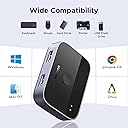
The UGREEN USB 3.0 Switch 2 in 2 Out enables two computers to share two USB devices seamlessly, supporting high-speed 5Gbps data transfer. Compatible with all major operating systems and requiring no drivers, it offers a simple one-button switch with LED indicators. The package includes two 5-ft USB 3.0 cables for immediate use, making it an essential tool for professionals managing multiple workstations efficiently.


| Customer Reviews | 4.1 out of 5 stars 977 Reviews |
C**.
Working with my two computers is now easy
UGREEN has never let me down with any of their products from batteries to hubs for multimedia purpose and now this switch to switch between my work computer and personal computer and because of it I only have to use one item for both when it comes to the keyboard and webcam. A hides perfectly in the back behind my monitor small great switch and easy to use plug-in play no other power cables needed easy to install and really great quality. Plus it comes with the two cables, which makes it super convenient.
O**S
Worked Well -- Highly Recommend for Linux and Windows Same Time
UGREEN USB 3.0 Switch 2 in 2 Out, USB Switcher 2 Computers Works as intended. Easy to use even with Linux and Windows at the same time. Its very small, but gets the job done. The inputs and outputs are hard to see. And directions, if you do not read them ( Like I didn't at first will mess you up.) The input is the Computer, the output is the keyboard or mouse. I assumed input the keyboard and mouse. And it didn't light up. So I read the directions> and saw the information is different then I thought. I was surprised that it worked well with Linux and Windows. There is a 5-6 second delay to Linux, but Linux to Windows is instant. Keyboard and mouse worked great. Keyboard is wired. Mouse is wireless and worked fine. Comes with needed USB cords is a massive plus and they are nice heavy cords.
M**N
Good switch with minor issues
Very nice compact USB switch that doesn't require external power. No connection issues. Switching is slow in Linux, but that's an OS function. Every time you switch, the OS has to detect and initialize the USB devices. Linux is slower than Windows in that regard. Only a high-end USB/KBM switch with "true emulation" would mitigate this. That said, there are a few issues. The included cables are a little short at 5ft. They are also USB A-A which are technically not standard, but I found longer replacement cables which work fine. The port labeling is misleading, with the computer ports marked as "input" and the device ports marked as "output." I suppose that's correct for something like a printer, but it's backwards for a keyboard or mouse. If you don't see a blue/green light, swap the cables to the other side.
P**N
NOT recommended
It stopped working. I am pretty doubtful about the product’s longevity.
E**I
Good while it lasts
Worked well for 1 year. Then it started to have issues where one of the outputs would not work so it only output to one of the two outputs. I like the bright LEDs indicating which output is selected. I just bought a new different switch and the LEDs are dim.
P**S
Works perfectly switching between my TWO Macbooks Pros!!
I work remote as a Product Designer on a dual monitor setup (Dell U2719DC and U2719DX monitors) and I was looking for a way to easily have both of my Macbooks connected to both of my monitors (my personal laptop 2019 Macbook Pro and my work laptop 2023 Macbook Pro) to be able to switch between both laptops without the hassle of unplugging/replugging as well as being able to use ONE keyboard and trackpad/mouse for BOTH Macbooks!! (rather than switching out peripherals). After doing endless research on deciding whether or not to go with an expensive KVM switch and the possible roadblocks I may have faced including: - Two Macbooks possibly only producing a mirrored display on dual monitors - Not being able to wake my Macbook up while it's in clamshell mode (or having to never put my Macbook to sleep) I decided to go a cheaper route with investing in this Ugreen USB Switch and it works FLAWLESSLY with my setup. Switching between both of my Macbooks is pretty simple. For example, in the photo, I have my personal Macbook on the left and my work Macbook on the right. When on my work laptop, to switch over to my personal Macbook, all I have to do is change the input on both of my monitors to HDMI or DisplayPort...which ever cable you are using for each laptop. In my case my work laptop is connected using an HDMI. And my personal Macbook uses a Displayport cable. I then click the button on the USB Switch to switch my keyboard and magic trackpad (or mouse) over to my personal laptop and after a few seconds, I have the desktop of my Personal laptop displayed on both of my monitors :) Best solution if you want to easily switch between twp computers.
S**.
Works perfect to switch between computers
I was sick of unplugging my docking station USB to switch between my two laptops. This option worked perfectly. Took 5 minutes to open and plug in and I'm in business. I what bought an adapter so I could plug into the USB c port on one of my laptops. Now I can just push the button to easily switch between my two computers. My dock has 2 monitors, a keyboard and mouse and a headset attached and it switches the whole thing fine. Wish I would have done this years ago
L**1
Great, with a couple minor caveats
Picked up this pup to share my keyboard and mouse between my home tower and work laptop. As others have noted, the "inputs" and "outputs" appear to be labeled backward, so if it's not working when you first give it a go, try reversing your cables. Also, I was a bit crestfallen when I shut down my work machine for the day before switching the keyboard and mouse to my home computer. That's when I discovered the switch needs power from both machines to work, but my ancient work computer does not keep any USB ports hot when powered down or in sleep mode. I remedied this by buying a powered USB Hub for the laptop, which I sort of needed anyway, and now all is well. This is the only reason I deducted one star. It does take a few (3 to 4) seconds for the mouse and keyboard to switch after you click the button. Not a big issue for my use case, but it might be for you. Lights on the unit are on the small side, but one is green and one is blue, so it's relatively easy to tell which machine has the input. Note this device is for keyboard and mouse only. You'll need a full KVM if you wish to switch your video, too, or one with more ports if you wish to switch printers, webcams, and such in addition to the keyboard and mouse. Overall quality seems decent enough for the price, especially since it includes two 5-foot braded USB cables of better-than-average quality. Other than the power issue mentioned above, it works great for my needs. Since both my keyboard and mouse are wired, I don't know how well it will work with RF devices, but I see no reason why there should be a problem. I will update my review accordingly if it dies or exhibits problems before it ought to. For now, however, I am a happy camper.
W**.
It's a switcher NOT a USB Hub, There is a difference.
I've used this as it's intended, a switcher, to switch between two computers to one printer. It's very versatile and works perfectly. It connects quicker than unplugging cables, and it is small and compact, unobtrusive on my desk and smaller than my mouse. I like the fact it's black as its appearance it fits in with all my other desktop peripheral's. I'm unable to comment on its durability as I've only had it a day, however I see no reason why it shouldn't last. The supplied USB cables are adequate and do the job as intended, if you need longer cables, buy them. The supplied cables length are as described, 1m. Some of the reviews about it not working are unfair, It's a switcher not a USB hub, there's a clue?
B**O
Love this
Good quality product. Does exactly what it says and it is exactly what I needed.
R**Y
Good stable connection
Works great when you have two switch between 2 PC often. Take a few seconds to register but connection is stable.
L**O
Werkt prettig
Werkt prima, handig
D**D
Macht was es soll
Gut verarbeitet, USB Ports sind passgenau und nicht so ausgeleiert wie bei manchen günstigen Geräten.
Trustpilot
3 days ago
4 days ago