🚀 Elevate your workspace with immersive clarity and seamless connectivity!
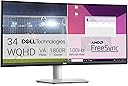
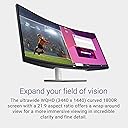
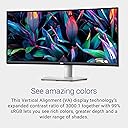
The Dell S3423DWC is a 34-inch curved ultrawide monitor featuring a WQHD 3440x1440 resolution with a 100Hz refresh rate and 4ms response time. It offers USB-C single-cable connectivity delivering 65W power, video, audio, and data, complemented by built-in dual 5W speakers. Designed for professionals, it boasts a 3000:1 contrast ratio, 99% sRGB color accuracy, and ergonomic height/tilt adjustments with ComfortView Plus low blue light technology, ensuring immersive visuals and eye comfort in a sleek platinum silver design.


| ASIN | B0BQNGV8Z4 |
| Adaptive Sync | FreeSync |
| Aspect Ratio | 21:9 |
| Best Sellers Rank | #332,846 in Electronics ( See Top 100 in Electronics ) #899 in Monitors (Computers & Accessories) |
| Box Contents | HDMI cable, Monitor, Power cable, Quick setup guide, Safety/Environmental/Regulatory Information, Stand riser and base, VESA cover |
| Brand | Dell |
| Brand Name | Dell |
| Color Gamut | 99 |
| Colour | Black, Silver |
| Contrast Ratio | 3000:1 |
| Customer Reviews | 4.6 out of 5 stars 339 Reviews |
| Display Technology | LCD |
| Display Type | LED |
| Hardware Connectivity | Bluetooth, DisplayPort, Ethernet, HDMI, Solid State Drive, Thunderbolt 4, USB |
| Has Color Screen | Yes |
| Image Brightness | 300 |
| Image Contrast Ratio | 3000:1 |
| Item Dimensions D x W x H | 21.8D x 80.8W x 49H Centimeters |
| Item Type Name | S3423DWC |
| Item Weight | 22.6 Pounds |
| Manufacturer | Dell |
| Maximum Display Resolution | 3440 x 1440 Pixels |
| Model Name | Dell 34 Curved USB-C Monitor - S3423DWC |
| Model Number | S3423DWC |
| Mounting Type | Wall Mount |
| Native Resolution | 3440 x 1440 |
| Network Connectivity Technology | HDMI |
| Picture Quality Enhancement Technology | [INFERRED: Multiple picture quality enhancement technologies] |
| Pixel Pitch | 0.23 |
| Power Consumption | 31 Watts |
| Product Features | Curved, Height Adjustment, Tilt Adjustment |
| Refresh Rate | 100 Hz |
| Resolution | WQHD 3440 x 1440 |
| Response Time | 4 Milliseconds |
| Screen Finish Type | Matte |
| Screen Size | 34 Inches |
| Screen Surface Description | Matte |
| Shape | rectangular prism |
| Specific Uses For Product | Business, Gaming, Programming |
| Total HDMI Port | 2 |
| Total USB Ports | 4 |
| Total Video Out Ports | 2 |
| UPC | 884116420415 |
| Viewing Angle | 178 Degrees |
| Voltage | 240 Volts (AC) |
B**S
Beast YES.
One, this is a BEAST of a monitor. It’s huge and honestly, I’m not complaining. Performance wise it performs well with gaming, office work & general viewing. Two, the size of it makes it look like you’re working in a theatre. There is plenty of work room for you to have 4 small windows open at the same time to better work flow for working or going to class at home. Three, graphics wise, it could be better but the picture options compensates well. Again I did buy a monster of a screen already & with the freesync I’m not complaining with the great productivity performance. Additionally the speakers does well enough. I did find that it’s a bit quieter when I’m on teams meetings during the day or generally viewing Netflix/youtube. Fourth, my gaming experience has no complaints. I didn’t find any flicker or delay. My PS4 pro is connected via HDMI 2.1 and damn, it does deliver. The wide screen ratio makes my gaming worlds so much more immersive and I’m spoiled! Yes there is a gaming version of this monitor so I might look into splurging into that as a second monitor & connect a sound bar for that theatre gaming experience. Lastly, I’m extremely pleased of this product. I have to say Dell set the bar well for an entry level monitor for your general use in home or office. As I mentioned, I’m thinking on buying another one for that double monitor action for the best workflow while working at home and the best gaming experience I’ve had so far. Finally, just get one. Yes it has quirks and such, but keep in mind this is just the beginning. Upgrade and research the next monitor for you while enjoying the spoils of what is here. Thank you Dell.
G**R
Great monitor and works with Ubuntu 22 &24
I already owned two of the 27" monitors of this series for my work windows 11 machine, So I decided to stay with same series for a 34" wide screen. Attached to my personal Ubuntu 22 laptop then later upgraded Ubuntu to 24. Monitor worked seamless with both versions, no drivers to install! 4K resolution makes everything so crisp and clear! I was worried about going wide screen that I would loose some vertical real estate, but the vertical is the same as the 27", about 14" of usable screen up and down. Absolutely loving this curved widescreen with Ubuntu for personal laptop. For work, I still prefer the 2 27" 4K monitors. I connect these monitors using the USB-C, so they keep my laptops charged while working, no need for a separate laptop power cord. I already had a USB speaker, so I don't use the monitor speaker, but I did test it and found it was adequate, but I do use a USB camera/mic connected via the monitor and that works great also.
A**T
Utilisation pro et +
C’est mon troisième écran de ce fabricant à ce format Parfait pour le travail Image précise Confortable pour le texte
K**A
Excellent monitor
I love this monitor. I love that the model I bought is height adjustable - in my photo I have it pushed down as low as it will go which makes it the perfect height for my workstation. It works perfectly with my Macbook as well as with my Windows work laptop. For some reason though it doesn't recognize my Macbook's input via USB-C so I connect it using HDMI. Oddly enough, I can plug my iPhone 15 Pro into the USB-C and it recognizes it as a valid input so I'm not sure why it doesn't pick up my Macbook via USB-C. This isn't an issue for me as I already had an HDMI cable laying around and had the "dongle" adapter for the MacBook. However this monitor doesn't come with an HDMI cable so keep that in mind if that's how you plan to connect it to your computer. It comes with a USB-C to USB-C cable, and a superspeed USB upstream cable but not HDMI. The monitor also does have built-in speakers but they sound like hot garbage. Compared to my Macbook Air's speakers they sound dull and muffled. Imagine putting a small portable Bluetooth speaker under a couple pillows and then sitting on it - that's how dull and muffled the monitor speakers are. But you're probably not buying this monitor for the speakers, so it's nice that it has them just in case you don't have any alternative sound output options. Overall, an excellent monitor and can easily be a great substitute if you prefer working with 2 monitors but only have room for 1.
T**E
Works better with hdmi than usbc
Superior quality. Works great with my mac mini.
Trustpilot
4 days ago
3 weeks ago